
When you're managing email campaigns in Enrollio, you'll see different status labels that show where each campaign stands. Two common statuses are Paused and Draft.
What These Statuses Mean
Draft Status
A campaign is marked as Draft when you've started building it but haven't sent it yet. Think of this as your workspace — you can edit, preview, and adjust your message without worrying about accidentally sending it to families.
Draft campaigns stay in this status until you either send them immediately or schedule them for later.
Paused Status
A campaign shows as Paused when you've temporarily stopped it from sending. This is useful if you need to make changes to a scheduled campaign or if you want to hold off on sending while you review something.
You can resume a paused campaign at any time by clicking into it and reactivating it.
Why This Matters for Your Center
These status indicators help you keep track of what's going out to families and what's still in progress. When you're juggling enrollment updates, event announcements, and waitlist communications, it's easy to lose track of what's been sent and what hasn't.
Use Draft status when you're crafting messages you're not ready to send. Use Paused status when you need to temporarily hold a campaign that was scheduled or in progress.
Where to Find Your Campaign Status
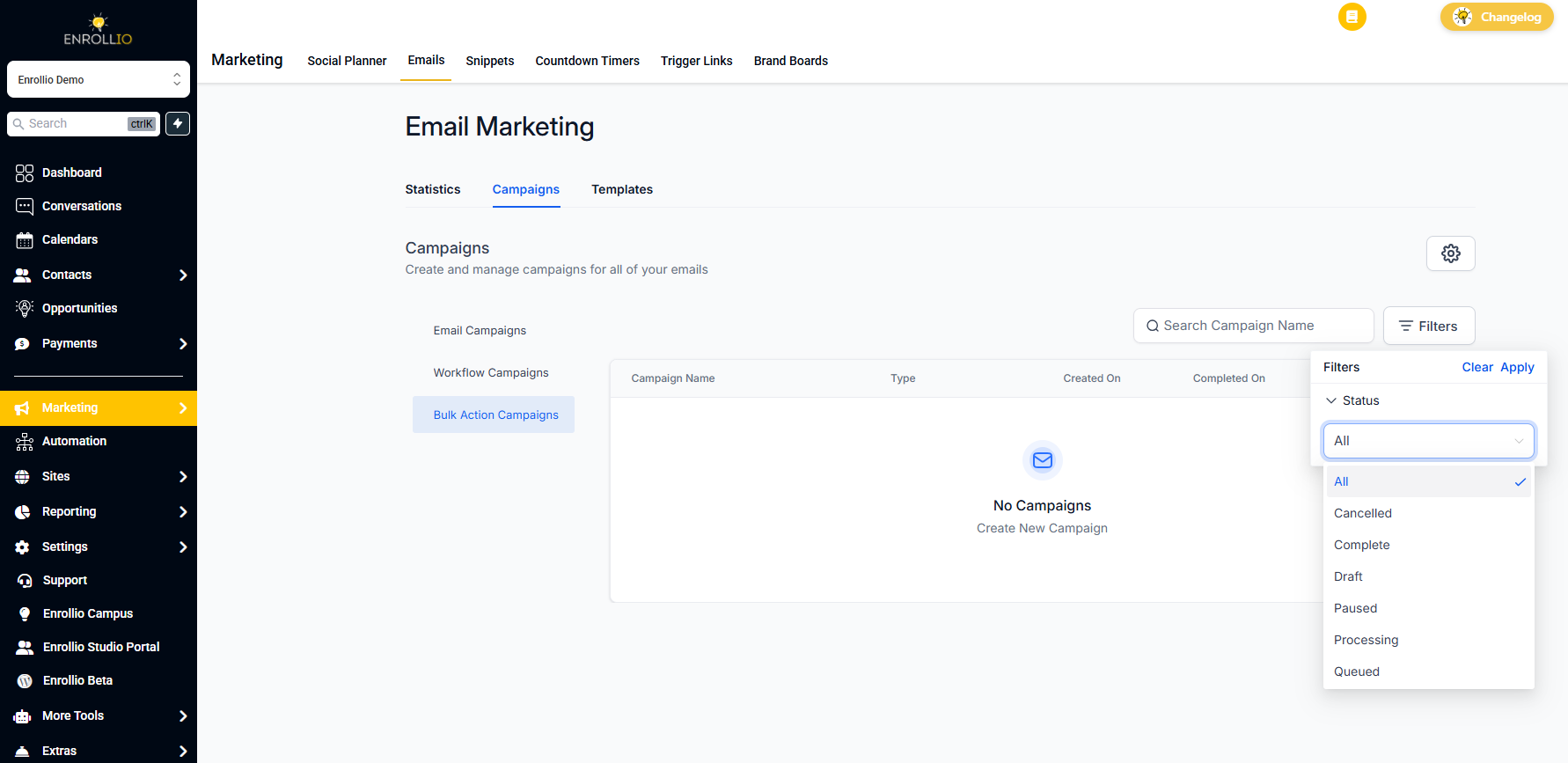
Navigate to Marketing Campaigns to see all your email campaigns and their current status. You can filter by status to quickly find all drafts or paused campaigns.
Next Steps
Ready to take your parent communications to the next level? Check out how to build automations that can send personalized messages based on enrollment stages, tour scheduling, and more.