How to Set Up A/B Testing for Your Email Campaigns
Want to improve how parents respond to your emails? A/B testing lets you test up to 6 different versions of an email campaign with your family list. By comparing multiple variations, you'll discover which subject lines and content resonate best with parents—and drive more enrollments, tour bookings, and engagement.
This guide shows you how to set up and run A/B tests in Enrollio.
Important Requirements:
- You need at least 10 families for each variation
- Minimum 40 total families to run any A/B test
- A/B tests only work with "Send Now" or scheduled campaigns (not batch or RSS schedules)
- If no clear winner emerges during your test window, the first variation wins by default
How A/B Testing Works
A/B testing in Enrollio follows a simple process:
- Choose one element to test: subject line or email content
- Create 2-6 variations of that element
- Set how long the test runs (30 minutes to 24 hours)
- Choose your sample size—what percentage of families receive test variations
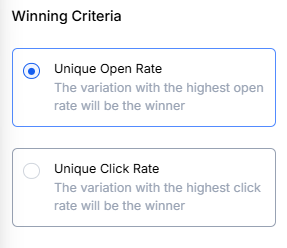
- Pick your winning criteria: open rate or click rate
- Send the winning version to your remaining families automatically
Enrollio automatically tracks performance during the test period and sends the winning variation to everyone else.
Step 1: Create a New Campaign and Enable A/B Testing
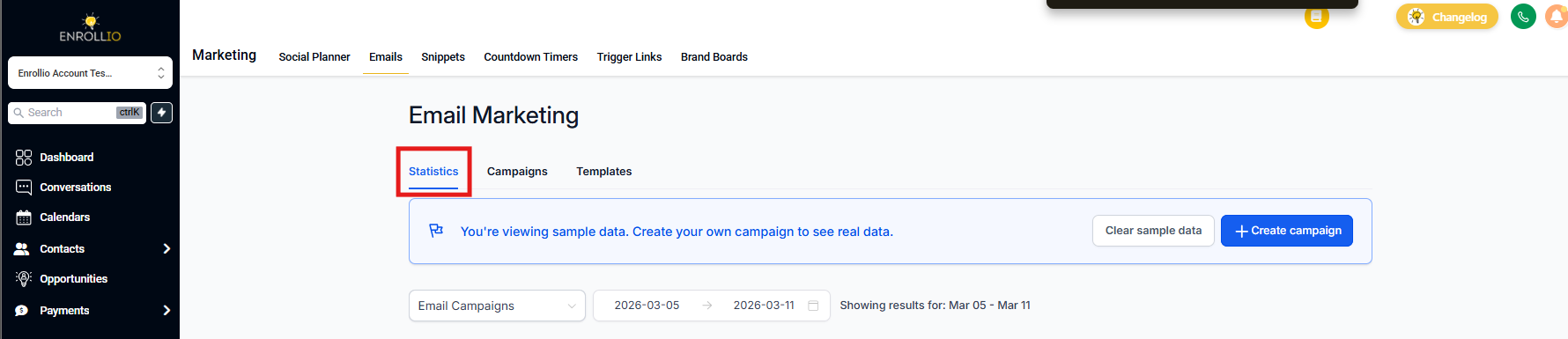
Go to Marketing Emails and select Campaign from the dropdown.
After creating your new email campaign, toggle on A/B Testing.
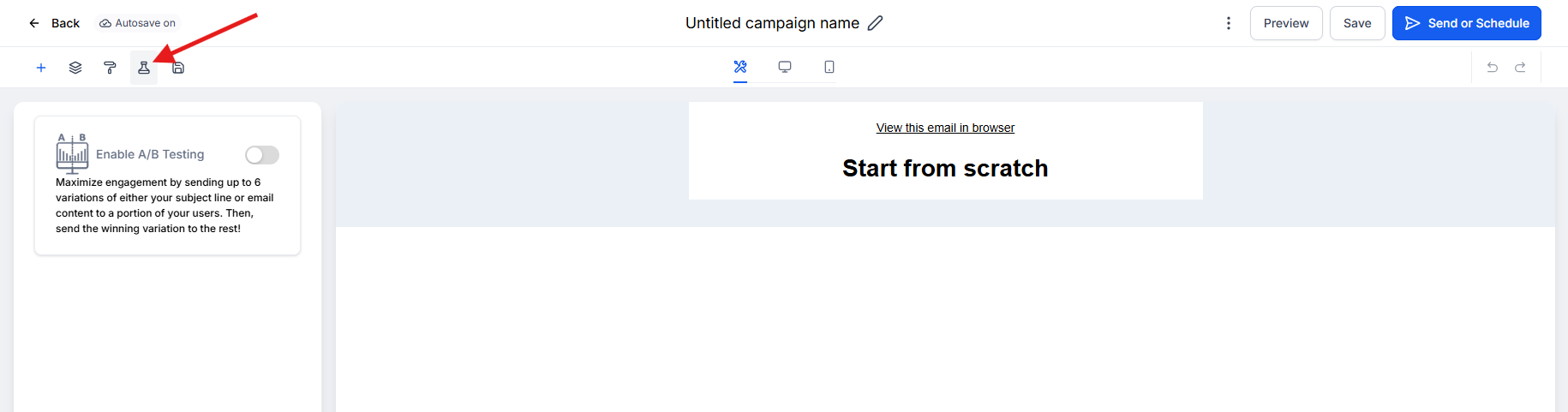
Step 2: Choose What to Test
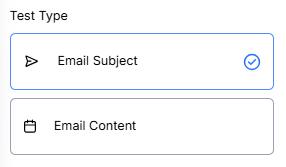
You can test either your subject line or your email content. Pick one.
Email Subject Line (Tests Open Rates)
Subject lines are what parents see first in their inbox. Testing different approaches helps you understand what grabs their attention. Try varying:
- Length (short vs. detailed)
- Personalization (using the child's name or parent's name)
- Tone (formal vs. casual)
- Urgency ("Spots filling fast" vs. "Tour our center")
Email Content (Tests Click Rates)
Content testing shows you which message elements drive parents to take action. Test different:
- Headlines and section titles
- Call-to-action buttons ("Schedule a Tour" vs. "Book Your Visit")
- Images and videos
- Email length
- Testimonial placement
Step 3: Set Your Test Duration
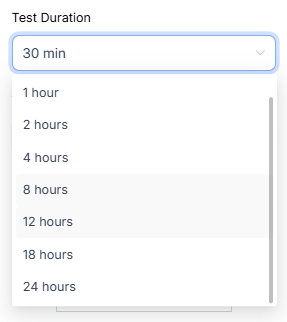
Choose how long Enrollio should test your variations before declaring a winner. You can test anywhere from 30 minutes to 24 hours.
Consider when parents typically check email. If you're sending in the morning, a 4-6 hour window often works well. Evening sends might need longer.
Step 4: Choose How Many Variations to Test
Create 2-6 variations of your subject line or content. More variations give you more data, but require more families in your list.
Use the slider to decide what percentage of families receive test variations versus the winning version. Setting the slider to 50% means half your families participate in the test, and the winning variation goes to the other half.
Step 5: Choose Your Winning Criteria
Select which metric determines the winner:
- Unique Open Rate: Best for subject line tests—measures how many parents opened each variation
- Unique Click Rate: Best for content tests—measures how many parents clicked links in each variation
Match your winning criteria to what you're testing. If you're testing subject lines, choose open rate. If you're testing content or calls-to-action, choose click rate.
Step 6: Test and Send Your Campaign
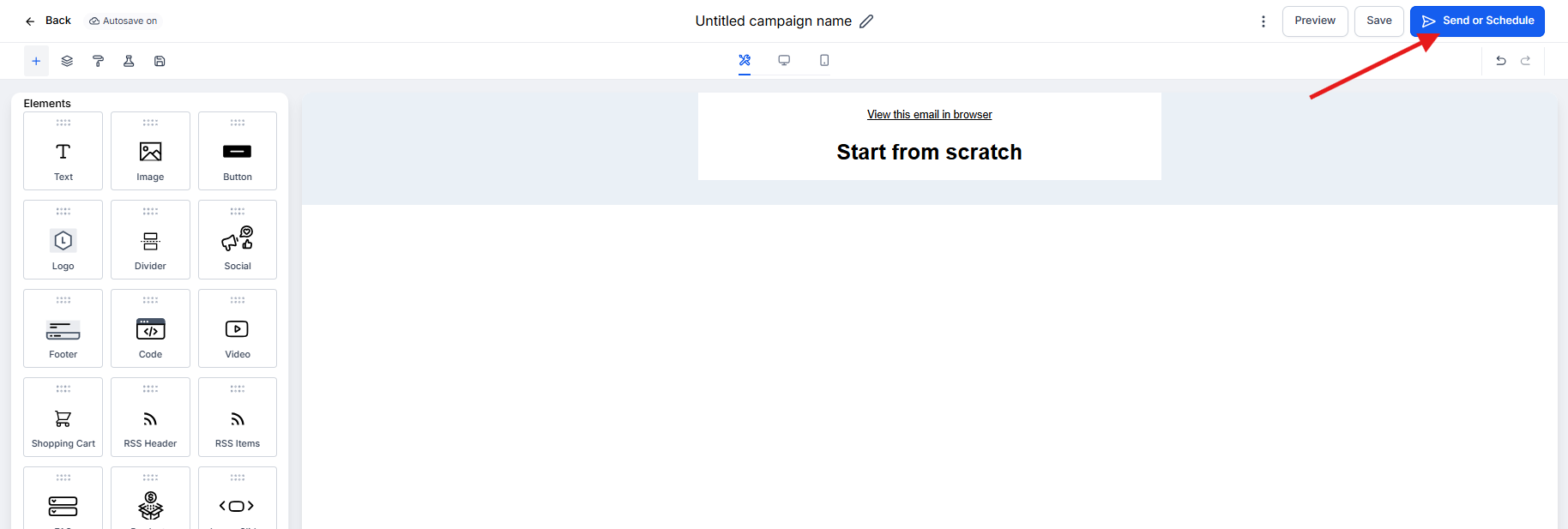
Before sending to families, preview your variations. Click the three dots menu and select either Test or Preview.
When you're ready to launch, choose your delivery method:
- Send Now: Campaign goes out immediately
- Schedule for Specific Date/Time: Campaign sends at your chosen time
Reviewing Your Results
After your test completes, check your campaign statistics to see how each variation performed. Enrollio shows you detailed metrics for each variation plus overall campaign performance.
Look for patterns: Did personalized subject lines win? Did shorter emails get more clicks? Use these insights to inform your next campaign.