
Overview
The Add Follower(s) to Enrollment Opportunity action lets you assign one or more staff members as followers to an existing enrollment opportunity. Followers receive updates whenever the opportunity changes — perfect for keeping your enrollment team, directors, or specialists in the loop.
This action typically follows a Find Enrollment Opportunity step (or is triggered directly by an enrollment opportunity event) so there's a specific opportunity already in context.
How It Works
When triggered, this action adds each selected user to the opportunity's follower list. If someone is already following the opportunity, Enrollio prevents duplicates — you won't accidentally add the same person twice.
If no enrollment opportunity is found or triggered, the action is skipped automatically.
Action Settings
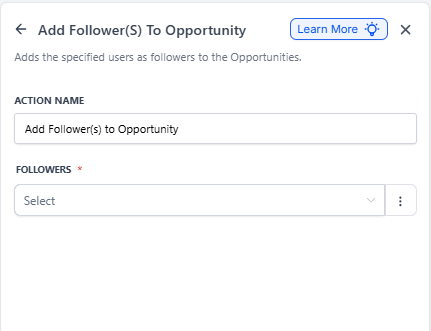
| Field | Description | Required |
|---|---|---|
| Action Name | A unique label to identify this step in your automation (e.g., "Notify Enrollment Team") | Yes |
| Followers | One or more staff members to add as followers. Select from your team members using the dropdown or multi-select list. | Yes |
Important Notes
- No Opportunity in Context: If the automation wasn't triggered by an enrollment opportunity and there's no Find Enrollment Opportunity step before this action, nothing happens.
- Multiple Opportunities: Even if a Find Enrollment Opportunity step could match several records, only one opportunity (earliest or latest, depending on your Find settings) gets updated.
- Existing Followers: The system won't add someone who's already following or assigned to the opportunity — duplicates are automatically prevented.
Example: Keep Your Team Informed on High-Value Enrollments
Scenario: You want both your enrollment director and your program coordinator notified whenever a high-value enrollment opportunity is created or updated.
Setup:
- Trigger: Enrollment Opportunity Created or Updated
- Filter: Only if opportunity value is greater than $10,000 and status is "Open"
-
Action: Find Enrollment Opportunity
- Value is greater than $10,000
- Status is "Open"
-
Action: Add Follower(s) to Enrollment Opportunity
- Action Name: "Notify Key Team Members"
- Followers: "Enrollment Director," "Program Coordinator"
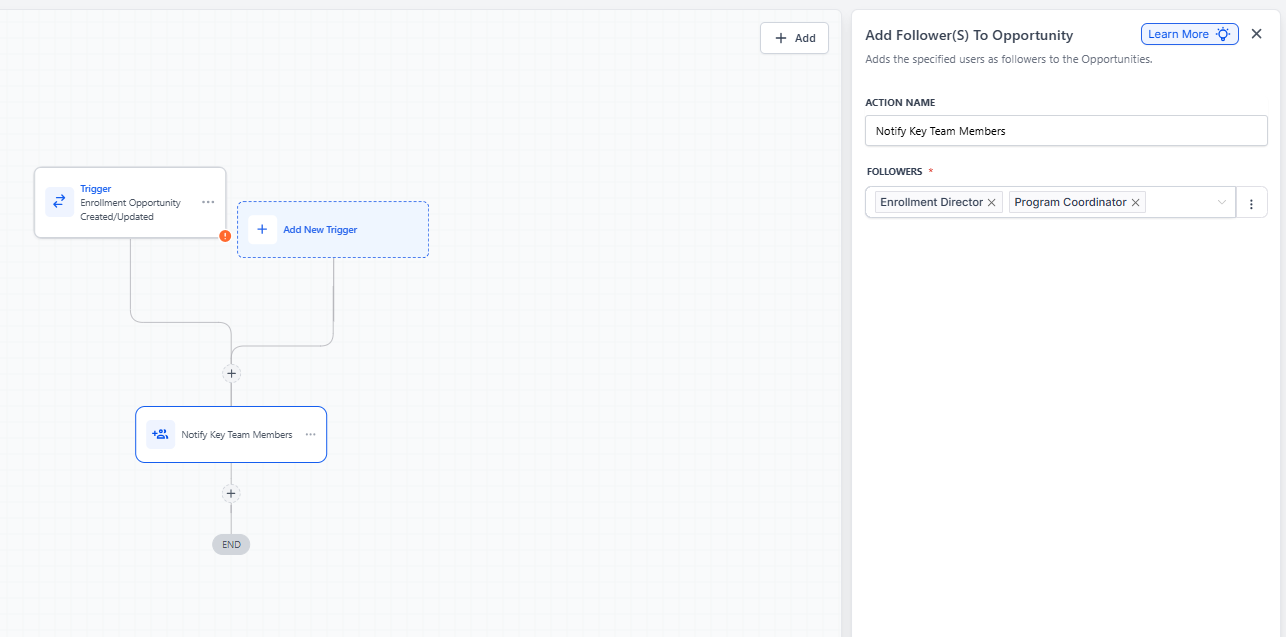
Result: When a matching enrollment opportunity is found, both the Enrollment Director and Program Coordinator are automatically added as followers (unless they're already following). They'll now see all updates and changes to this opportunity.