
Overview
The Find Enrollment Opportunity action lets you locate an existing enrollment opportunity linked to the parent or family that triggered your automation. You can search based on specific criteria and choose to find either the earliest (first created) or latest (most recently created) matching opportunity.
Once found, this enrollment opportunity becomes the reference point for all subsequent enrollment-related actions in your automation. If no match is found, your automation branches to an alternate path, so you can handle that scenario differently — like creating a new enrollment opportunity.
Important: If there's no parent or family attached to the automation trigger (for example, an inbound webhook without contact information), configure your filters to map certain fields to the webhook parameters. Otherwise, the action won't be able to locate an enrollment opportunity.
Action Configuration
Action Name
Give this step a custom label to help you identify it in your automation. This is required and helps keep your automations organized.
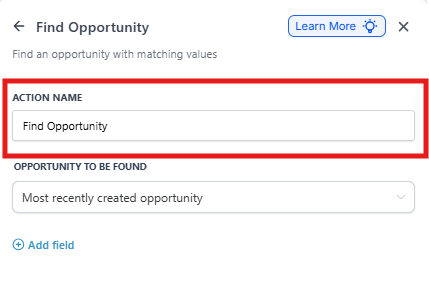
Enrollment Opportunity to Find
Choose whether to retrieve the Earliest (first created) or Latest (most recently created) enrollment opportunity that meets your filter criteria for the parent or family entering the automation.
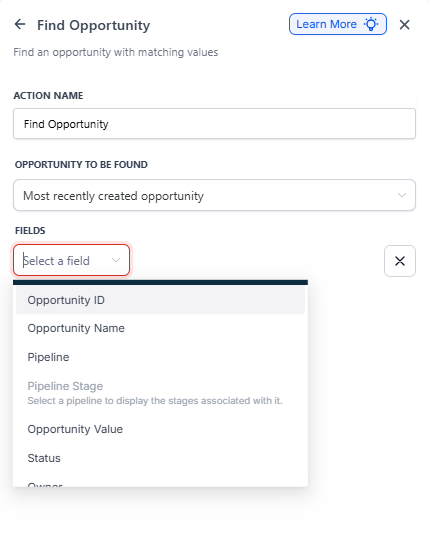
Filters
Set one or more conditions to narrow your search. Here's how filters work:
- All filters use AND logic — meaning all conditions must be met to return a match
- No limit to the number of filters you can add
- Reference any standard or custom enrollment opportunity field (like Opportunity Name, Followers, Status, Program, Start Date)
- If there's no parent or family in the automation (like an inbound webhook), map fields to webhook parameters
Multiple Matches
If multiple enrollment opportunities match your criteria, only one is returned — either the earliest or latest, based on your selection.
Branching Behavior
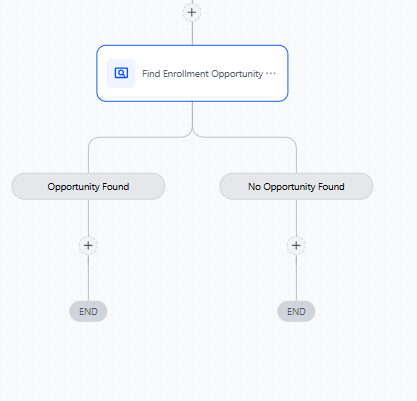
Your automation automatically creates two paths:
- Enrollment Opportunity Found: Continue with actions that use the found opportunity
- Enrollment Opportunity Not Found: Handle the scenario where no match exists
Example: Prevent Duplicate Enrollments
Scenario
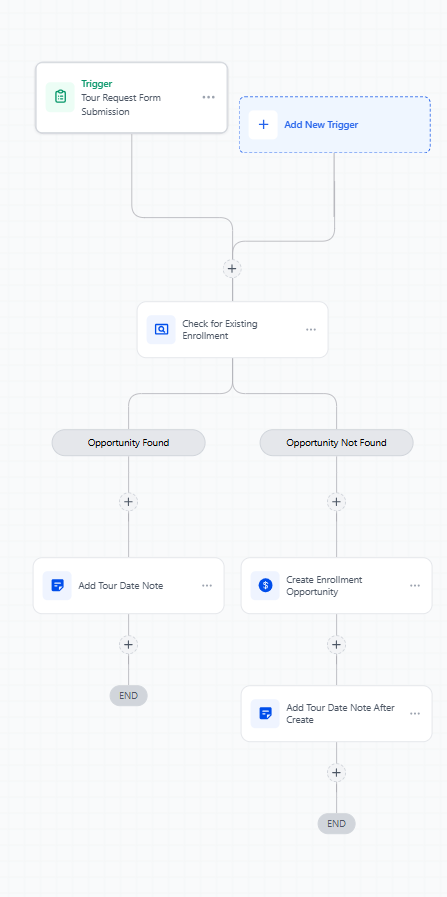
A prospective family submits a tour request form. You want to check if an enrollment opportunity already exists for them. If it does, update it with the new tour date. If not, create a new enrollment opportunity.
Setup
Trigger: Parent or family submits a tour request form on your enrollment site
Action: Find Enrollment Opportunity
- Action Name: "Check for Existing Enrollment"
- Enrollment Opportunity to Find: Latest Opportunity
-
Filters (all must match):
- Status → Is → "Open"
- Program → Is → "Infant Care" (or match to form selection)
Branching:
- Enrollment Opportunity Found: Add an Update Enrollment Opportunity action to record the new tour date and add notes
- Enrollment Opportunity Not Found: Add a Create Enrollment Opportunity action to start a new enrollment record in your pipeline
Working Without a Parent or Family
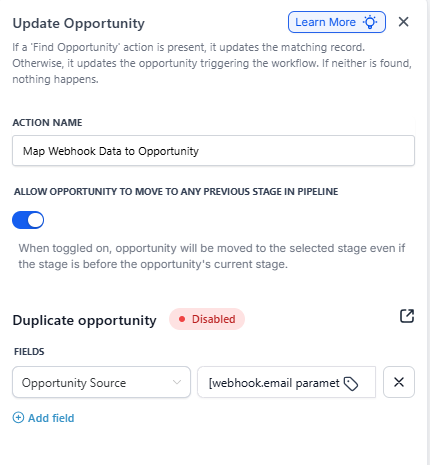
If your automation is triggered by a webhook that doesn't include parent or family information, you'll need to configure your filters differently. Map enrollment opportunity fields to the data coming from the webhook so Enrollio can still locate the correct record.
For example, if your webhook includes an email address, filter by: Opportunity Email → Is → [webhook.email parameter]
Common Use Cases
- Check for existing enrollments before creating new ones from form submissions
- Update enrollment opportunities when families request multiple tours
- Route families to different automation paths based on whether they're new or returning
- Prevent duplicate records in your enrollment pipeline
- Coordinate follow-ups based on existing enrollment status