
Overview
The Enrollment Page View trigger lets you automatically take action when a parent or prospective family views a specific page on your enrollment site or landing page. Track page views to trigger personalized follow-ups, tag families based on their interest, or send timely reminders.
What This Trigger Does
This trigger activates when a parent visits a specific page on your enrollment site or landing page. Use it to automate follow-ups based on which pages families are viewing — like sending a reminder if they view your pricing page but don't complete enrollment.
Configuration Options
| Field | Description | Required |
|---|---|---|
| Enrollment Site/Landing Page | Which enrollment site or landing page to monitor | Yes |
| Page | The specific page to track within your site | No |
| UTM Campaign | Track visits from a specific marketing campaign | No |
| UTM Source | Track visits from a specific traffic source | No |
| UTM Medium | Track visits from a specific marketing medium | No |
| UTM Content | Track visits associated with specific content | No |
| Page Path | Specify an exact page path for more precise tracking | No |
Filter Operators
- Is — Value must exactly match your input
- Is any of — Value can be one of several options
- Is none of — Value should not match any listed options
- Is empty — Field must be empty
- Is not empty — Field should contain a value
How to Set It Up
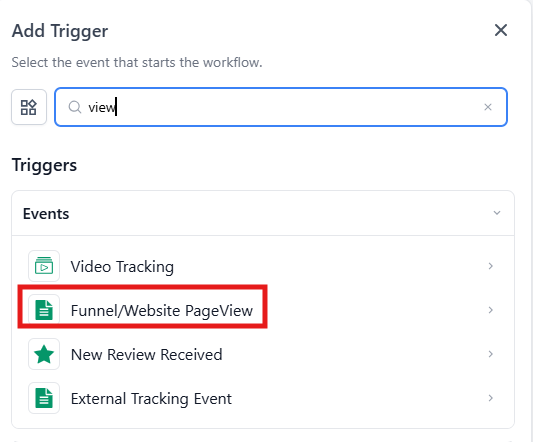
- Select your trigger: Choose "Enrollment Page View" from the trigger list in your automation builder.
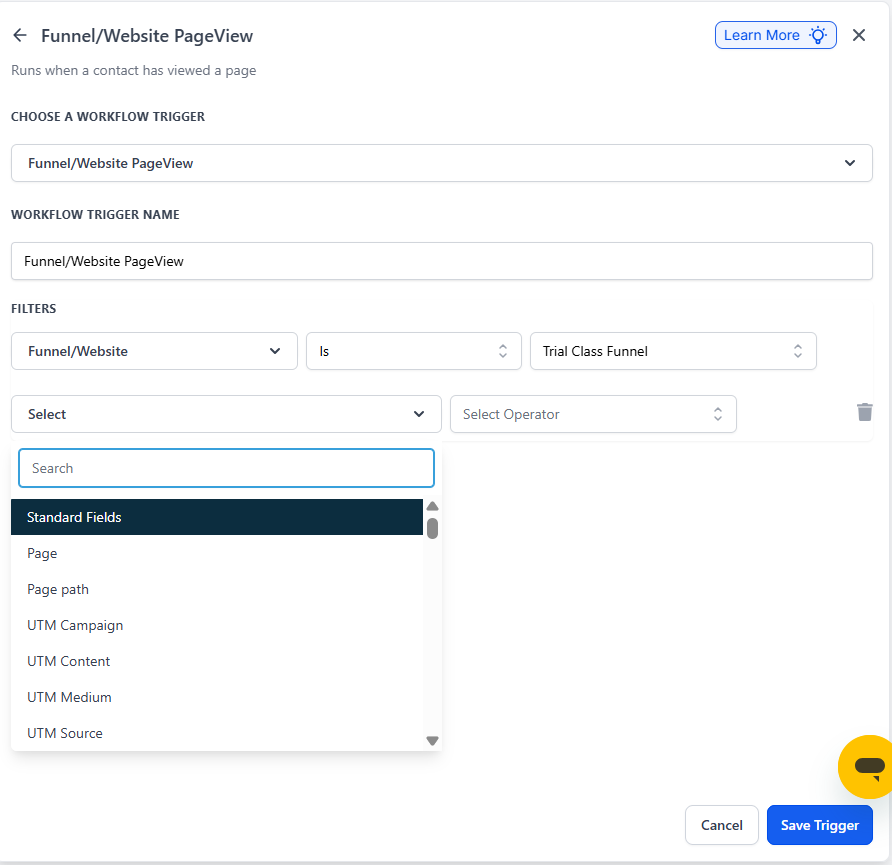
- Name your trigger: Give it a clear name like "Tour Page View" or "Pricing Page Visit."
- Choose your site: Select which enrollment site or landing page you want to monitor.
- Specify the page (optional): Pick the exact page you want to track, like your tour booking or enrollment application page.
- Add UTM filters (optional): Refine tracking by adding UTM parameters to monitor specific marketing campaigns or traffic sources.
- Add more filters: Click "Add filters" to monitor additional pages, paths, or campaigns as needed.
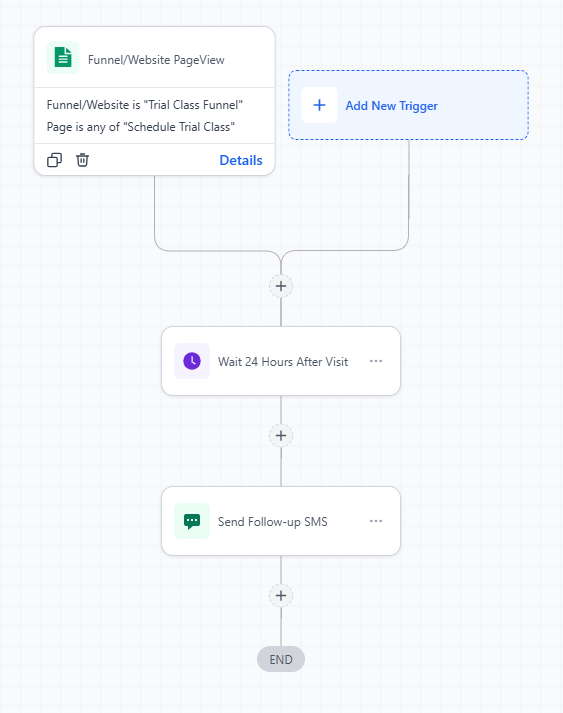
Example: Re-engage Parents Who View Pricing
Scenario: You want to follow up with families who view your pricing page but don't complete enrollment within 24 hours.
Setup:
- Trigger: Enrollment Page View
- Enrollment Site: Your main enrollment site
- Page: Is equal to "Pricing"
- Action: Wait 24 hours, then send a friendly text asking if they have questions about tuition or program options
Pro Tip: Combine page view tracking with UTM parameters to see which marketing campaigns drive the most engaged families. Set up different follow-ups based on where families came from.
Common Uses
- Send a reminder when parents view your tour booking page but don't schedule
- Tag families who view your infant program page as interested in infant care
- Follow up with parents who reach your enrollment application but don't submit
- Track which pages generate the most interest to optimize your enrollment site