
What is this feature?
If you accidentally delete an automation, don't worry — Enrollio keeps deleted automations for 30 days so you can restore them if needed.
How to restore deleted automations
Navigate to Automations in your left sidebar. You'll see a new Deleted tab at the top of the automations list.
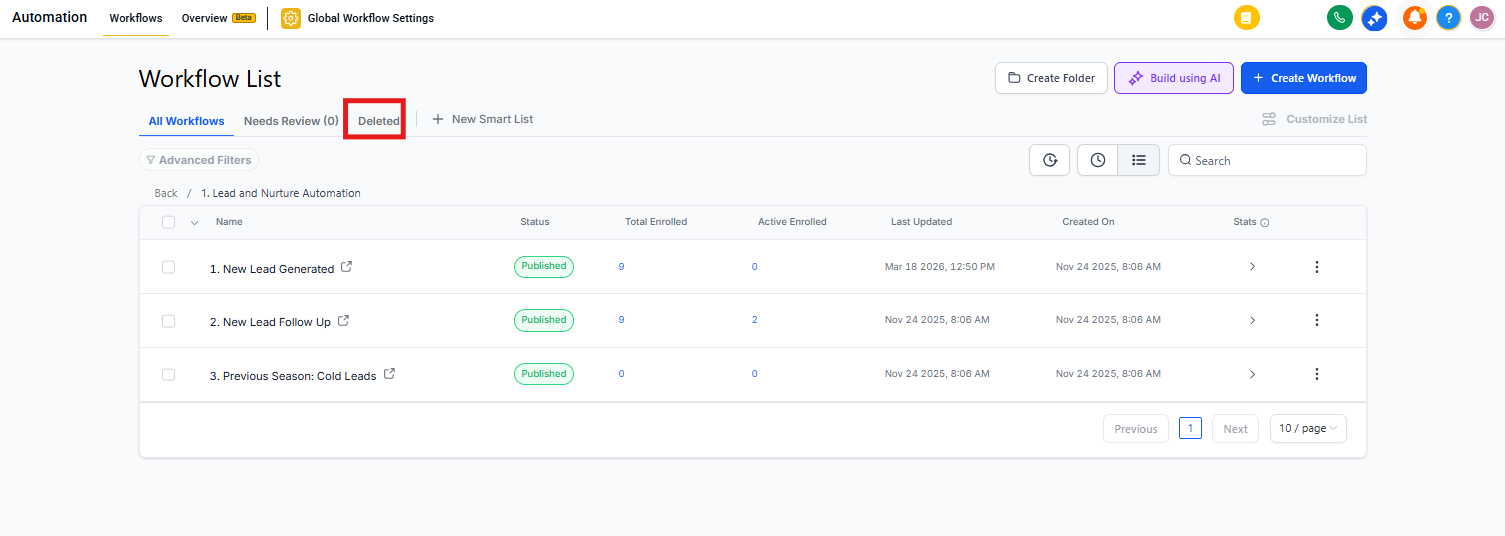
Click the Deleted tab to view all automations you've deleted in the last 30 days.
Find the automation you want to restore and click the Restore button next to it.
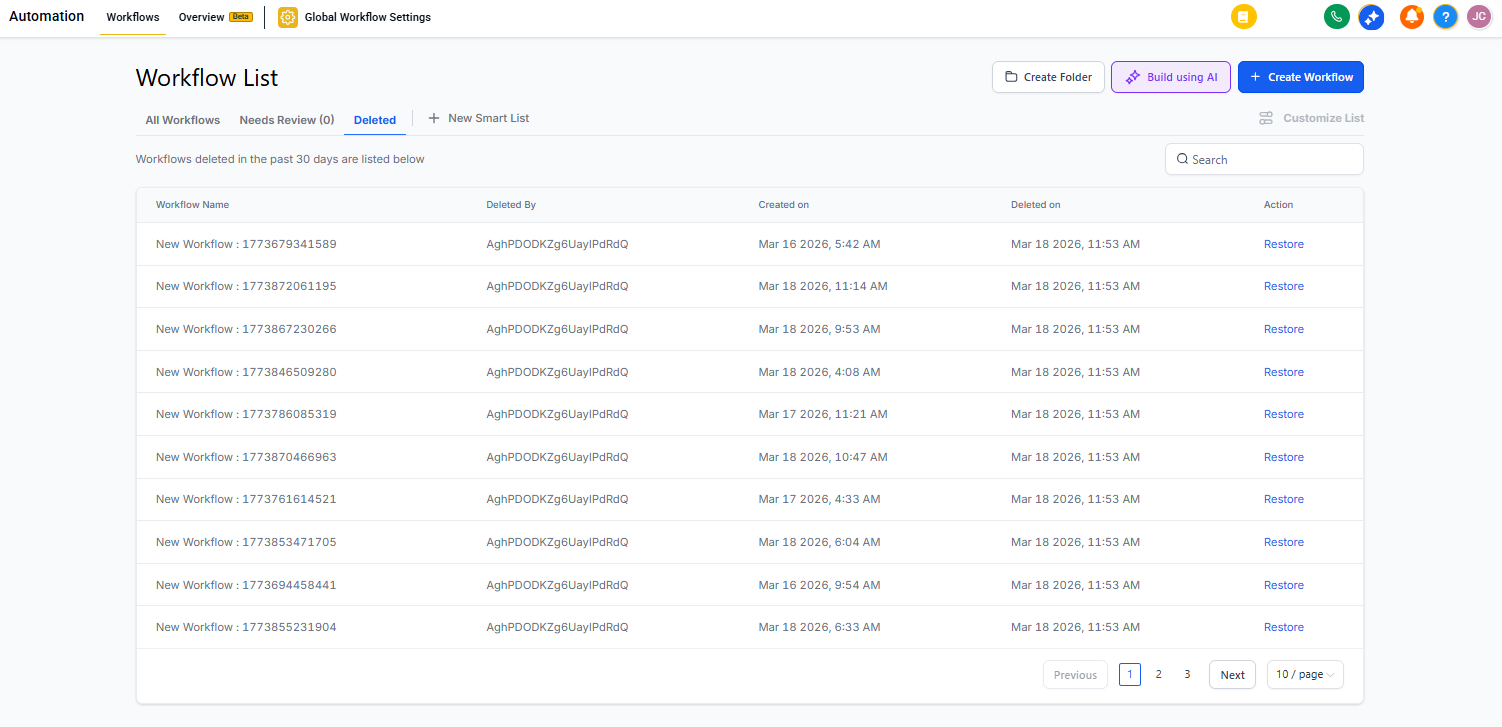
Confirm the restoration when prompted. The automation will move back to your main automations list.
Who can restore automations?
Only account administrators can restore deleted automations.
When you restore an automation, it moves to the root level of your automations list — any folder organization from before deletion won't be preserved.
Frequently asked questions
How long are deleted automations kept?
Deleted automations remain in the Deleted tab for 30 days, then they're permanently removed.
Can I delete an automation right after restoring it?
No. After restoring an automation, you must wait 48 hours before you can delete it again. This prevents accidental deletions.
Can I restore an automation immediately after deleting it?
You'll need to wait about 30 minutes after deletion before the restore option becomes available. The deletion process needs time to complete.
Will my automation be published after I restore it?
No. All restored automations return in Draft status. Review your automation's settings, then publish it when you're ready.
What happens to families who were in the automation when I deleted it?
Here's what gets restored and what doesn't:
- Restored: All triggers, actions, and configurations remain exactly as they were
- Restored: Historical data in enrollment history and execution logs stays intact
- Not restored: Families currently in wait steps get removed from the automation
- Not restored: Any families actively going through the automation when it was deleted