
What is End IVR Call?
The End IVR Call action lets you hang up phone calls from your automations at the right moment, instead of leaving parents listening to hold music.
Without this action, after your phone menu options finish, families would stay on the line listening to elevator music while your automation continues running in the background. They'd have to hang up themselves or wait until the entire automation completes.
How Does End IVR Call Work?
End IVR Call is an action you add to your phone automations. You can choose how to end the call:
- With a text message — Send a follow-up text after hanging up
- With a custom voice message — Play a goodbye message before disconnecting
- Immediately — End the call right away
This gives you control over when and how your automated calls end, creating a better experience for families.
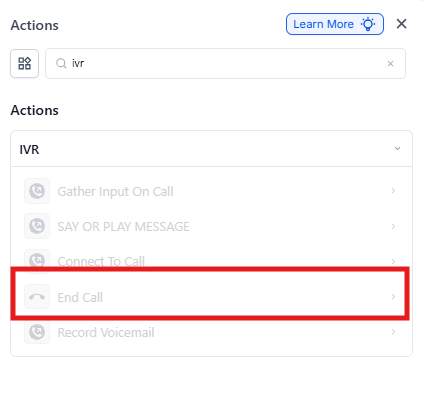
How to Set Up End IVR Call
- Open your phone automation in the Automation builder
- Click the + button where you want to end the call
- Select End IVR Call from the action menu
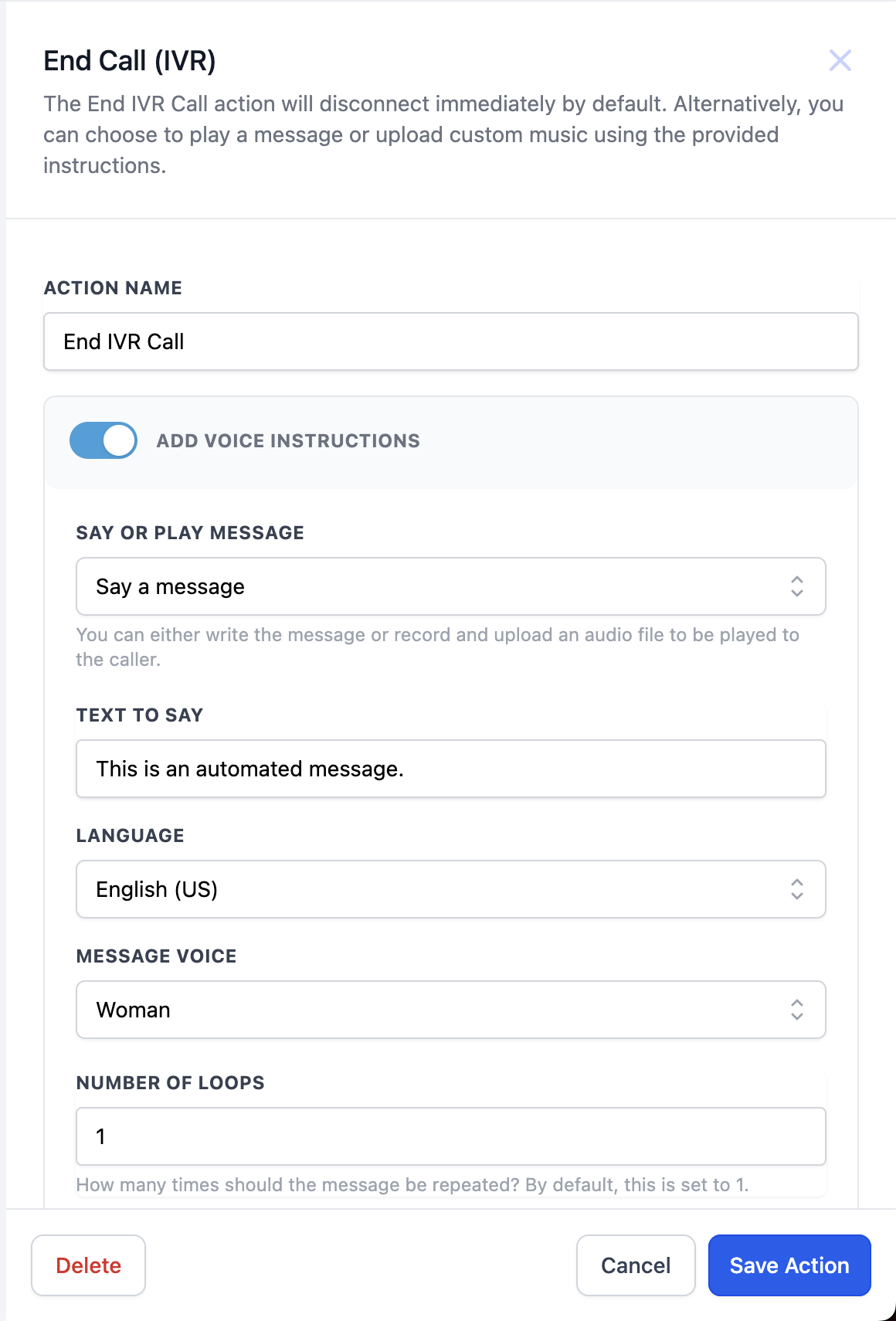
- Choose how to end the call:
- Text message — Type your follow-up message
- Voice message — Record or upload your goodbye audio
- Immediate — No message, just hang up
- Click Save
When to Use End IVR Call
Add this action after your phone menu has collected information or provided options to families. For example:
- After parents press a number to request more information
- After they've listened to your center's hours and location
- After they've been added to your waitlist through the phone menu
This prevents them from waiting on hold unnecessarily while your automation continues with behind-the-scenes tasks like sending emails or updating records.