Facebook & Instagram Comment Automation FAQs
Got questions about automating your Facebook and Instagram comment responses? Here are answers to the most common questions about setting up and using social media automation in Enrollio.
Setup & Integration
Q: I can't select Facebook & Instagram actions and triggers in my automation. What's wrong?
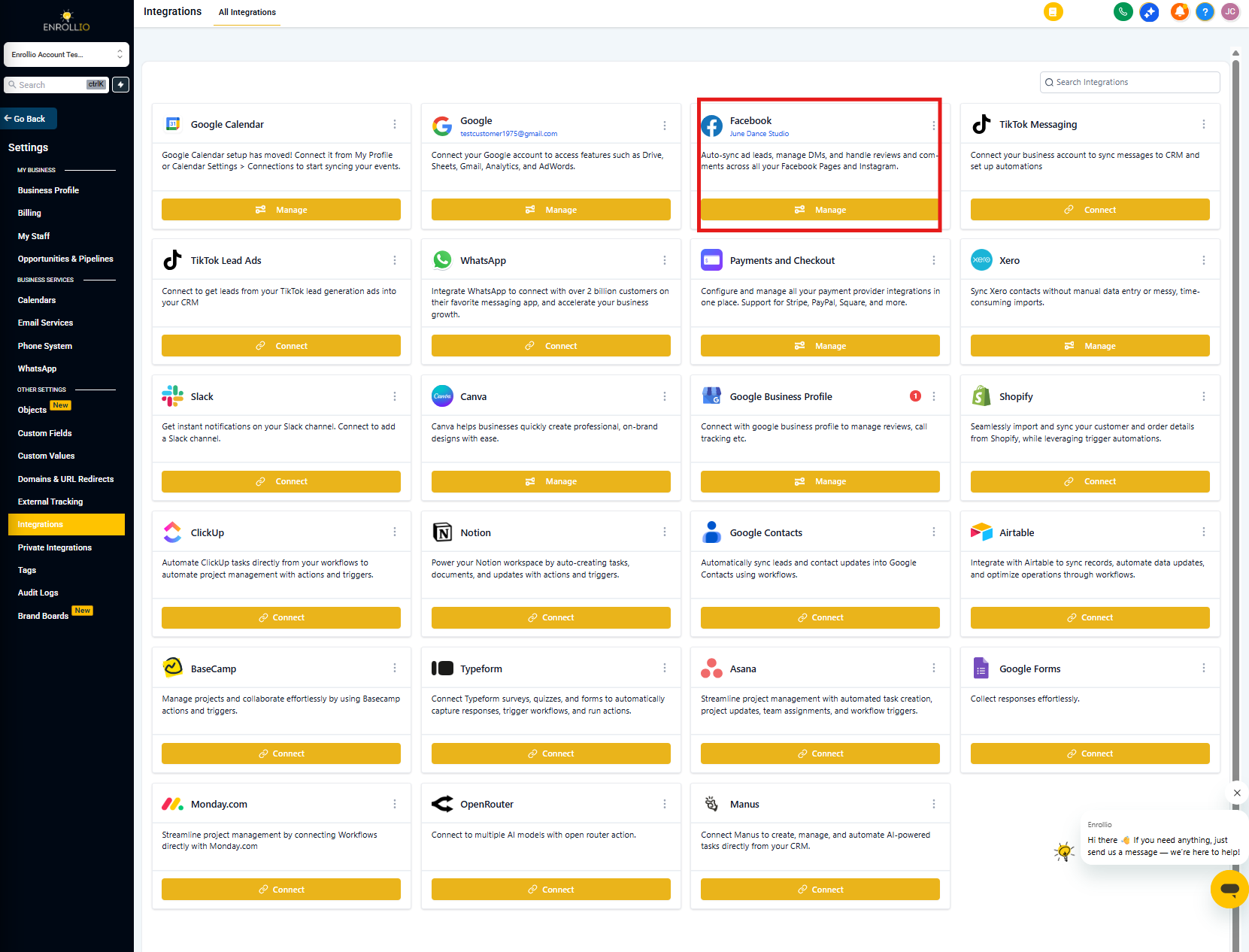
Check if you've connected your Facebook account to Enrollio. Go to Settings → Integrations and verify your Facebook integration is active.
Building Automations
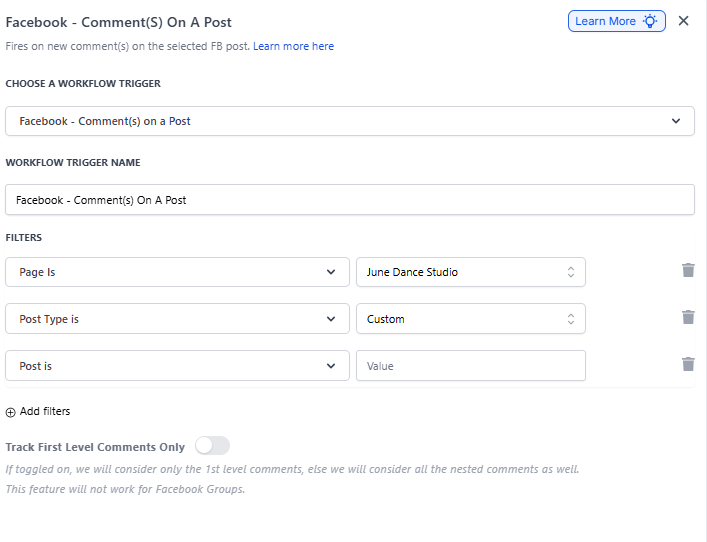
Q: Why do all my filter options disappear when I delete "Page is" in the trigger?
"Page is" is the primary filter for the Interactive Messenger action. When you delete it, all dependent filters are automatically removed. Think of it as the foundation — remove it and everything built on top goes with it.
Q: How many buttons can I add in the Interactive Messenger action?
You can add up to 3 buttons. This lets parents choose from different options within the interactive message — perfect for offering tour times, enrollment info, or waitlist details.
Q: Can I add actions after the "Call" button?
No. The "Call" button is always the final action. When parents click it, they'll be directed to the Default Branch of your automation.
Direct Messages
Q: When should I use the "Reply to DM" option?
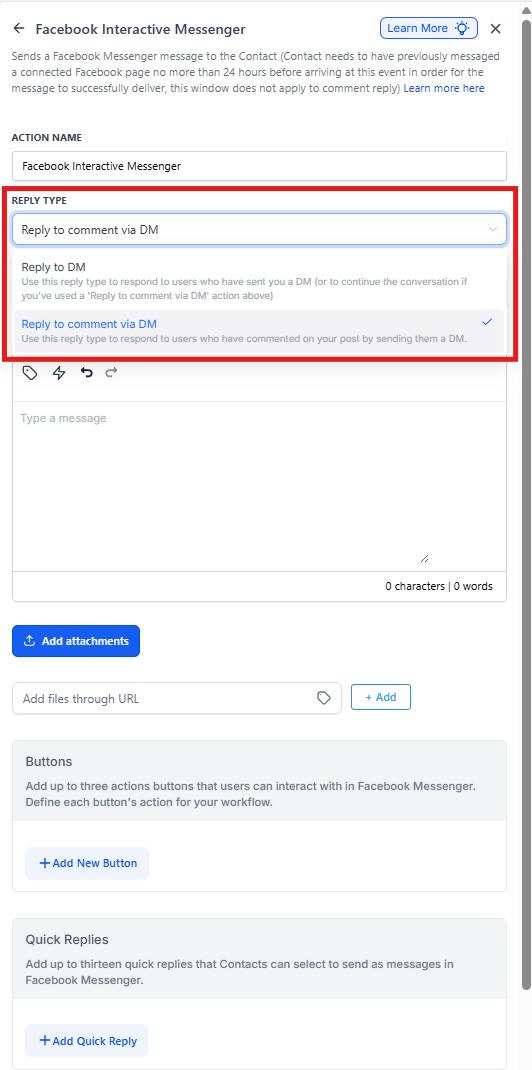
Use "Reply to DM" in two scenarios:
- Starting a conversation: Respond privately when a parent sends you a direct message
- Continuing a conversation: Send follow-up messages after your initial "Reply to comment via DM"
Q: Does "Reply to DM" always work?
Enrollio checks for an existing conversation within the last 24 hours before sending a Reply to DM. If there's no recent conversation, the message won't deliver. This is a Meta/Facebook limitation, not an Enrollio restriction.
Q: How long do I have to reply to a comment?
You have a 7-day window to send comment replies. Your DM reply must be sent within 7 days, or delivery will fail. Plan your automation timing accordingly.
Q: Can I continue the conversation if the parent hasn't replied to my DM (which was a reply to their comment)?
No. If the parent hasn't replied, they'll move to the "Default Branch" and you can't use another Interactive Messenger action to continue. However, if they have replied, you can absolutely continue the conversation with additional actions.
Q: I'm trying to send a Reply to DM for a comment but it's not working. Why?
Make sure your "Reply Type" is set correctly:
- First action: Select "Reply to comment via DM"
- All subsequent actions: Select "Reply to DM"
Timing & Behavior
Q: What's the default wait time in the Interactive Messenger action?
By default, Enrollio adds a 1-minute wait time, which you can edit. If parents don't click any button during this time, they'll be moved to the "Default Timeout" branch.
Q: Will this trigger work for Facebook Ads?
Yes! Select Custom in "Post type" and paste the post URL in the "Post is" field. This works for organic posts and ads alike.