
How to Use the Plain Text Email Editor
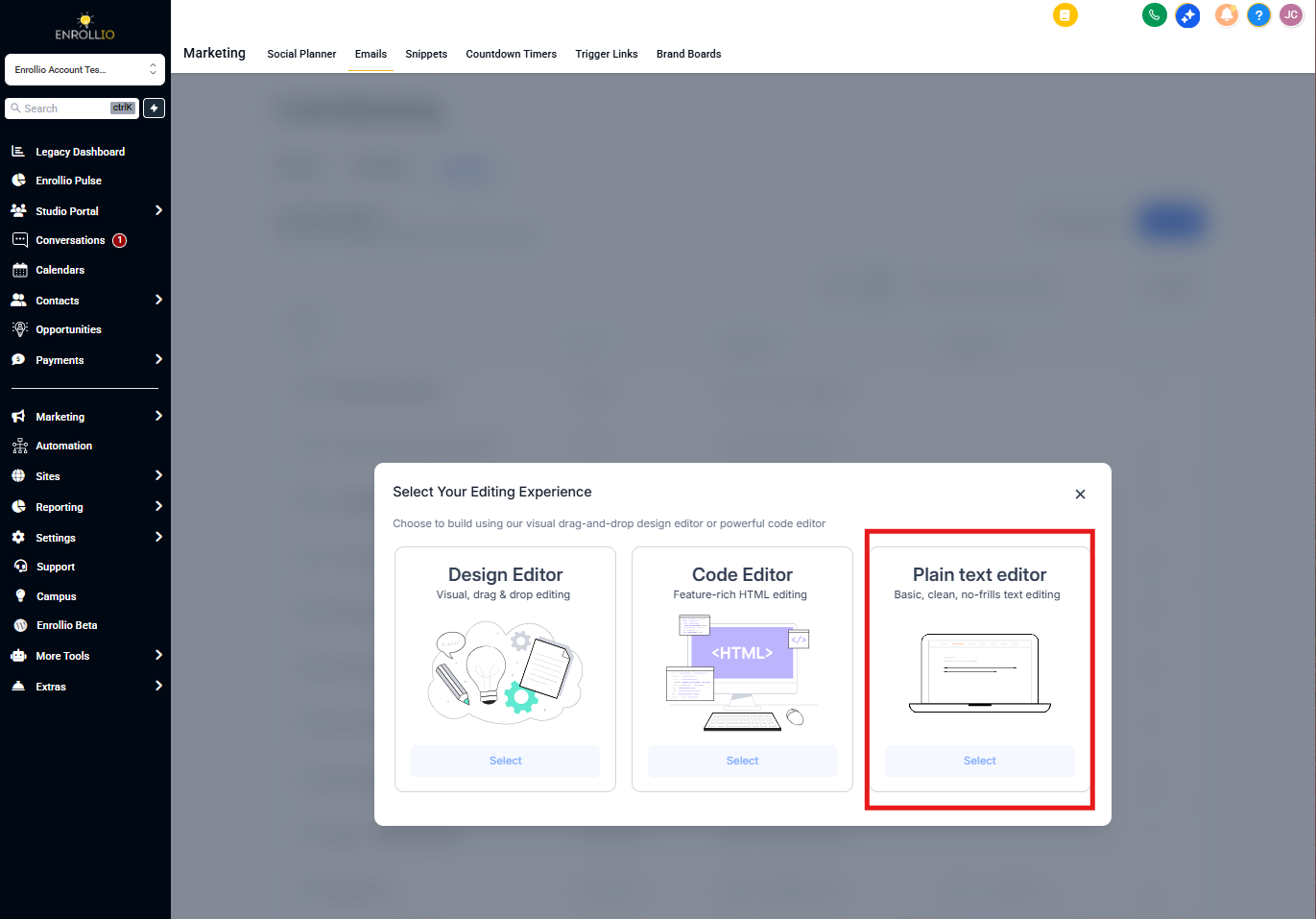
Enrollio offers three email editor options to match your communication style. The Plain Text editor gives your emails a simple, personal feel—like a message from your personal inbox.
Why Use Plain Text Emails?
Plain text emails focus on your message without heavy design or branding. They work great for:
- Text-heavy updates — newsletters, policy changes, or detailed information
- Personal messages — welcome emails, apology notes, or one-on-one communications with families
- Better deliverability — plain text emails look great on any device and avoid rendering issues
Pro Tip: Research shows that families are nearly twice as likely to engage with a plain text email compared to a heavily designed one. Sometimes simpler really is better.
Benefits of Plain Text Emails
- Simple and direct — no design skills needed
- Personal touch — feels like genuine communication, not marketing
- Works everywhere — displays consistently across all email clients and devices
How to Create a Plain Text Email
- Navigate to Marketing → Email Templates
- Click New Template
- Select Blank Template
- Choose the Plain Text editor
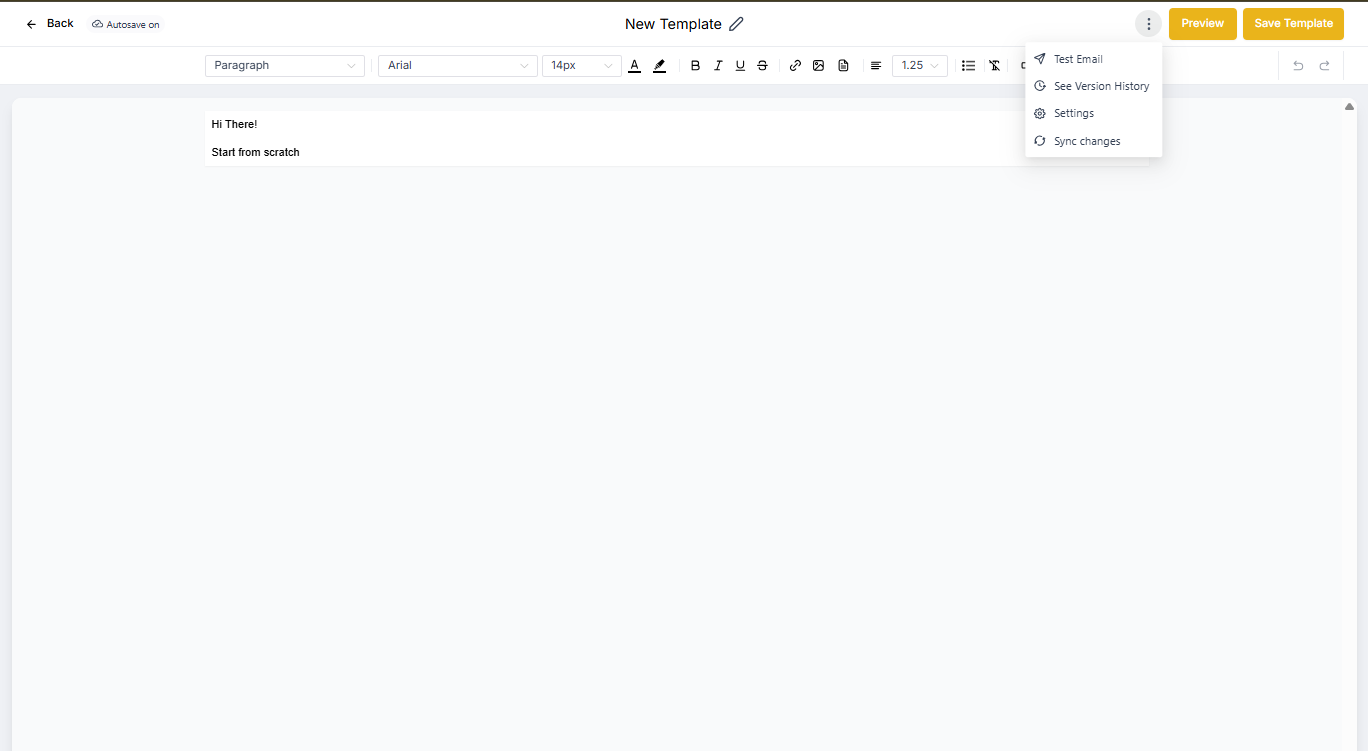
- Write your message and attach images if needed
- Click the three dots (⋯) to access settings, send a test email, or preview
- Click Save Template when you're done
Your plain text template is now ready to use in your email campaigns or automations.