
Smart Send: Best Time for Email Campaigns
Smart Send takes the guesswork out of timing your parent emails. It automatically recommends the best time to send each email campaign based on when your families are most likely to open and click. The result? Higher engagement with zero extra setup—perfect for busy childcare owners who want results without the complexity.
What is Smart Send?
Smart Send is a delivery option that analyzes the last 60 days of how your families engage with your emails (opens, clicks, and other interactions). It identifies the single best send time for your campaign.
To ensure the recommendation is accurate, your account must have delivered at least 1,000 emails over the past 60 days. When you request a recommendation, Smart Send instantly calculates the time slot with the highest predicted engagement.
Key Benefits
- Automatic boost in open and click rates — no spreadsheets or manual analysis needed
- Seamless workflow — appears alongside Send Now, Simple Schedule, and other delivery options
- Full control — accept the recommendation or choose your own date and time
- Clear results — see the percentage engagement lift compared to your historical average
Eligibility Requirements
Smart Send needs enough recent data to make an accurate prediction:
- Minimum 1,000 emails delivered from your account in the last 60 days
- Campaign must be created in Marketing → Emails → Campaigns
- Currently supported for regular email campaigns (A/B test support coming soon)
How the Recommendation Works
Smart Send builds a 60-day engagement model that considers:
- Open events by hour of day — when parents are most likely to open your emails
- Click events and interactions — to predict the best times for action-driven engagement
- Performance against your averages — to avoid recommending historically low-performing time windows
If there isn't enough data for a specific hour, Smart Send automatically widens the time window until it can make a confident recommendation.
Analytics and Results
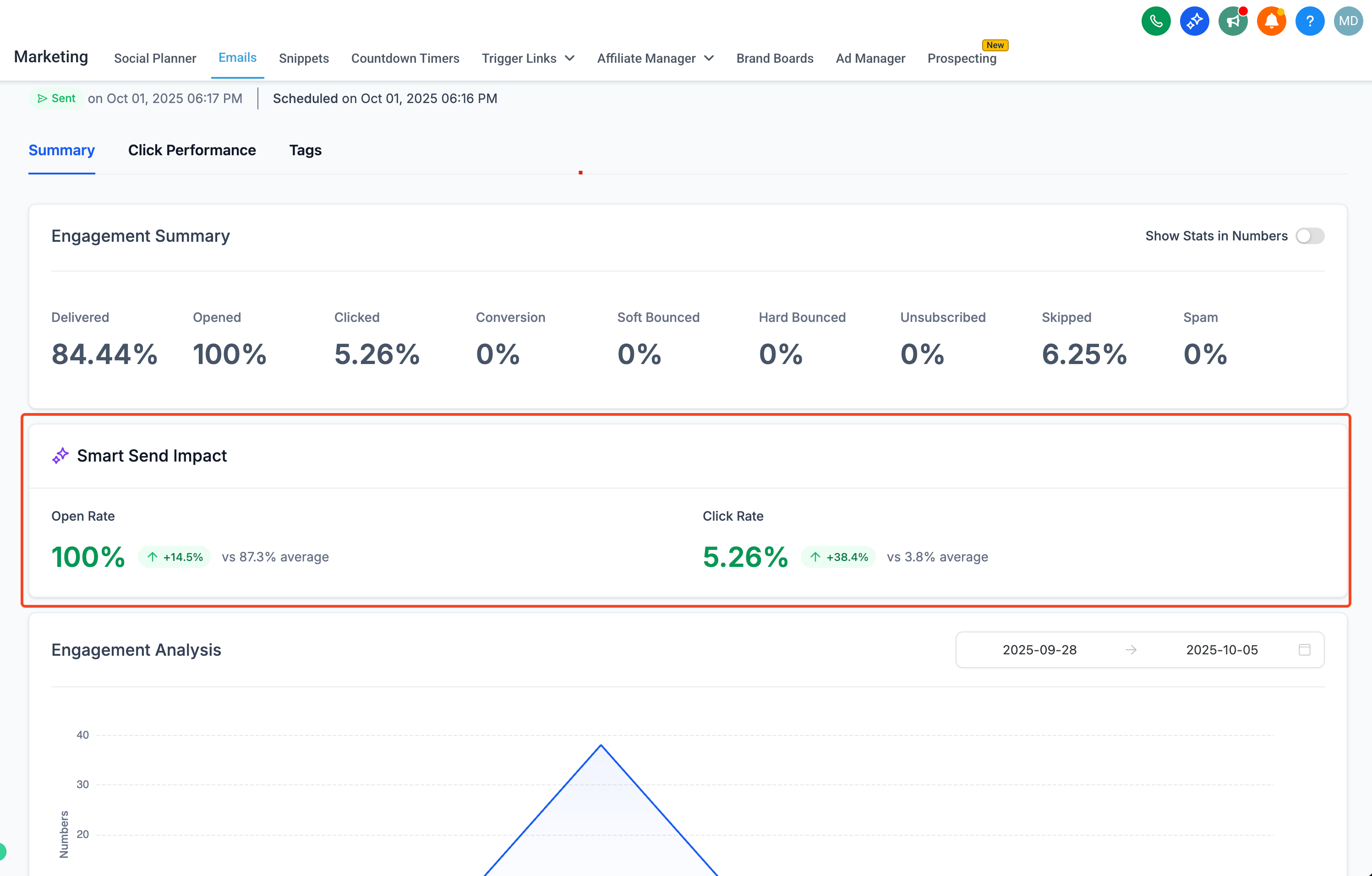
After your Smart Send campaign goes out, your Email Statistics dashboard shows:
- Engagement Lift (%) — how much better this campaign performed versus your 60-day baseline
- Hour-by-hour breakdown — opens and clicks for the recommended send time
- Comparison charts — Smart Send campaigns versus manually scheduled ones, so you can see the real impact
How to Use Smart Send
Setting up a Smart Send campaign is straightforward:
- Navigate to Marketing → Emails
- Click Campaigns → Create New Campaign
- Design your email, then click Send or Schedule
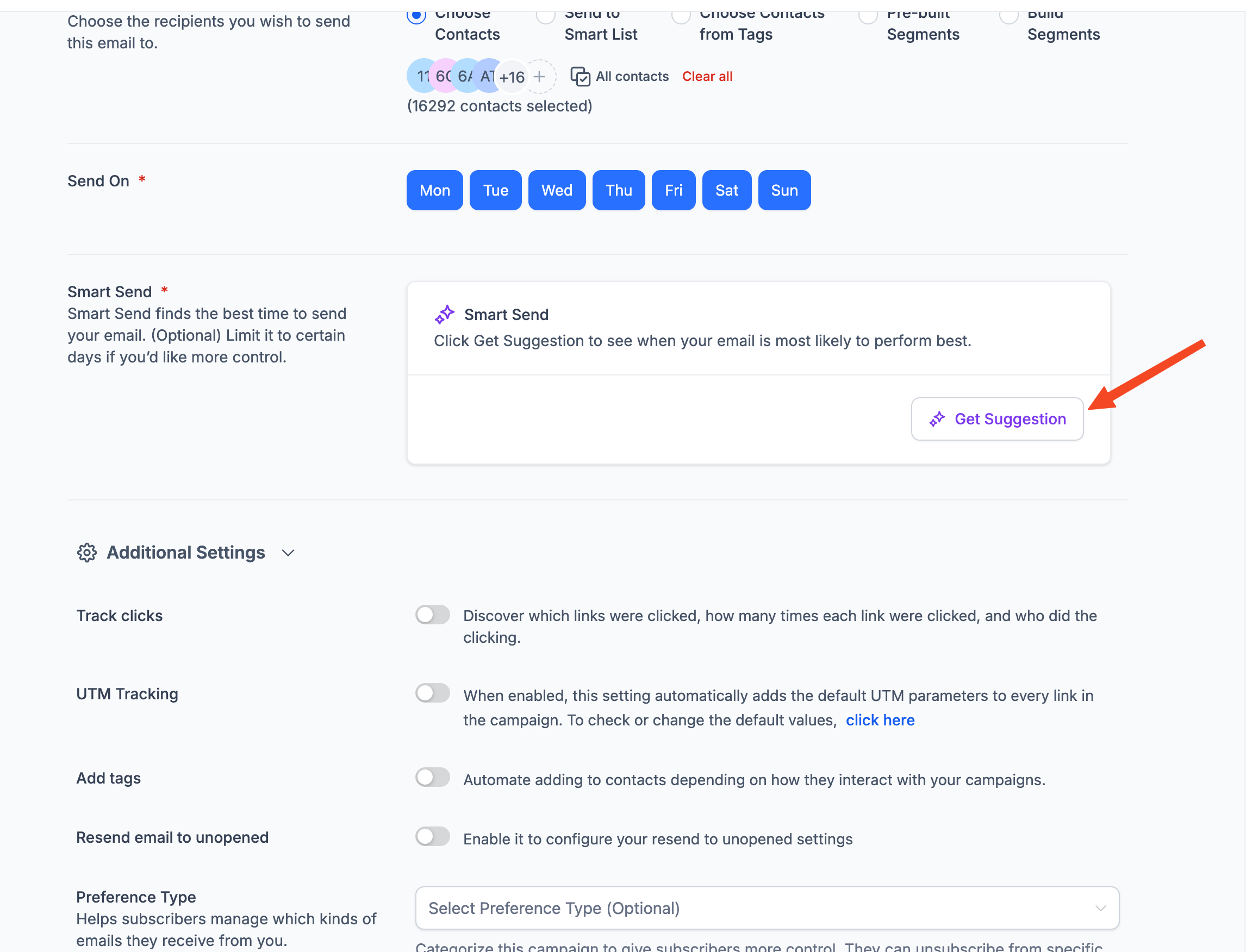
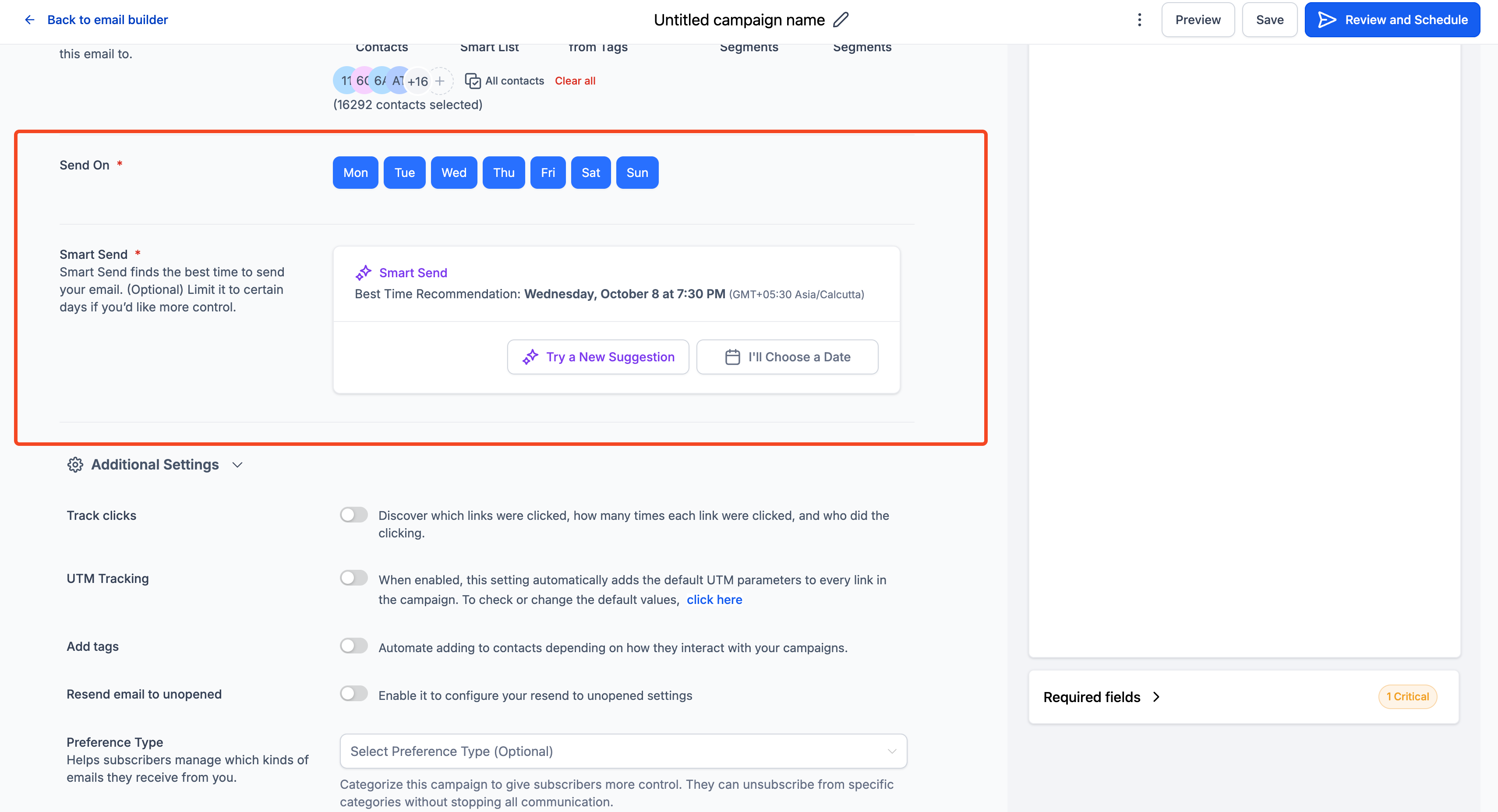
- Choose Smart Send from the delivery options
- Complete the required fields and click Get Recommendation
Enrollio will display the best send time based on your data. Review it, then schedule the campaign.
Pro tip: After sending, check Marketing → Emails → Statistics to view your engagement lift and see how Smart Send performed.
Frequently Asked Questions
What if my account hasn't sent 1,000 emails in the last 60 days?
The Smart Send option will be greyed out. Use Simple Schedule until you meet the threshold. Enrollio will automatically enable Smart Send once enough data is available.
Can I see which families received the email at which time?
Yes. The campaign's Recipient tab shows the scheduled timestamp for each send, so you can review delivery timing or export the data for further analysis.
Does Smart Send respect individual time zones?
Smart Send currently optimizes at the account level. For per-contact time zone sending, use Automations with Wait → Date/Time actions.
Can I change the recommendation after I schedule?
Absolutely. Click Reschedule within the campaign before the scheduled time, choose a new time, and save.
Will Smart Send work with A/B tests?
Support for A/B campaigns is coming soon. For now, use Simple Schedule for A/B tests.
Is Smart Send available via the API?
Not yet. API access will be announced in a future release.