Overview
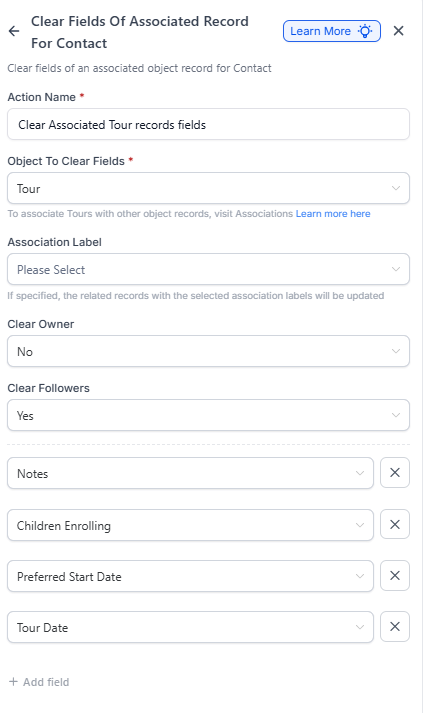
The Clear Fields of Center or Associated Family action lets you automatically reset or remove field values from either your Center record or the families associated with that center, directly within a Center-based automation.
This keeps your data clean and accurate — perfect for removing outdated phone numbers, clearing old tags, or resetting a family's status when your center's relationship with them changes.
When to Use This Action
Use this action to:
- Automatically clear selected fields from either your Center record or associated families in a Center-based automation
- Keep data accurate and up-to-date by removing stale, incorrect, or obsolete values
- Simplify cleanup processes by automating data resets during ownership or lifecycle changes
How to Set It Up
Step 1: Choose Which Record to Clear
Select which object you want to clear fields from:
- Center – Clears fields from your current center record
- Associated Family – Clears fields from the families associated with your center
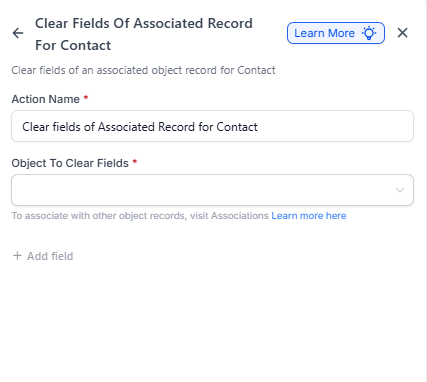
Step 2: Add Fields to Clear
Use the dropdown to select one or more fields to clear. You can choose from all editable standard and custom fields on the selected object.
Click + Add Field to clear multiple fields at once.
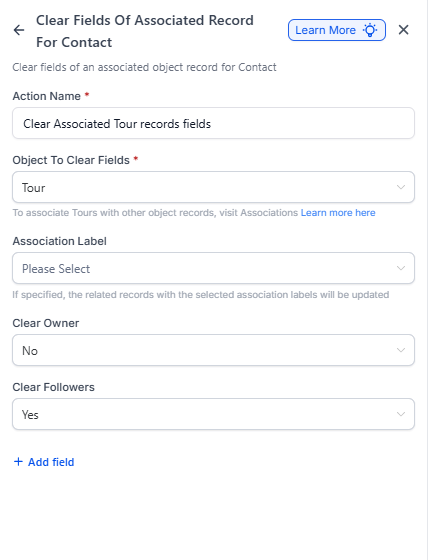
Step 3: Save Your Action
After selecting all fields to clear, click Save Action.
When your automation runs, the chosen fields in your Center or associated families will be cleared automatically.
How It Works
When executed, the selected fields will be reset (emptied) for the chosen record type — either Center or Family.
If there are no associated families, the action will automatically skip. Clearing doesn't remove associations or delete related data — only the selected field values are reset.
Important Notes
- This action is only available in Center-based automations
- To clear fields in Family-based automations, use the Clear Associated Center Fields action instead
- Clearing fields doesn't delete records or remove relationships — it only empties the field values you select
Real-World Examples
Example 1: Reset Family Status When Center Becomes Inactive
Goal: Automatically reset the status of all families associated with your center when that center becomes inactive.
Setup:
- Automation Type: Center-based
- Trigger: Center Changed → Status = Inactive
- Action: Clear Fields of Center or Associated Family
- Clear a Field From: Associated Family
- Fields to Clear: Family Status
How it works:
- Your center's status changes to "Inactive"
- The automation triggers the clear action
- The status is cleared for all associated families
Example 2: Clear Center Custom Fields After Contract Expiry
Goal: Reset key custom fields (like Renewal Date or Contract Value) after your center's contract expires.
Setup:
- Automation Type: Center-based
- Trigger: Center Changed → Contract Expiry Date reached
- Action: Clear Fields of Center or Associated Family
- Clear a Field From: Center
- Fields to Clear: Renewal Date, Contract Value, Tier
How it works:
- Your center's contract expiration date passes
- The automation triggers the action
- The selected fields are cleared automatically from your center record