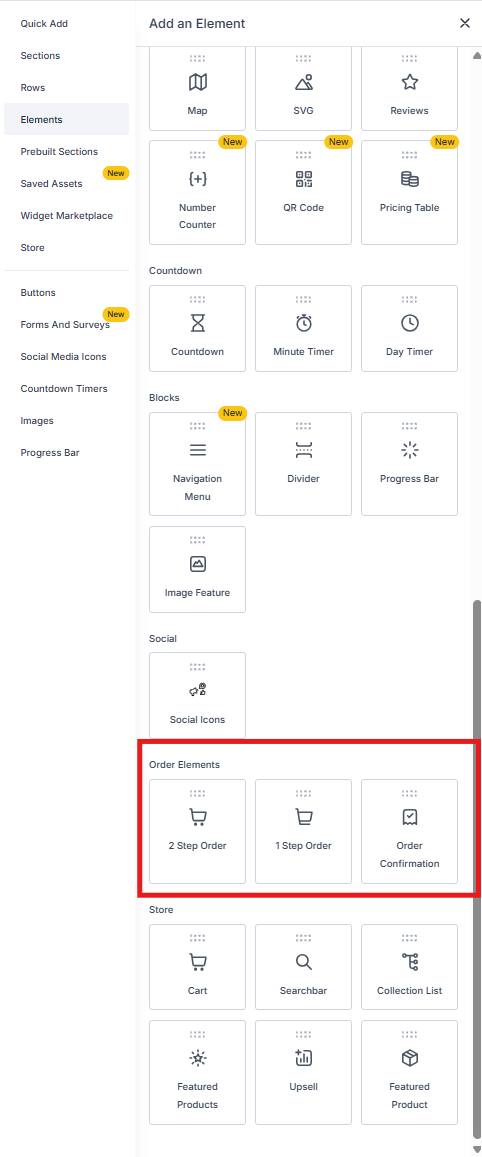
The difference between these two automation triggers comes down to payment. Order form submission fires when someone fills out a form. Order submitted fires when they actually pay. If you collect payment through a form, both triggers can fire.
Each trigger serves a different purpose in your enrollment process. Use order submitted after a parent completes a payment, and order form submission earlier in the process to capture details or follow up with families who haven't paid yet.
Where to Find These Triggers
Both triggers are located in the Automation Builder under Payments.
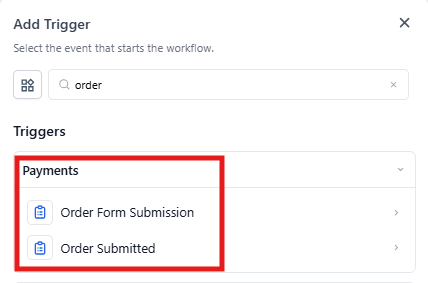
Order Submitted Trigger
This trigger fires when an actual payment transaction goes through — when a parent completes a purchase in your system.
When to Use It
This trigger is tied to completed payments. Use it to automate everything that should happen after a parent pays, like sending confirmations, updating records, or notifying staff.
Example Actions
- Send a "Thank you for your payment" email
- Create an invoice or receipt
- Notify your office staff about the new enrollment payment
- Update the family's record in your enrollment pipeline
Order Form Submission Trigger
This trigger fires when a parent submits a form with order information — but payment may not have happened yet.
When to Use It
Perfect for capturing interest or requests before payment. Use this when families fill out enrollment applications, request quotes, or express interest without paying immediately.
Example Actions
- Send an acknowledgment email confirming you received their form
- Notify your enrollment coordinator to follow up
- Start a follow-up sequence to help complete the enrollment
- Add the family to your enrollment pipeline
Key Differences
| Order Submitted | Order Form Submission |
|---|---|
| Fires when payment is completed | Fires when a form is submitted |
| Tied to actual transactions | Tied to form submissions (payment optional) |
| Use for post-payment actions | Use for lead capture and follow-up |
| Gives you access to order details and shopping cart data | Gives you access to form submission data |
Available Data
Order-specific details are only available in your automation when the Order Submitted trigger is present. This includes shopping cart information that can automatically populate in your email templates.