
Resend to Unopened: RSS and Batch Scheduled Emails
You now have more control when reconnecting with families who didn't open your emails. Previously, the Resend to Unopened feature was limited to "Send Now" campaigns—leaving RSS and Batch Schedule campaigns without a simple way to re-engage missed recipients.
With this update, you can now use Resend to Unopened for RSS and Batch Schedule campaigns, giving you greater flexibility to maximize your email reach and improve engagement rates with prospective and current families.
What's New
- Support for RSS Campaigns — Automatically resend newsletters to families who didn't open them
- Support for Batch Scheduled Campaigns — Follow up on scheduled emails without creating duplicate campaigns
- Custom subject lines — Test different messaging to improve open rates
- Scheduled resend times — Choose exactly when your follow-up goes out
Why This Matters
Before this update, you could only resend unopened emails using the "Send Now" campaign type. This limitation prevented those using scheduled email flows (like RSS feeds and batch scheduling) from taking advantage of a powerful engagement tool.
Now, whether you're sending weekly newsletters about upcoming events or batch-planned enrollment updates, you can follow up with families more effectively—without switching campaign types or duplicating work.
How to Resend to Unopened Families
Step 1: Navigate to Your Sent Campaigns
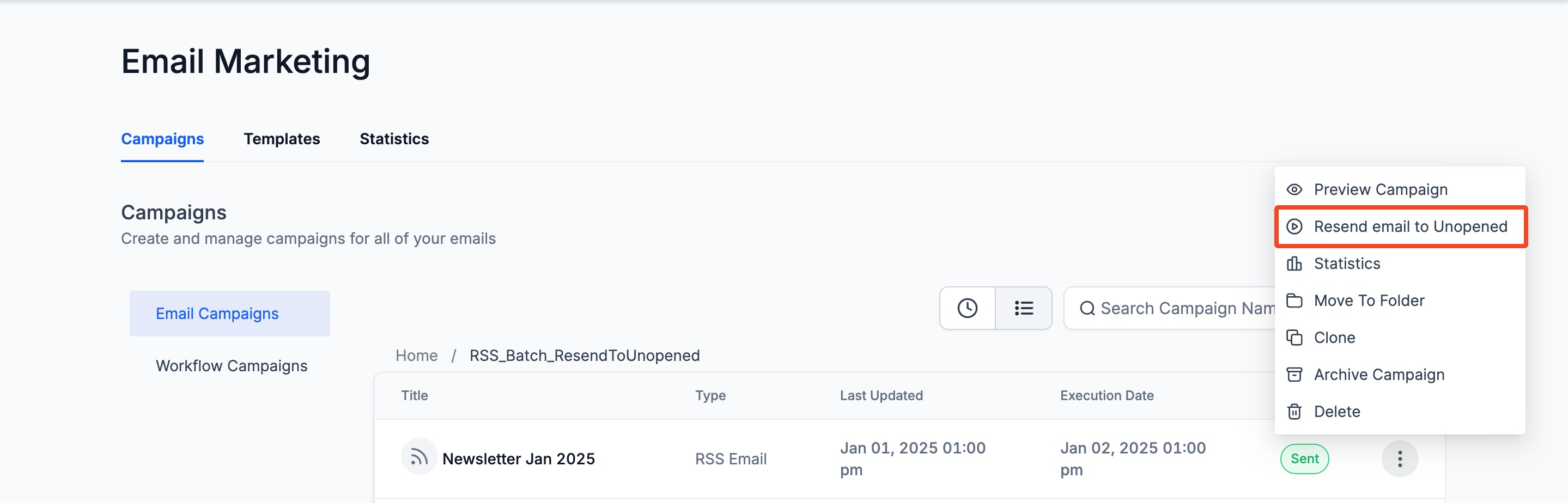
Go to Marketing > Emails > Campaigns and locate your RSS or Batch Schedule campaign in the list.
Step 2: Open the Options Menu
Click the three dots (⋮) on the right side of the campaign entry.
Step 3: Select "Resend to Unopened"
From the dropdown, click Resend to Unopened.
Step 4: Customize Your Resend
- Enter a new subject line (optional but recommended to increase open rates)
- Choose a resend time to schedule when the follow-up should go out
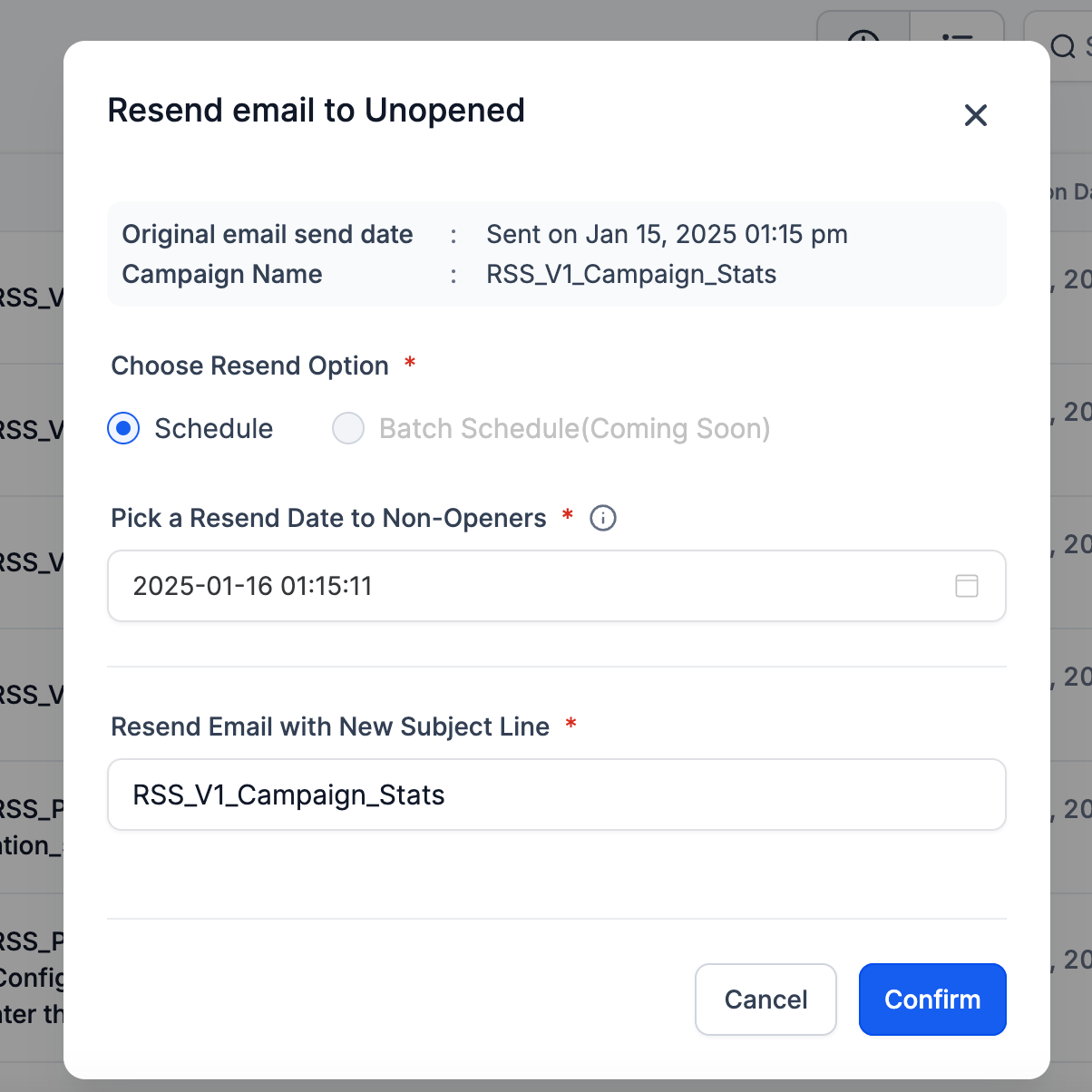
Step 5: Click "Schedule" to Complete
Once your details are set, click Schedule. The system will queue the resend only for families who didn't open the original email.
Coming Soon: Batch Resend
We're working on a broader batch resend capability that will let you perform bulk resend actions across multiple campaigns—stay tuned for this upcoming enhancement.
Best Practices for Resending
Change your subject line
Test different messaging to see what resonates better with families. Try a more direct approach or add urgency ("Last Chance: Tour Spots Filling Fast").
Wait at least 3-5 days
Don't resend too soon—give families time to open the original email. Most opens happen within the first 72 hours.
Monitor your metrics
Track open rates and click-through rates on resends to refine your strategy. If resends consistently underperform, your subject lines or timing may need adjustment.
Use resends strategically
Not every email needs a resend. Reserve this feature for high-priority communications like enrollment deadlines, waitlist openings, or important policy updates.