
Resend Emails to Unopened: Best Practices Guide
Re-engage families who missed your initial email campaign by resending the same content for better results. Studies show parents often overlook emails in their busy schedules, giving you a second chance to connect.
However, balance is key—too many repeat emails can lead to complaints and unsubscribes. Here's how to use this feature effectively.
Main Objectives
- Increase engagement with your email campaigns
- Avoid complaints and unsubscribes
Before You Resend: Important Considerations
Timing Matters
Resend your campaign within 12 hours to 10 days of the original send. This window follows industry best practices and balances maximum engagement with minimal negative feedback.
Choose the Right Emails
Only resend high-performing campaigns. If your emails regularly see open rates above 20%, resending to unopened recipients can boost results.
Change Your Subject Line
Update the subject line to catch attention and avoid looking repetitive. A fresh angle helps your email stand out in busy inboxes.
Resend Once Only
Limit yourself to one resend per campaign. Multiple attempts annoy recipients and can damage your sender reputation.
How to Resend Emails to Unopened Recipients
- Navigate to Marketing → Email
- Find the campaign you want to resend
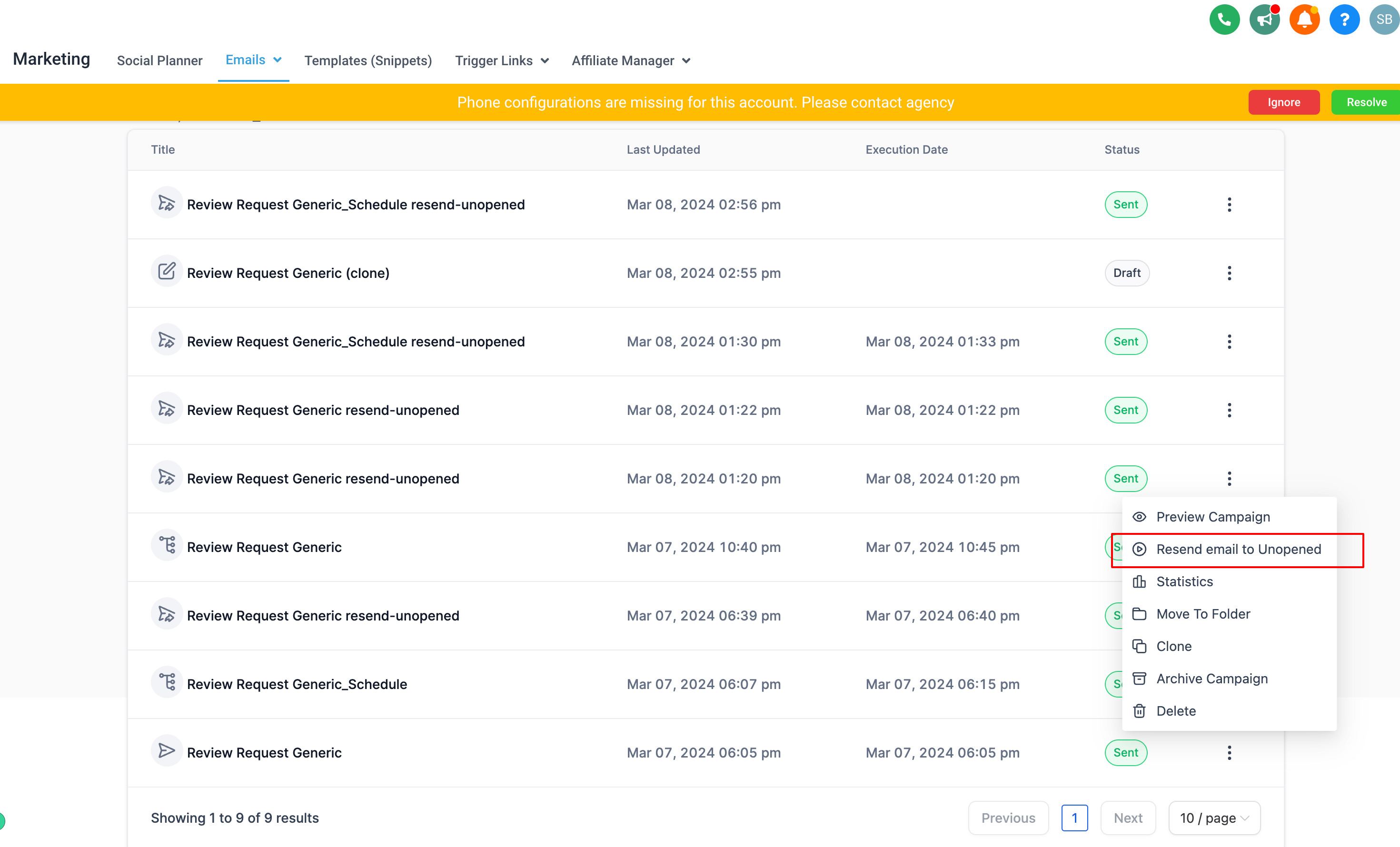
- Click the three dots next to the campaign name
- Select "Resend to Unopened"
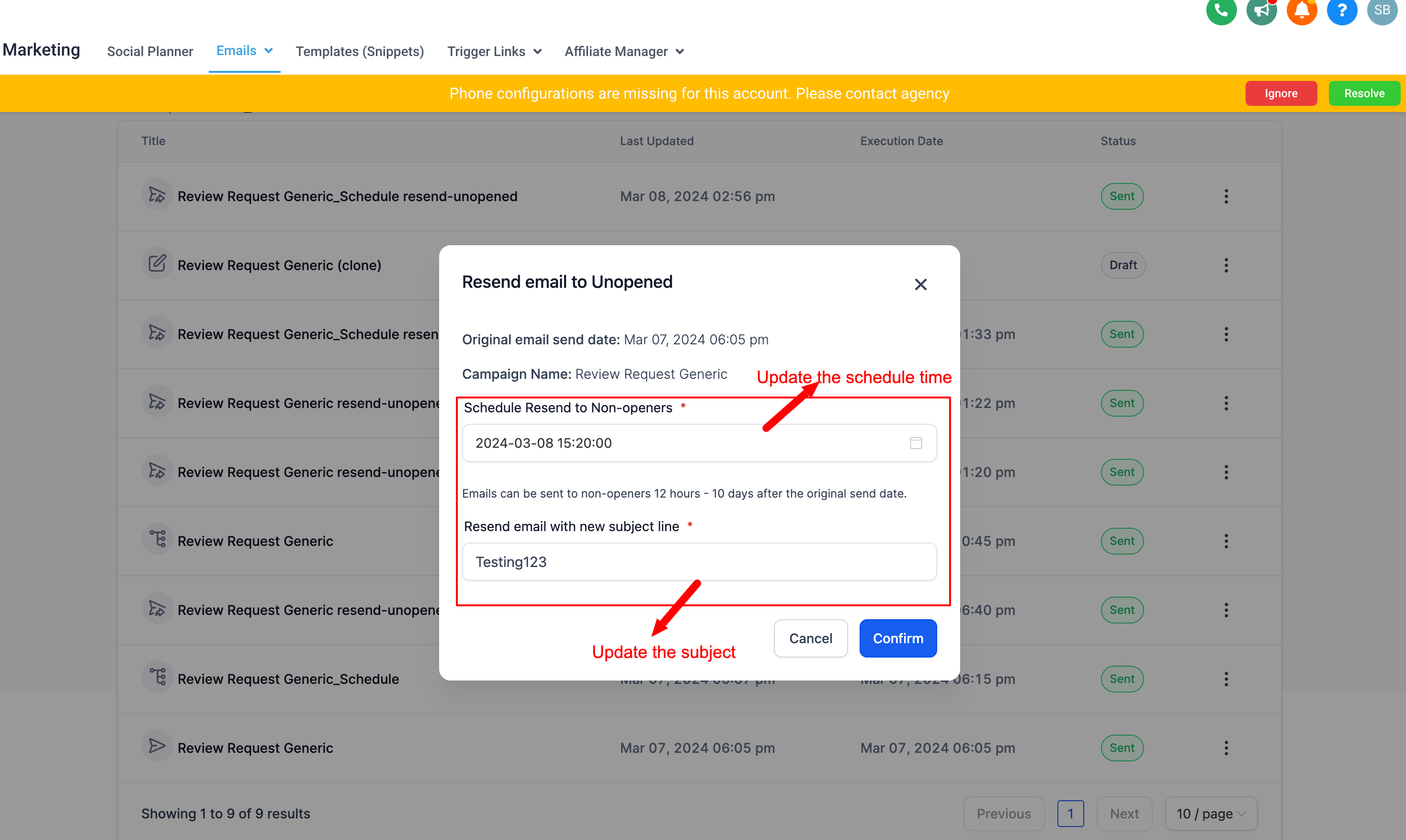
- Enter your new subject line
- Set your schedule time (must be 12 hours to 10 days after original send)
- Click Confirm
Enrollio creates a new campaign with the same content, scheduled to send only to families who didn't open the first email.
Current Limitations
Keep these restrictions in mind when using this feature:
- Not available for: Batch scheduled emails, RSS campaigns, or A/B test campaigns
- Cannot reschedule: Once you schedule a resend, you'll need to delete it and create a new one to change the timing
- 12-hour to 10-day window: The platform enforces this timeframe to ensure optimal results
💡 Pro Tip
Track your resend results separately in the campaign summary. Compare open rates between your original send and resend to learn what subject lines work best for your families.
Best Practices Summary
Resending to unopened recipients can significantly boost your email engagement—if you follow these guidelines:
- Wait at least 12 hours before resending
- Only resend campaigns with strong performance (20%+ open rates)
- Always update your subject line
- Limit to one resend per campaign
- Stay within the 10-day window
Used strategically, this feature helps you reach more families without overwhelming their inboxes or damaging your sender reputation.