
What's New?
You can now add live chat as a channel when using Enrollio AI in your automations. This means your automated conversations can happen right in the live chat widget on your enrollment site — making it easier for families to get instant answers while browsing.
How It Works
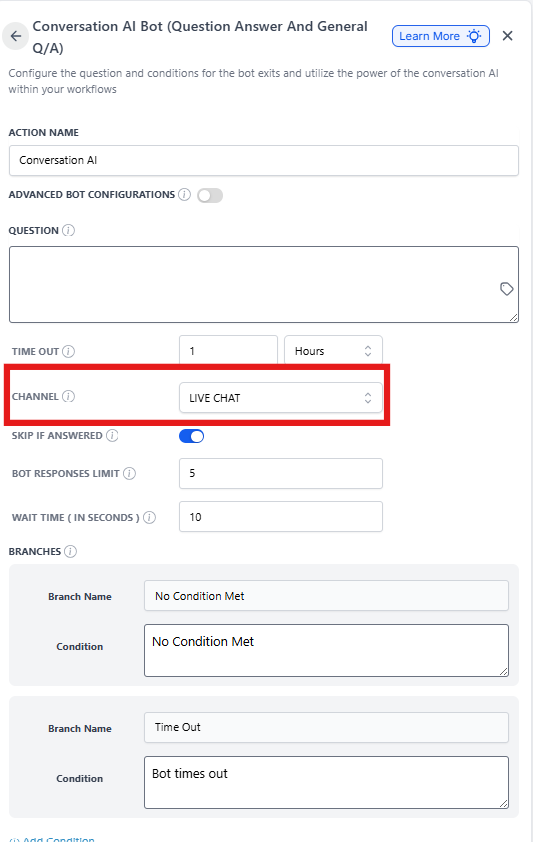
When you're setting up an automation that uses Enrollio AI, you'll now see Live Chat as a channel option alongside text and email.
To add live chat to your Enrollio AI automation:
- Open the automation where you want to use Enrollio AI
- Add or edit an Enrollio AI action
- Select Live Chat from the channel dropdown
- Configure your AI bot settings as usual
- Save your automation
Pro Tip: Use live chat with Enrollio AI to answer common enrollment questions automatically — like tuition rates, available spots, or tour scheduling — while families are browsing your site.
Once live, your Enrollio AI bot will respond to families in real-time through your live chat widget, helping qualify leads and capture enrollment opportunities even when your team is busy.