
Overview
OAuth2 is a secure authorization method that lets you connect Enrollio with powerful external platforms like Google, Facebook, and LinkedIn. This opens up endless possibilities for automating your childcare enrollment workflows.
With OAuth2 support in custom webhooks, you can securely integrate with APIs that require this advanced authentication method — perfect for connecting your enrollment data with the tools you already use.
How It Works
Setting Up OAuth2 in Your Custom Webhook
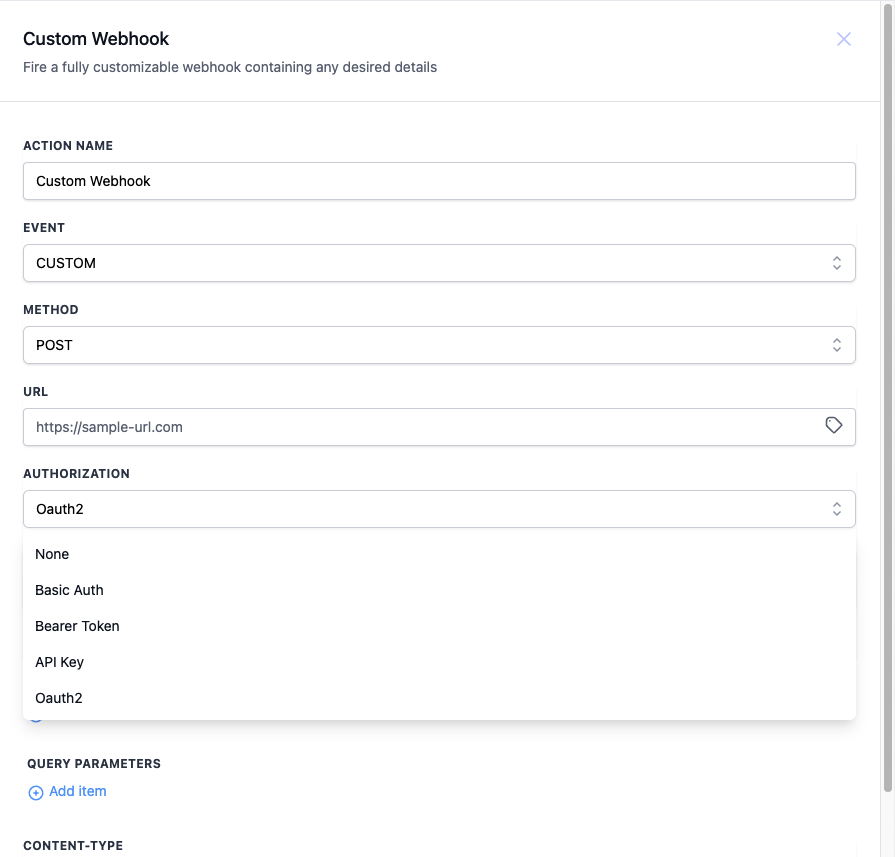
- In your automation, add a Custom Webhook action
- Select OAuth2 as your authorization method
- Choose an existing token from the dropdown, or click to create a new one
- Configure your webhook settings and save
Managing Your OAuth2 Tokens
You can view, update, and delete all your OAuth2 tokens from one central location.
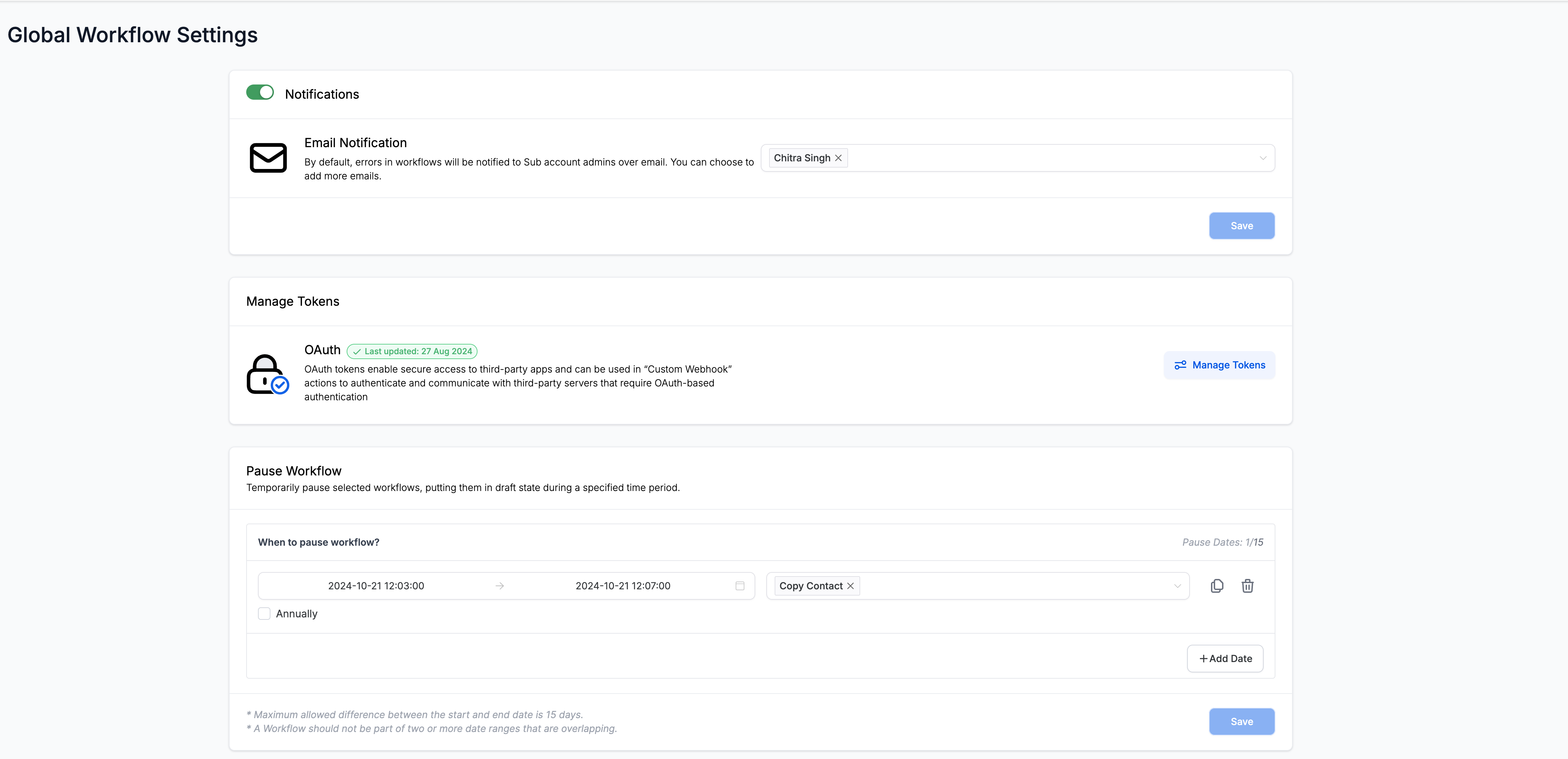
- Go to Settings → Automation Settings
- Click on Manage Tokens
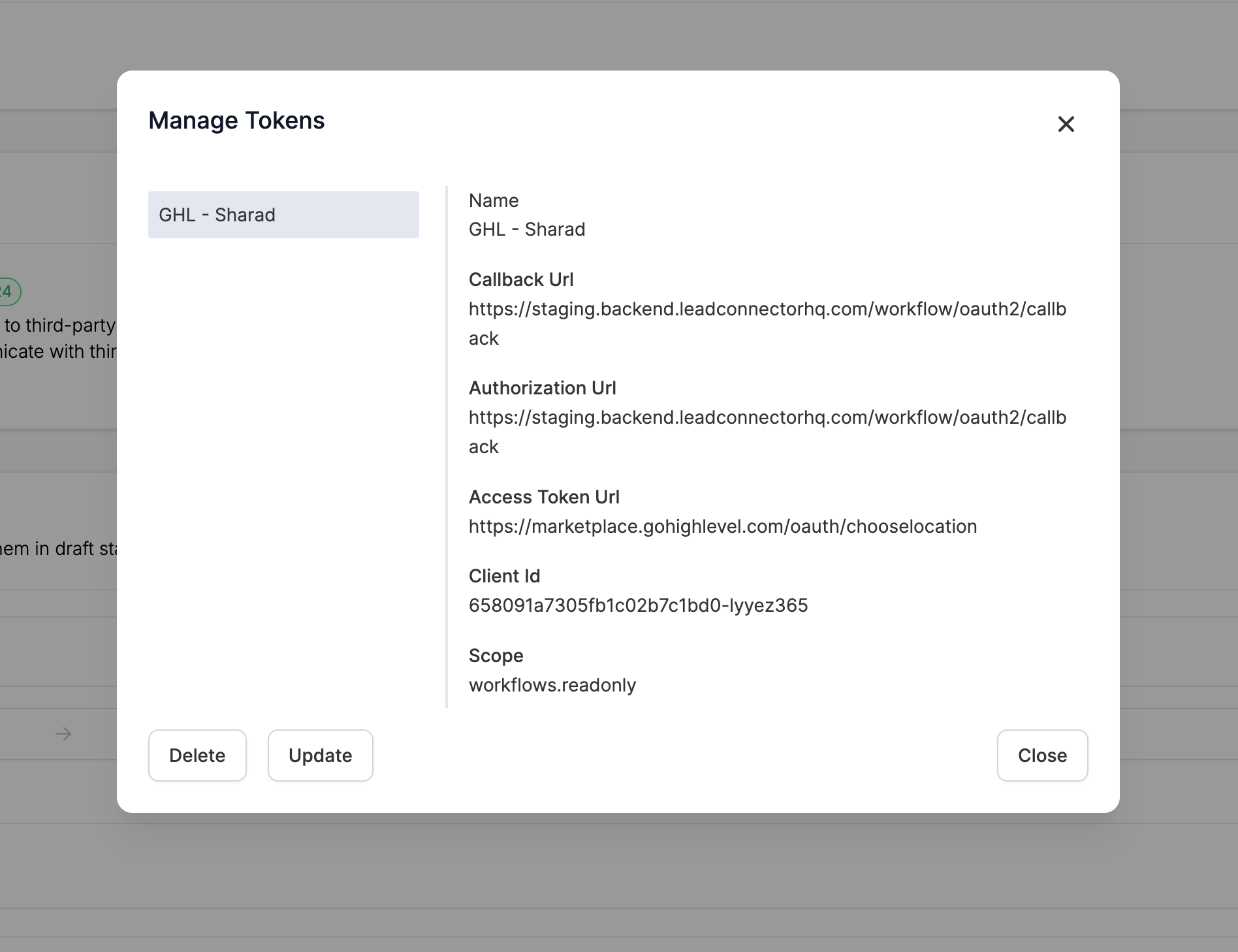
- A window will open showing all your saved tokens
- From here you can:
- Update a token to refresh credentials
- Delete tokens you no longer need
Pro Tip: Keep your tokens organized by giving them clear, descriptive names like "Google Calendar - Main Office" or "Facebook Lead Ads - Summer Campaign". This makes it easier to find the right token when building automations.
Common Use Cases for Childcare Centers
- Sync enrollment data with Google Sheets for reporting
- Post tour confirmations to your Facebook page
- Update LinkedIn company page when you have openings
- Connect with accounting platforms for payment processing