
Email Campaigns Overview
Note: Enrollio now offers Automations, which combine the power of campaigns and triggers into one powerful builder. You can do everything campaigns do (and more!) with Automations. Learn more about Automations.
What Are Email Campaigns?
Email campaigns let you send targeted messages to parents and prospective families in your Enrollio account. Use them to announce open enrollment periods, share updates about your program, promote upcoming events, or stay in touch with families on your waitlist.
Campaigns are perfect for one-time announcements or scheduled sends. For ongoing communication based on parent actions (like following up after a tour), use Automations instead.
Types of Email Campaigns
Enrollio supports several campaign types to match how you communicate with families:
- Regular campaigns — Send immediately or schedule for a specific date and time
- Batch campaigns — Spread sends over hours or days to avoid overwhelming inboxes
- Smart Send campaigns — Let Enrollio determine the best time to reach each family
Getting Started with Campaigns
Ready to send your first campaign? Here's what you need to know:
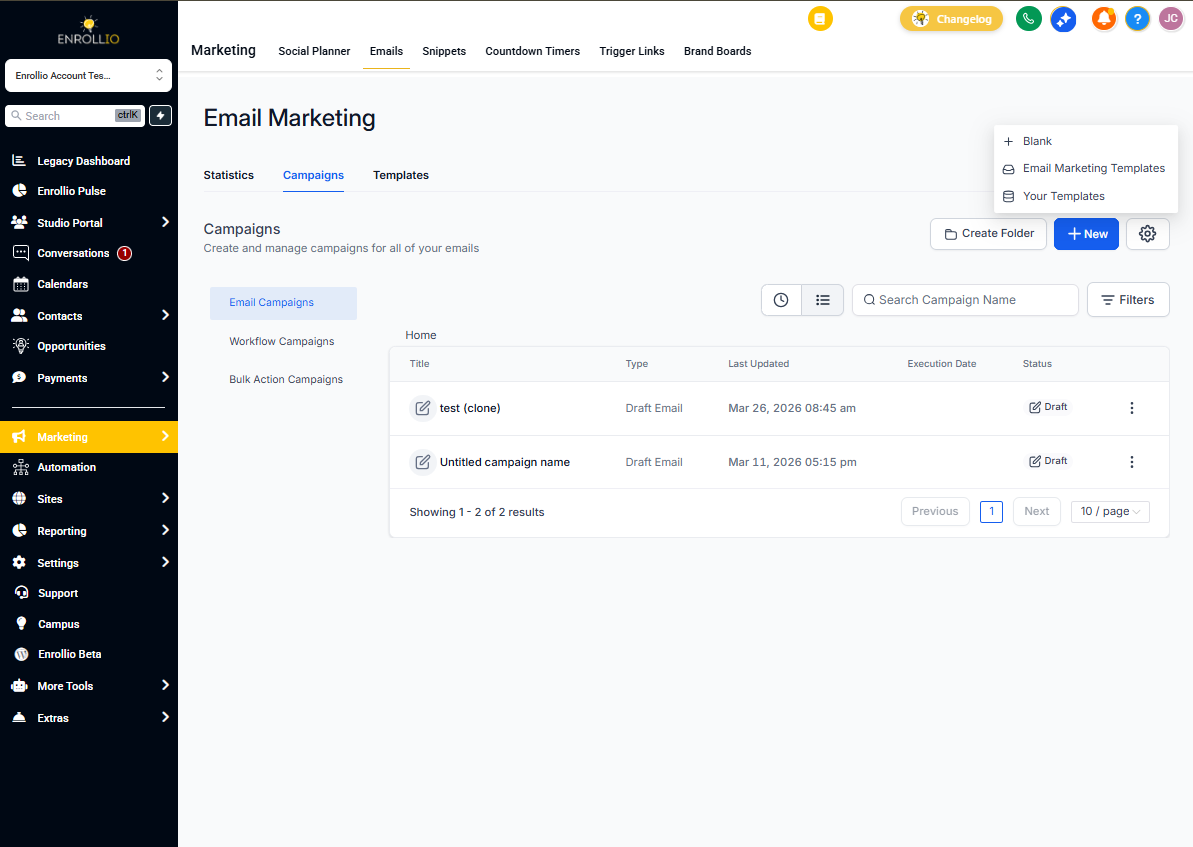
- Navigate to Marketing → Campaigns in your Enrollio dashboard
- Click Create Campaign and choose your campaign type
- Build your email using the drag-and-drop editor
- Select who should receive it (all families, waitlist only, etc.)
- Preview, test, and send
Pro tip: Start with a small test send to yourself or your team before sending to all families. This helps catch typos and ensures links work correctly.
Who Can Receive Campaigns?
You control exactly who receives each campaign by building recipient segments. Target families based on:
- Enrollment status (active, waitlist, prospective)
- Tags you've applied
- Custom field values (age group, location, etc.)
- Previous engagement with your emails
Learn how to build recipient segments
Tracking Campaign Performance
After sending, monitor how your campaign performs. Enrollio tracks:
- Delivery rate — how many families received your email
- Open rate — how many families opened it
- Click rate — how many clicked links in your message
- Unsubscribe rate — families who opted out
Use these metrics to refine future campaigns and understand what resonates with your families.
Next Steps
- Send your first email campaign
- Set up batch scheduling
- Use Smart Send for optimal timing
- Understand campaign statuses