Overview
Track the progress and performance of your email sends using campaign statuses in Enrollio. Whether you're sending newsletters to current families, tour reminders to prospective parents, or enrollment updates, each campaign type shows specific status indicators to help you quickly see whether a campaign is a draft, active, sent, or completed.
Enrollio includes three types of email campaigns:
- Email Campaigns – One-time or recurring manual sends
- Automation Campaigns – Automated sequences triggered by parent actions
- Bulk Action Campaigns – Mass emails sent to contact lists
Email Campaign Statuses
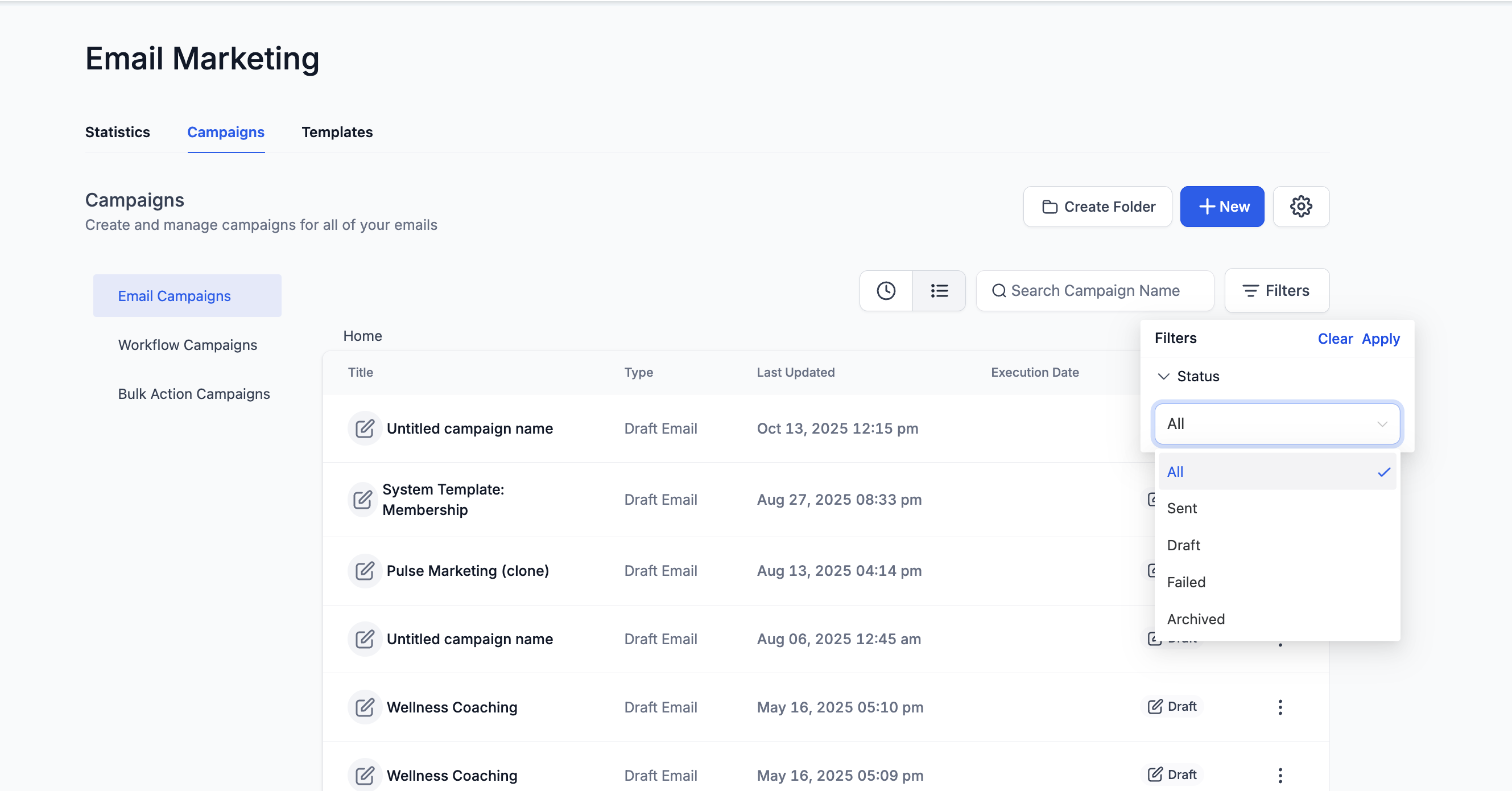
Email Campaigns are one-time or recurring email sends you create and manage manually. Each campaign displays a status to show where it is in the creation or delivery process.
| Status | Description |
|---|---|
| Draft | The campaign is being created or edited and hasn't been sent yet. You can continue to modify content or settings before scheduling. |
| Sent | The campaign has been successfully delivered to recipients. You can view performance metrics under Statistics. |
| Failed | The campaign couldn't be sent due to an error (e.g., invalid sender email, configuration issues). Review your campaign setup before retrying. |
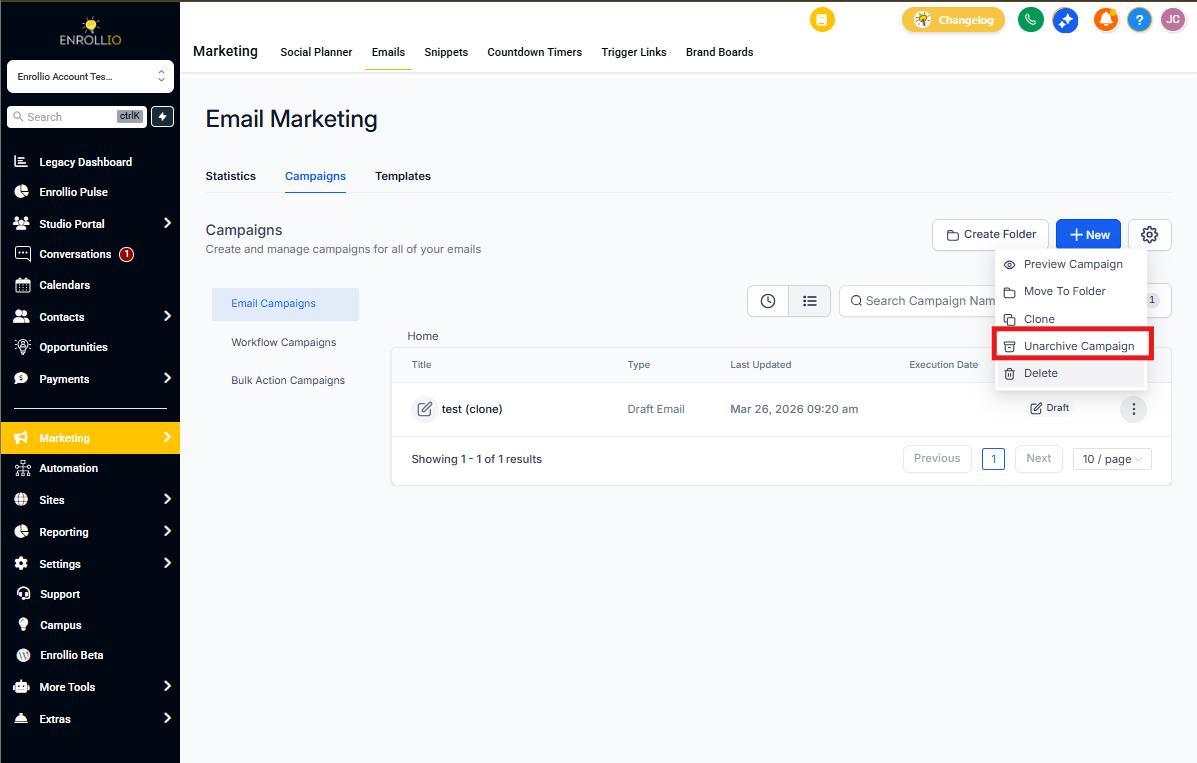
| Archived | The campaign has been manually archived to remove it from the active view without deleting it. You can restore it anytime. |
| All | Displays every campaign, regardless of its current status. |
Automation Campaign Statuses
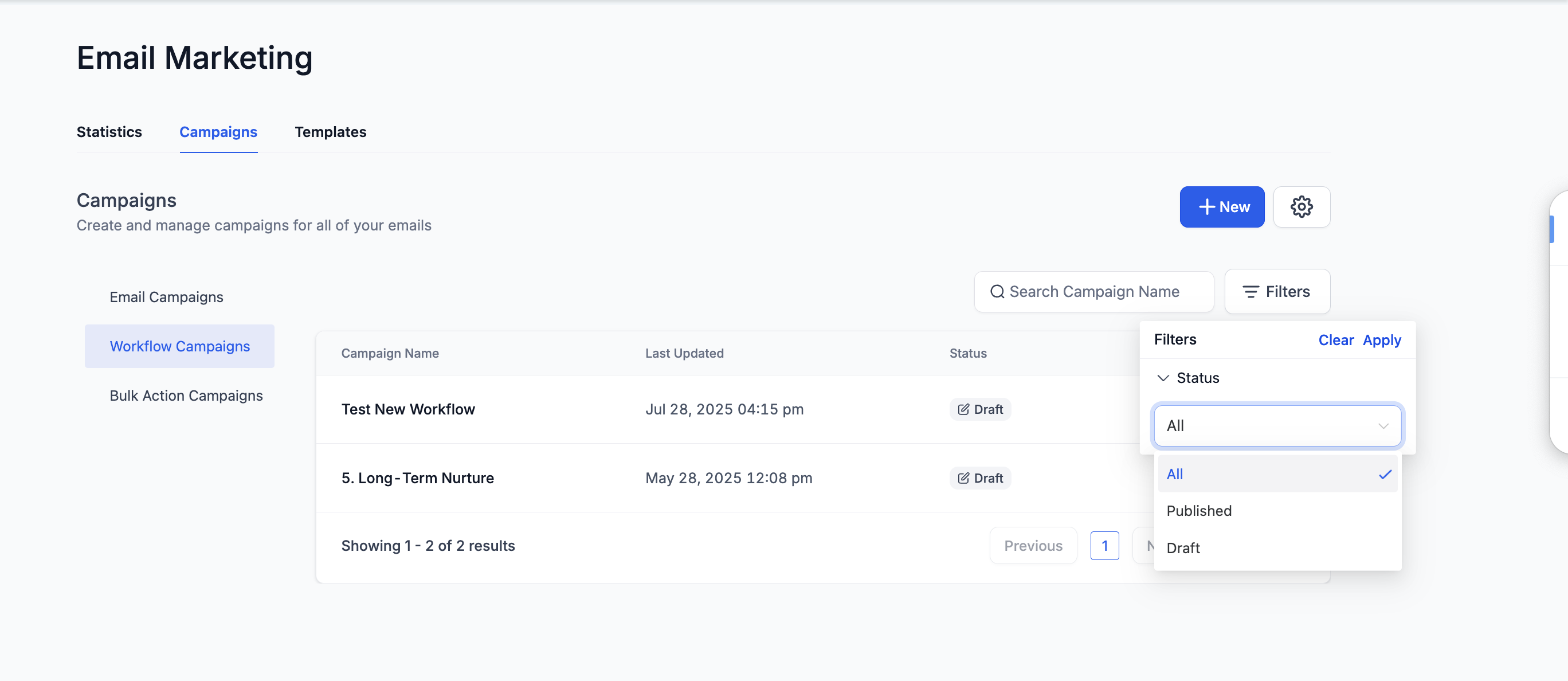
Automation Campaigns are automated email sequences triggered by parent actions or enrollment milestones. These campaigns show simpler statuses since they run automatically based on your triggers.
| Status | Description |
|---|---|
| Draft | The automation campaign has been created but not activated yet. You can still make changes to triggers, emails, or actions. |
| Published | The automation campaign is live and running based on your configured triggers. Families entering the automation will receive the emails automatically. |
| All | Displays all automation campaigns, including both draft and published ones. |
Bulk Action Campaign Statuses
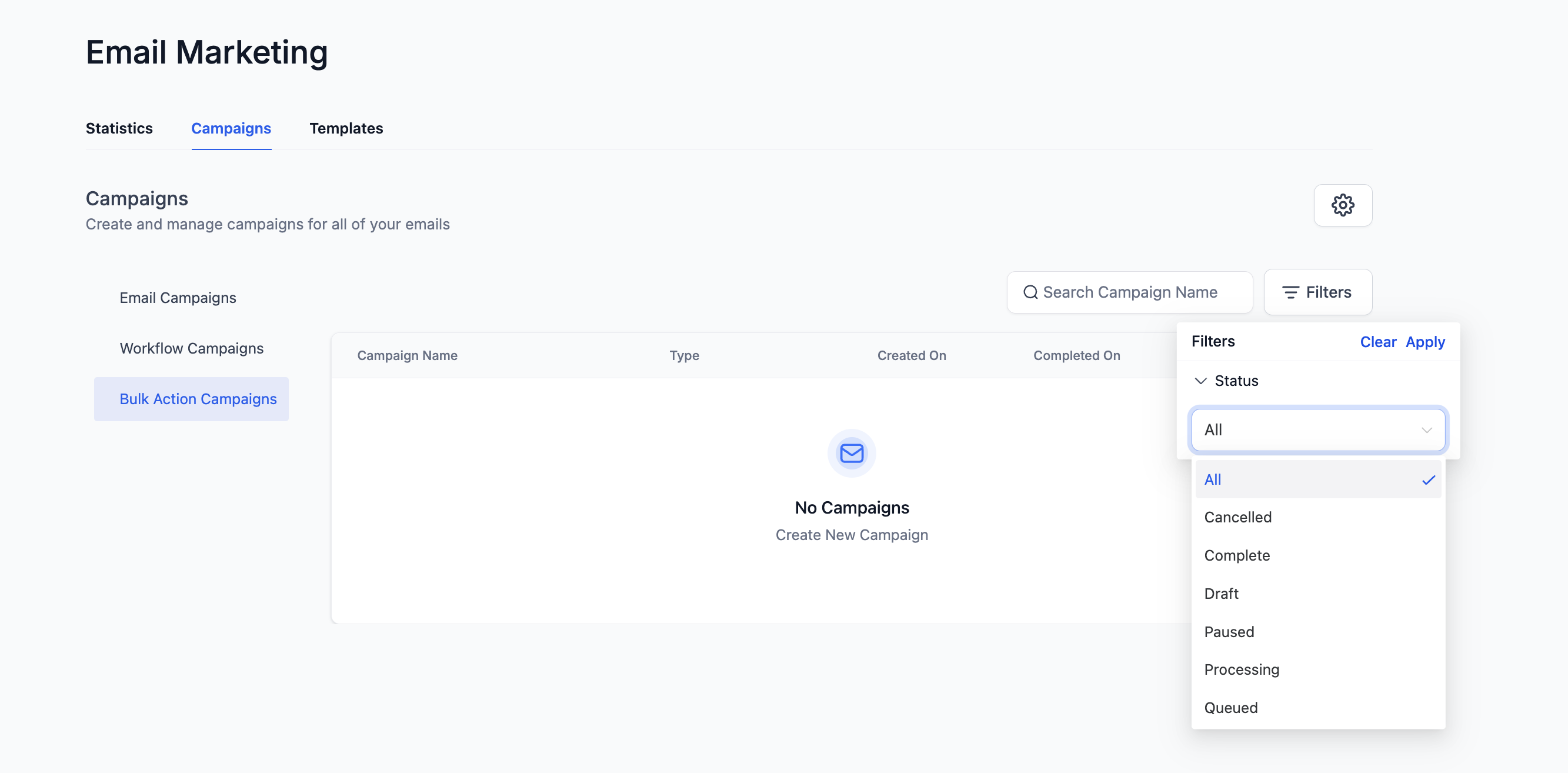
Bulk Action Campaigns send mass emails to a list of families instantly or in scheduled batches. Their statuses provide detailed insight into send progress and completion.
| Status | Description |
|---|---|
| Draft | The campaign setup is incomplete or waiting to be scheduled. |
| Queued | The campaign is lined up and waiting to be processed for sending. |
| Processing | The campaign is actively being sent to recipients. |
| Paused | The campaign has been temporarily stopped. You can resume it anytime. |
| Complete | The campaign has been successfully sent to all recipients. |
| Cancelled | The campaign was stopped before completion and will not send to remaining families. |
| All | Displays every bulk action campaign, regardless of status. |
Frequently Asked Questions
Can I resend a campaign once it's marked Complete or Sent?
Yes. You can duplicate the campaign and send it again to a new segment or list of families.
What's the difference between Paused and Cancelled?
Paused campaigns can be resumed anytime. Cancelled campaigns are permanently stopped and cannot be resumed.
Can I change the status manually?
You can archive or delete campaigns, but other statuses update automatically based on system activity.
Can I restore an Archived campaign?
Yes. Go to Email Campaigns → Filters → Archived, select your campaign, and click Unarchive to move it back to active view.