
What Are Email Automations?
Email automations in Enrollio are triggered messages that go out based on parent actions—like scheduling a tour, joining a waitlist, or completing enrollment. When you build an automation, you can include multiple email steps that guide families through your enrollment journey.
The Email Automations view lets you see how all these emails are performing in one place, so you can track open rates, clicks, and engagement without jumping between different screens.
Why This Matters
Everything in One Place: All your automation email stats live under Email Marketing, making it easy to compare performance across campaigns.
Detailed Breakdowns: See overall automation performance, then drill down into individual email steps to understand exactly where families are engaging—or dropping off.
Quick Edits: Jump directly from the stats screen into the automation builder to make tweaks and improvements on the spot.
How to View Your Email Automation Stats
Step 1: Click Email Marketing in your main navigation.
Step 2: Select Campaigns, then click the Automation Campaigns tab.
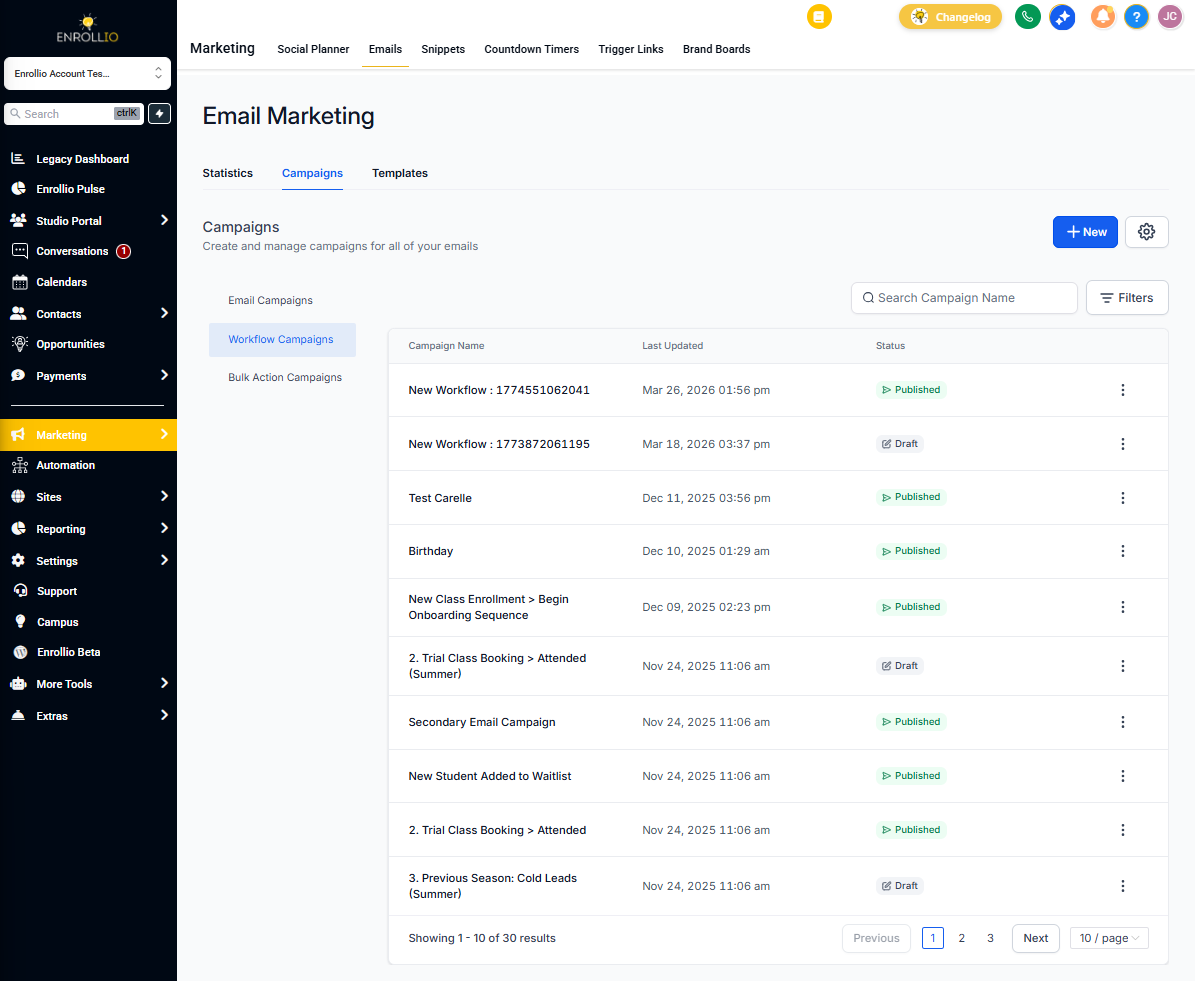
Step 3: You'll see a list of all automations that include email steps. Click Statistics next to any automation to view performance.
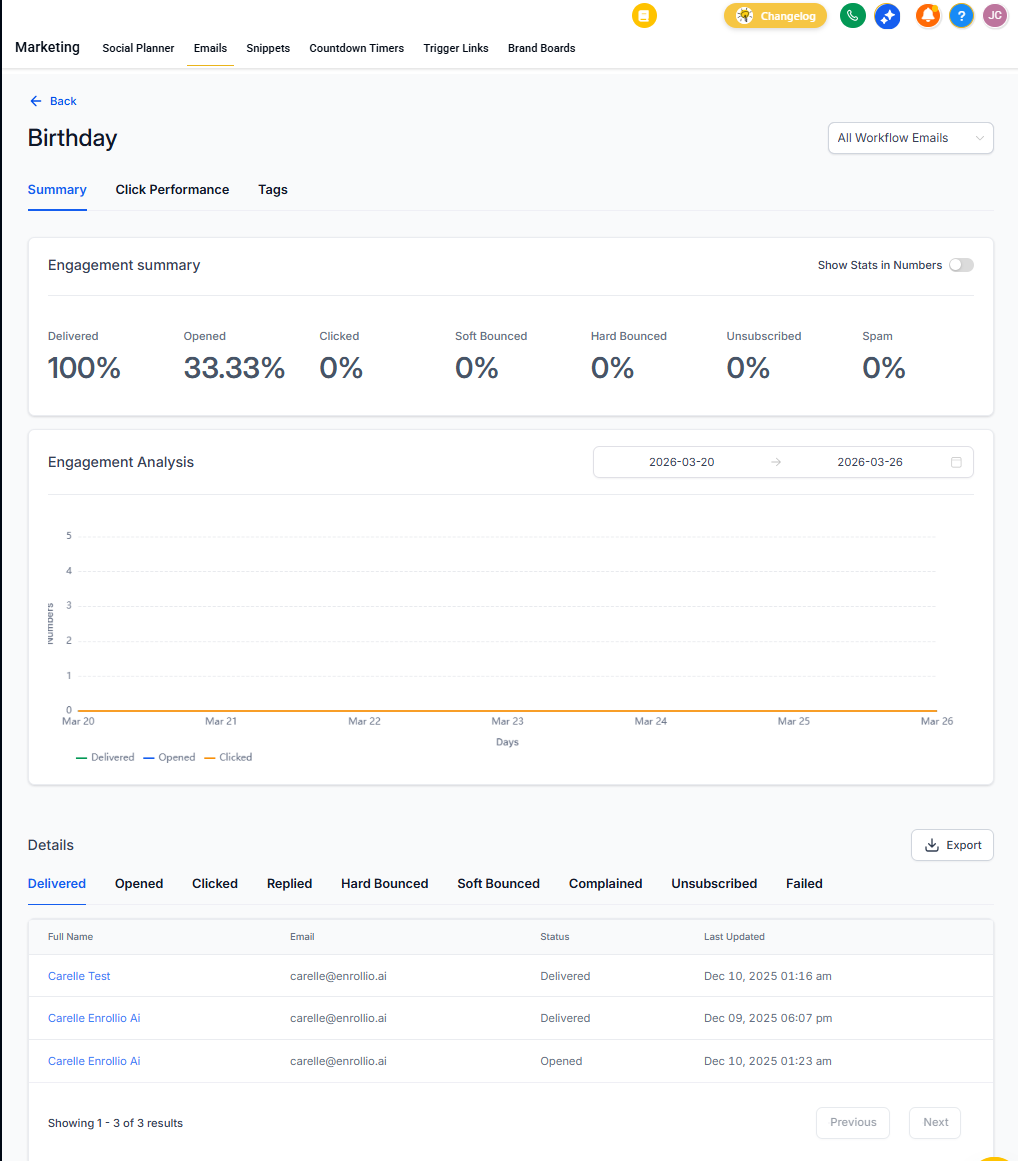
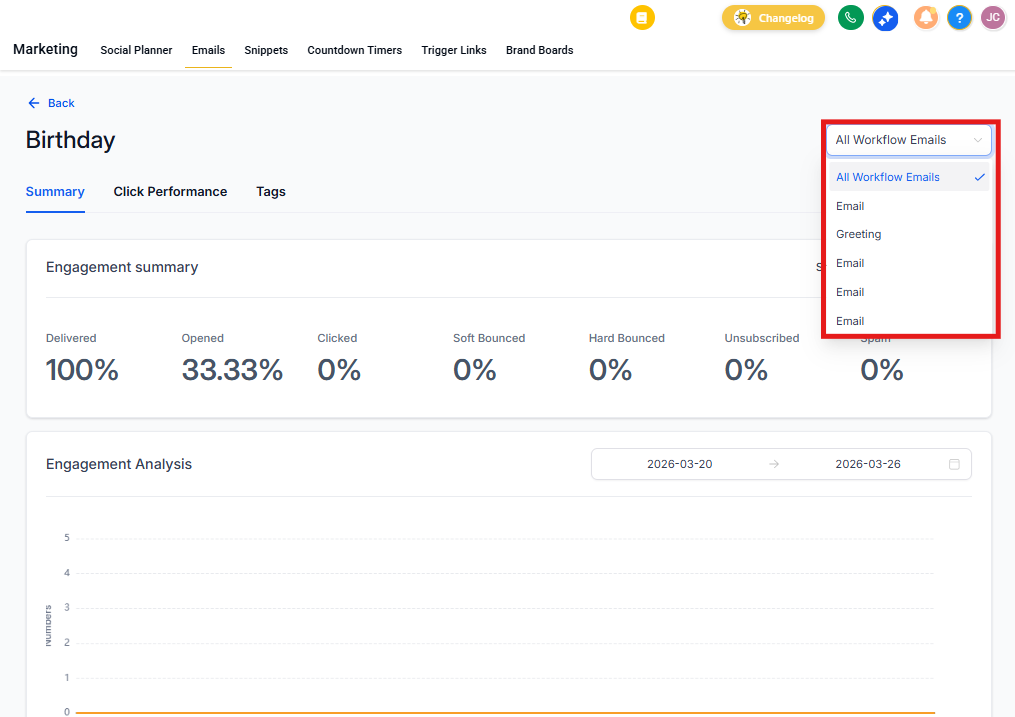
Step 4: Use the dropdown menu to select individual email actions within the automation. This shows you exactly how each message is performing.
Making Changes to Your Automations
Spot something you want to improve? Click Edit Automation directly from the statistics screen. This takes you straight to the automation builder where you can adjust your email copy, timing, or triggers.
Pro Tip: Compare open rates across your enrollment journey. If parents are opening your tour confirmation email but not your follow-up email two days later, that's a signal to test different subject lines or sending times.
What to Look For
- Open Rates: Are parents actually seeing your messages? Low opens might mean your subject lines need work.
- Click Rates: Are families taking action? Track clicks on your scheduling links, tour confirmations, or enrollment forms.
- Drop-offs: If engagement drops at a specific step, that email might need revision or better timing.
With all your email automation data in one view, you can make smarter decisions about how you communicate with families—and get more tours booked and enrollments completed.