
Troubleshooting Automation Executions - Race Conditions
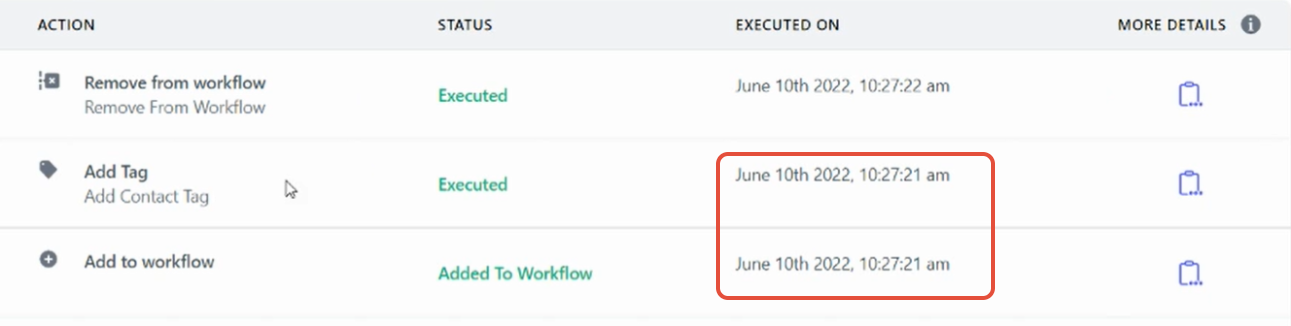
A race condition happens when two (or more) updates occur at the exact same time (within the same second). The changes "race" each other and might execute in the wrong order, or one might show as completed when it actually didn't process.
Table of Contents
- Open the Exact Execution via the Message Deep Link
- Example Race Condition: Add Tag Executed But Not Added
- How to Prevent a Race Condition
Open the Exact Execution via the Message Deep Link
Opening the execution directly from the affected message ensures you're reviewing the correct run, parent/family record, and timestamp before diagnosing timing issues.
Steps:
- Go to Conversations and open the conversation with the affected message.
- Open the message details for that message.
- Click Automation (deep link) to open Execution Details with full context loaded.
- Review the timestamps and action order to confirm whether multiple actions fired in the same second.
Fallback: If the Automation link isn't available in message details, open the execution from logs: Go to Automations → open your automation → Logs, then filter or search by the parent/family name and the time window around the message.
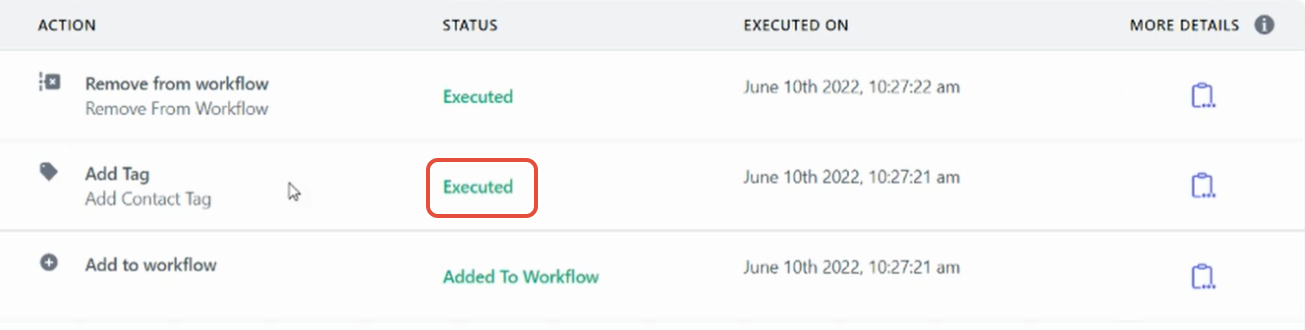
Example Race Condition: Add Tag Executed But Not Added
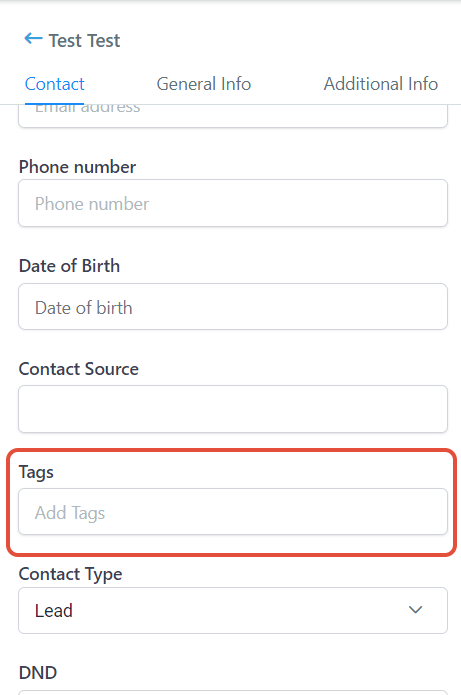
In this example, you can see the tag was added successfully in the automation execution logs. However, when you check the parent/family record, the tag isn't there.
Look closely at the execution log and pay attention to the timestamps. The "Add to automation" trigger and the "Add Tag" action both fired at the exact same time—within the same second. This is a race condition.
How to Prevent a Race Condition
To fix the race condition, add a Wait action of 1 minute between the trigger and the action that's experiencing the conflict.
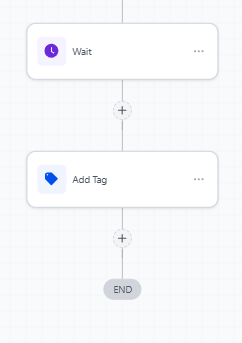
Pro Tip: With a Wait 1 minute action in place, there's no chance of the race condition occurring. The system has time to fully process the first action before moving to the next one.
This simple step ensures your automations run reliably and parent/family records update correctly every time.