What Are One-Time Booking Links?
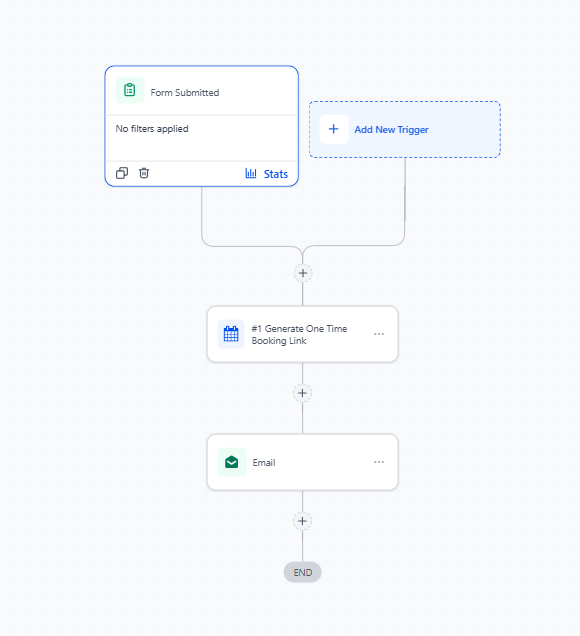
A one-time booking link is a unique scheduling link that automatically expires after someone books an appointment. Perfect for tour requests, parent meetings, or enrollment consultations, these links ensure each family gets their own secure booking URL.
With Enrollio's automation feature, you can generate and send these links automatically — no manual work required.
Why Use One-Time Links in Your Automations?
- Save time: No more manually creating and sending booking links for each family
- Prevent double-bookings: Links expire after one use, keeping your calendar clean
- Professional experience: Each family gets their own personalized scheduling link
- Flexible use cases: Works for tour requests, enrollment meetings, parent conferences, and more
How to Set Up One-Time Booking Links
Follow these steps to automatically generate and send one-time booking links to families:
Step 1: Create Your Automation
- Navigate to Automations in your Enrollio dashboard
- Click Create Automation
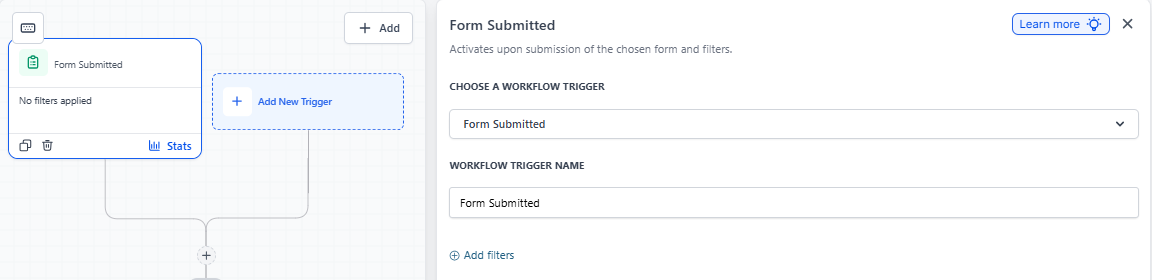
- Choose a trigger that fits your needs (e.g., when a family submits a tour request form)
Step 2: Add the One-Time Booking Link Action
- Click Add Action in your automation
- Select the Appointments category
- Choose Generate One Time Booking Link
- Select which calendar you want to use (e.g., your Tour Calendar or Enrollment Consultation Calendar)
- Click Save
Step 3: Send the Link to Families
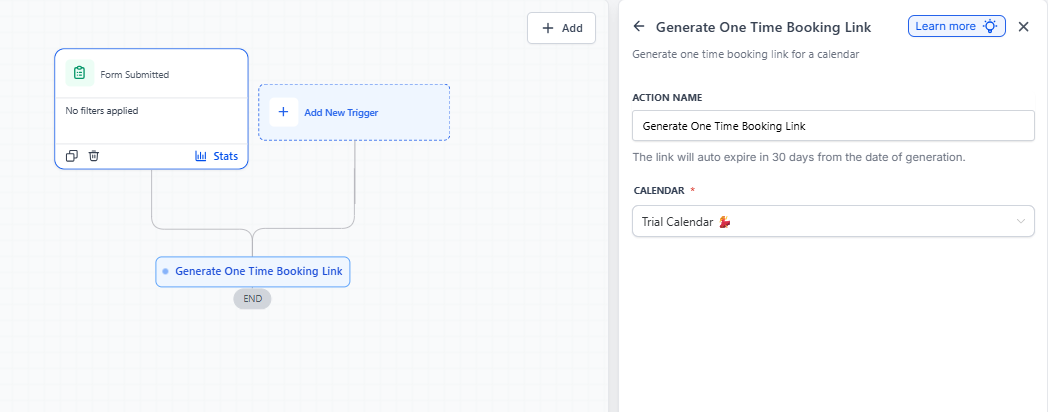
- Add another action to your automation — choose Send Email or Send Text Message
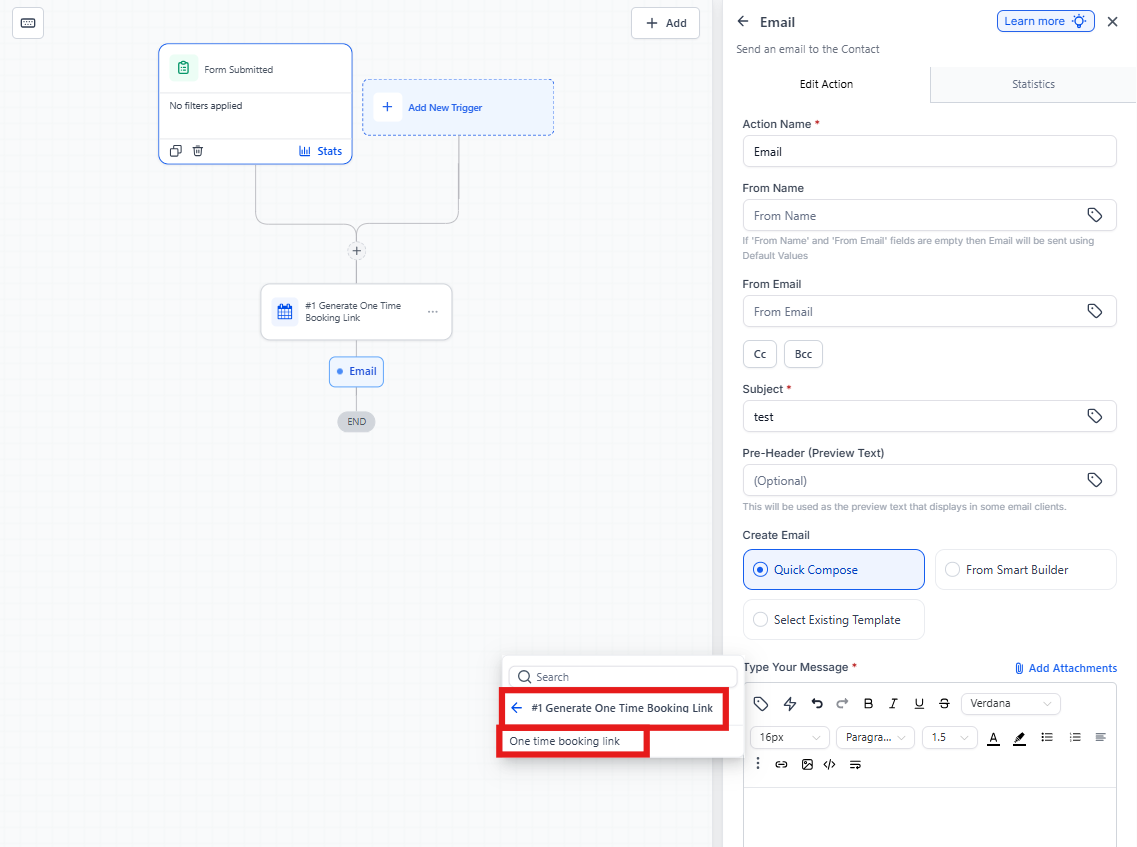
- In the message body, click where you want to insert the booking link
- Click the Custom Value button
- Select Generate One Time Booking Link → One Time Link
Step 4: Customize and Publish
- Write your message around the booking link (see example below)
- Click Save on the email or text action
- Click Publish to activate your automation
Example Message
Subject: Schedule Your Tour at [Your Center Name]
Hi {{contact.first_name}},
Thanks for your interest in [Your Center Name]! We'd love to show you around and answer your questions.
Click the link below to choose a time that works best for you:
[One Time Booking Link]
This link is unique to you and will expire once you've booked your tour. If you have any questions, just reply to this email!
We look forward to meeting you!
How It Works
Once your automation is published, here's what happens:
- A family triggers your automation (e.g., by submitting a tour request)
- Enrollio automatically generates a unique one-time booking link for that family
- The link is sent via email or text message
- The family clicks the link and books their appointment
- The link expires immediately after booking — no one else can use it
Common Use Cases
- Tour requests: Send a booking link immediately when families inquire about your center
- Enrollment consultations: Let families schedule their enrollment meeting after they complete an application
- Parent-teacher conferences: Send personalized scheduling links for annual meetings
- Waitlist callbacks: When a spot opens up, send a one-time link to schedule an enrollment meeting