
Brand Voice in Brand Boards
Define your center's communication style with Brand Voice and integrate it with Enrollio AI to maintain consistent messaging across all your enrollment materials.
What Is Brand Voice?
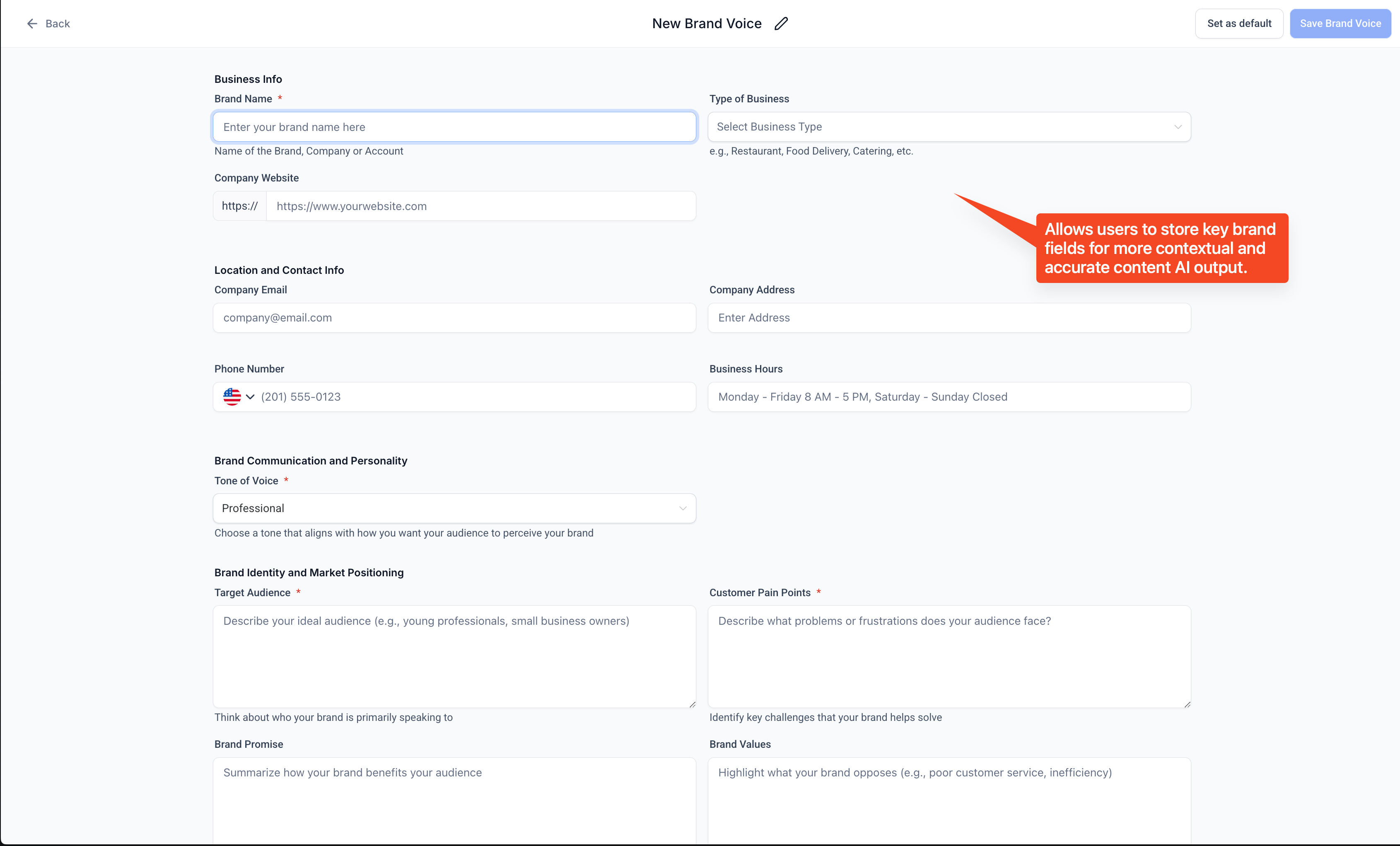
Brand Voice is your center's communication guide that captures how you talk to families. It includes:
- Business Information: Core details about your childcare center
- Brand Values: The principles that define your center's identity
- Tone and Style: Guidelines on how your center communicates with parents and families
- Intended Actions: What you want families to do (schedule a tour, complete enrollment, join your waitlist)
This feature ensures your messaging stays consistent and aligned with your values across enrollment pages, emails, and text campaigns.
Why Use Brand Voice?
Customization: Tailor Enrollio to reflect your center's unique personality and approach to childcare.
AI Integration: Give Content AI your center's communication style so it generates content that sounds like you wrote it.
Consistency: Maintain the same tone whether you're texting a parent, sending tour confirmations, or creating enrollment pages. This builds trust and recognition with families.
Brand Voice helps Enrollio understand your center's needs and philosophy, so the platform works better for your specific approach to childcare.
How to Create a Brand Voice
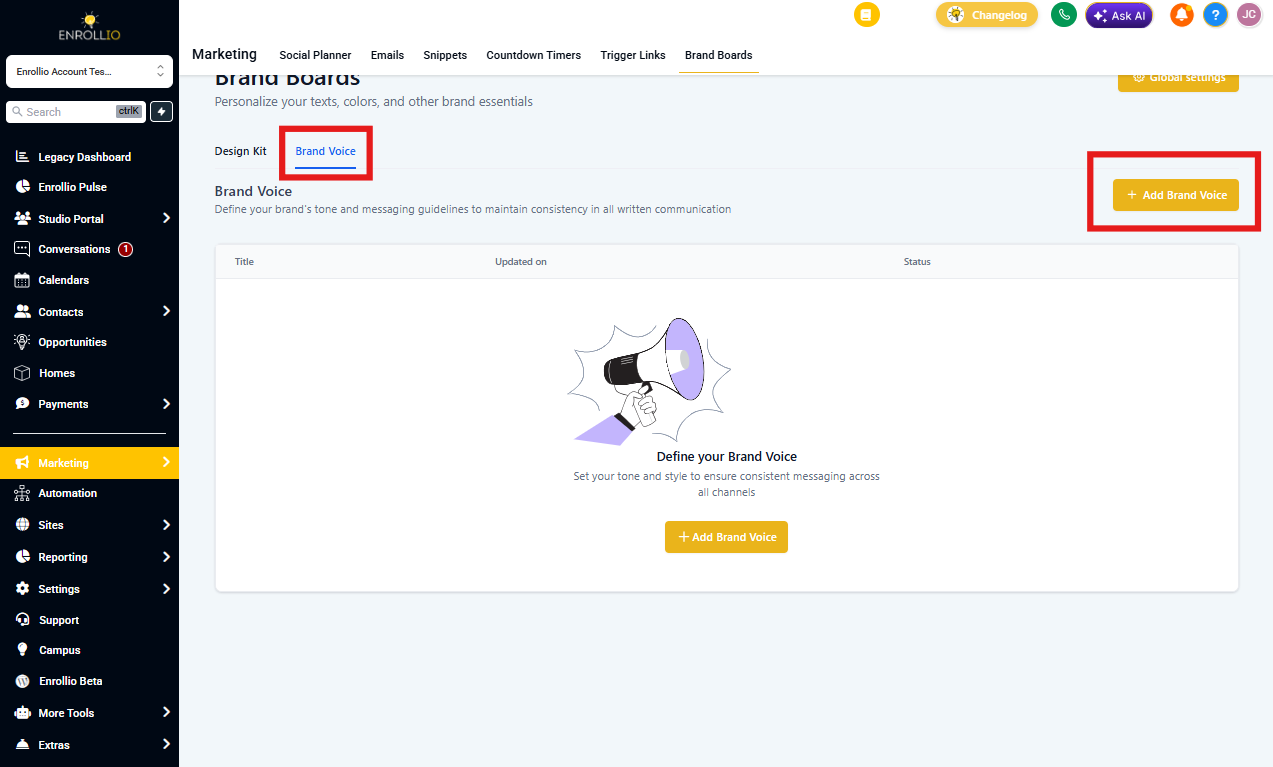
- Navigate to Marketing → Brand Boards
- Click Create New Brand Voice
- Choose Start from Scratch to input your center's details
- Fill in the form with your business information, values, tone, and style guidelines
- Click Save to store your Brand Voice
- Click the three dots next to any Brand Voice to set it as your default
Benefits of Defining Your Brand Voice
Efficiency: Stop manually adjusting tone for each email or text campaign. Your Brand Voice applies automatically.
Alignment: Every piece of content reflects your center's identity, creating a cohesive experience for families from first inquiry through enrollment.
Enhanced AI Performance: Content AI generates more accurate, relevant messages when it understands your communication style.
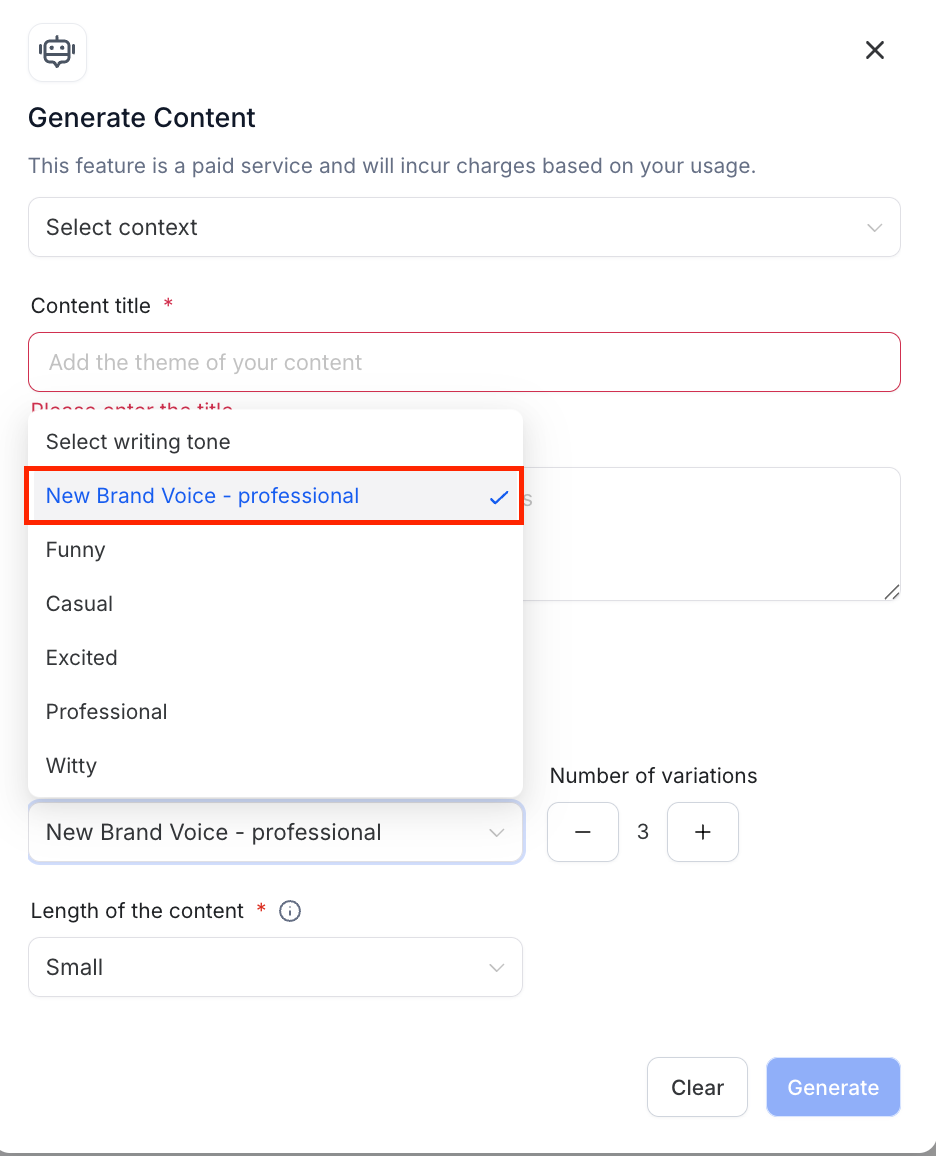
You can select your Brand Voice as a tone option in the Content AI modal whenever you're creating marketing content.
FAQs
Q: What happens to my existing design boards under Brand Boards?
All your existing Brand Boards are safe in the Design Kit section of Brand Boards.
Q: Can we have multiple Brand Voices?
Yes, you can create multiple Brand Voices for your center and switch between them as needed.