
Overview
The If/Else action is one of the most powerful tools in your automation arsenal. It gives you complete flexibility to send families down different paths based on conditions you set — like enrollment status, tour completion, or time of day.
We've completely redesigned this action to make it more powerful and easier to use. Here's what's new.
What's New
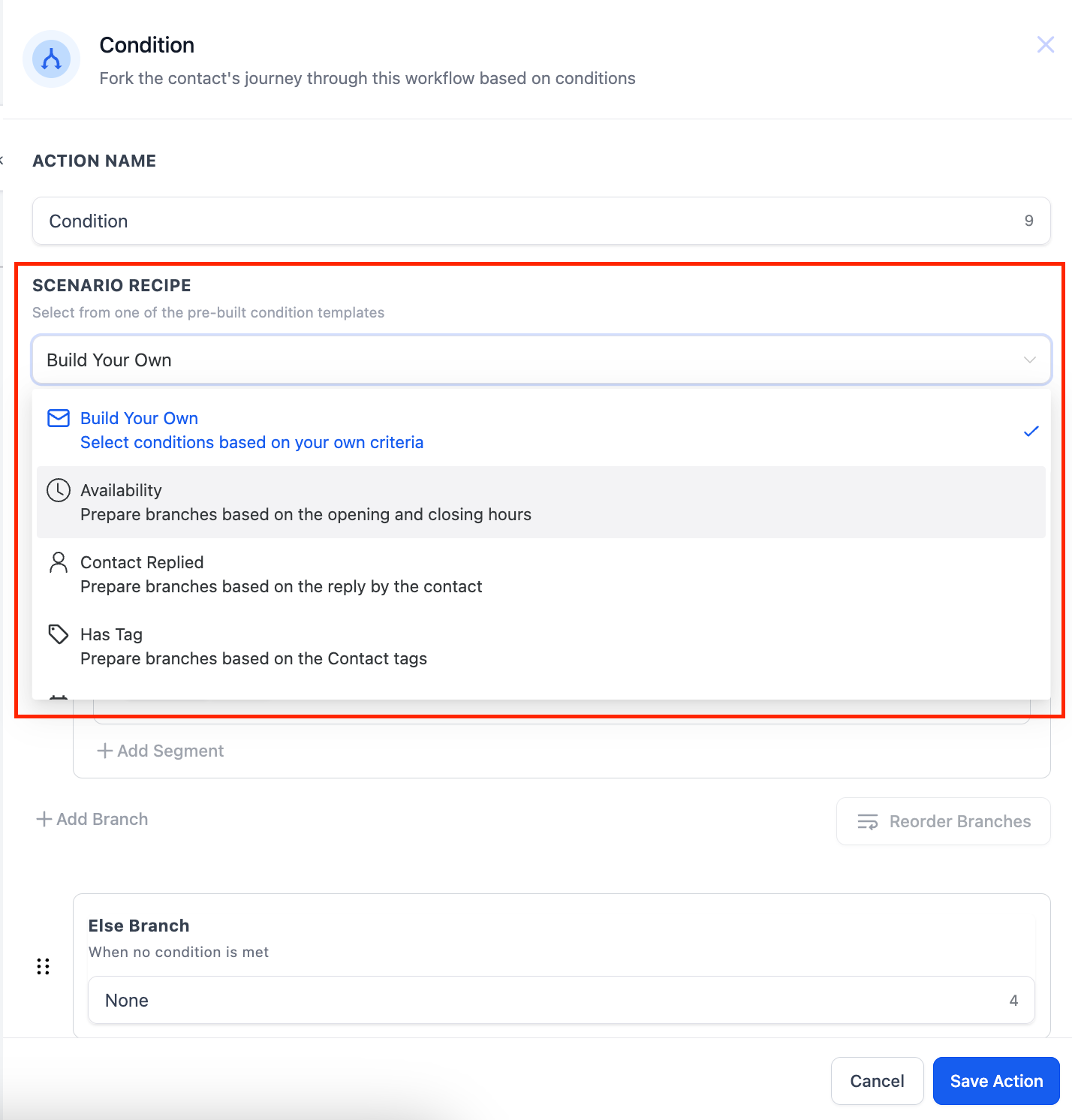
Scenario Recipes
We've reimagined how you set up If/Else conditions by introducing Scenario Recipes — pre-built templates that simplify setup and get you running faster.
Here's how to use them:
- Click the dropdown in your If/Else action
- Choose from 10 ready-made recipes designed for common childcare scenarios
- Check any prerequisites (the recipe will tell you what's needed)
- Or build your own custom conditions from scratch
Enhanced Branch View
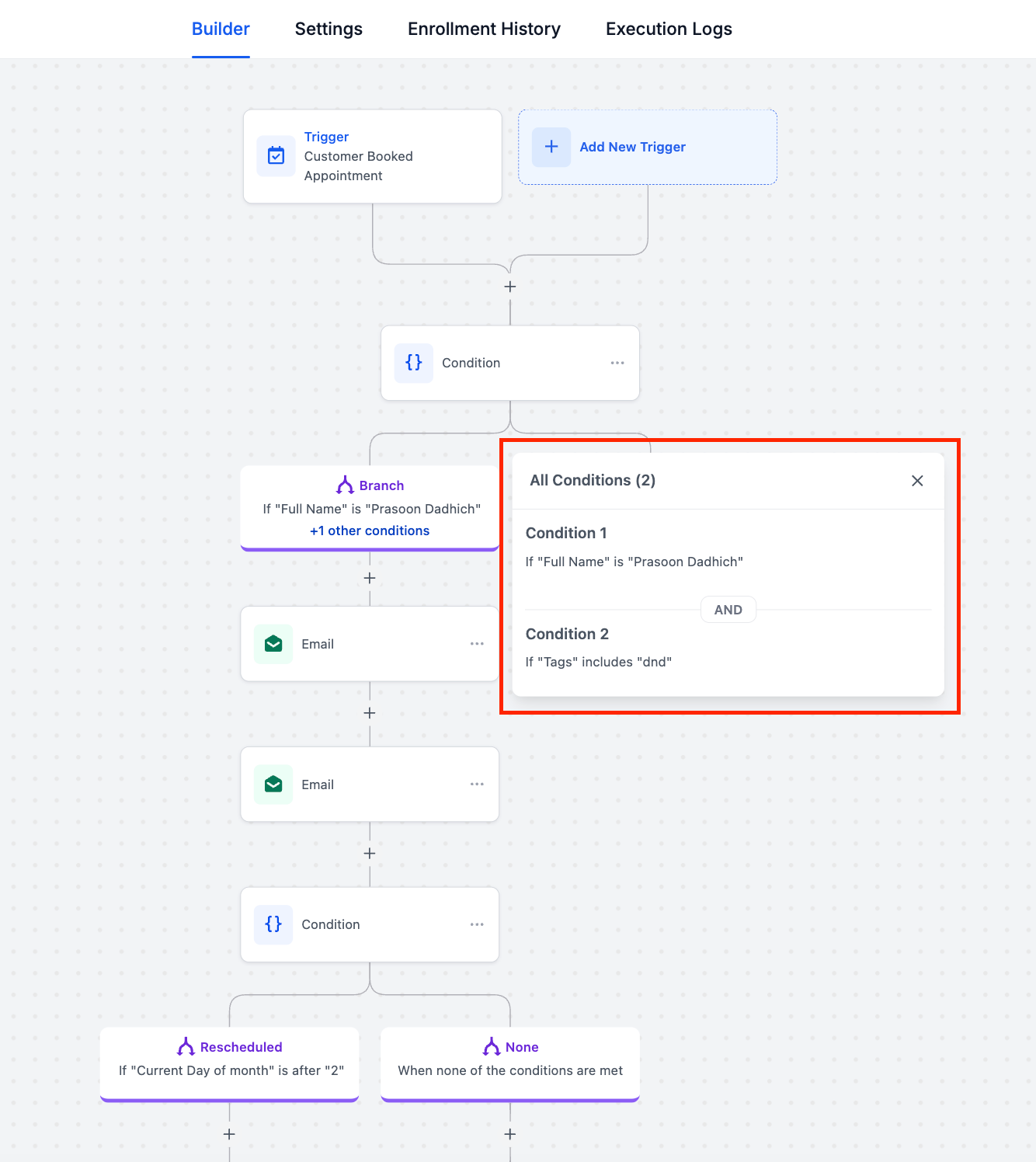
Your If/Else branches now show a clear text summary right in the automation builder. You can see at a glance what conditions each branch checks — no more clicking into every branch to remember what it does.
For branches with multiple conditions, click "+x more conditions" to view the full list in a pop-up window.
Click any branch to edit it. The others will collapse automatically so you can focus on one path at a time.
Time of Day Precision
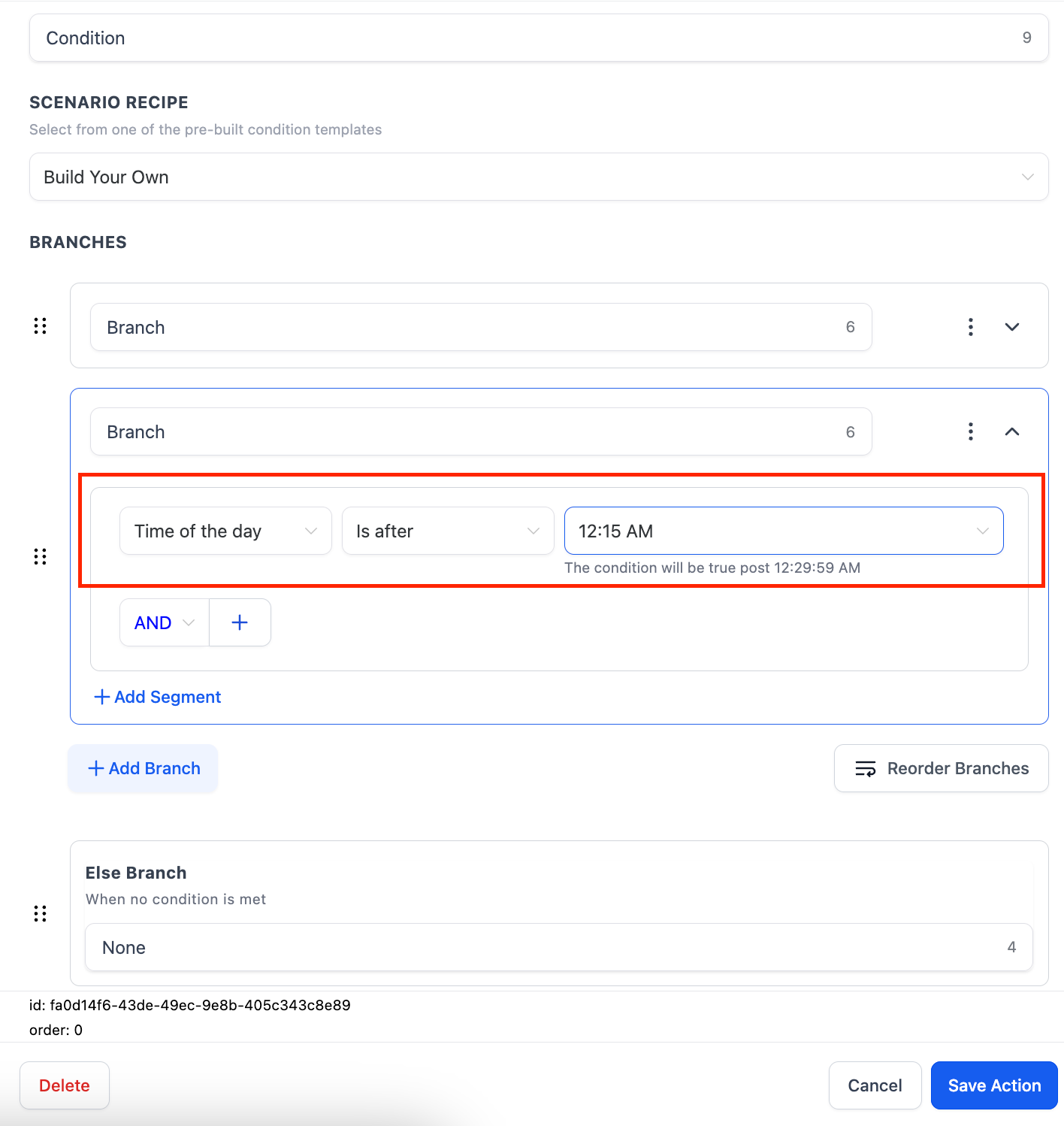
Previously, the "Current Hour" condition only let you select by the hour. Now we've added a "Time of the Day" option in the Date-Time conditions.
You can now set conditions down to 15-minute intervals — perfect for scheduling follow-ups, sending reminders at specific times, or routing tour requests based on your office hours.
We also show clear descriptions of your selected times so you know exactly when each condition will trigger.
Refreshed Interface
The entire If/Else action has a cleaner, more intuitive interface:
- Streamlined branch configuration screen
- Improved condition dropdown with search functionality
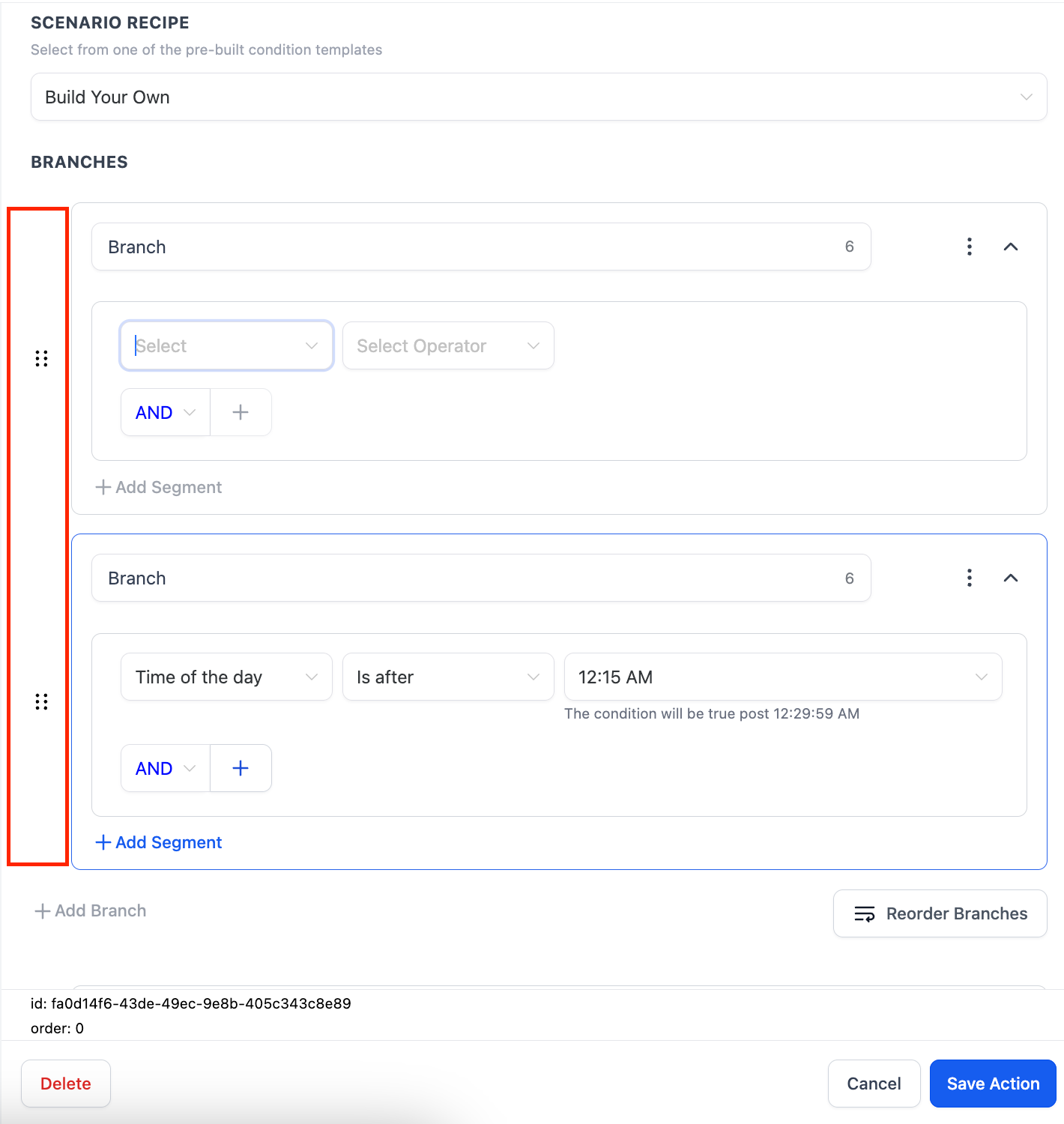
- Drag-and-drop branch reordering — just grab and move
Getting Started
To add an If/Else action to your automation:
- Open any automation in your account
- Click the "+" button where you want to add a decision point
- Select "If/Else" from the action menu
- Choose a Scenario Recipe or build custom conditions
- Add actions to each branch based on your logic
All existing If/Else actions in your automations will continue to work exactly as before. These upgrades simply make new ones easier to build and maintain.