
You can update date-type custom fields on parent or family records using the Update Contact Field action in your automations. This is useful for tracking important dates like tour dates, enrollment deadlines, or start dates.
Date Update Options
When updating a date field, you have three options:
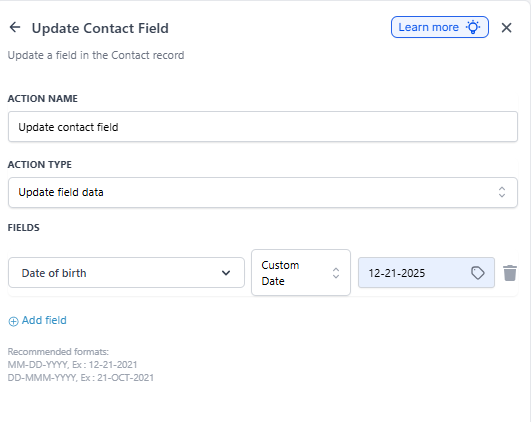
1. Custom Date
Use custom values or merge fields to set the date. Enrollio accepts these formats:
- MM-DD-YYYY — Example: 12-21-2025
- DD-MMM-YYYY — Example: 21-OCT-2025
This option is helpful when you're pulling dates from form submissions or other custom fields.
2. Current Date
Automatically stamps today's date into the selected field. Perfect for tracking when a parent completed a form or when they were added to a waitlist.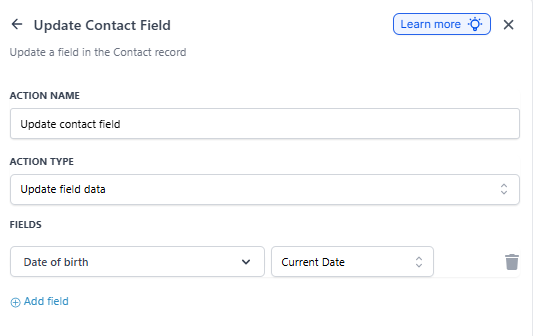
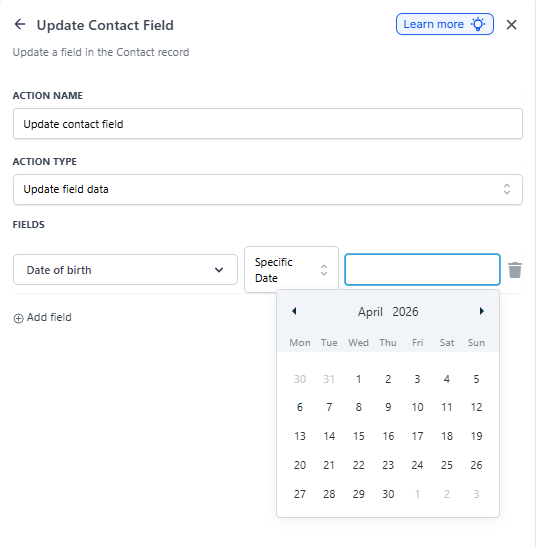
3. Specific Date
Pick a fixed date from the calendar picker. Use this when you want to set a standard deadline or milestone date for all families in this automation.
How to Set It Up
- In your automation, add or edit an Update Contact Field action
- Select the date-type custom field you want to update
- Choose your date option: Custom Date, Current Date, or Specific Date
- Enter or select the date value
- Save the action
Pro Tip: Use Current Date to automatically track when families reach key milestones — like the day they book a tour or submit an enrollment form. You can use these dates later for reporting or follow-up automations.
Common Use Cases
- Tour Date: When a parent books a tour, stamp the date into a custom field
- Enrollment Deadline: Set a specific date 30 days out when a family enters your waitlist
- Form Completion Date: Track when parents submitted their application
- Start Date: Pull the child's start date from a form and save it to the family record