
Track Email Performance Across All Your Automations
You can now view all your email campaign statistics in one place—whether sent through automations or one-time campaigns—for easier tracking and analysis.
What's New
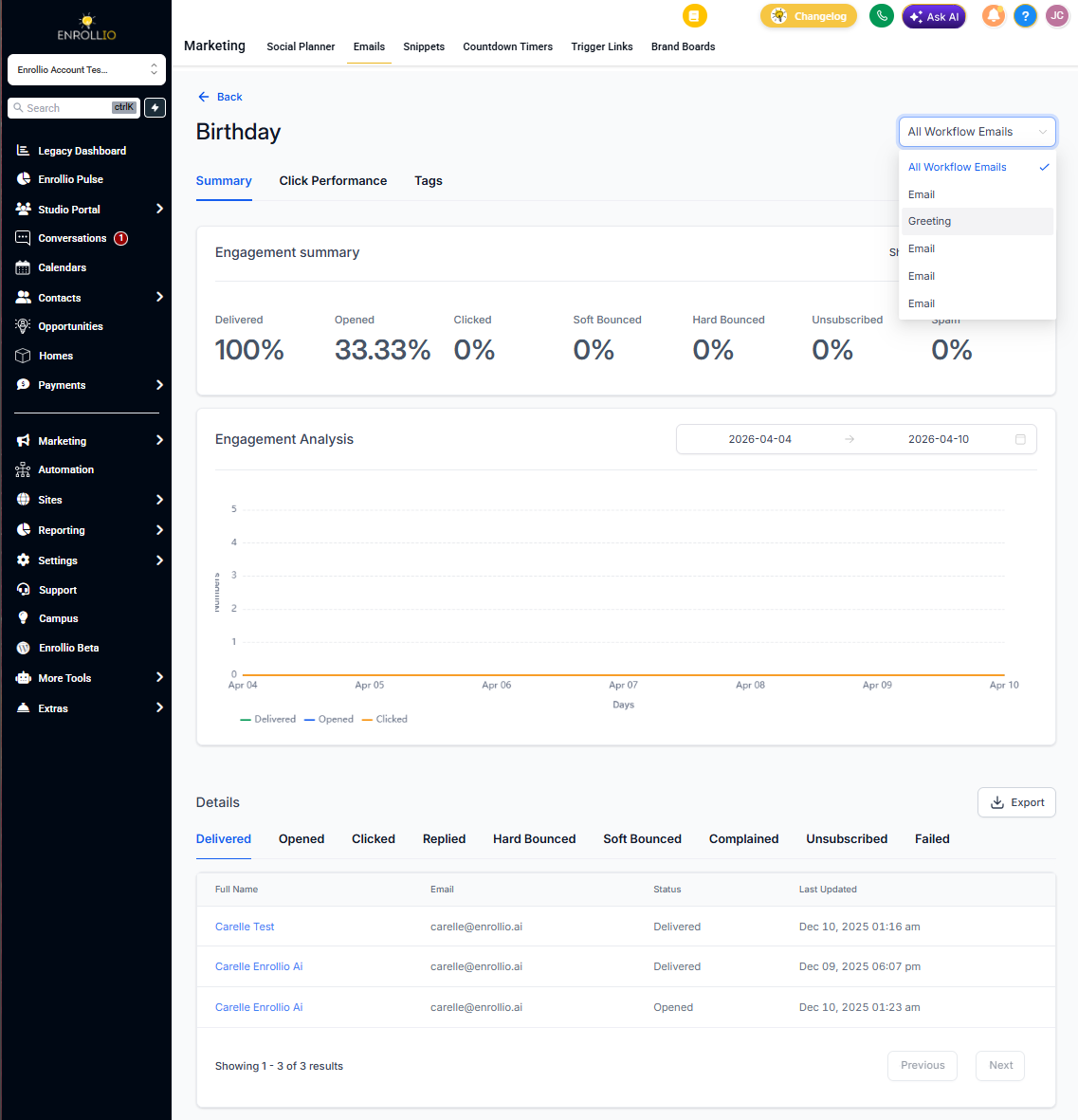
- Unified view: Automation email stats now appear alongside your regular email campaigns under Email Marketing
- Detailed breakdowns: See overall performance and stats for individual email steps within an automation
- Quick access: Edit your automations directly from the statistics screen
How to View Automation Email Stats
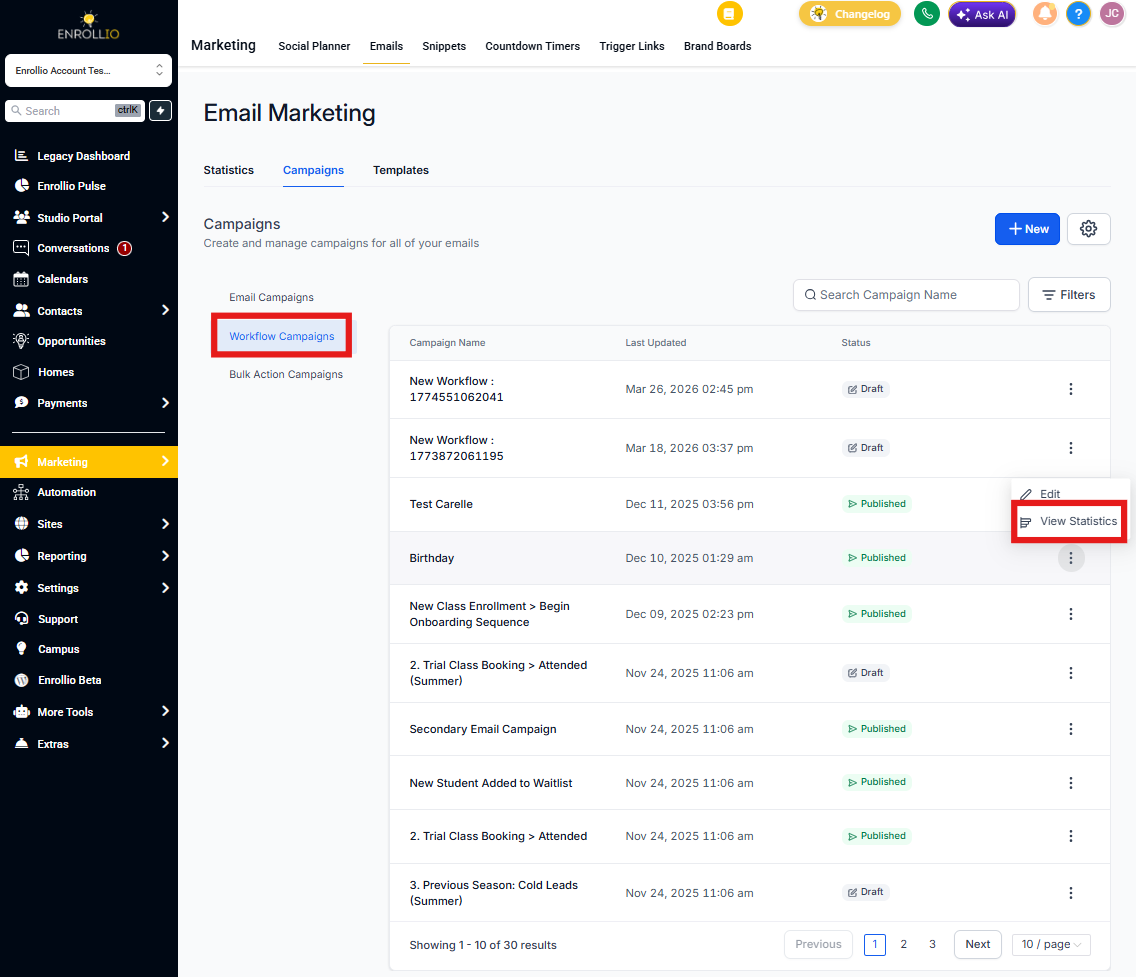
- Click Email Marketing in your sidebar
- Go to Campaigns
- Select the Automation Campaigns tab
- Click Statistics next to any automation to view its performance
- Use the dropdown menu to see stats for individual email steps within that automation
Making Changes to Your Automations
Need to update an automation after reviewing its stats? Click Edit Automation from the same screen to jump directly into the automation builder.
Pro Tip: Compare performance between different email steps in your automation to see which messages resonate most with families. This helps you refine your messaging over time.
What Hasn't Changed
Creating email steps in automations and managing email templates works exactly the same way as before. This update only affects where you view the statistics.