
Email Statistics
This article explains how to access and understand email statistics across Enrollio, helping you monitor campaign performance and improve engagement with parents and prospective families.
What are Email Statistics?
Enrollio's Email Statistics help you track how parents and families interact with your emails across campaigns, automations, and bulk sends. These insights let you optimize deliverability, improve your messaging strategy, and maintain a strong sender reputation.
Key Benefits of Email Statistics
Understanding your email performance helps you communicate more effectively with families. Here's what you can track:
- View open, click, bounce, and spam metrics in real time
- Track stats at campaign, automation, and bulk email levels
- Identify top-performing subject lines and templates
- Access contact-level insights for detailed troubleshooting
- Use stats to segment lists and refine your messaging
- Pinpoint issues like unsubscribes or failed deliveries
Email Marketing Statistics
Get insight into your one-time and scheduled email campaigns to families.
To view email marketing statistics, navigate to Marketing > Emails.
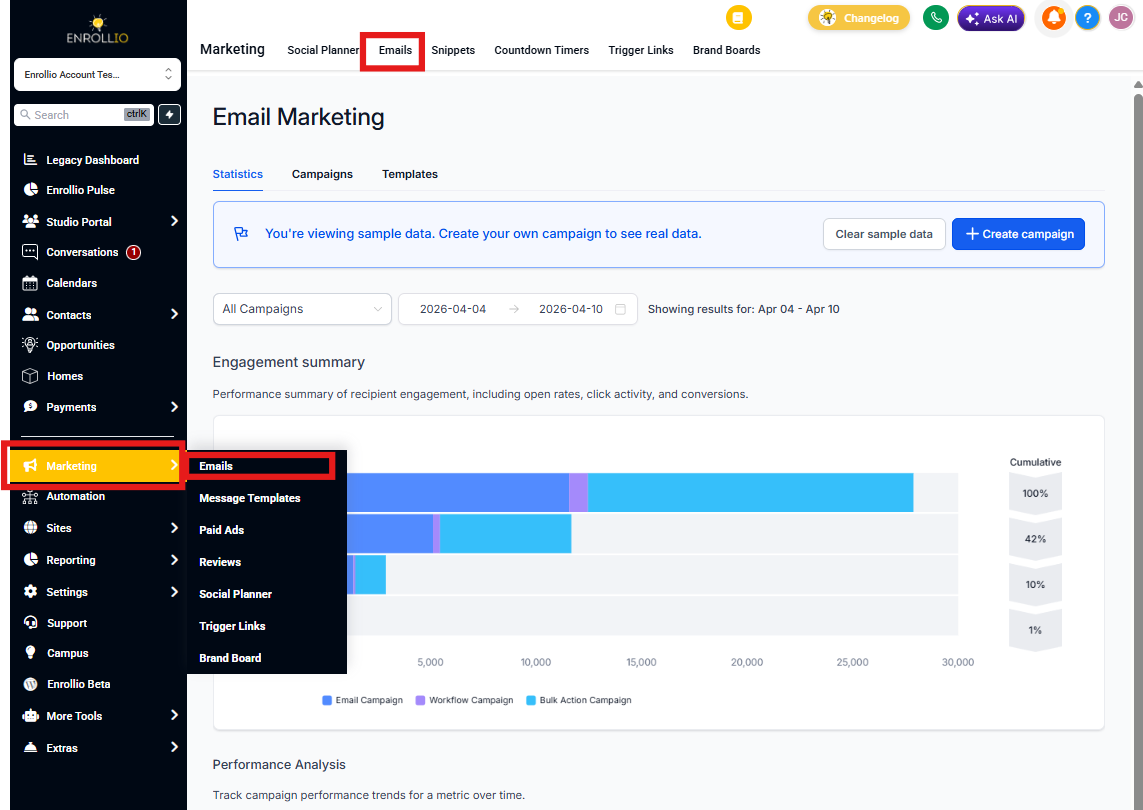
Engagement Summary
Use this graph to quickly see how your emails are performing in terms of delivery, engagement, and conversion. This high-level view helps you spot trends at a glance.
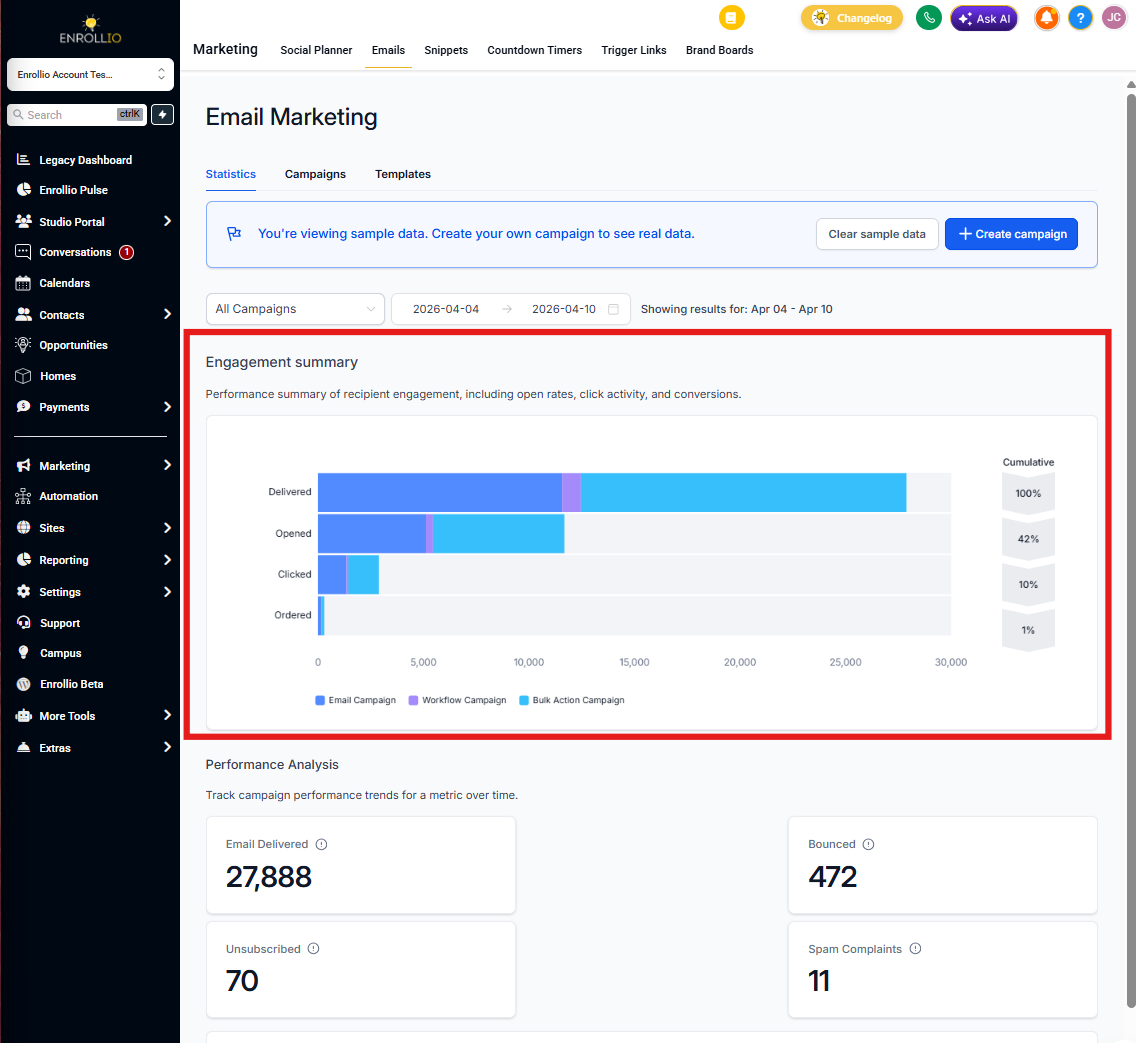
Performance Analysis
Track email performance trends over time with key metrics like delivery rate, bounce rate, unsubscribes, and spam complaints.
Use the dropdown to switch between different engagement metrics and see how various campaign types perform across your selected date range. This helps you understand what's working and where you need to adjust.
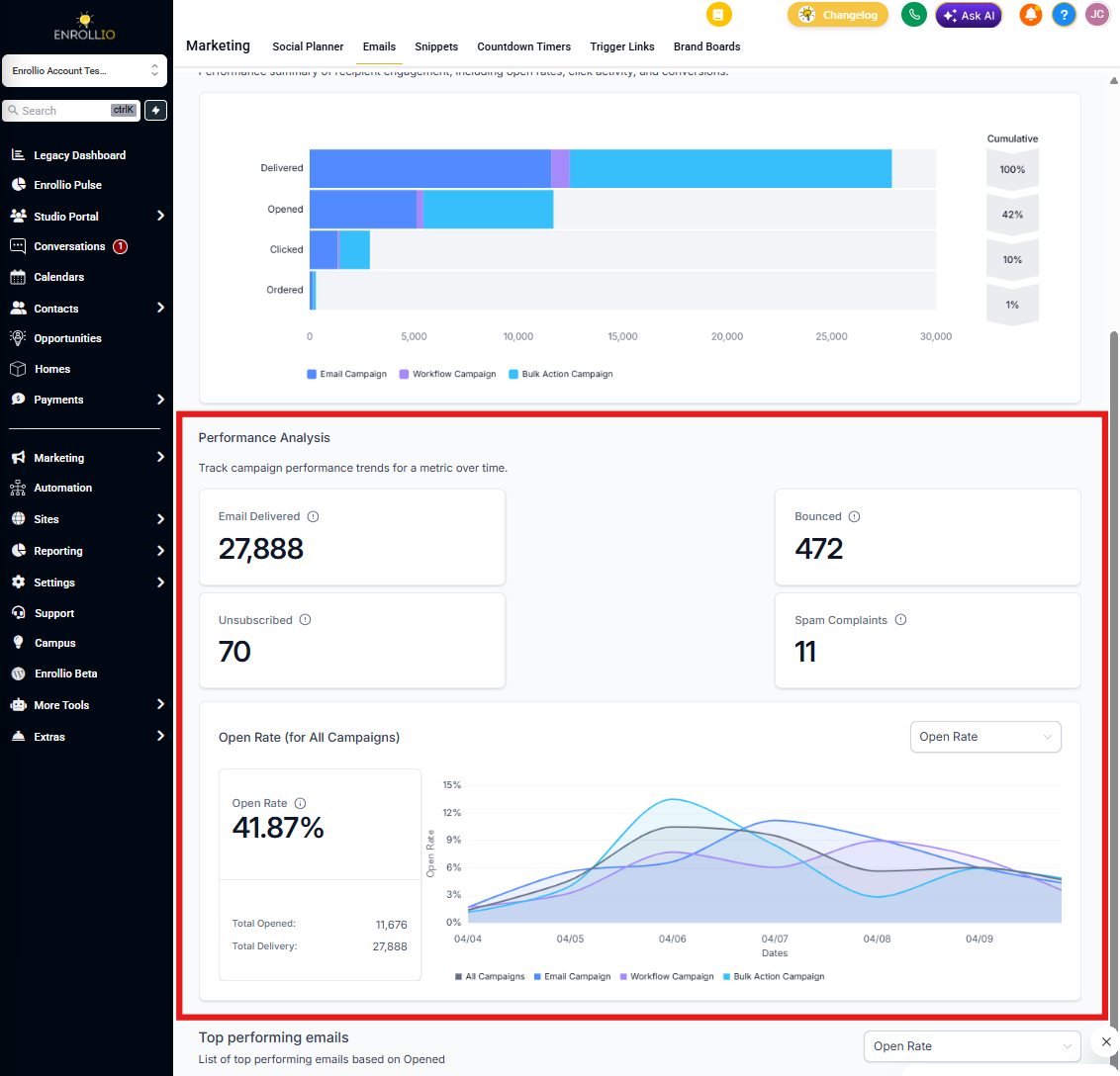
Top Performing Emails
View a ranked list of your most successful emails based on open or click rates. This section helps you identify which messages or send times resonate best with parents and prospective families.
Use these insights to replicate what works in future campaigns.
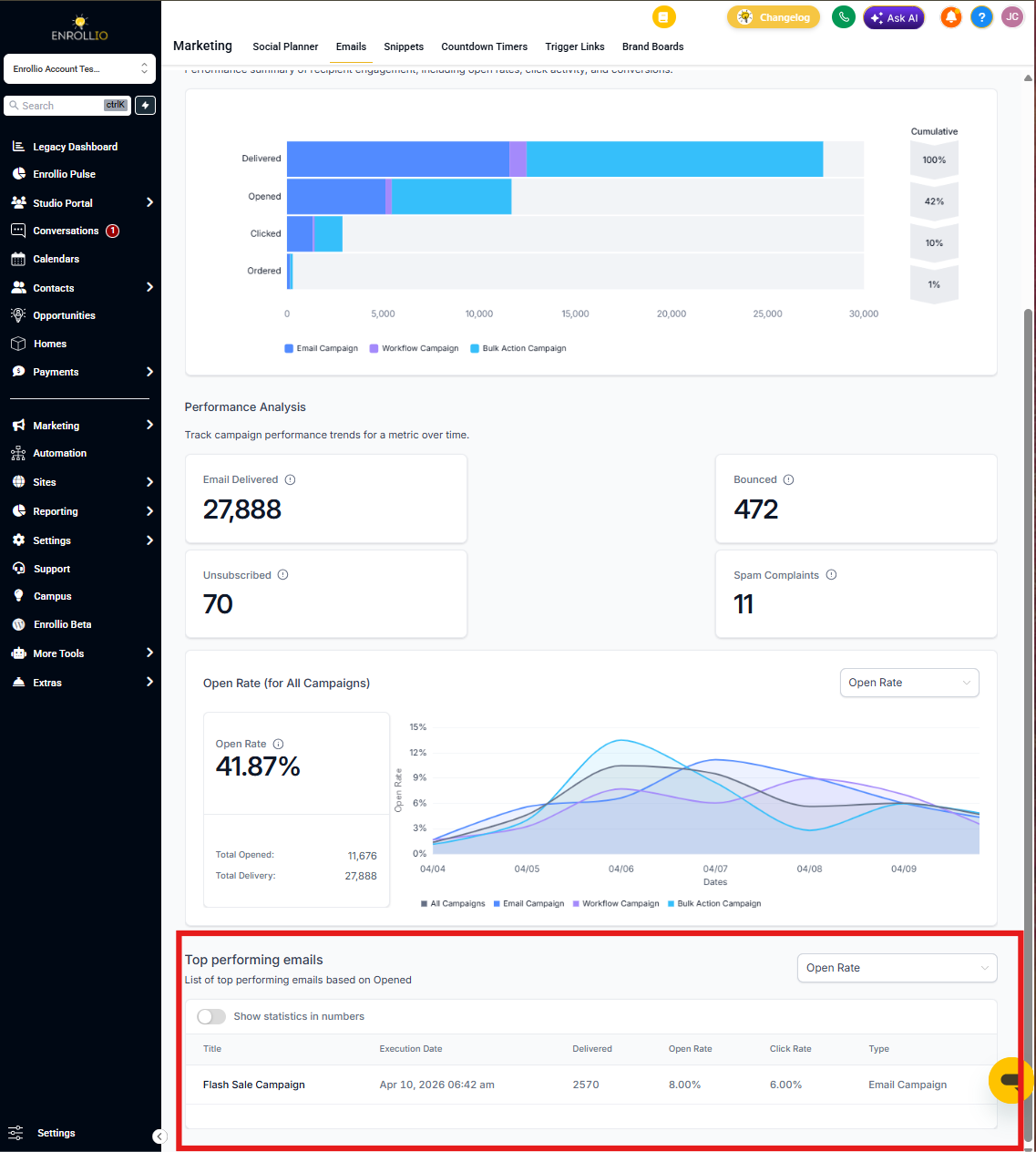
Automation Email Statistics
Monitor the performance of each automated email step directly inside your automations. This view helps you understand how well your automated messages are reaching and engaging families.
To view stats for an automation email:
- Go to Automations > Automations
- Click into an automation and select an Email action
- In the right-hand panel, click Statistics
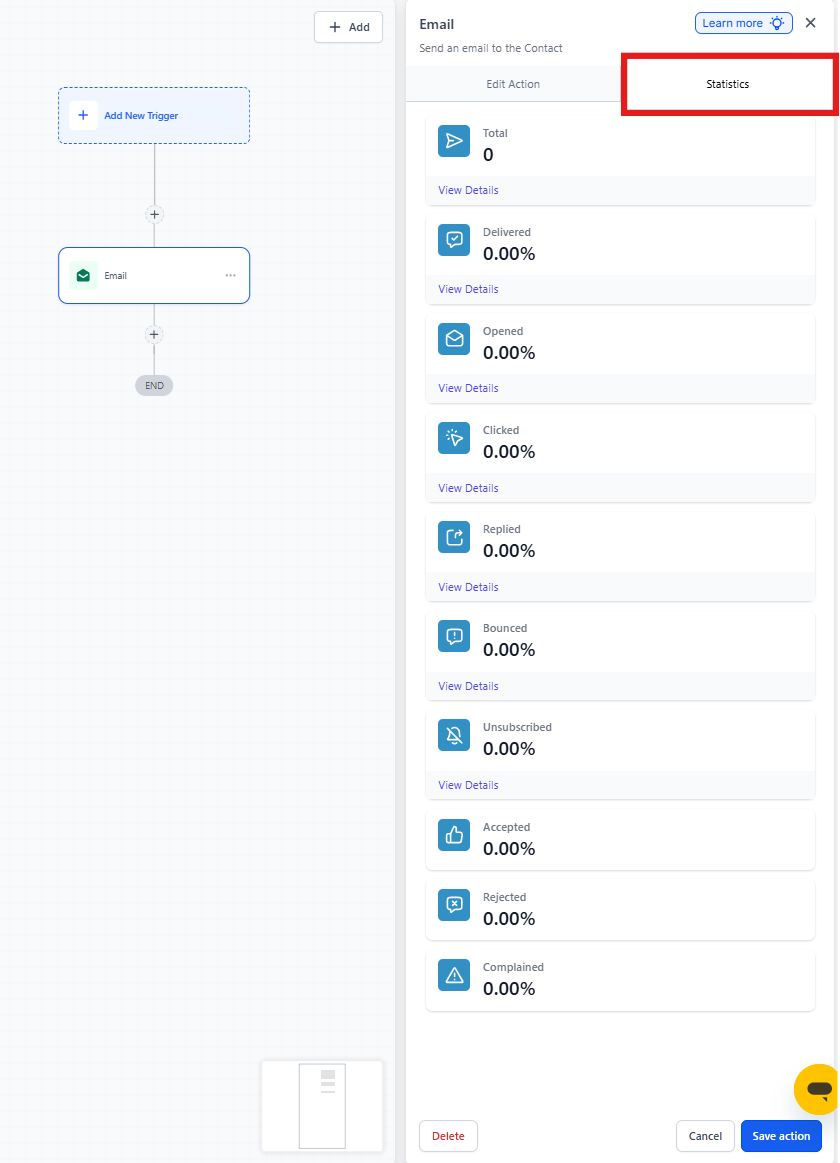
You'll see metrics for:
- Delivered
- Opened
- Clicked
- Replied
- Bounced
- Unsubscribed
- Complained
- Accepted
- Rejected
Pro tip: Automation email statistics default to the last 30 days to keep results consistent with the summary view.
Bulk Email Statistics
View the performance of one-time bulk email sends directly from the Contacts > Bulk Actions tab. This is ideal for reviewing large sends outside of automations or campaigns — like facility updates or event announcements.
This view also lets you see performance by individual recipient, making it easier to troubleshoot delivery issues or plan follow-up actions.
To access stats:
- Navigate to Contacts > Bulk Actions
- Locate the email send in your activity list
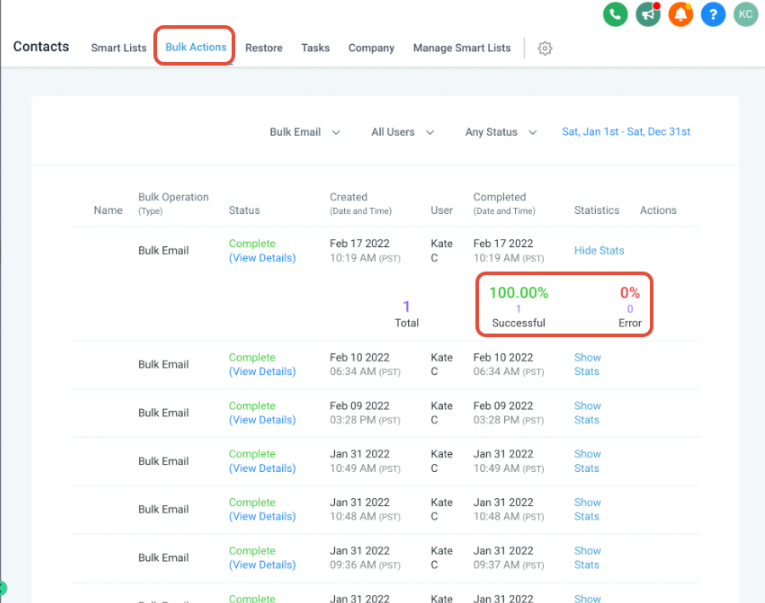
You'll see a breakdown of:
- Total Attempts
- Delivered
- Opened
- Clicked
- Replied
- Bounced
- Unsubscribed
Email Metric Definitions
| Metric | Meaning |
|---|---|
| Recipients | Number of families targeted |
| Delivered | Successfully accepted by recipient servers |
| Opened | One or more views of the email |
| Clicked | Clicked a link in the email |
| Soft Bounce | Temporary issue (e.g., inbox full) |
| Hard Bounce | Permanent failure (e.g., email doesn't exist) |
| Unsubscribed | Chose to opt-out via footer |
| Failed | Invalid emails or configuration issues |
| Spam Complaints | Marked as spam by recipient |
| Replied | Recipient responded to the email |
| Accepted / Rejected | SMTP-level acceptance outcome |
Frequently Asked Questions
What's the difference between soft and hard bounces?
Soft bounces are temporary issues like a full inbox. The email address is valid, but the message couldn't be delivered at that moment.
Hard bounces are permanent failures — the email address doesn't exist or is invalid. These can harm your sender reputation if you continue sending to them, so Enrollio automatically stops sending to hard-bounced addresses.
How long do email statistics take to update?
Most email stats update in near real-time. However, some events like clicks, unsubscribes, or spam complaints may take a few minutes to appear depending on when the recipient takes action and email provider processing times.
Do I need to use Mailgun to see full email stats?
Yes. Enrollio uses Mailgun for email delivery, which provides full visibility into key metrics like delivered, bounced, unsubscribed, and spam complaints. This ensures you have complete insight into your email performance.