
What You'll Learn
This guide shows you how to use Enrollio's Email Statistics Dashboard to monitor all your email activity in one place. Whether you're sending enrollment campaigns, parent updates, or automated messages, you can track performance and make better decisions about what's working.
What is the Email Statistics Dashboard?
The Email Statistics Dashboard is your central hub for tracking every email you send through Enrollio. Instead of jumping between different tools, you get one unified view of performance across campaigns, automations, and bulk messages.
This dashboard helps you see which messages resonate with parents and identify opportunities to improve your communication strategy.
Key Benefits
- See everything in one place: Track performance for all email types without switching screens
- Identify what works: Discover which messages get the most opens and clicks
- Filter by channel: Focus on specific email types to compare performance
- Make data-driven decisions: Use real metrics to improve your parent communication
How to Access the Dashboard
Here's how to view your email performance:
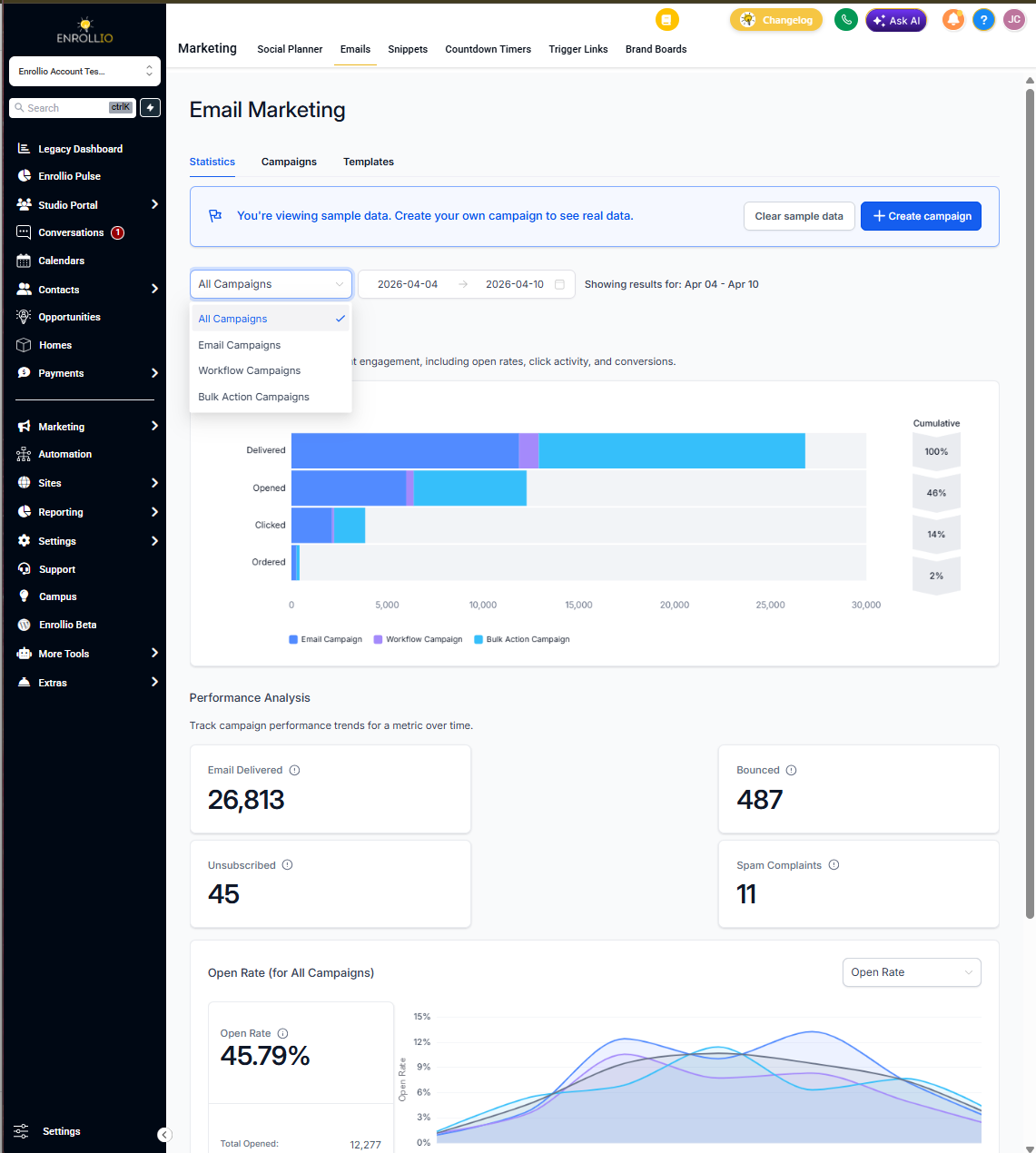
- Go to Marketing > Emails > Statistics
- You'll see unified stats for all your emails displayed by default
- Use the dropdown in the top-left to filter by email channel (campaigns, automations, or bulk actions)
- Scroll down to explore detailed metrics including open rates, click rates, and top performers
Understanding Top Performing Emails
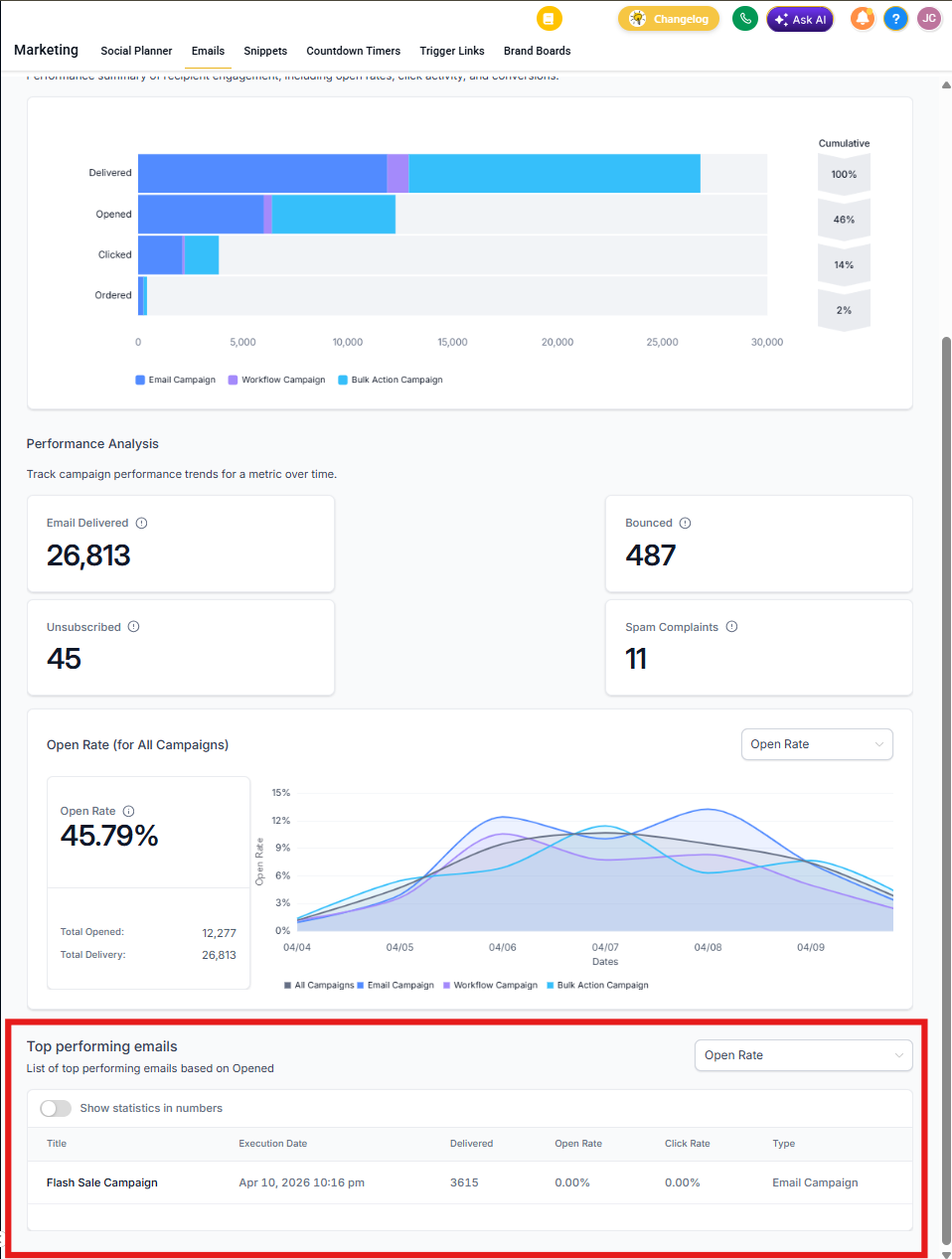
The Top Performing Emails section shows you which messages drive the most engagement from parents. This helps you understand what content resonates and replicate that success.
Here's what gets tracked:
- For campaigns and bulk actions: Performance of the entire email send
- For automations: Performance of each individual email step, not the full automation
Common Questions
Can I export data from the dashboard?
Export functionality isn't currently available directly from the dashboard.
Does this dashboard show text messages too?
No, this dashboard focuses on email performance only. Text message stats are tracked separately.
Can I compare different types of emails?
Yes! Use the channel filter dropdown to switch between campaigns, automations, and bulk actions. You can visually compare metrics across different email types.
Are automated emails included?
Yes, all emails sent through automations are tracked and included in the dashboard.
Next Steps
- Review your top performing emails and identify what made them successful
- Use filters to compare performance across different email channels
- Look for patterns in open and click rates to improve future messages
- Consider testing different subject lines or content based on these insights