
Understanding Email Campaign Statistics
Your email campaign statistics give you a complete picture of how your parent communications are performing. Track opens, clicks, and enrollments to understand what messaging resonates with families and drives tour bookings.
This guide walks you through each section of the statistics dashboard so you can make data-driven decisions about your email marketing.
How to Access Email Campaign Statistics
- Navigate to Email Marketing in your Enrollio dashboard
- Click on Campaigns
- Select the Statistics tab
- Choose your date range: last 7 days or 30 days
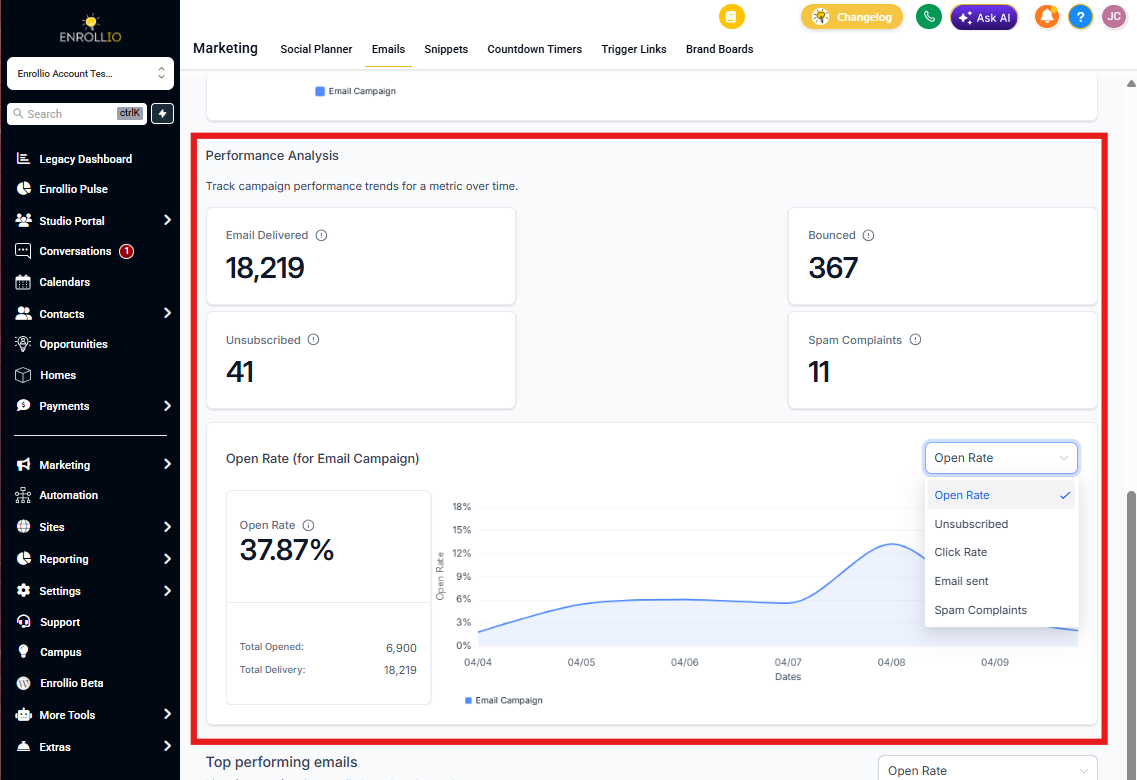
- To analyze performance trends, select the metric you want to track from the dropdown in the Performance Analysis section
Note: Make sure statistics tracking is enabled in your Beta settings before getting started.
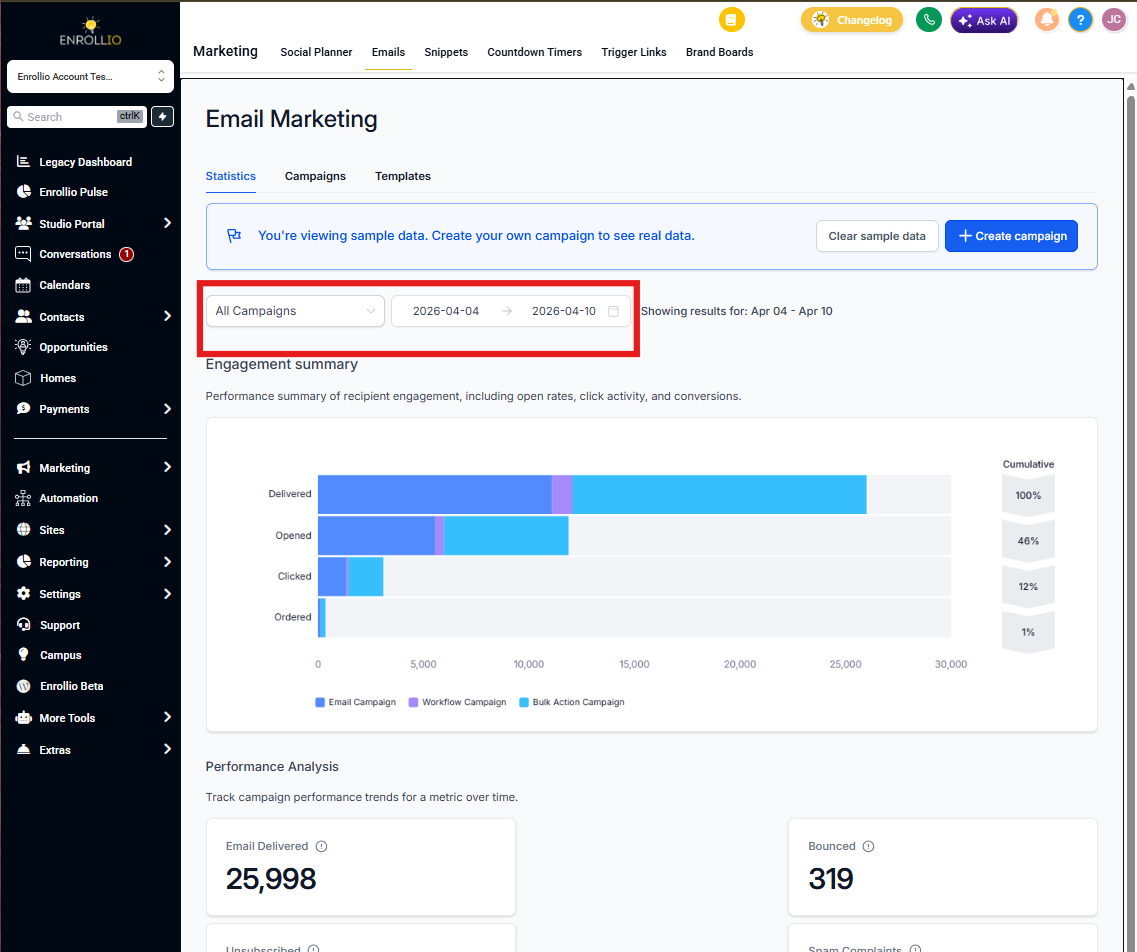
Conversion Summary
This section shows you the bottom-line impact of your email campaigns. You'll see:
- Total Orders: How many families completed a desired action (enrollment, tour booking, etc.)
- Total Revenue: The dollar value generated from these conversions
- Conversion Rate: The percentage of email recipients who took action
- Average Order Value: The typical revenue per conversion
Use this snapshot to quickly gauge whether your campaigns are driving real business results — more enrolled families, more tour bookings, or more add-on program signups.
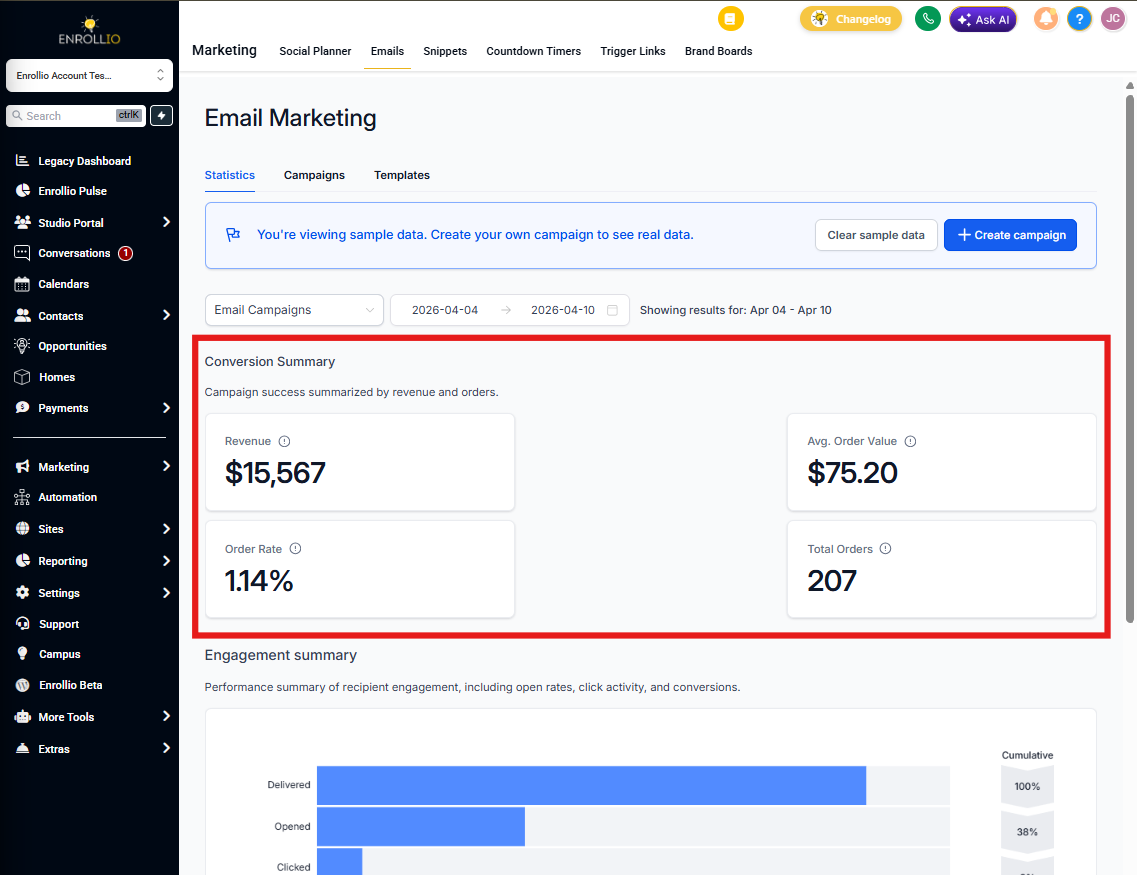
Engagement Summary
Think of this as your email performance funnel. It shows how families interact with your messages at each stage:
- Emails Sent: Total emails delivered to parent inboxes
- Opens: How many families opened your email
- Clicks: How many clicked on links in your message
- Conversions: How many took the final action you wanted
Important: Enrollio tracks unique opens and clicks per family. If a parent opens your email three times, it counts as one open. This gives you a clearer picture of actual family engagement.
Watch for drop-off points in the funnel. Low open rates? Test different subject lines. Good opens but few clicks? Your call-to-action might need work.
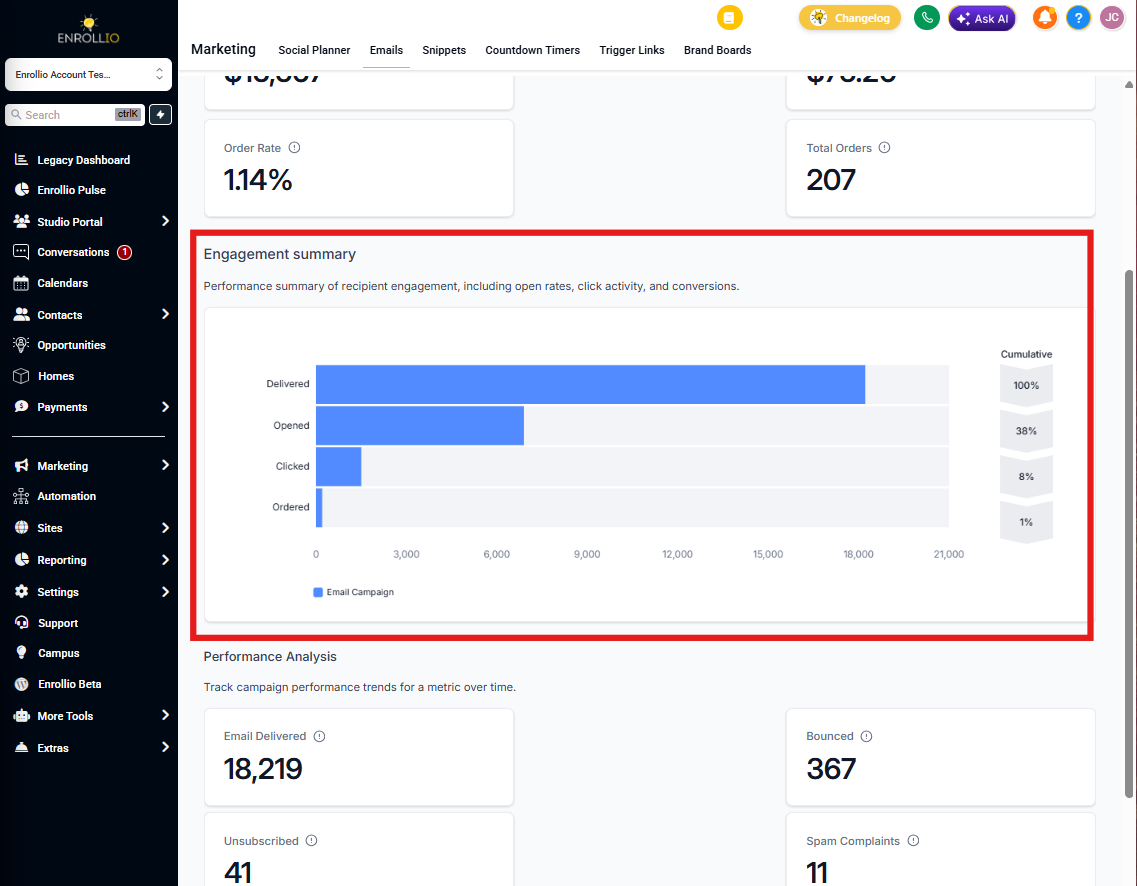
Performance Analysis
This chart shows how your key metrics trend over time. Track:
- Emails sent
- Open rates
- Click rates
- Unsubscribe rates
Use this to spot patterns. Are your Tuesday emails getting better opens than Thursday ones? Is engagement dropping over time? These insights help you refine your email strategy.
How to Switch Between Metrics
Click the dropdown menu above the chart and select the metric you want to analyze. The graph will update to show that metric's trend over your selected time period.
Pro Tip: If you notice declining engagement over time, it's a sign to refresh your email content or adjust your sending frequency. Families appreciate valuable updates, but too many emails can lead to unsubscribes.
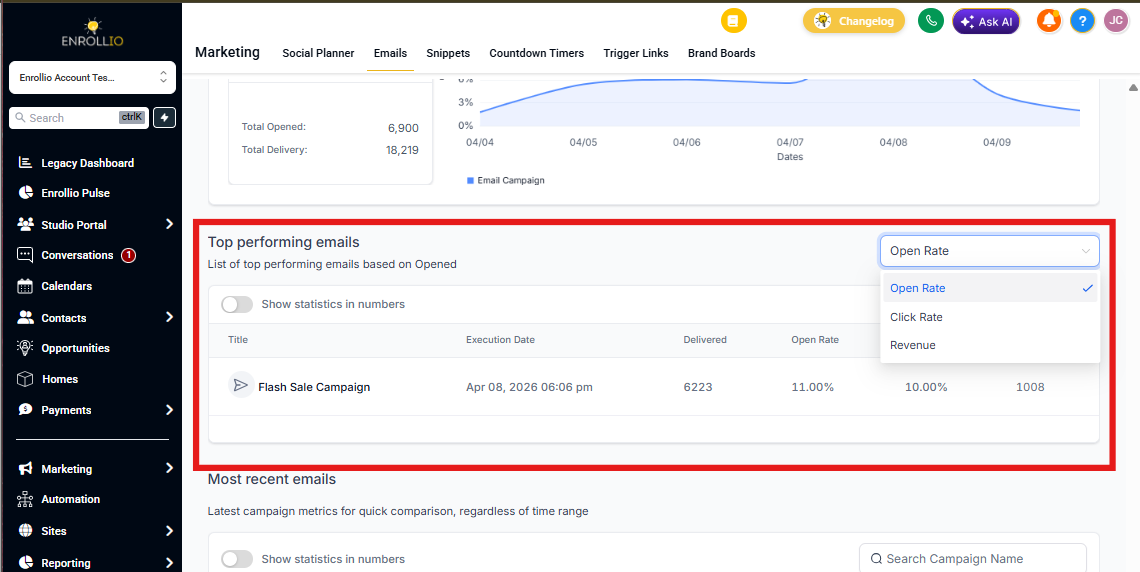
Top Performing Emails
This section highlights your five highest-revenue email campaigns. These are your winners — the messages that convinced families to enroll, book tours, or sign up for programs.
Study what made these emails successful:
- What subject lines did you use?
- What offer or message did you lead with?
- What time of day did you send them?
Then replicate these winning elements in future campaigns.
Recent Email Analysis
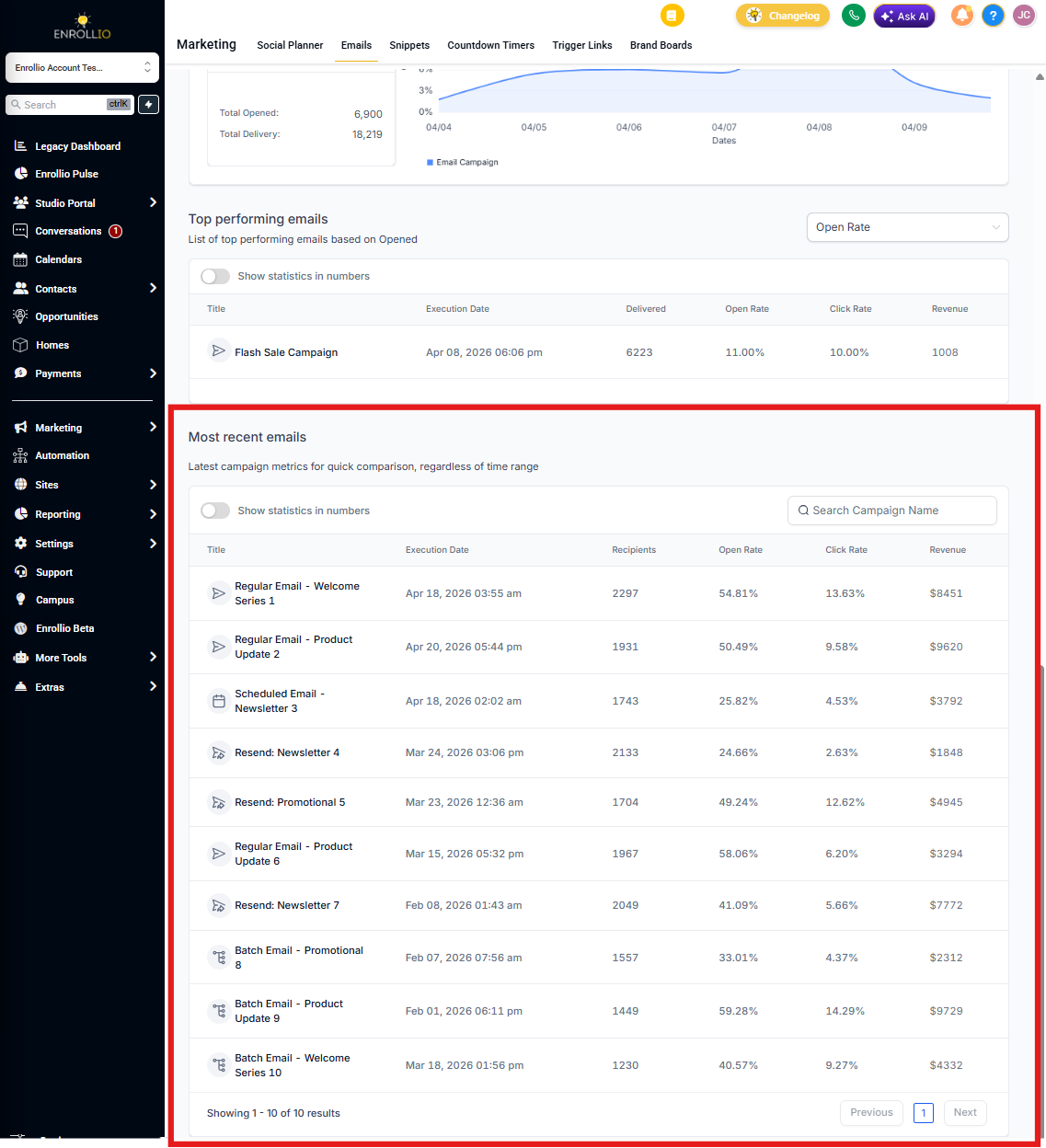
Here you'll find your 10 most recently sent campaigns with detailed performance data for each. This lets you:
- Quickly check how yesterday's email performed
- Compare similar campaigns side-by-side
- Make quick adjustments if a campaign isn't performing well
Click into any campaign to see its full statistics breakdown.
Using Statistics to Improve Your Results
The statistics dashboard isn't just for reporting — it's your guide to better email marketing. Here's how to put these insights to work:
- Low open rates? Test different subject lines or send times
- Good opens but low clicks? Make your call-to-action clearer or more compelling
- Clicks but no conversions? Review your landing page or enrollment form
- High unsubscribes? You may be emailing too frequently or sending irrelevant content
Check your statistics regularly — weekly is ideal — to catch trends early and keep improving your parent communication strategy.