
Overview
Workflows in Enrollio often require conditional logic to branch based on contact or proposal details. Until now, users had to hard-type numbers or text, or create extra fields, to support these conditions. This limited efficiency and increased complexity.
What’s New
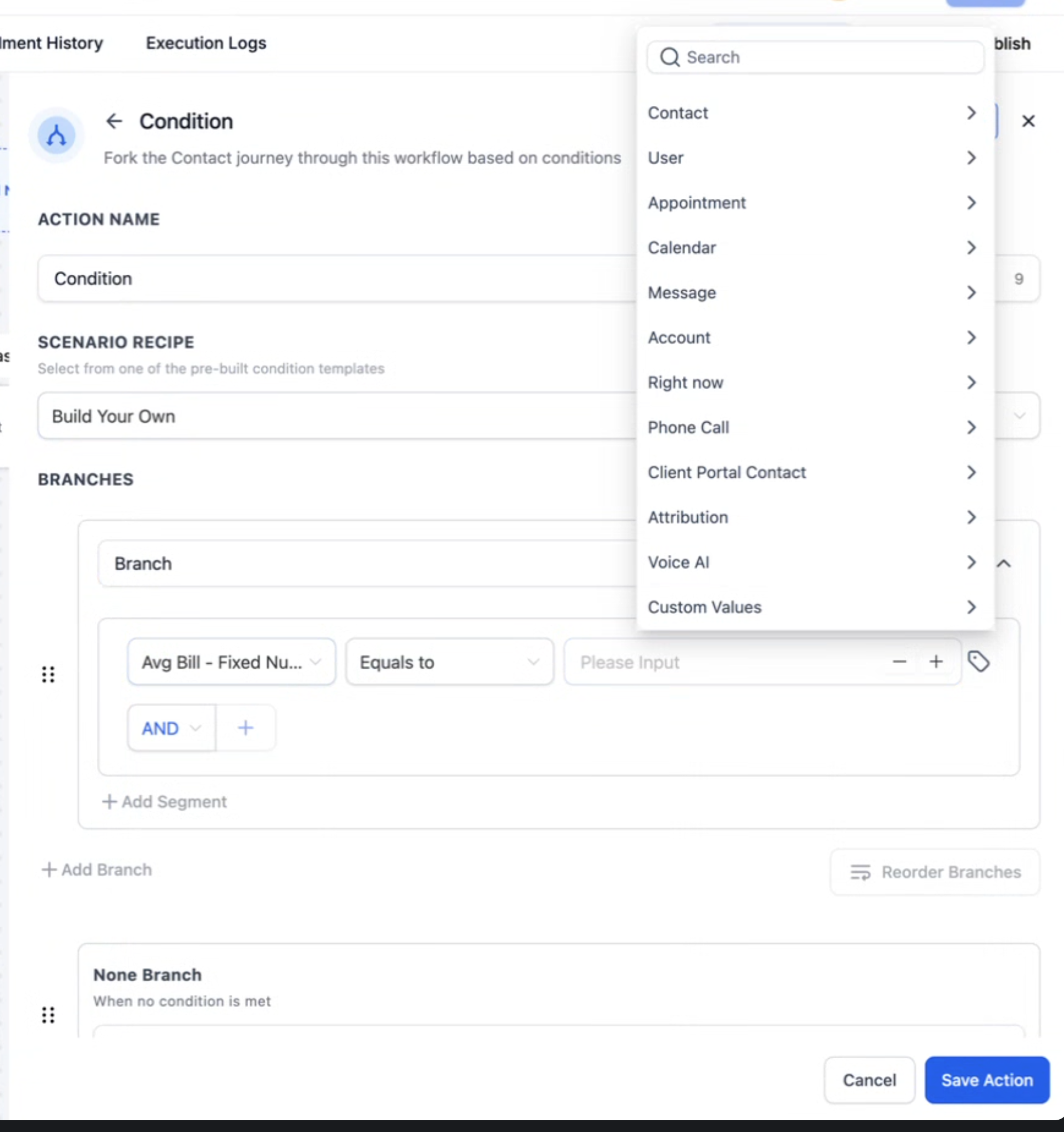
The If/Else Action in Enrollio now supports expanded dynamic fields through the Dynamic Custom Value picker. Updates include:
Support for Numeric, Date, Select/Dropdown, and Monetary fields.
Ability to compare or set values using live variables from earlier workflow steps or stored fields.
Select/Dropdown fields now use option IDs instead of display names.
Branching logic can be built directly from variables already in the workflow.
Example use case: A studio can automatically flag high-value contracts for a senior partner to follow up on, based on proposal values pulled from an earlier step.
Benefits
Streamlines workflows by removing the need for duplicate logic or extra fields.
Increases flexibility with expanded field support.
Improves accuracy by relying on live variables rather than manual entry.
Supports advanced branching for tailored communication and follow-up.
How to Use
Add an If/Else Action in your workflow.
In the condition row, switch the right-hand input to Dynamic Value.
Choose the appropriate operator (number, date, or value) and select the earlier step’s output.
Save and publish.
Note: Option IDs for Select/Dropdown fields can be found through exports or helper guides.
Support
For any questions or assistance, please contact support@enrollio.ai