
What Is a Page Load Popup?
A page load popup appears automatically shortly after a parent arrives on your enrollment page—without them needing to click or scroll. You control exactly when it appears using a simple delay timer (like 2 seconds after the page loads).
Use this to welcome families, promote limited-time enrollment offers, or capture contact information right when interest is highest.
Why Use a Page Load Popup
- Automatic lead capture: Grow your contact list by collecting parent information the moment they land on your page
- Promote time-sensitive offers: Highlight enrollment discounts or upcoming tour opportunities immediately
- Increase enrollments: Use early engagement to guide families toward scheduling a tour or completing an application
- Perfect timing: Set the exact delay before your popup appears—don't interrupt too early
- Works everywhere: Use popups on both enrollment pages and your main enrollment site
How to Set Up a Page Load Popup
Follow these steps to create a popup that appears automatically when parents visit your page.
Step 1: Open Your Page Editor
- In your Enrollio dashboard, click Sites in the left menu
- Choose either Enrollment Pages or Enrollment Sites from the top navigation
- Open the page where you want to add the popup
- Click the blue Edit button to launch the page editor
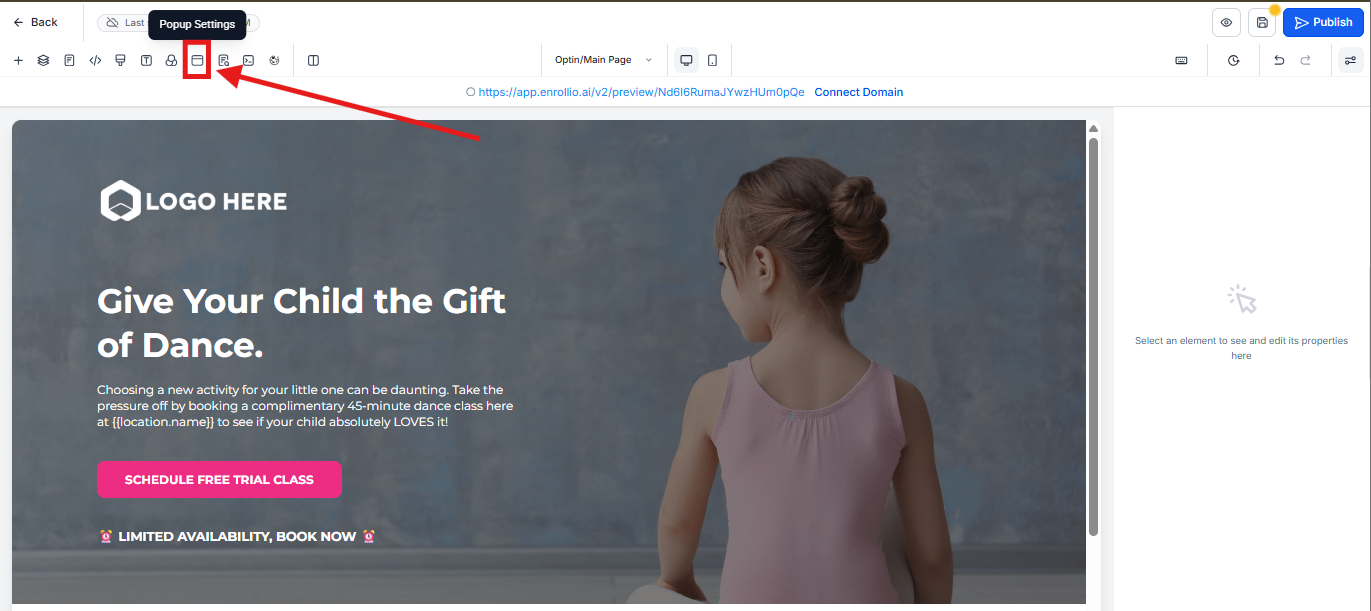
- Click the Popup Settings icon in the top menu bar
Step 2: Configure When the Popup Appears
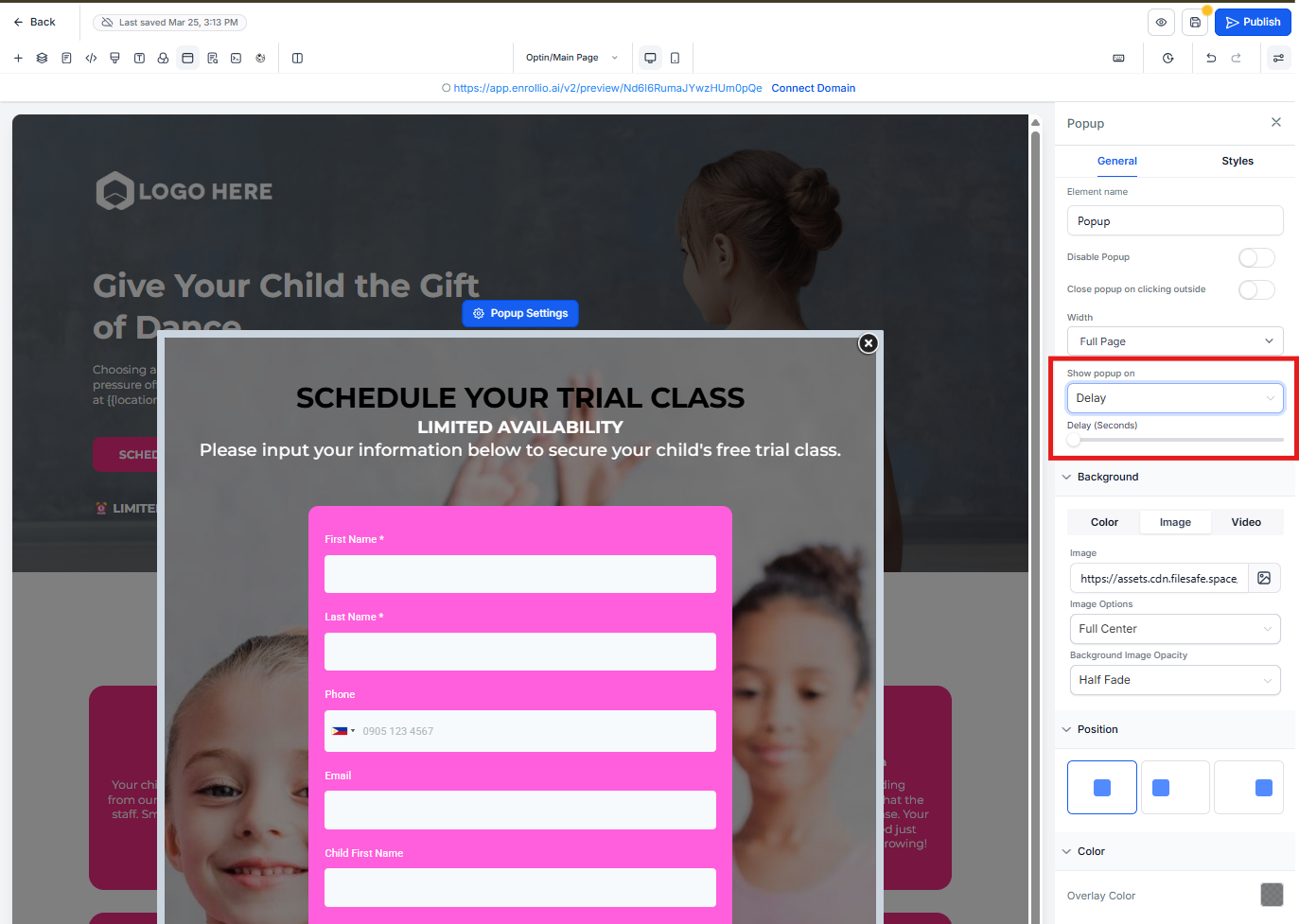
- In the Popup Settings panel on the right, scroll to Show Popup on
- Select Delay from the dropdown
- Use the slider to choose how many seconds after page load the popup should appear
- Click Save or Publish in the top-right corner
Frequently Asked Questions
Will the popup show every time someone visits the page?
Yes, the popup will appear each time the page loads unless the visitor stays on the same page throughout their session.
Can I create a popup that appears when someone tries to leave?
Absolutely. Choose Exit from the "Show popup on" dropdown instead of "Delay." This creates an exit-intent popup that triggers when a parent moves their cursor toward the browser toolbar to leave.
Does this work on both enrollment pages and enrollment sites?
Yes. The feature works identically for both, and the setup process is exactly the same.
What happens if a parent clicks a button that opens the popup before the delay timer finishes?
If the popup is triggered manually (like through a button click) before the delay timer completes, the automatic popup will be canceled. This prevents the same popup from appearing twice during a single page visit.
Related Articles
- How to Create an Exit-Intent Popup
- How to Create Multiple Popups Per Page
- Using Pricing Tables on Enrollment Pages