Overview
This article explains how payment providers work across different features in Enrollio, what's currently supported, what's coming soon, and how your Default and Preferred provider settings control checkout behavior.
Frequently Asked Questions
1. Where can I accept payments in Enrollio today?
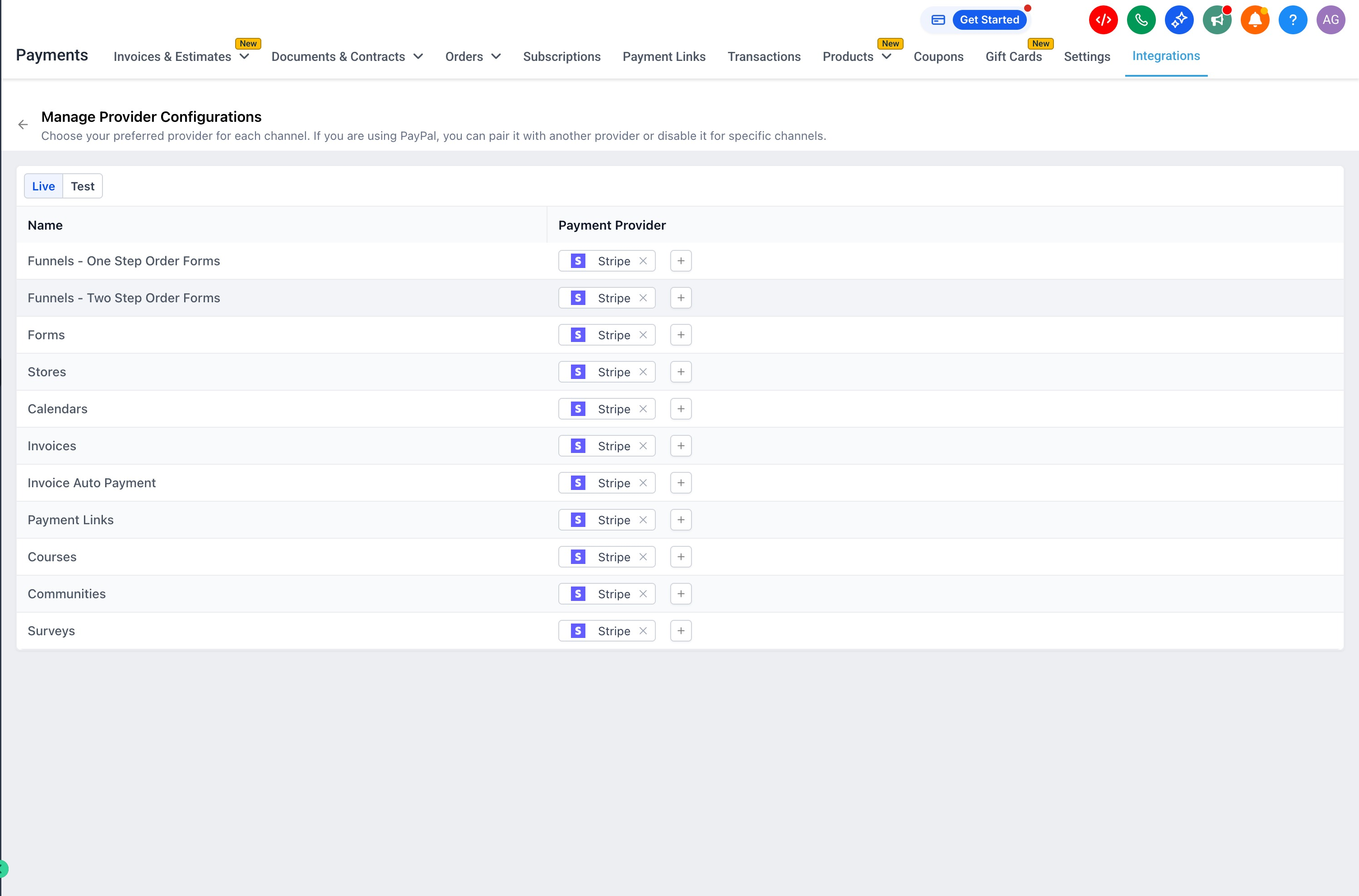
You can accept payments through:
- Enrollment pages (single-page and multi-step)
- Forms
- Online stores
- Invoices and automatic invoice payments
- Payment links
- Courses
- Surveys
2. What payment features are coming next?
We prioritize new payment capabilities based on customer feedback and business needs. If you need payment support for a specific feature, reach out to our support team or submit a request through the idea board.
3. Can I use different payment providers for different features?
For example, accepting PayPal in your online store but only Stripe for invoices.
Not yet, but this is coming. The current payment framework supports this level of customization — we're building the interface to let you choose providers for individual stores, enrollment pages, and other features.
4. What does the Configure Provider page show?
The Configure Provider page displays settings based on your Default payment provider. For example, if Stripe is your Default provider, you'll see Stripe configuration options.
This page lets you override your Default settings for specific features. When you explicitly set a provider at the feature level, that feature will use your custom choice instead of the Default provider.
5. How many payment providers can I use at checkout?
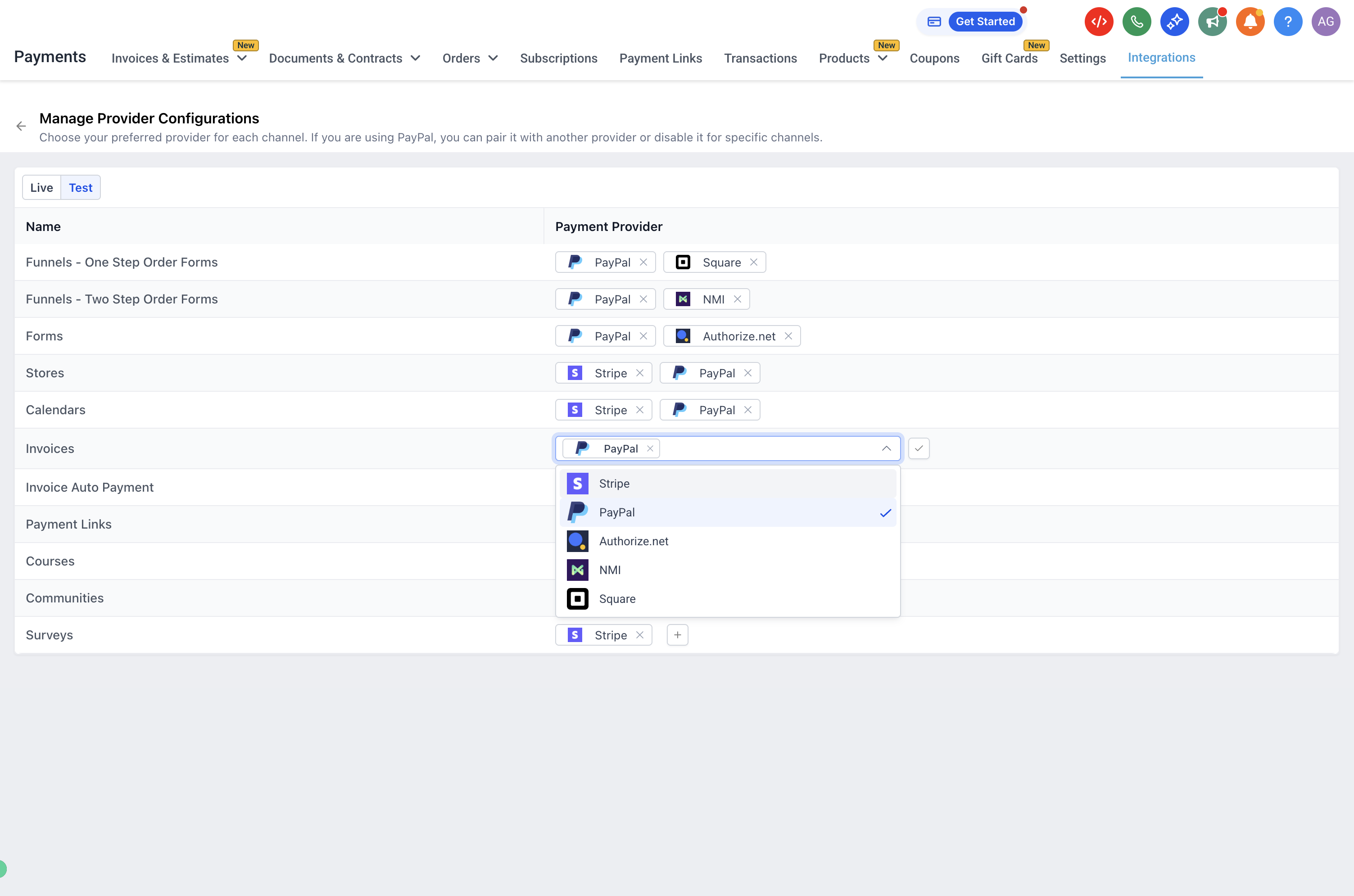
You can offer PayPal plus one other provider of your choice (like Stripe or NMI). Currently, you cannot combine multiple non-PayPal providers on the same checkout page.
For example, you can't offer PayPal, Stripe, and NMI all on one checkout. This limitation will change as we expand payment capabilities.
6. What shows up in the Provider Selection window?
When your location has a Default payment provider configured, that provider appears in the Provider Selection window. You can have one Default provider plus PayPal.
Here's what parents see at checkout:
- If both your Default provider and PayPal are configured, parents see both payment options
- If PayPal isn't configured, parents only see your Default provider
7. Can I remove payment options from the Provider Selection window?
Yes, you can remove either option in the Provider Selection window. Here are the rules:
- You can offer PayPal alongside another provider
- You can remove PayPal and offer only your other provider
- You can't replace PayPal with a different provider, but you can remove PayPal entirely
8. What happens if I disconnect a Preferred Provider?
If you set a Preferred Provider for any feature and later disconnect that provider from your Integrations page, Enrollio automatically reverts to your Default payment configuration.
If you reconnect the provider later, you'll need to manually select it as your Preferred Provider again before it will be used.
9. Can I hide payment options on a feature while keeping providers connected?
Not currently. If you try to remove all providers from a feature's Provider Selection, Enrollio automatically reverts to your Default provider setting. This prevents accidentally removing payment options from active enrollment pages or invoices.
If you don't want payment options to appear at all, don't connect any payment provider in your Integrations.