
Overview
You can now collect offline payments when families submit forms or surveys in Enrollio. This lets you accept cash, checks, or bank transfers while keeping everything tracked in one place.
Perfect for enrollment fees, field trip payments, or supply orders where families prefer to pay offline.
Available Payment Types
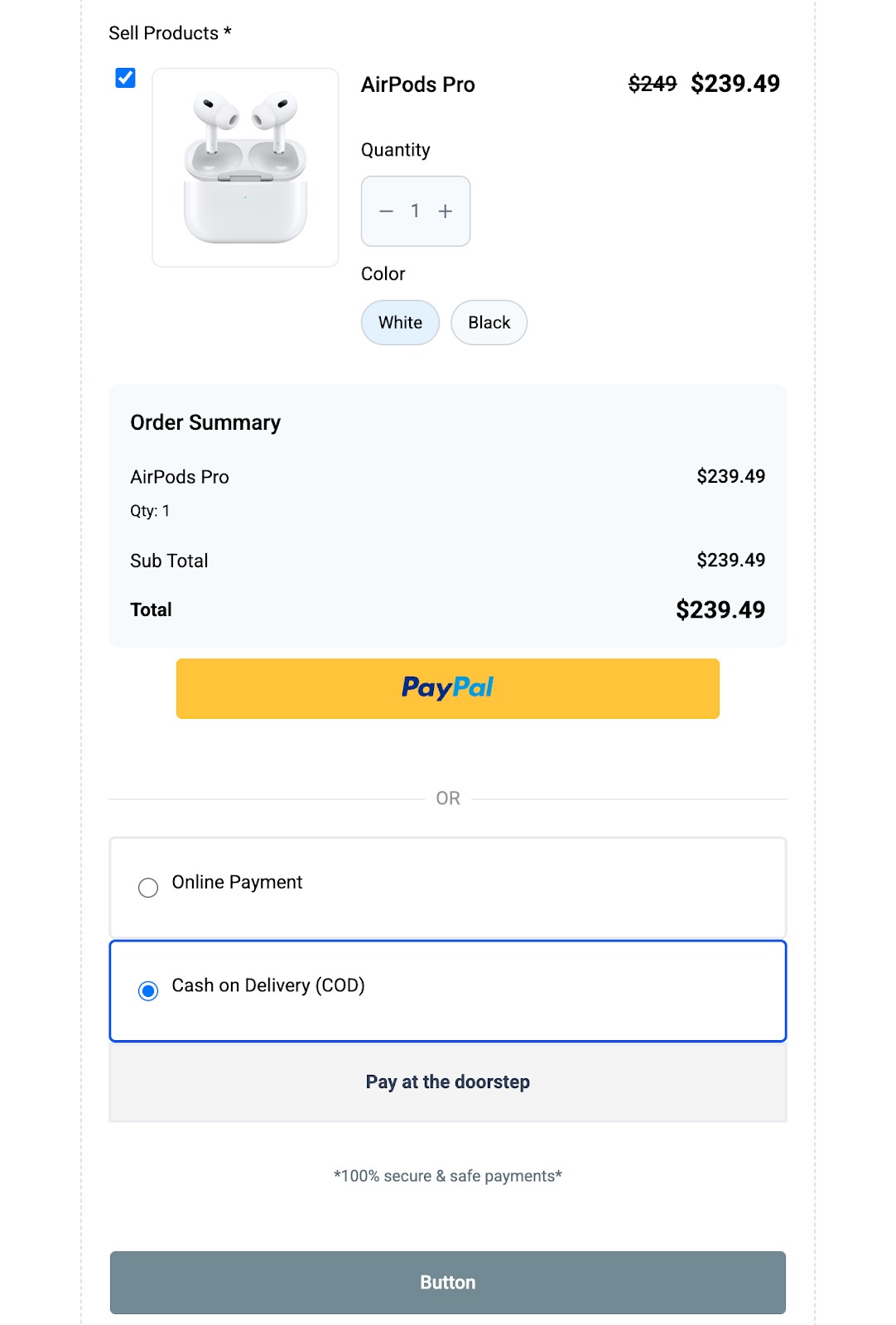
- Cash on Delivery: Families pay in cash when they drop off or pick up their child
- Custom Payment Methods: Bank transfers, checks, card payments at the center, or any other offline option you accept
How to Set It Up
Step 1: Enable Manual Payments
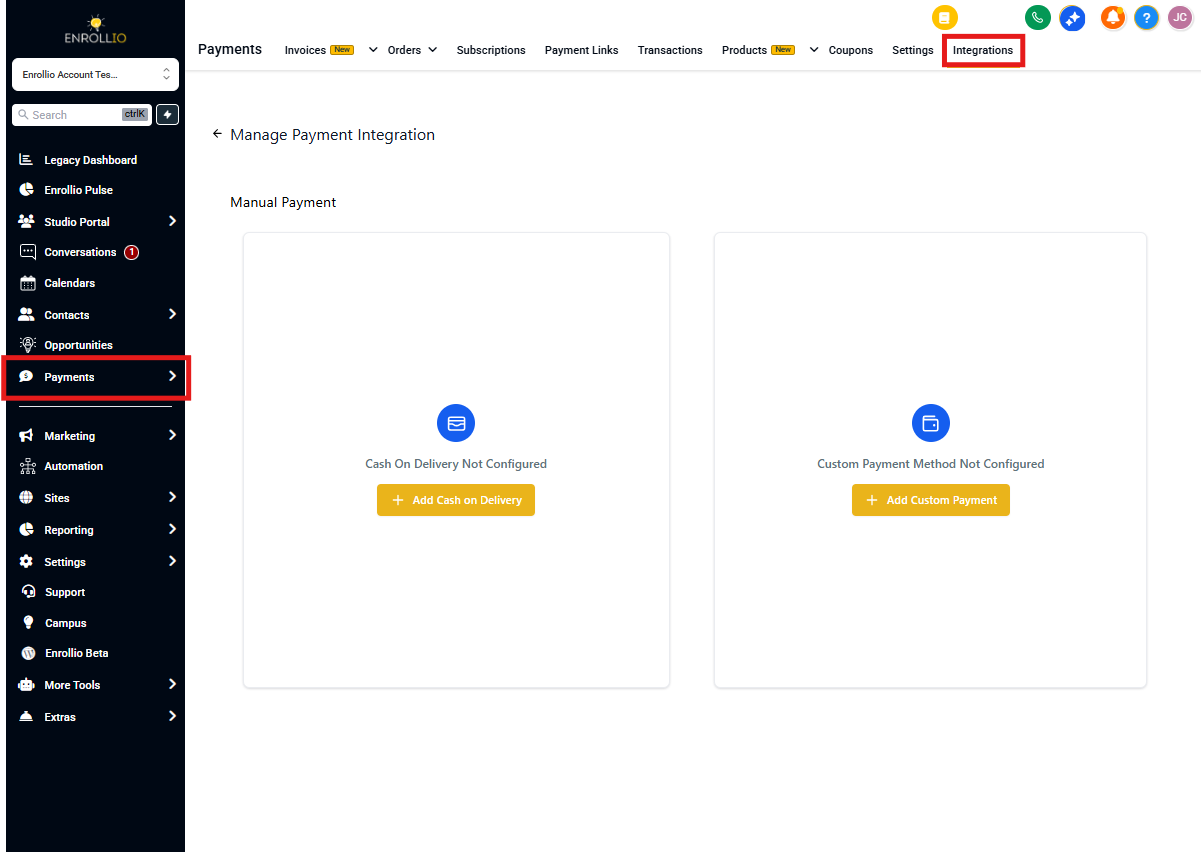
- Go to Payments > Integrations > Manual Payment Methods
- Enable Cash on Delivery or Custom Payment Methods (or both)
- Customize the description families will see during checkout
- Write a post-purchase message (like "Bring payment to the front desk within 3 days")
- Make sure the manual payment option is enabled specifically for forms and surveys
Step 2: Add Products to Your Forms
When you add a product to any form or survey, the manual payment options you enabled will automatically appear as payment choices for families.
No extra configuration needed—it just works.
Step 3: Process Orders and Collect Payment
When a family submits a form and selects a manual payment method:
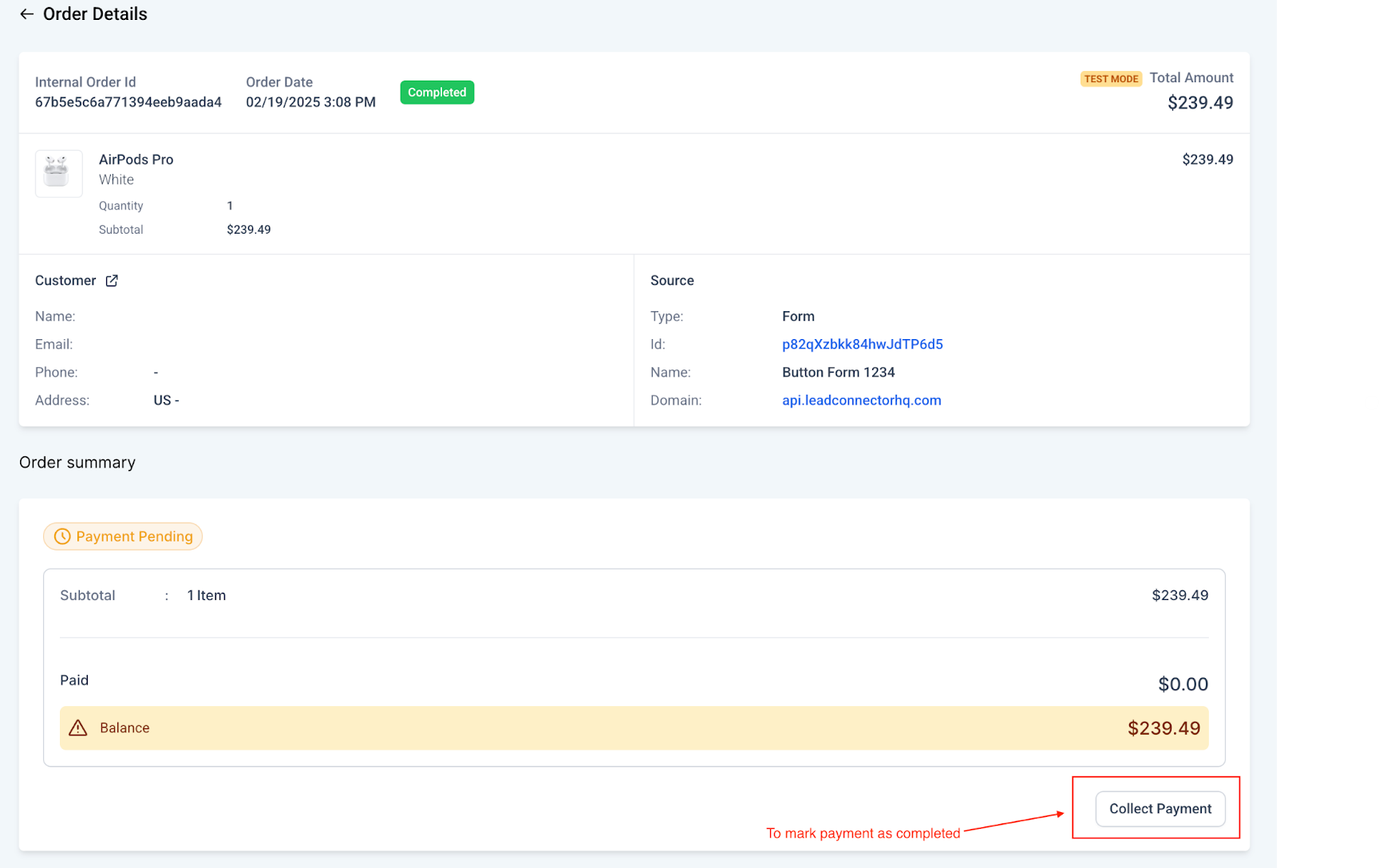
- The order appears in Payments > Orders with a "Pending" status
- After you collect their payment in person, mark the order as paid
- Select how they paid (cash, card, check, bank transfer, etc.)
- The payment status automatically syncs with your form submissions
Why Use Manual Payments
- More flexibility: Not every family wants to pay online—meet them where they are
- Everything in one place: Track online and offline payments in the same dashboard
- Auto-sync: Payment status updates show up in both Orders and Form Submissions
- Built for childcare: Perfect for enrollment deposits, field trips, supply fees, and more
Pro tip: Set clear payment deadlines in your post-purchase message to avoid confusion. For example: "Please bring cash or check to the front desk within 5 business days."
By enabling manual payments, you give families more ways to pay while keeping your enrollment and payment tracking simple.