
Active Transactions in Mobile POS for Collecting Payments
Active Transactions in the mobile POS consolidates all your due and overdue invoices into one accessible menu where you can easily review, edit, and collect payment right from your phone — perfect when you're out in the field or meeting with families.
What are Active Transactions?
A transaction is simply a record of what you're selling to a customer — the parties involved, items, and amounts. An Active Transaction is one that's been started but hasn't been paid yet.
The Active Transactions feature brings together all your outstanding payments in one place: due and overdue invoices, estimates, and appointment payments. No more hunting through records to find what still needs to be collected. Everything you need to get paid is right there when you need it.
How to Use Active Transactions
Here's how to collect payments using Active Transactions in your mobile app:
- Open the Enrollio mobile app and log in with your credentials.
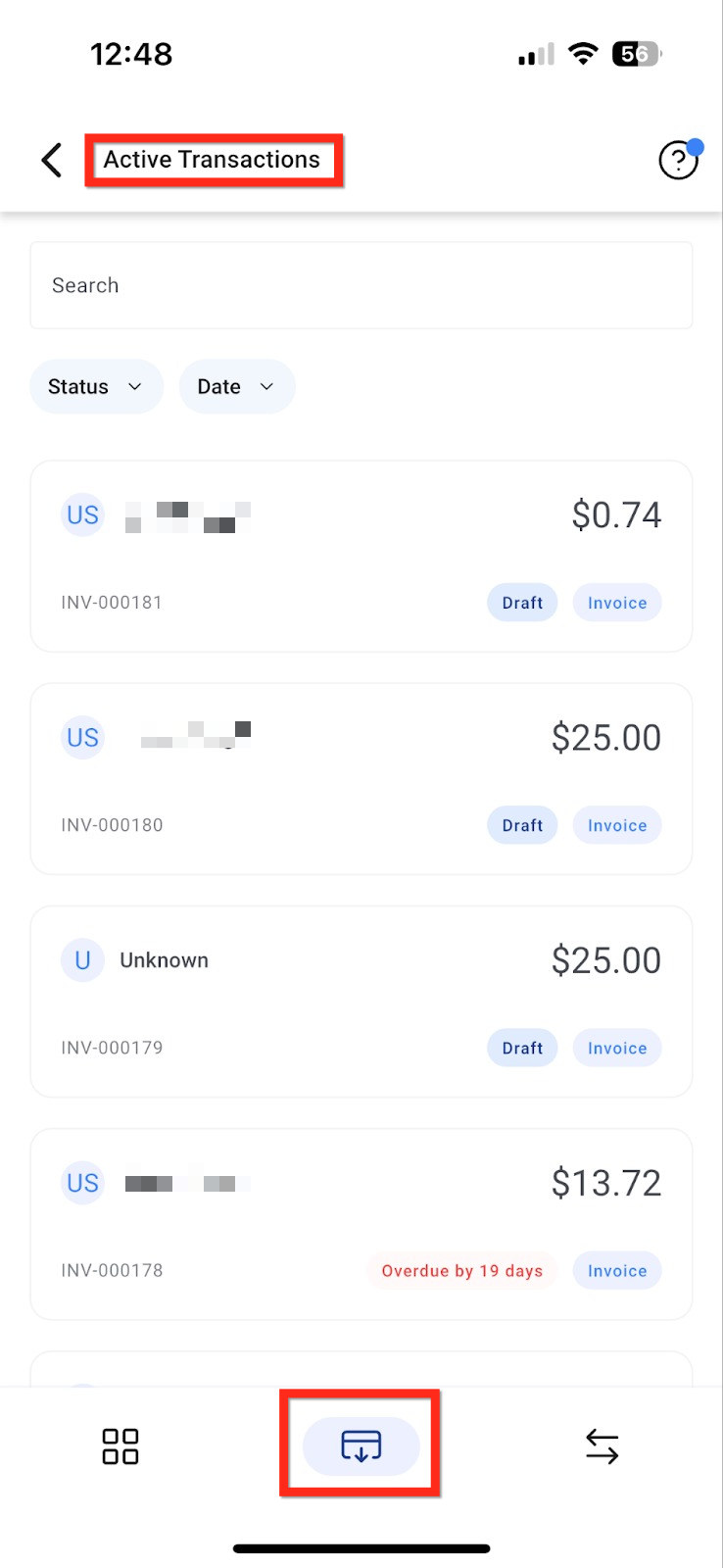
- Tap the POS icon in the bottom navigation bar.
- Open Active Transactions from the POS menu.
- You'll see all your outstanding items:
- Due and overdue invoices
- Estimates
- Documents and contracts
- Appointment invoices
- Tap any invoice tile to view or edit details if needed.
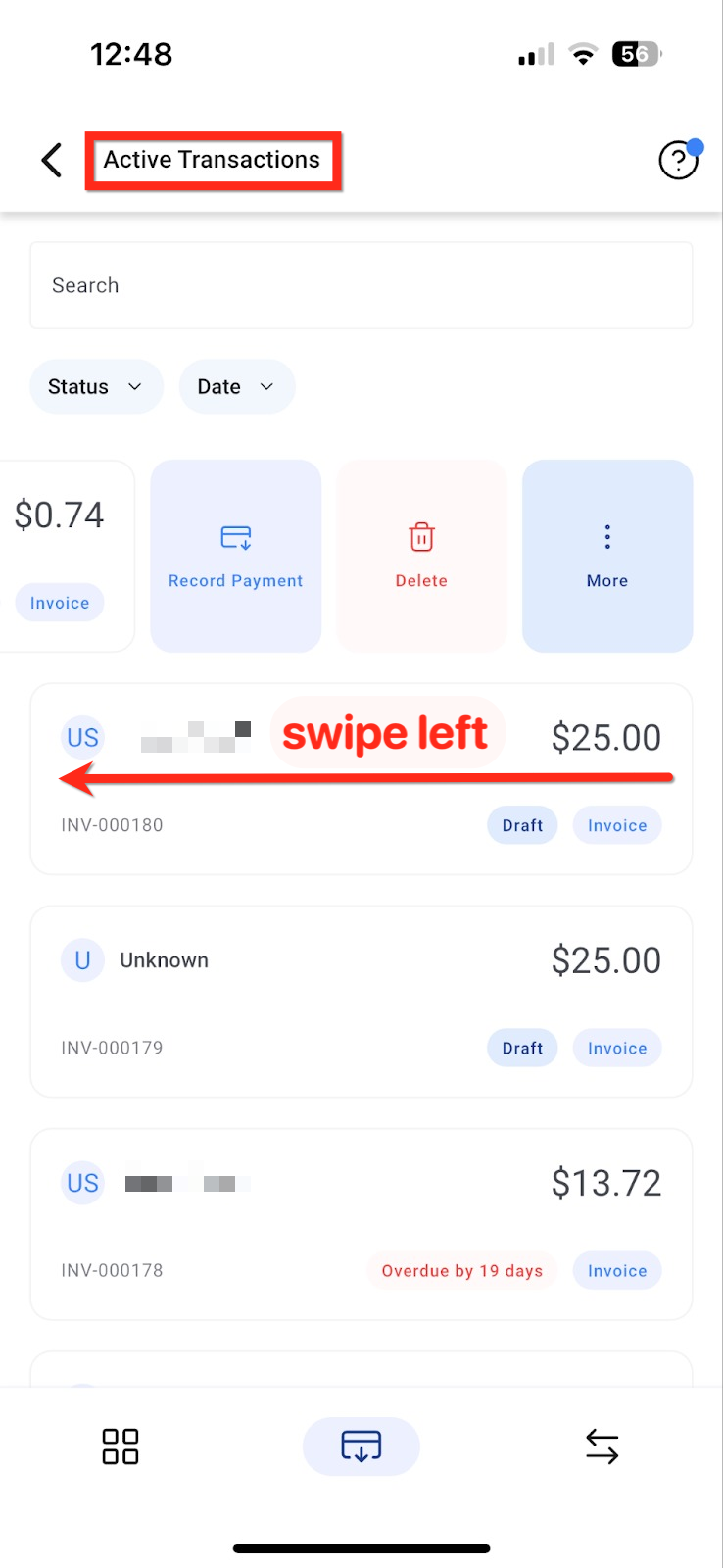
- To collect payment, swipe left on the invoice card or long-press it to see more options.
- Tap Record Payment.
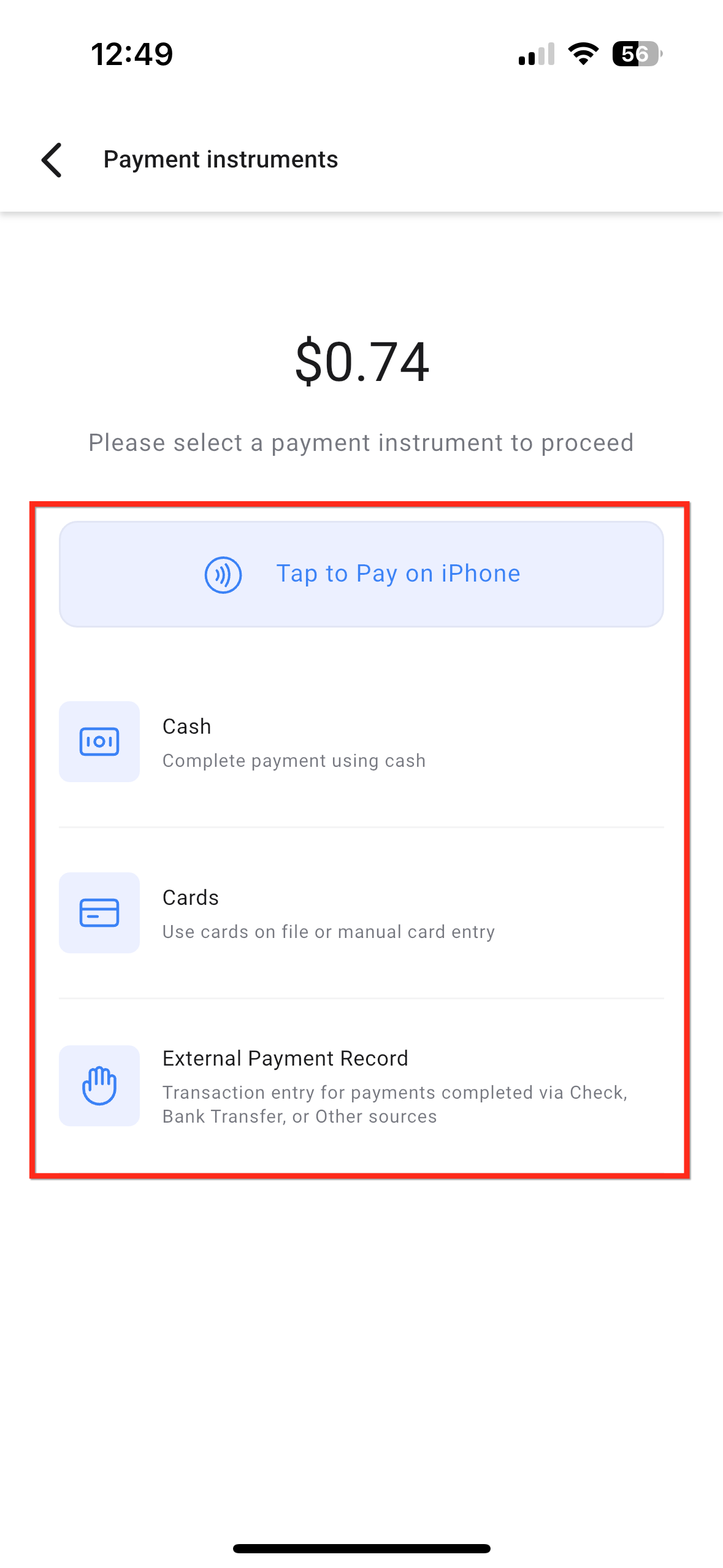
- Choose your payment method:
- Tap to Pay
- Stripe or Square payment reader
- Card payment
- Cash
- Complete the transaction and mark it paid!
Requirements
To use Active Transactions, you need:
- Enrollio mobile app version 3.102.0 or higher
- Access to POS features in your account
The feature works for all users with POS access in your account.
Frequently Asked Questions
Can I edit an invoice before collecting payment?
Yes! Tap the invoice tile to view and edit any details before you start the payment process.
What payment methods are available?
You can accept payment through Tap to Pay, Stripe or Square card readers, direct card payments, or cash.
Do appointment invoices show up here?
Yes, invoices related to scheduled appointments appear in your Active Transactions list alongside other outstanding payments.
Do I need to update my app?
Yes, you must update to version 3.102.0 or higher to use Active Transactions.