
Add Enrollio's Chat Widget to Your Squarespace Website
Want an easy way to connect with parents visiting your website and convert them into enrolled families? Enrollio's Chat Widget for Squarespace is the perfect solution! This article walks you through adding the chat widget to your Squarespace site.
What You'll Learn
- How to get your chat widget embed code
- Two methods to add the widget to Squarespace
Get Your Chat Widget Embed Code
Before you start, you'll need to copy your unique chat widget code from Enrollio:
- In Enrollio, navigate to Sites Chat Widget
- Click Get Code
- Copy the embed code to your clipboard
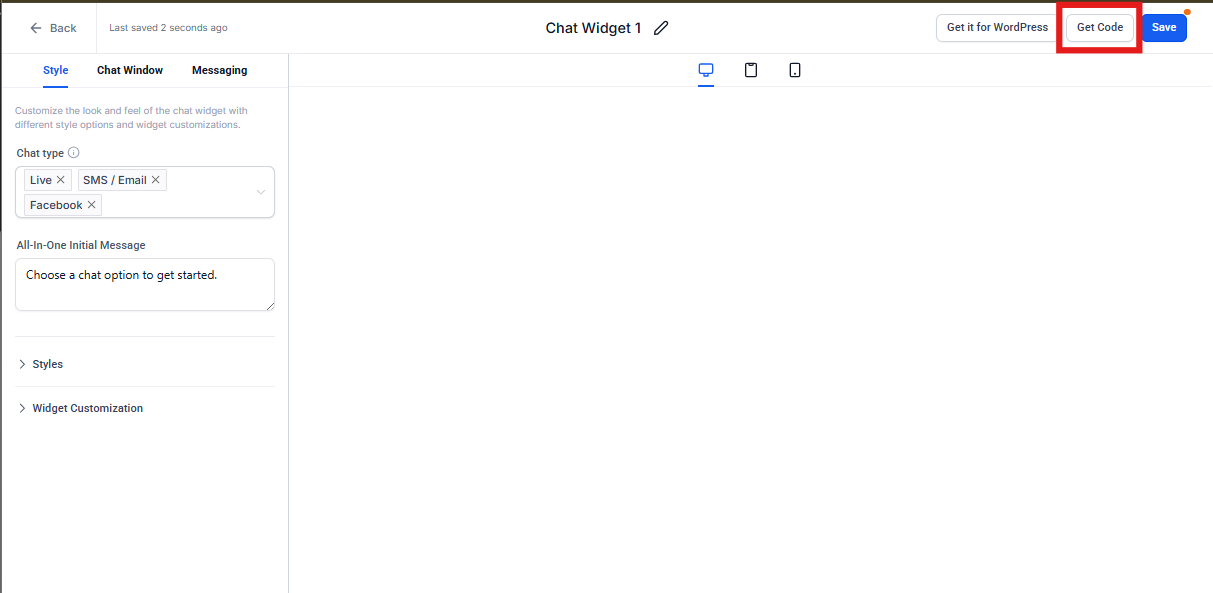
Pro Tip: Keep this code handy — you'll paste it into Squarespace in the next steps.
Method 1: Add the Chat Widget Using Code Injection
This method adds the chat widget to your entire Squarespace site automatically.
- Log in to your Squarespace account and select the website where you want to add the chat widget
- Click Settings in the main menu
- Under the Website section, select Developer Tools
- Click Code Injection
- Paste your Enrollio chat widget code into either the Header or Footer field
- Click Save
- Preview your website to confirm the chat widget appears correctly
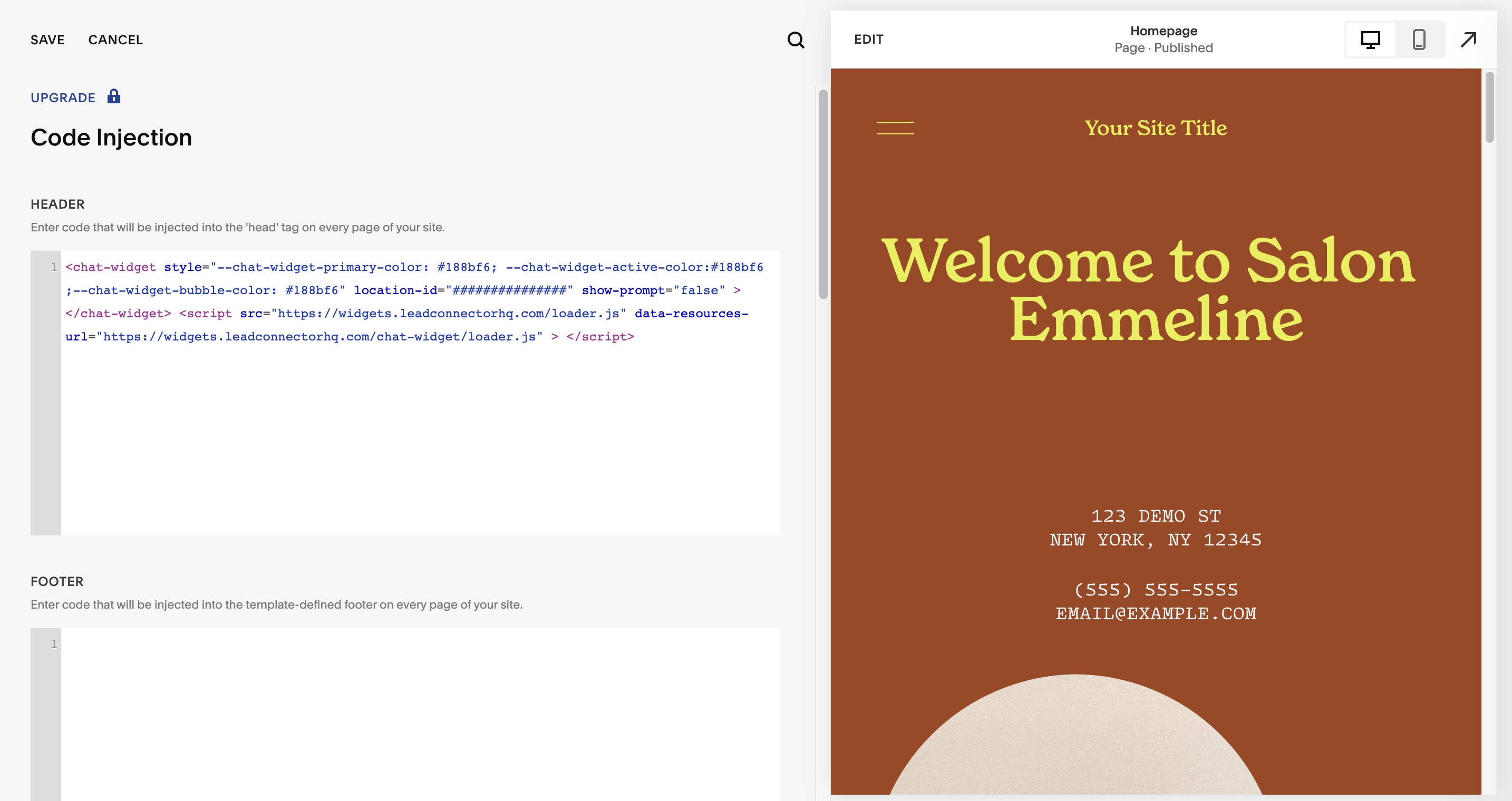
The chat widget will now appear on all pages of your Squarespace site, making it easy for parents to reach out with questions about enrollment, tours, or programs.
Method 2: Add the Chat Widget Using an Embed Block
Use this method if you want the chat widget to appear on specific pages only.
- Log in to your Squarespace account and navigate to the page where you want to add the chat widget
- Open the page editor and select the section where you want the chat widget
- Click the plus icon to add a new content block
- Select Embed from the drop-down menu
- Paste your Enrollio chat widget code into the Code Snippet field
- Click Apply
- Preview your website to confirm the chat widget appears correctly
Pro Tip: Many childcare centers add the chat widget to their enrollment pages, tour booking pages, and contact pages to capture parent questions at key decision points.
What's Next?
Once your chat widget is live, you can:
- Customize the widget's appearance and behavior in Enrollio
- Set up business hours for when chat is available
- Route conversations to specific staff members
- Automatically capture parent contact information
Parents can now reach you instantly with questions about enrollment, tuition, programs, or schedule a tour — right from your website.