
A bump offer is a simple add-on that appears directly on your enrollment form — letting parents add extra services or products with a single click before completing their enrollment.
This is perfect for offering registration fees, supply kits, enrichment programs, or sibling discounts right at the point of enrollment.
What You'll Need
- An existing enrollment form with at least one product or service
- A product set up in your Enrollio account to use as the bump offer
Step-by-Step: Adding a Bump Offer
1. Open Your Enrollment Form
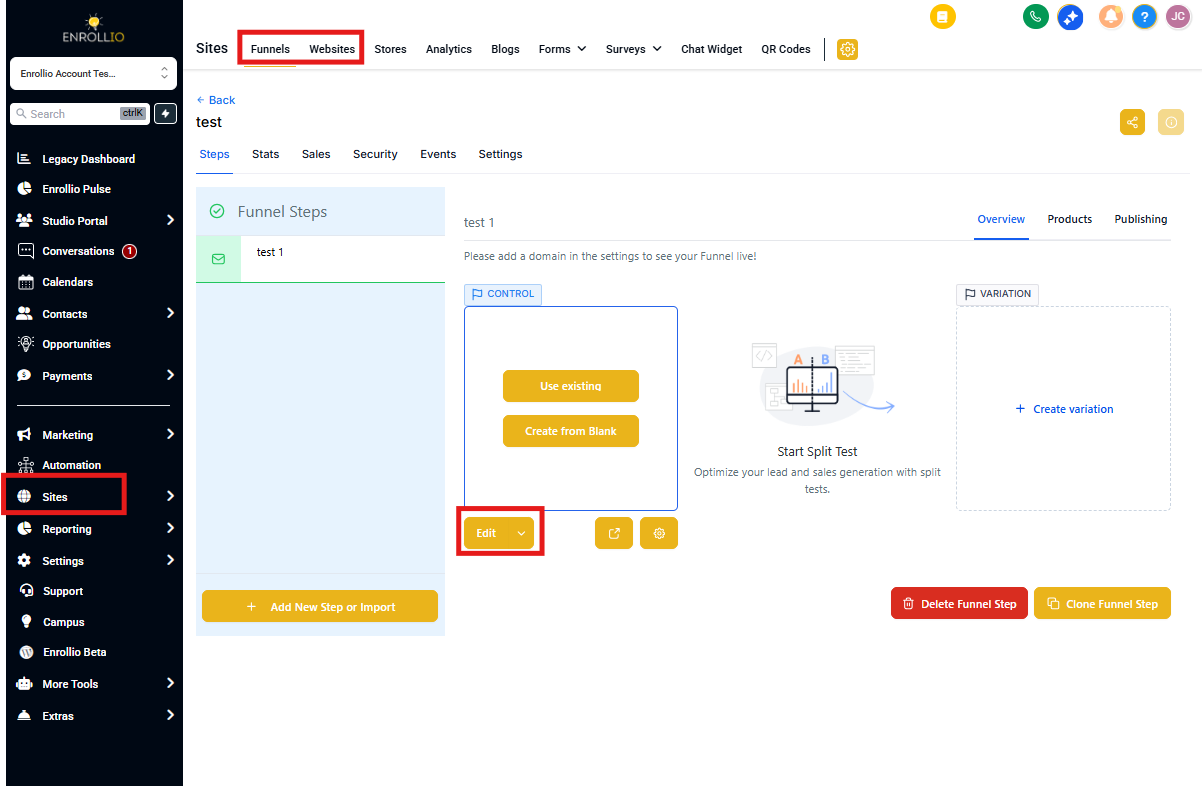
Navigate to Sites in your Enrollio dashboard. Find the enrollment page containing your form and click Edit.
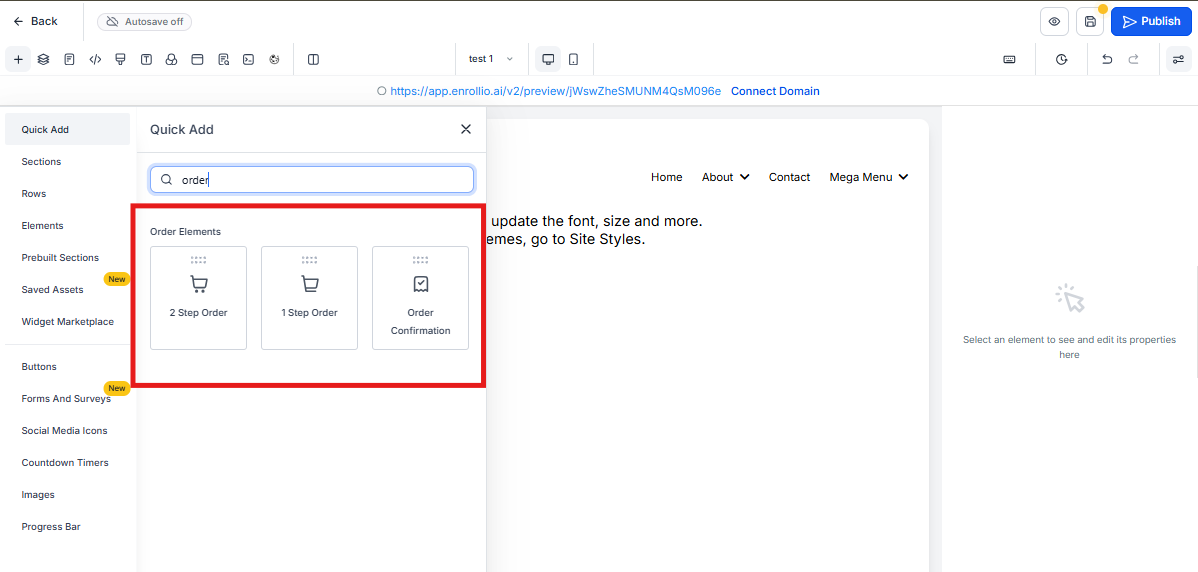
2. Select Your Order Form Element
Click on the order form element on your page. The settings panel will open on the right side of your screen.
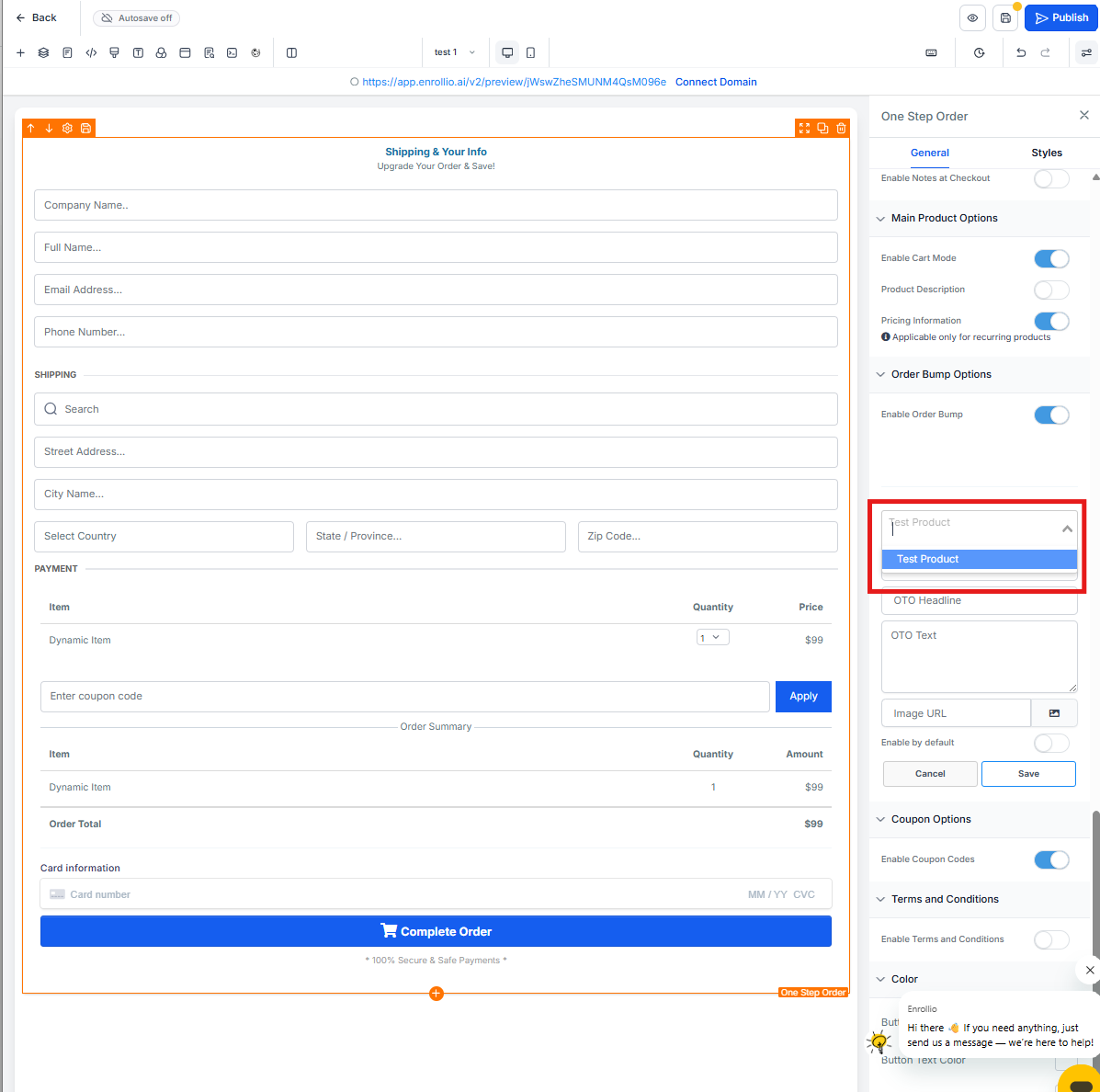
3. Access Bump Offer Settings
In the settings panel, look for the Order Bump section. Click to expand it.
4. Enable the Bump Offer
Toggle the Enable Order Bump switch to "on."
5. Select Your Product
From the dropdown menu, choose which product or service you want to offer as a bump. This must be a product you've already created in your Products section.
6. Customize Your Bump Offer Display
Write compelling copy that encourages parents to add this offer:
- Headline: Make it attention-grabbing (e.g., "Add a Supply Kit for Just $25")
- Description: Explain the value clearly (e.g., "Everything your child needs for their first week — crayons, folders, snacks, and more")
- Checkbox Label: Keep it action-oriented (e.g., "Yes! Add the supply kit to my enrollment")
7. Style Your Bump Offer (Optional)
Use the styling options to match your bump offer to your brand:
- Background color
- Text color
- Border style
- Checkbox position
8. Preview and Save
Click Preview to see how your bump offer looks on desktop and mobile. When you're satisfied, click Save in the top right corner.
Pro Tips for Effective Bump Offers
💡 Keep It Relevant
Your bump offer should be closely related to what parents are already enrolling in. If they're signing up for infant care, offer a diaper service add-on. For preschool, consider art supply kits or field trip packages.
💡 Price It Right
Bump offers work best when they're low-friction decisions. Keep the price point reasonable — typically 10-30% of the main enrollment fee.
💡 Use Action Language
Instead of "Supply Kit," try "Yes! Include my child's supply kit." Action-oriented language increases conversion.
Testing Your Bump Offer
Before sending your enrollment form to families, submit a test enrollment yourself. Make sure:
- The bump offer displays correctly on both desktop and mobile
- Checking the box adds the correct amount to the total
- The product appears in your order confirmation
Need More Help?
Check out these related articles:
- How to Create Products and Services
- How to Add an Enrollment Form to Your Landing Page
- How to Set Up Enrollment Form Automations