What is the Hydration Event?
When you add custom code to your enrollment pages, timing matters. The hydrationDone event tells your custom JavaScript when Enrollio has finished loading and rendering your page content — so your code runs at exactly the right moment.
Why Does This Matter?
Before this event existed, custom scripts could run too early — before your page was fully ready. This caused errors and unpredictable behavior, especially when trying to modify page elements.
The hydrationDone event solves this by giving you a clear signal: "The page is ready. Now you can safely run your code."
How to Use the Hydration Event
Follow these steps to ensure your custom code runs at the right time:
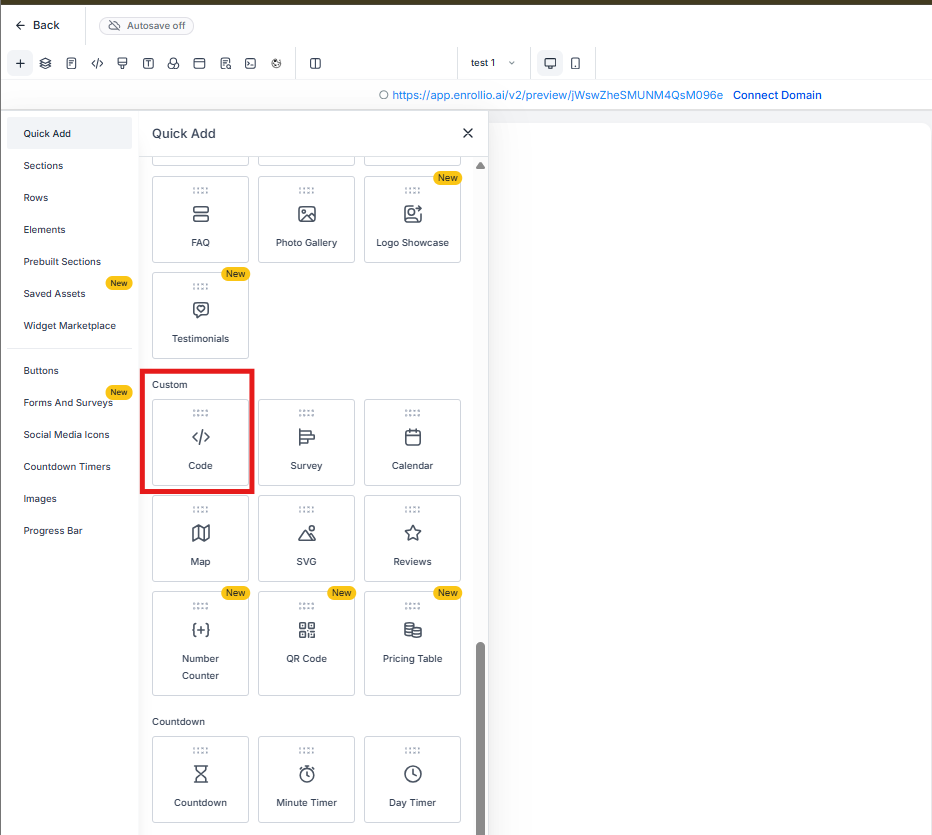
Step 1: Add a Code Element
In your page builder, add a custom code element where you want your JavaScript to run.
Step 2: Listen for the Event
Wrap your custom code inside an event listener like this:
document.addEventListener("hydrationDone", () => {
  // Your custom JavaScript goes here
  // Example: modify page elements, trigger actions, etc.
});
Step 3: Test Your Page
Preview your enrollment page. Your custom code will now run only after the page is fully loaded — no more timing issues or race conditions.
Important: JavaScript Optimization Setting
If your custom code is critical and needs to run immediately when the page loads, you may need to disable JavaScript optimization in your page settings. When optimization is enabled, the hydration event waits for visitor interaction before firing.
Example Code Structure
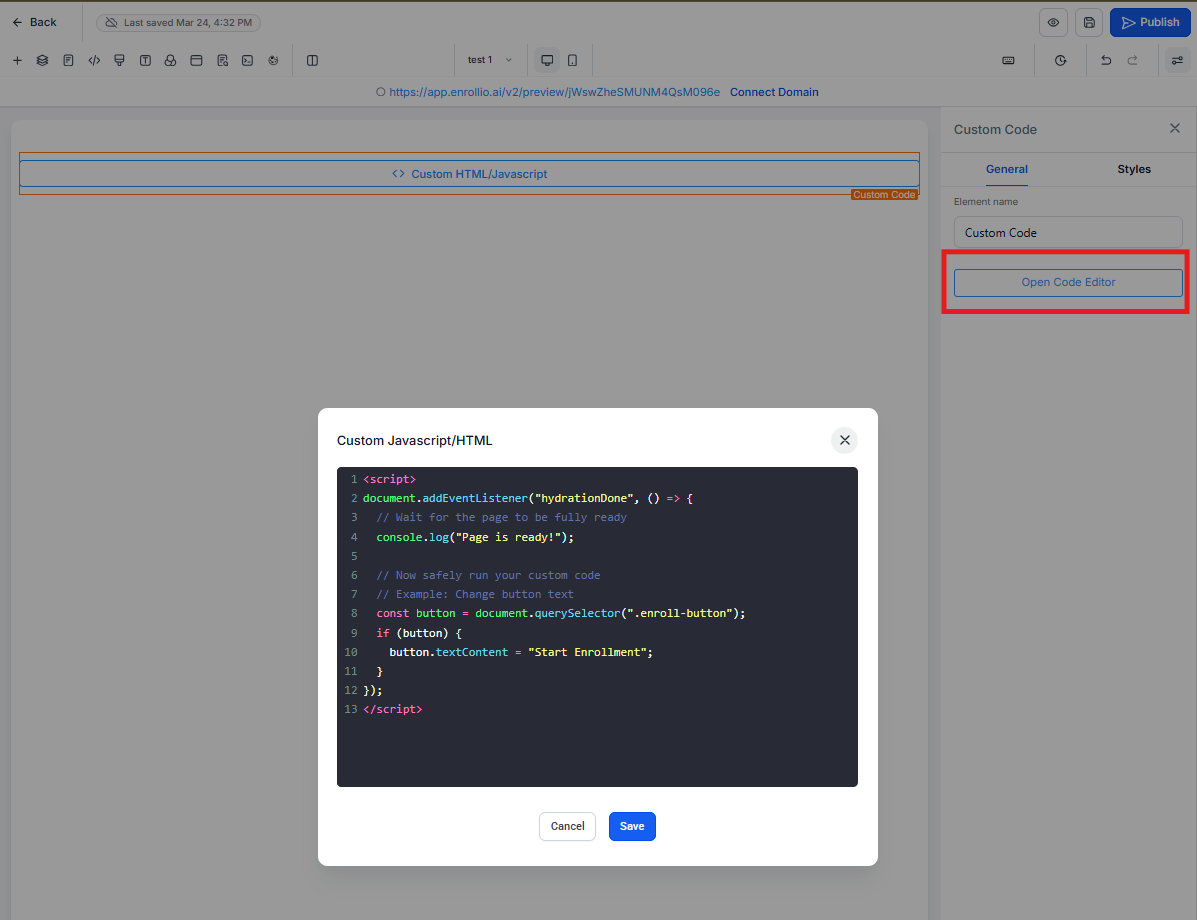
Here's what your complete custom code should look like:
<script>
document.addEventListener("hydrationDone", () => {
  // Wait for the page to be fully ready
  console.log("Page is ready!");

  // Now safely run your custom code
  // Example: Change button text
  const button = document.querySelector(".enroll-button");
  if (button) {
    button.textContent = "Start Enrollment";
  }
});
</script>