
What Are Heading Tags?
Heading tags define the structure and importance of text on your enrollment pages. H1 is typically used for the main page title, while H2s and H3s organize sections and sub-sections. These tags help create a clear hierarchy, improve readability for parents browsing your site, and help search engines understand your page layout.
Why Heading Tags Matter for Your Childcare Business
Using the correct heading tags isn't just about making text bigger or bolder. They play a crucial role in how parents experience your enrollment pages and how search engines find you.
Improves SEO — Search engines use heading tags to understand what your page is about, helping prospective families find your childcare center.
Organizes content clearly — Parents can quickly scan your page to find tour schedules, enrollment steps, or program details.
Works on all devices — Heading tags automatically adapt to mobile and desktop screens.
Improves accessibility — Screen readers use heading structure to help parents with disabilities navigate your content.
How to Change Heading Tags on Your Enrollment Pages
You can change heading tags by selecting the text you want to modify and choosing a new heading level from the formatting toolbar. Here's how:
Step 1: Open Your Page in the Editor
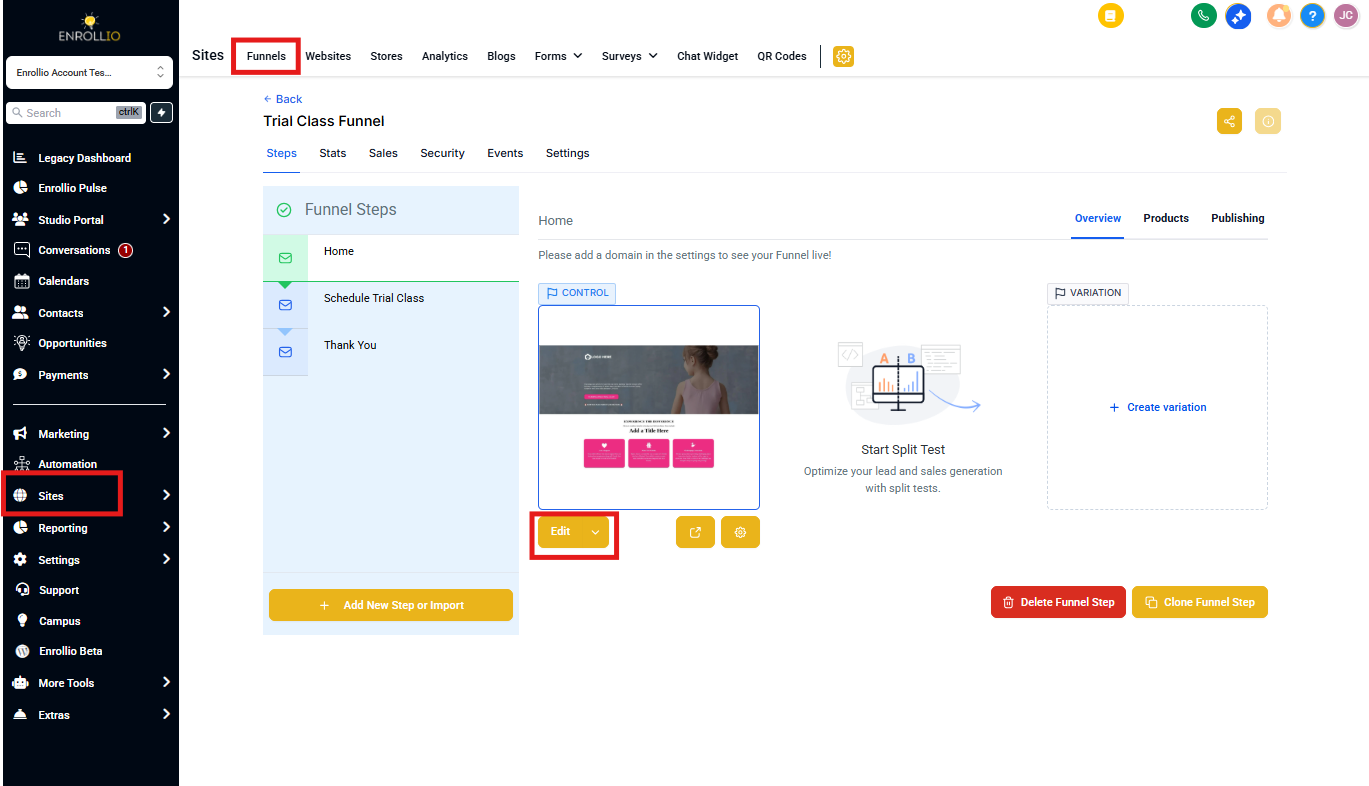
From your Enrollio dashboard, go to Sites and click either Landing Pages or Enrollment Sites.
Click into the page you want to edit, then click the blue Edit Page button to open the editor.
Step 2: Change the Heading Tag
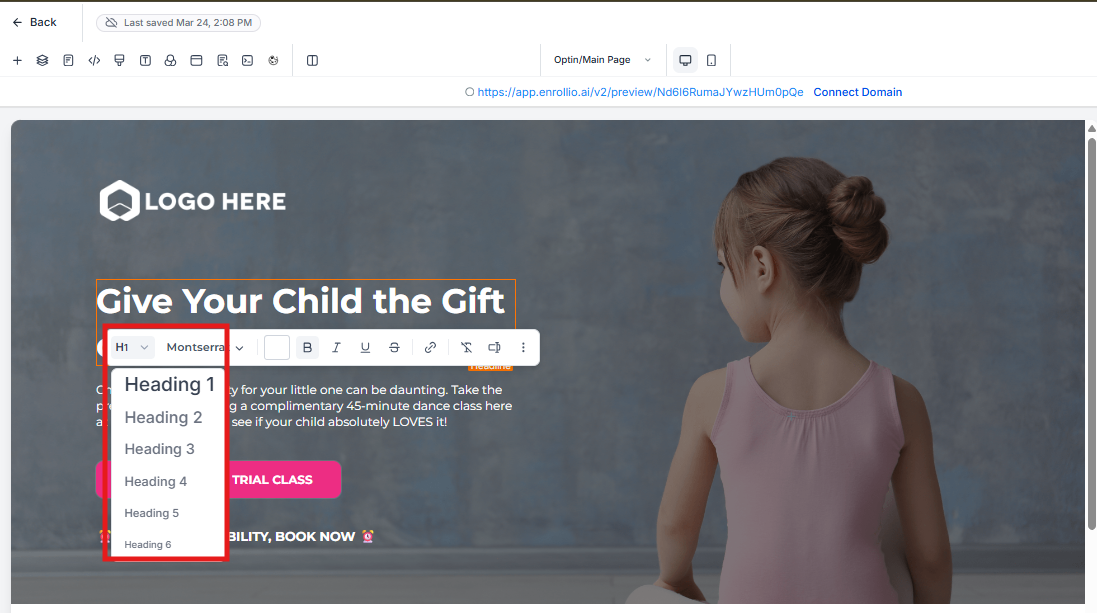
Highlight the heading text you want to change. A formatting toolbar will appear below your selected text.
On the toolbar, click the heading dropdown (it will show the current heading level, like "H1" or "H2").
Select your desired heading tag from the list (H1, H2, H3, etc.).
Frequently Asked Questions
What if the heading dropdown isn't showing up?
Make sure you're editing text that's already formatted as a heading, not regular paragraph text. The heading dropdown only appears when you select existing heading text.
Can I use multiple H1 tags on one page?
Technically yes, but we don't recommend it. Using one H1 per page provides better clarity for search engines and improves your SEO. Think of H1 as your page's main title — you only need one.
Does changing a heading tag change how it looks?
Not always. The visual appearance of headings can be customized separately from the tag itself. Even if two headings look identical visually, using different tags (H1 vs. H2) tells search engines and accessibility tools about the structure of your content.
Are heading tags mobile-responsive?
Yes. Heading tags automatically adjust for mobile devices. You can preview how they look on different screen sizes using the device preview options in the page editor.