
Overview
When creating promotional offers for tuition or recurring programs, you can now control exactly how long a discount applies. Set coupons to last for one payment, a specific number of months, or the entire duration of enrollment.
This gives you flexibility for back-to-school promotions, sibling discounts, or limited-time tuition breaks.
Creating a Coupon with Duration Settings
- Navigate to Payments → Coupons
- Click Create Coupon (or edit an existing one)
- Configure your discount amount and type as usual
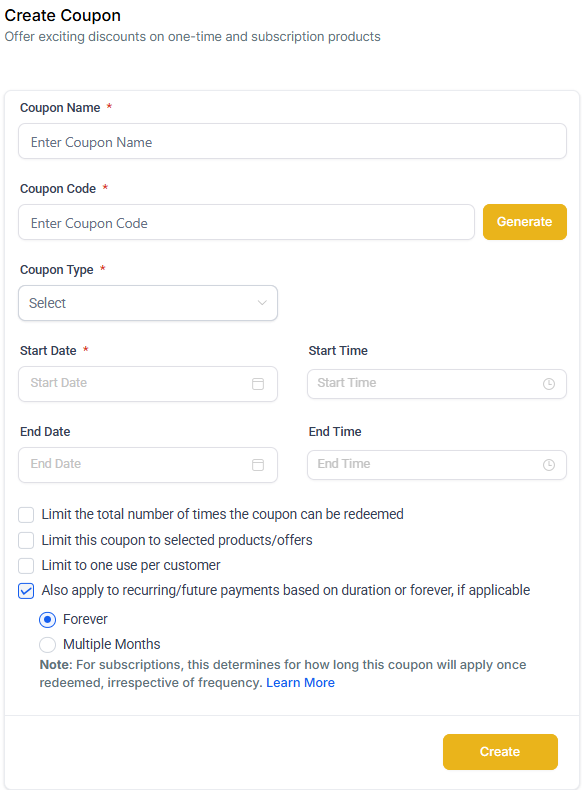
- Check the box: "Also apply to recurring/future payments based on a duration or forever, if applicable"
- Choose your duration:
- Once: Discount applies to the first payment only
- Multiple Months: Discount applies for a specific number of months (enter the number when prompted)
- Forever: Discount applies to every payment for the life of the subscription
- Click Save
How Duration Settings Work
One-Time Products
Duration settings don't apply to one-time products—the discount is applied once at checkout regardless of your selection.
Subscription Products (Tuition, Monthly Programs, etc.)
The discount follows your selected duration:
- Once: First payment only
- Forever: Every recurring payment
- Multiple Months: Applied for the specified number of months, then stops
Viewing Active Coupons
You can see coupon duration details in several places:
- Coupon Details Page: Shows the selected duration setting
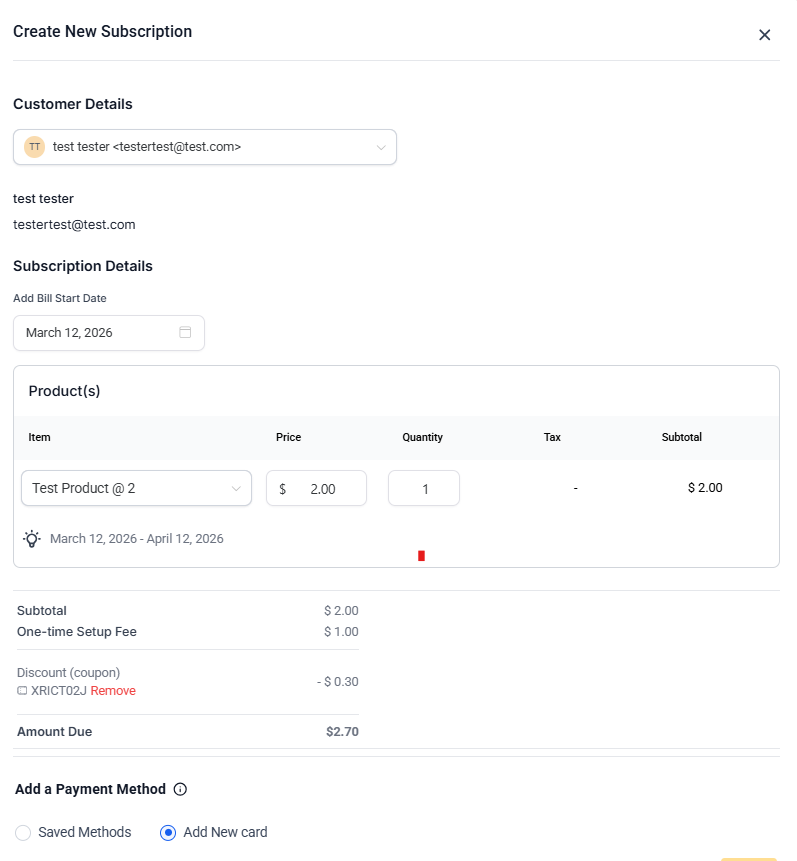
- Subscription Details Page: Displays phrases like "10% off for first 4 months" or "$10 off for all payments"
- Order Details Page: Shows the discount next to payment information
Real-World Examples
Monthly Tuition with Limited-Time Discount
A family enrolls in a 10-month program with a coupon set to "Multiple Months" for 4 months. The discount applies to their first 4 monthly payments, whether they start immediately or begin with a trial period.
Annual Program with Lifetime Discount
A family purchases a 3-year annual membership with a coupon set to "Forever." The discount applies to all 3 annual renewal payments.
Annual Program with Limited Discount
A family purchases an annual program with a coupon set to "Multiple Months" for 4 months. The discount applies to the first payment only—because the next payment doesn't occur until 12 months later, which is beyond the 4-month window.
Weekly Program with Short-Term Discount
A family enrolls in a 6-month weekly program with a coupon set to "Multiple Months" for 2 months. The discount applies to approximately 8 weekly payments (covering 2 months from the enrollment date).
Important Notes
- Subscription frequency doesn't matter: Whether billing is daily, weekly, monthly, quarterly, or annually, only the time duration (in months) determines how many payments receive the discount
- Scheduled subscriptions: For future-dated enrollments, the coupon duration starts from the subscription's actual start date (whether active or trial), not the date it was created
- Existing coupons: Previously created coupons maintain their original behavior. If the recurring option was checked, it defaults to "Forever." If unchecked, it defaults to "Once."