
How to Secure Your Forms
Enrollio forms include built-in protections against fake submissions, using security signals like IP addresses, geographic data, and advanced parameters. We also use Cloudflare's DDoS protection to safeguard your forms and submissions.
For enhanced security, follow these best practices when designing your enrollment forms, tour request forms, and waitlist applications.
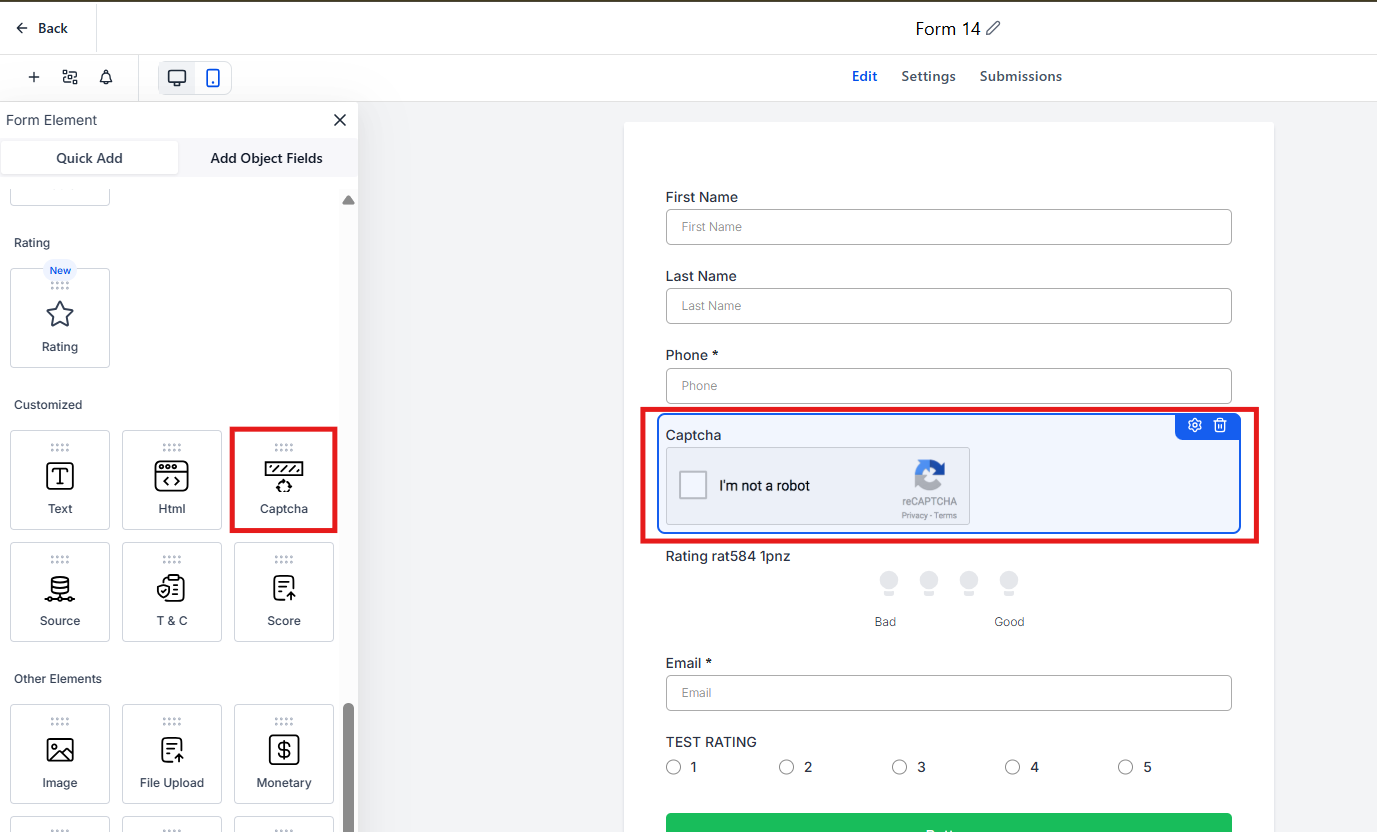
1. Use CAPTCHA to Prevent Spam
Adding a CAPTCHA is one of the most effective ways to block automated spam submissions. This prevents:
- Fake family profiles cluttering your parent database
- Excessive automated form submissions overloading your system
- Increased costs from automated texts and emails triggered by fake entries
To add CAPTCHA to your form:
- Navigate to Forms in your Enrollio dashboard
- Select Custom Fields
- Add the CAPTCHA field to your form
2. Validate Email and Phone Numbers
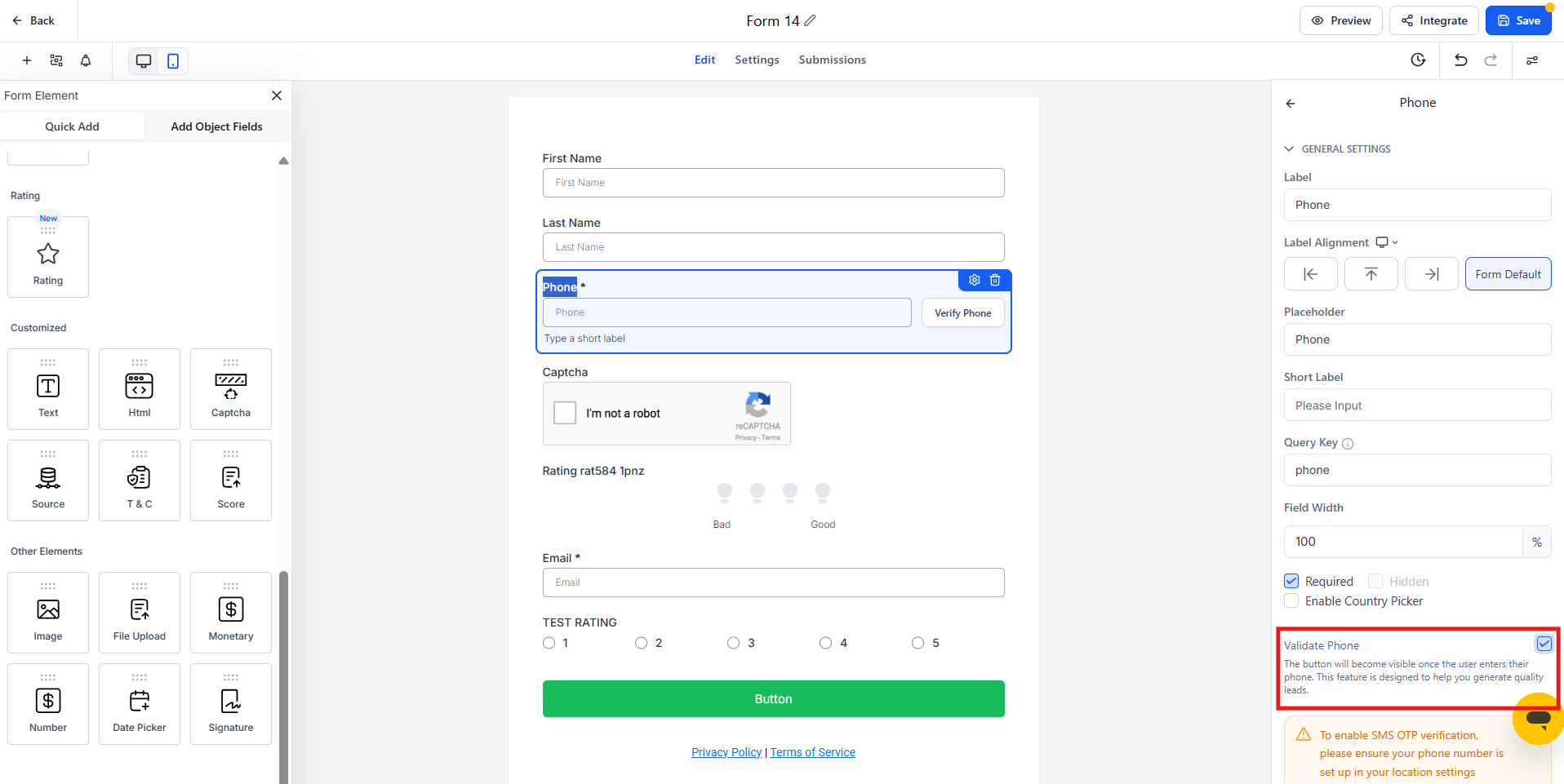
Ensure only legitimate families can submit forms by enabling email and phone number validation. This helps:
- Block temporary, invalid, or fake contact details
- Prevent fraudulent entries from affecting your enrollment data
- Reduce wasted outreach to bad phone numbers and email addresses
Enable validation in your form settings to ensure parents provide real contact information before submitting tour requests or enrollment applications.
3. Restrict SMS Permissions Based on Geography
If your forms trigger text message confirmations or reminders, configure SMS geo-permissions to prevent messages from being sent to high-risk regions.
Enrollio's texting system manages SMS permissions at the account level. By default, most countries are enabled except for high-risk regions known for fraudulent activity.
High-risk countries disabled by default:
- Somalia (+252)
- North Korea (+850)
- Cuba (+53)
- Syria (+963)
- Iran (+98)
- Sudan (+249)
- Liberia (+231)
- Zimbabwe (+263)
- Afghanistan (+93)
- Yemen (+967)
If you need to modify geo-permissions for your account, contact Enrollio Support with your account details and the specific countries you need to enable or disable for texting and calling.
Key Takeaways
Protecting your forms from spam keeps your parent database clean and prevents unnecessary costs. While Enrollio's built-in protections provide a strong foundation, adding CAPTCHA, email and phone validation, and geo-restricted SMS permissions strengthens your security even further.
Implement these three practices to ensure only genuine families reach your enrollment pipeline.