
What's New?
Managing enrollment forms, tour requests, and parent surveys just got easier. The submissions page now gives you complete control over how you view and export your data.
See All Your Data at Once
Previously, you could only see 3 columns (like name and email) in the submissions table. Now every field from your form appears as a column, giving you the complete picture without clicking into each submission.
Customize Your View
You're no longer stuck with a one-size-fits-all layout. Select which columns you want to see, hide the ones you don't need, and drag them into the order that makes sense for your workflow.
Quick Actions Right from the Table
Click to copy phone numbers and email addresses instantly. If a form includes URLs (like a virtual tour link or document), you can click directly from the table to open them.
How to Use the New Submissions Page
- Navigate to Sites > Forms > Submissions
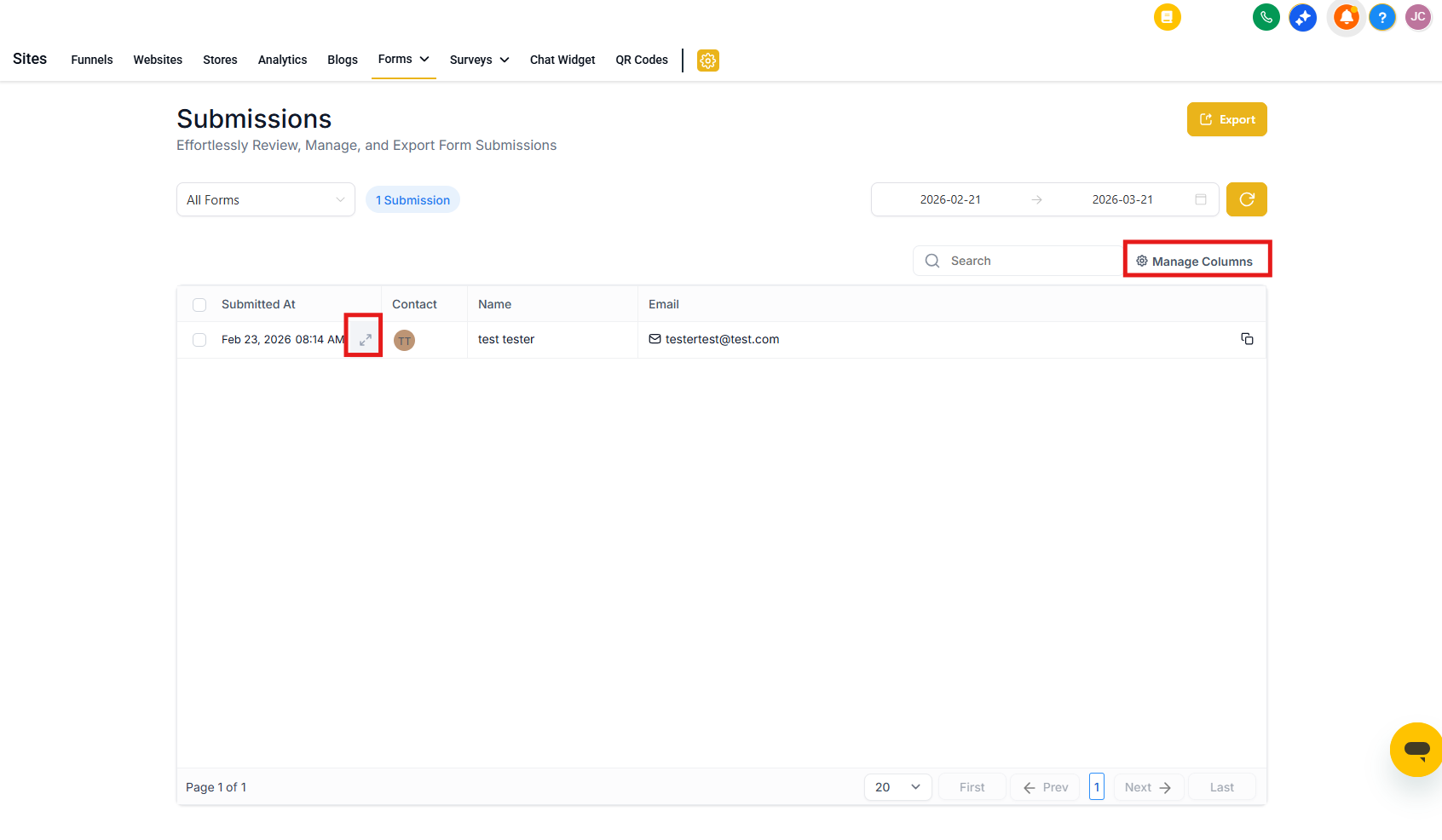
- Click the expand icon next to any submission to view the full details
- When viewing a submission, use the PDF download dropdown to choose:
- New PDF Layout — cleaner design, perfect for viewing on screen or sharing with staff
- Old PDF Layout — matches the previous format if you prefer it
- Select multiple submissions using the checkboxes to download in CSV format or delete entries in bulk
- Click Manage Columns to show or hide specific fields — perfect for focusing on what matters most for each form type
- Click the Export button to download all submissions as a CSV file
- Adjust column width by hovering over the column edge and dragging
Pro Tips
Customize views for different forms: Set up your columns differently when reviewing tour requests versus enrollment applications. Enrollio remembers your preferences for each form.
Quick parent contact: Click to copy a parent's phone number or email, then paste directly into your phone or email app — no more manual typing.
Export for your records: Download submissions as CSV to import into your accounting software, create custom reports, or maintain backup records for compliance.