
Address Auto-Complete is now free and unlimited in all Enrollio accounts
This feature makes it easier for prospective families to enter accurate address details when filling out enrollment forms and surveys. As they type into the Address field, real-time suggestions appear and automatically fill in the Street, City, State, Country, and Postal Code fields — ensuring fast, accurate, and consistent data collection.
What is Address Auto-Complete?
Address Auto-Complete converts the standard Address field in Enrollio forms and surveys into a smart, predictive search bar. It uses an integrated global database to surface relevant address suggestions as families type, making form submission faster and error-free.
Accurate address data is essential for automations, parent segmentation, reporting, and any delivery-based communications. Address Auto-Complete eliminates typing errors, guarantees consistent formatting, and speeds up form completion — improving both the parent experience and your data reliability.
Smart Search Suggestions
As a parent types into the Address field, Enrollio provides live predictive suggestions based on real-world address data.
Auto-Fill Address Fields
When the parent selects an address from the dropdown, all relevant fields (Street, City, State, Country, and Postal Code) are automatically filled. This ensures consistent formatting and eliminates manual data entry errors.
Key Benefits of Address Auto-Complete
The Address Auto-Complete feature enhances every form submission by ensuring family data is validated, consistent, and properly formatted. This reduces downstream corrections and increases parent satisfaction.
- Free & Unlimited: Included in every Enrollio account with no usage limits
- Improved Data Accuracy: Ensures consistent, validated address entries
- Faster Submissions: Reduces typing effort for prospective families
- Higher Conversion Rates: Frictionless parent experience leads to more form completions
- Better Data for Reporting: Standardized address formats improve automation accuracy
How to Enable Address Auto-Complete
Step 1: Add the Address Field
Navigate to Sites → Forms (or Surveys) and open the form builder where you want to use Address Auto-Complete.
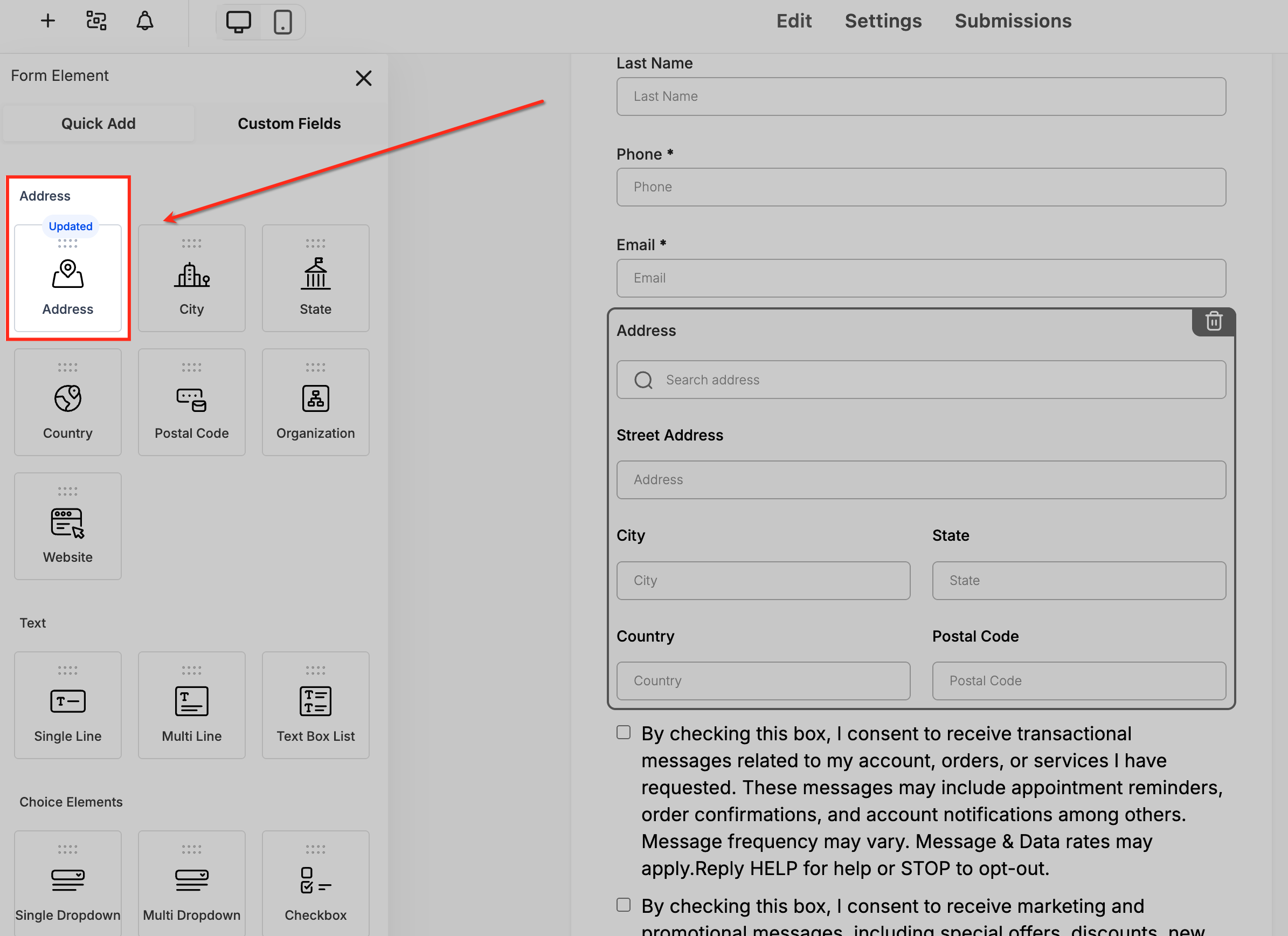
In the Form Elements panel, drag the Address field into your form layout. The Address element is marked as Updated, indicating that it supports Auto-Complete functionality.
Step 2: Access Address Field Settings
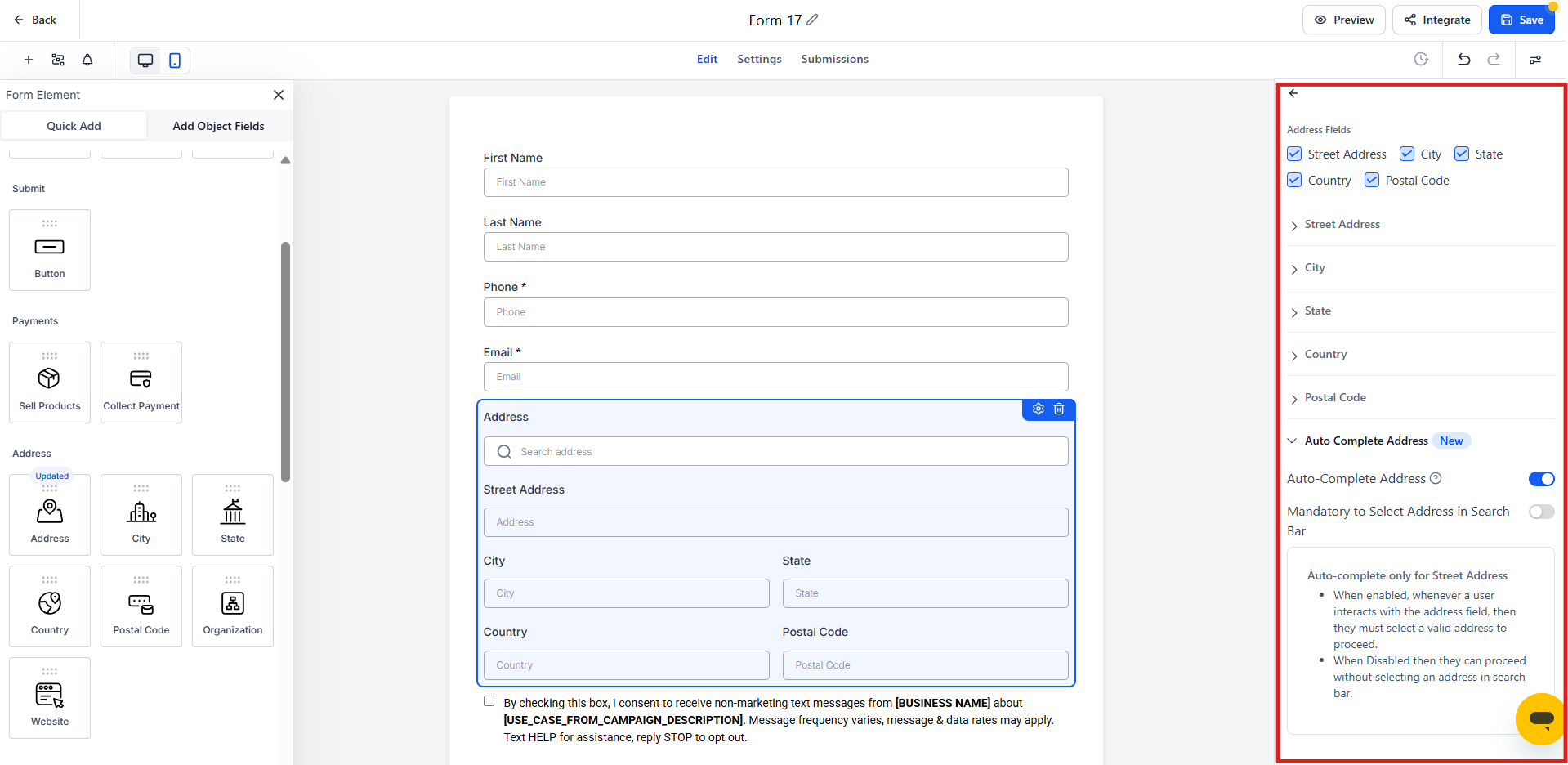
After adding the Address field, click on it to open the settings panel on the right side of the screen.
This panel allows you to customize address behavior, enable auto-complete, and control whether families must select a verified address.
Step 3: Enable Auto-Complete Address
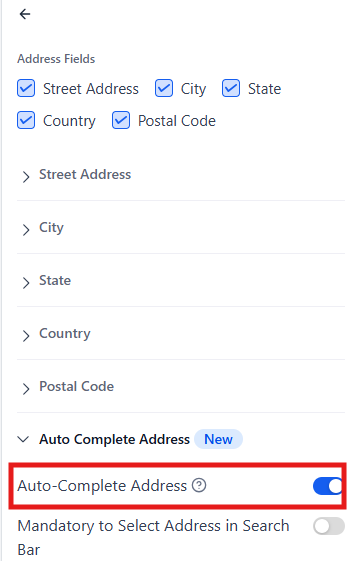
In the settings panel, locate the toggle labeled Auto-Complete Address and switch it ON.
Once activated, this setting transforms the standard address input into a smart search bar that suggests accurate addresses as parents type.
Step 4: Make Address Selection Mandatory (Optional)
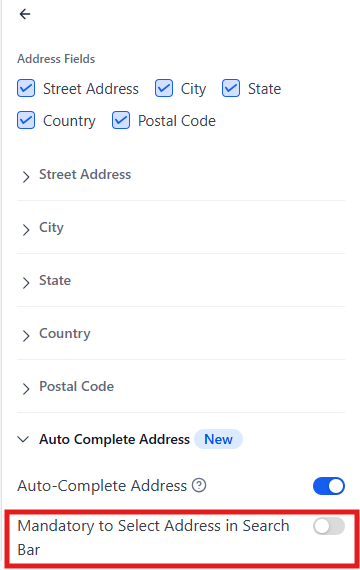
If you want to ensure that families only submit validated addresses, toggle Mandatory to Select Address in Search Bar to ON.
When enabled, parents must pick one of the suggested addresses before they can submit the form. If left OFF, they can enter an address manually.
Step 5: Preview the Form
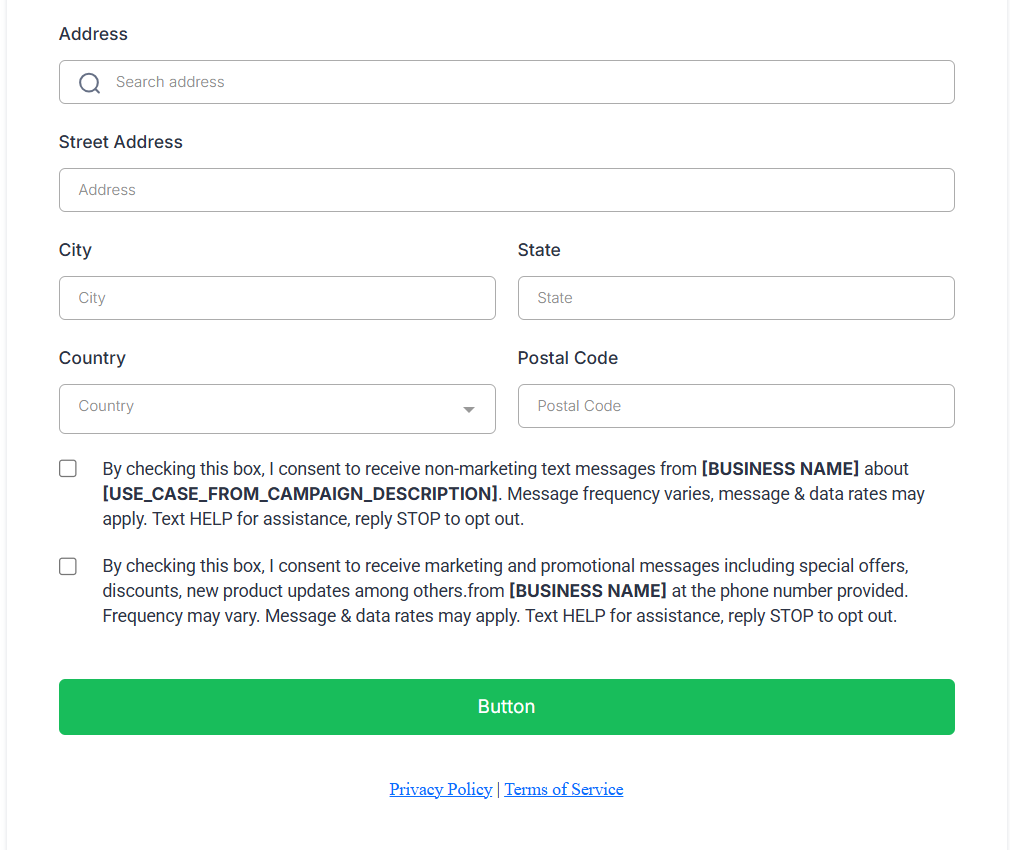
Click Preview at the top right of the form builder to see how the Address field appears in the live form.
The Address field will now display a search bar, allowing families to begin typing and instantly view address suggestions as they type.
Step 6: Test Live Address Suggestions
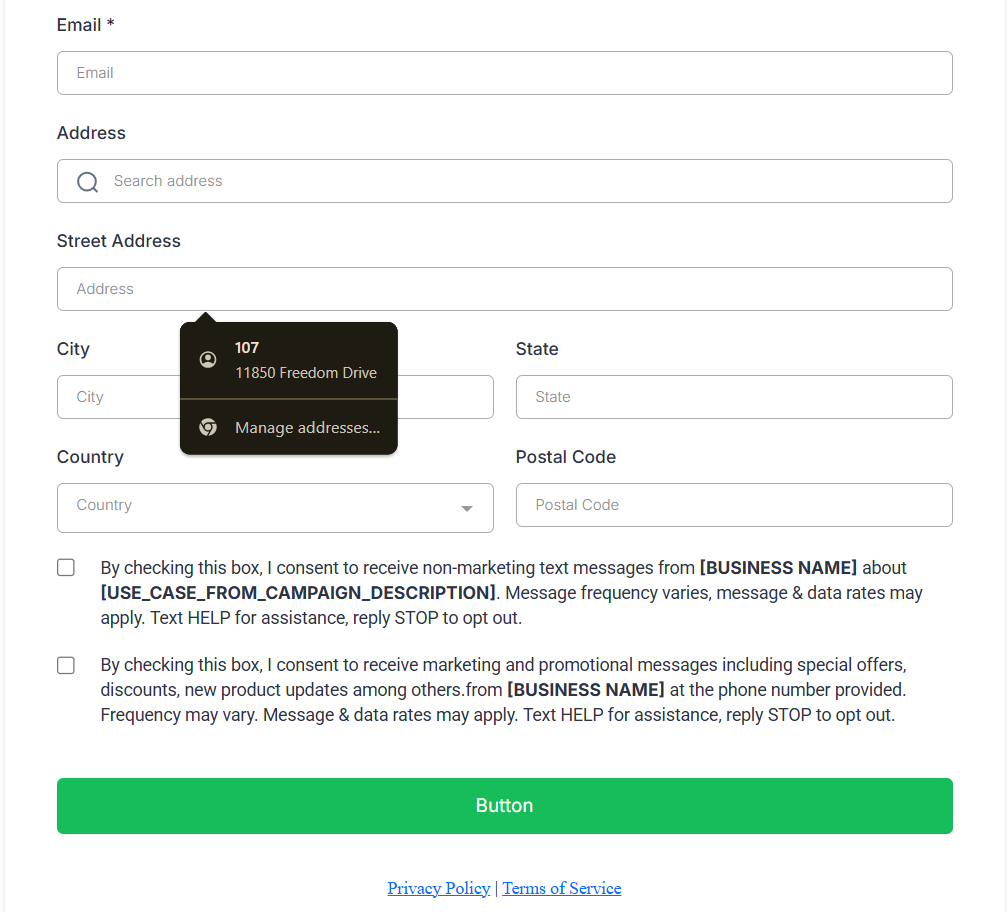
In the preview, type a few characters (such as part of a street name) into the Address field.
You'll see predictive suggestions appear below the search bar — selecting one will automatically populate the Street, City, State, Country, and Postal Code fields.
Step 7: Save and Publish
After confirming that Auto-Complete works as expected, click Save to apply your changes.
Once published, every prospective family who fills out the form will experience fast, accurate address entry powered by built-in Auto-Complete.
Frequently Asked Questions
Is Address Auto-Complete still a paid feature?
No. It's now completely free and unlimited for all Enrollio accounts.
Can I still allow families to manually type their address?
Yes. You can disable the Auto-Complete toggle if manual entry is preferred.
Does Address Auto-Complete work globally?
Yes. It supports most countries and postal formats worldwide.
Will my old forms automatically get Auto-Complete enabled?
No. You'll need to open each form or survey and enable the toggle manually.
What happens if a parent doesn't select a suggested address?
If the "Mandatory to Select Address in Search Bar" toggle is ON, parents must pick a suggestion to submit the form. If OFF, they can type freely.
Does Auto-Complete overwrite existing family data?
No. Submissions follow your usual family record update rules and field mapping preferences.