
How to Use the Logo Showcase Element
This article shows you how to spotlight logos on your enrollment pages and sites using the Logo Showcase element. Whether you're highlighting accreditations, licensing partners, or community affiliations, this flexible element supports stunning visual displays in both ticker and carousel modes.
What is the Logo Showcase Element?
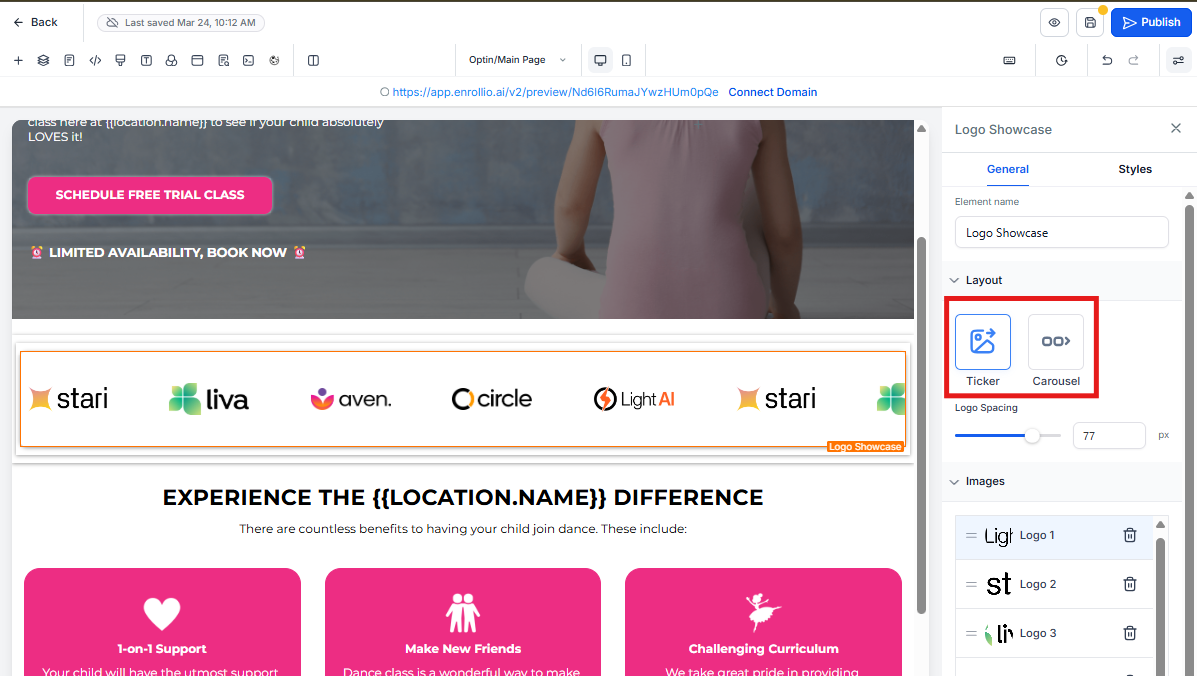
The Logo Showcase is a dynamic design element that lets you display multiple logos in either a continuously scrolling ticker or a sleek carousel. It's perfect for building trust with prospective families by showcasing your accreditations, certifications, and community partnerships.
Key Benefits of the Logo Showcase Element
Showcasing logos builds trust and enhances your credibility with families researching your center.
- Two distinct viewing styles: Ticker and Carousel
- Auto-animation: Infinite loop options keep parents engaged
- Custom logo spacing: Full layout control to match your brand
- Touch-optimized: Swipe support works perfectly on mobile devices
- Simple management: Drag-and-drop logo arrangement
- SEO-friendly: Custom alt text for accessibility and search rankings
How To Use the Logo Showcase Element
Here's how to add and configure the Logo Showcase on your enrollment pages.
- Open your Page Builder (for enrollment pages or your site)
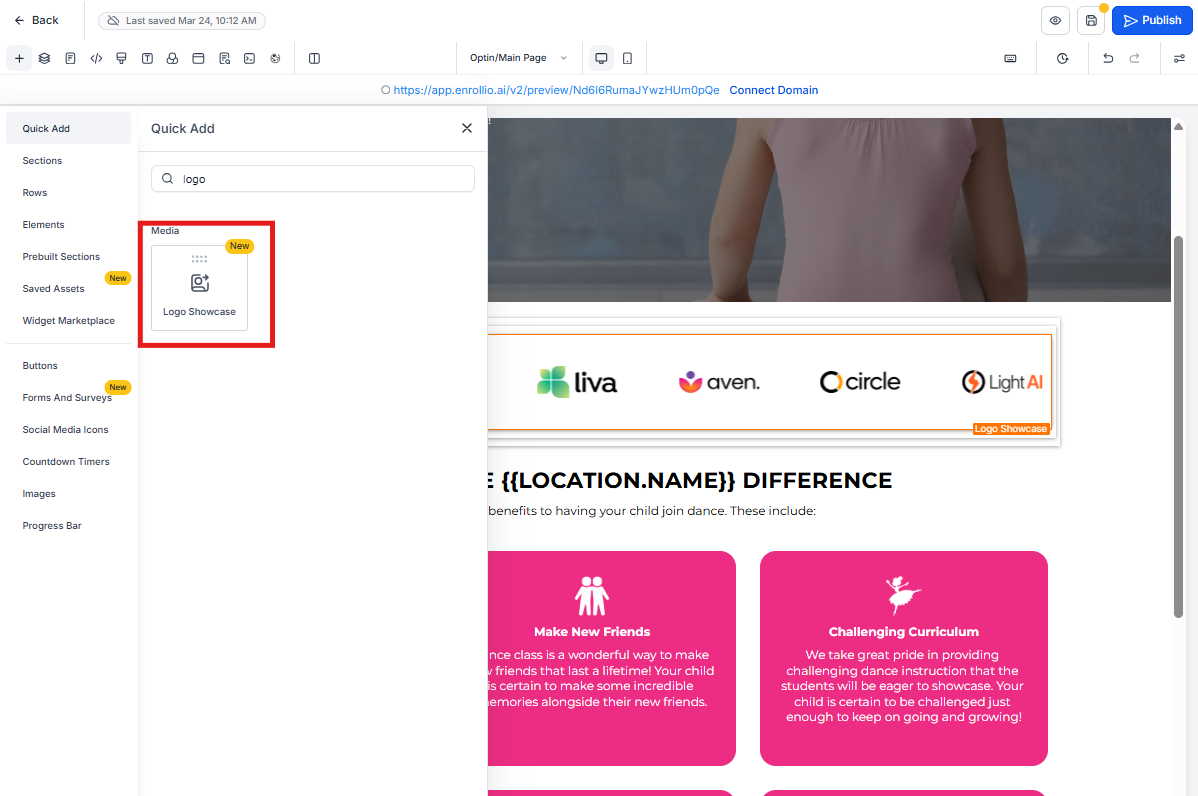
- Drag the Logo Showcase element onto your page
- Choose your preferred mode: Ticker or Carousel
- Upload logos via the image interface
- Customize logo layout and animation settings
- Preview and adjust until you're satisfied
Ticker Mode
Ideal for displaying many accreditations or partnerships in a compact format, this mode scrolls logos horizontally in a continuous loop.
Perfect for: Showcasing multiple state licensing logos, national accreditations, or community partner organizations.
Settings include:
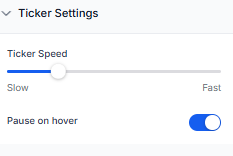
- Scroll Speed (1–10)
- Smooth Scroll toggle
- Pause on Hover option
Carousel Mode
Best for spotlighting premium accreditations or a curated selection of partnerships, this mode offers slide-by-slide presentation with full interactivity.
Perfect for: Featured certifications like NAEYC, state quality ratings, or major community partnerships.
Features:
- Supports up to 8 logos per slide
- Navigation via arrow buttons, pagination dots, and swipe gestures
Settings include:
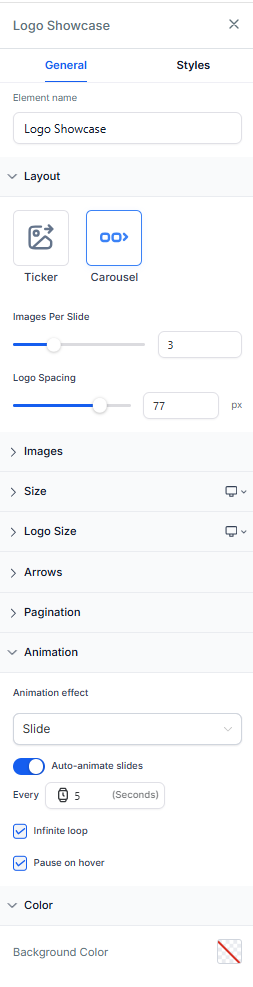
- Logos per Slide
- Auto-Animation & Interval Timing
- Infinite Loop
- Pause on Hover
- Animation Style (Slide or Fade)
Customization Options
Customize everything from layout to transitions with intuitive settings designed for ease and flexibility.
- Spacing: Adjust spacing between logos (0–100px)
- Arrangement: Rearrange logos via drag-and-drop
- Transitions: Enable smooth transitions and control timing
- Accessibility: Add custom alt text to each logo for screen readers and SEO
Frequently Asked Questions
Can I switch between Ticker and Carousel without losing logos?
Yes! All uploaded logos and settings are retained when you switch modes.
Is this available in all builder versions?
This element is available in the current Page Builder experience.
What is the max number of logos supported?
There's no hard limit, but for best performance keep your logo count reasonable. If you have 20+ logos, consider using ticker mode.
Can I link logos to external websites?
Currently, logos must be uploaded directly to Enrollio. Linking functionality is not available.
Next Steps
- Add accreditation and licensing logos to your homepage to build immediate trust
- Create a dedicated "Why Choose Us" page featuring your credentials
- Pair with testimonial elements for even greater impact with prospective families
- Consider adding your state quality rating badge if applicable