
Introduction
Dynamic countdown timers help you create urgency for your childcare enrollment campaigns. Whether you're promoting early bird registration, limited spots available, or seasonal enrollment periods, these timers sync across your emails and enrollment pages to keep your messaging consistent.
Each family sees a personalized countdown that starts when they open your email, ensuring the urgency feels real and relevant to them.
How It Works
The Dynamic Timer creates a unique countdown for each prospective family based on when they open your email. This means every parent sees timing specific to their engagement with your campaign.
The timer stays synchronized between your emails and live enrollment pages. When a parent clicks from your email to your enrollment site, they'll see the same countdown continuing—creating a seamless experience from inbox to action.
Step-by-Step Guide
1. Create a Dynamic Timer in Email Builder
- Navigate to Marketing → Countdown Timers
- Click Create a New Timer
- Choose a timer design that matches your enrollment campaign
- Select Dynamic Timer as the timer type
- Set the countdown duration (for example, 48 hours from when the email is opened)
- Click Save to finalize your timer
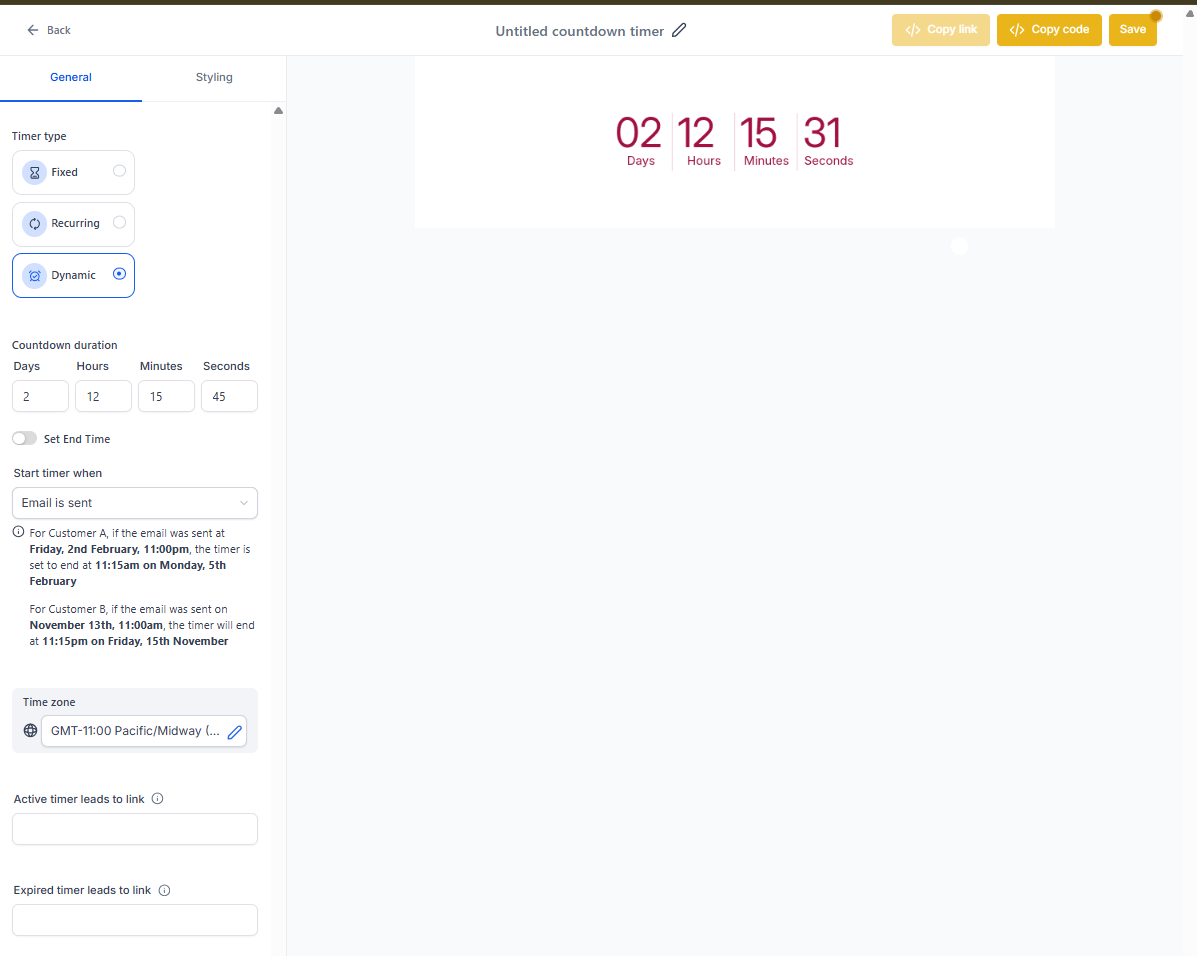
2. Add the Timer to Your Enrollment Pages
- Open your Landing Page Builder
- Click Add → Countdown Timers
- Select Dynamic Timer from the available options
- Drag the timer to your desired location on the page
- Save and publish the page to activate the timer
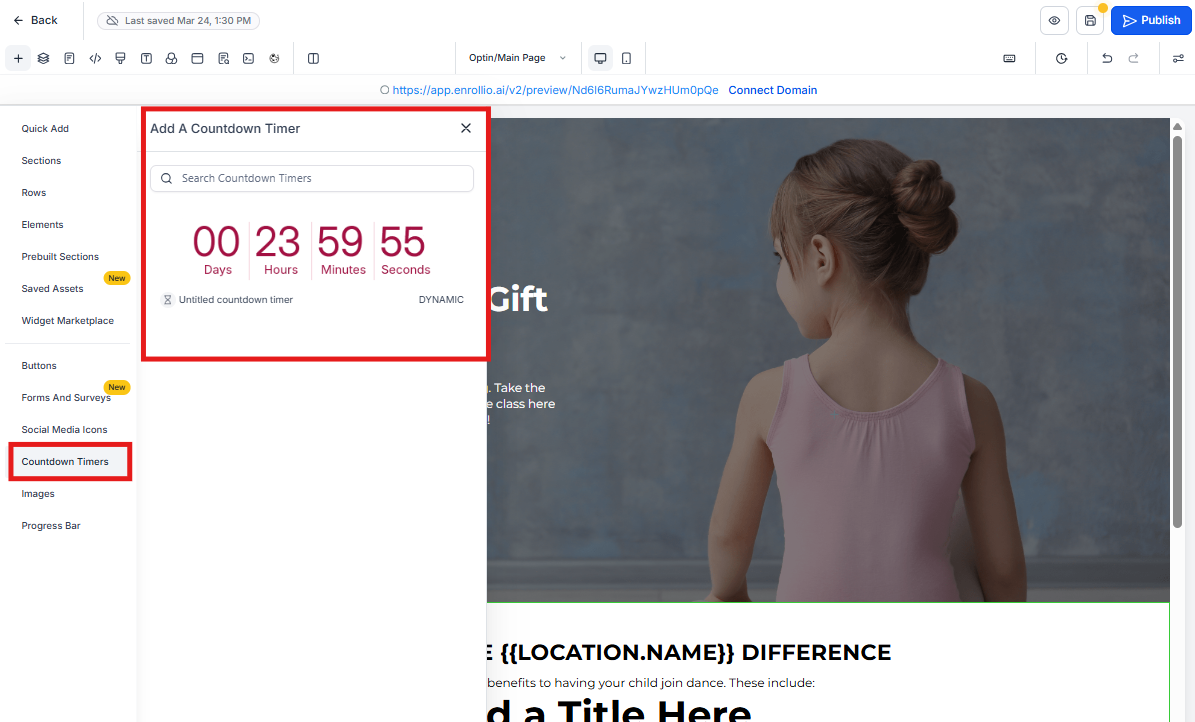
Your timer now syncs between emails and your live enrollment pages, creating a cohesive experience for prospective families.
Use Cases for Childcare Centers
Early Bird Enrollment
Create urgency around early registration discounts that expire uniquely for each family based on when they engage with your email.
Open House Registration
Drive limited-time tour signups with personalized countdowns for each prospective family.
Seasonal Enrollment Periods
Promote fall or summer enrollment windows with time-sensitive messaging that syncs across all your communications.
Limited Spots Available
Emphasize exclusivity by showing individualized countdowns when you have limited enrollment capacity.
Frequently Asked Questions
How does the personalized timer work?
Each family receives a timer that starts counting down when they open your email. This ensures the urgency is tailored to each recipient rather than showing the same deadline to everyone.
Will the timer stay synced on my enrollment page?
Yes. The timer remains synchronized between your emails and live enrollment pages, ensuring families see consistent timing whether they're in their inbox or on your site.
Can I customize the timer design?
Yes. You can choose from various countdown timer designs to match your center's branding and campaign style.
What happens when the timer expires?
You can configure what families see after the timer expires—either redirect them to a different page or display an alternative message. This lets you maintain engagement even after the deadline passes.
Can I use the same timer in multiple campaigns?
Yes, but each campaign should have its own timer to ensure accurate tracking and appropriate urgency for that specific promotion.