
Turn your promotional videos into powerful lead generation tools by adding a form that appears at a specific point during playback. Parents must submit the form to keep watching—perfect for capturing interest when they're most engaged.
What You Can Do
- Restricted Viewing: Lock your video at a specific timestamp until the viewer completes your form
- Capture Hot Leads: Show your form right when parents are most interested—during your tour walkthrough or program highlights
- Incentivize Sign-Ups: Gate the best part of your video (like your beautiful classrooms or outdoor play area) to encourage tour bookings
- Build Your Enrollment Pipeline: Transform any video into a lead capture system
How to Set It Up
- Add a Video element to your enrollment page and select Hosted Video
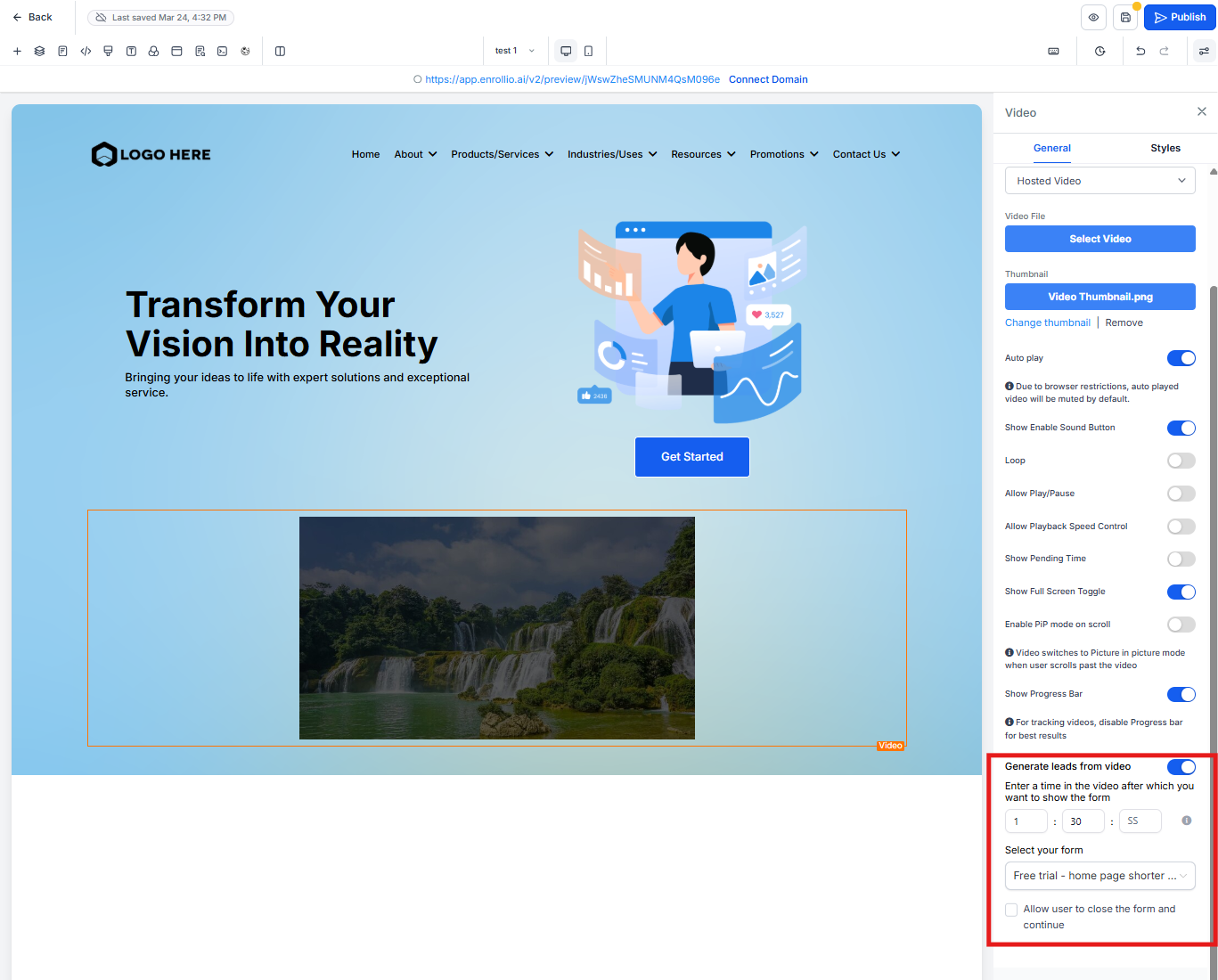
- Toggle on Generate leads from video
- Enter when you want the form to appear (hours, minutes, or seconds into the video)
- Choose which form to display—use a simple contact form or your tour booking form
- Decide if parents can close the form and keep watching, or if they must submit it to continue
Important Things to Know
- This only works with Hosted Videos (videos uploaded directly to Enrollio), not YouTube or Vimeo embeds
- Once a parent submits the form, they won't see it again for two weeks when watching that same video
- You can't use this feature on videos inside popups—it causes display conflicts
Common Questions
How do I choose the right timestamp?
Watch your video and note when you show something compelling—your beautiful infant room, your curriculum in action, or happy children playing. Set the form to appear 5-10 seconds before that moment.
Can parents skip the form?
Only if you enable "Allow user to close the form and continue." When disabled, they must complete the form to keep watching. We recommend requiring submission for your best promotional videos.
What happens if someone already filled out the form?
They won't see the form again for two weeks. This prevents annoying repeat visitors while still capturing new prospective families.
Can I use this with YouTube videos?
No, this feature requires hosted videos because Enrollio needs to track playback time. Upload your video directly to the platform instead of linking to YouTube or Vimeo.
What if I put a video in a popup?
This feature won't work in popups due to technical limitations with overlapping forms. Use it on your main enrollment pages instead.