
If you see this error after a parent completes a payment: "Order successfully placed! However, something went wrong while displaying this webpage, please contact the seller" — here's how to fix it.
What Causes This Error
This happens when your payment form tries to redirect parents to a next page, but no next page exists. The payment processes successfully — the error only affects what happens after.
How to Fix It
You have two options:
Option 1: Add a Thank You Page
- Go to your enrollment page or landing page in Enrollio
- Add a new page after your payment form (like a "Thank You" or "Next Steps" page)
- Save and republish your page
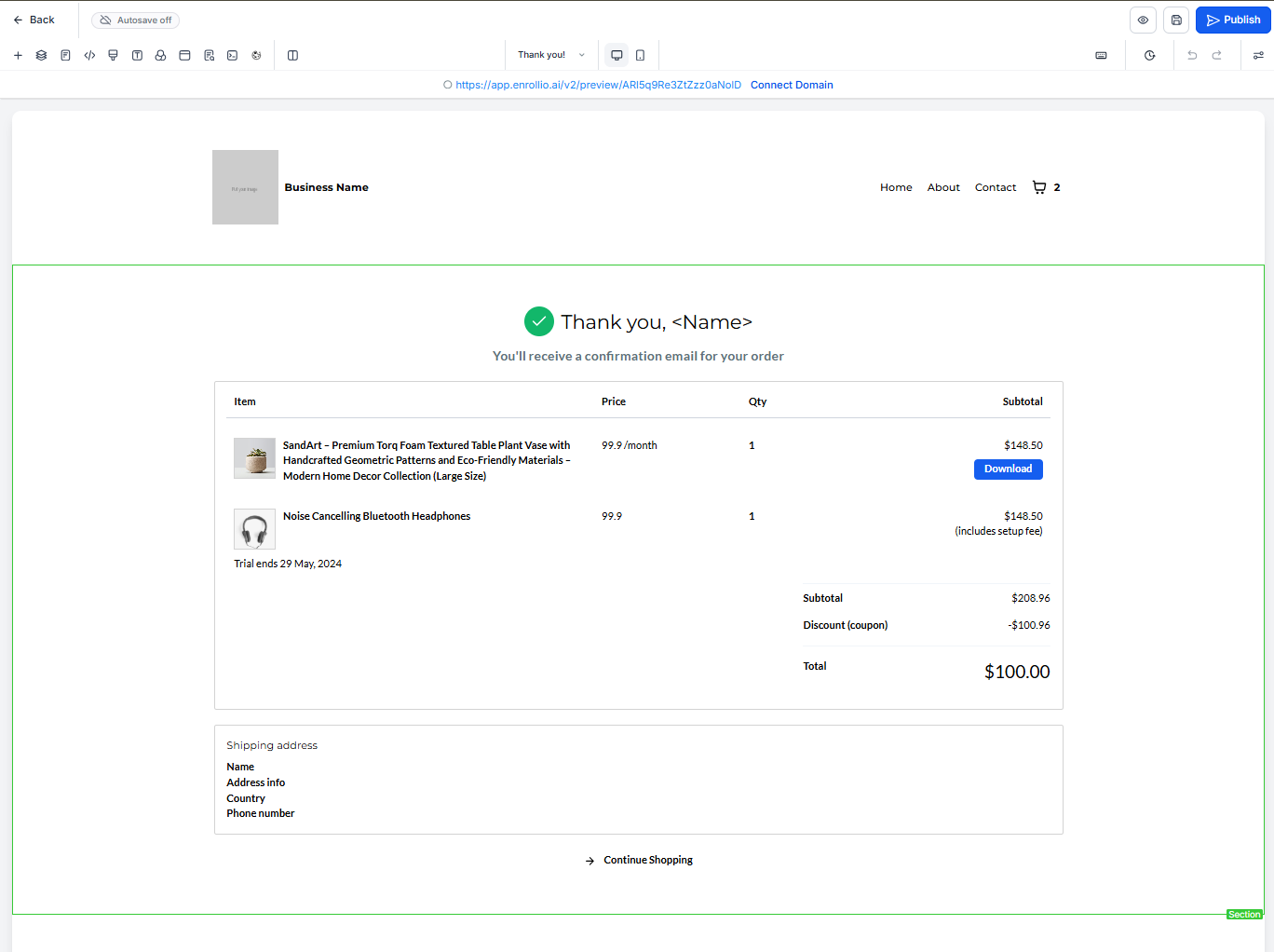
Option 2: Change the Redirect Settings
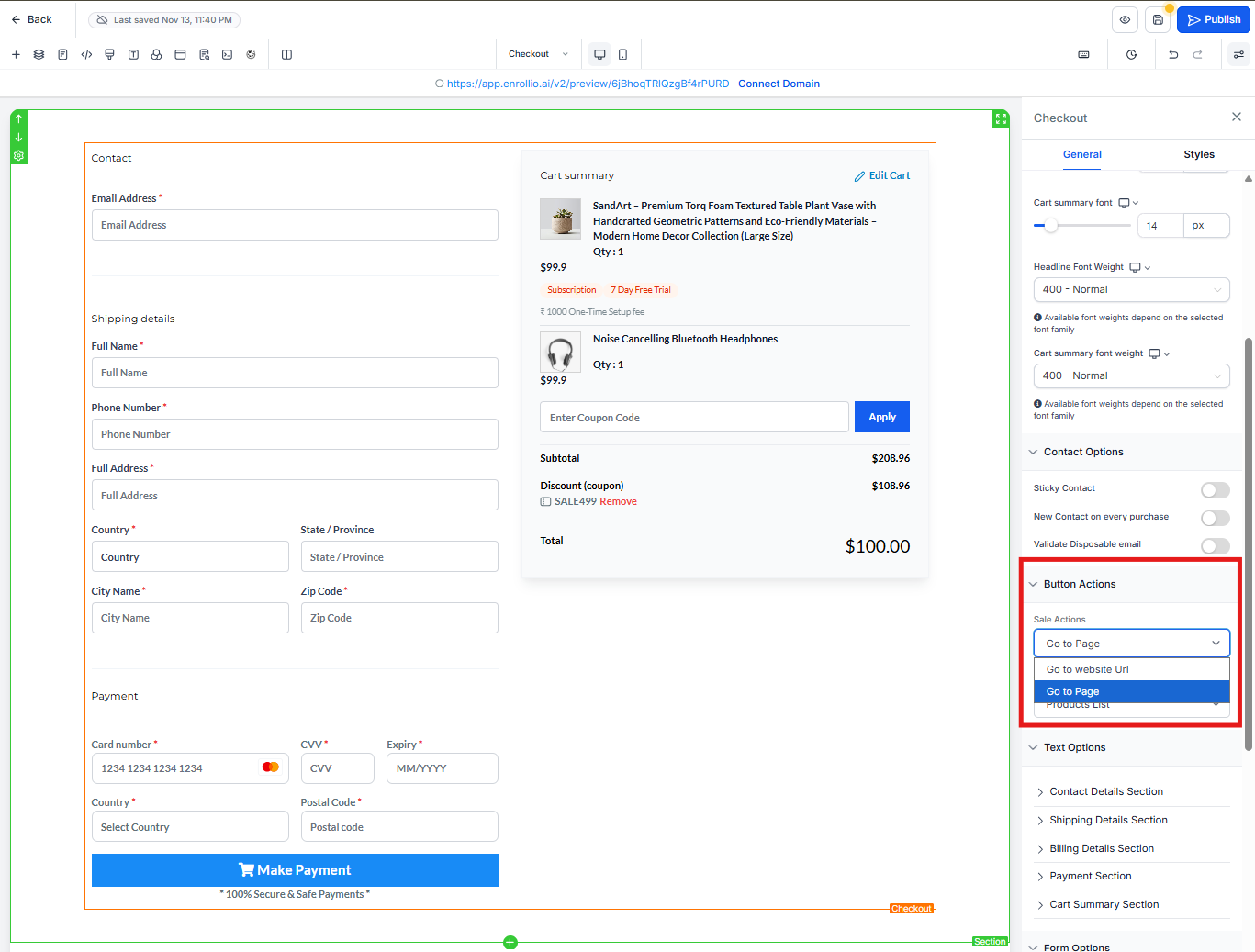
- Open your payment form settings
- Find the "After Payment" or "Redirect" section
- Choose a different action:
- Redirect to a specific URL (like your homepage or a confirmation page)
- Show a success message on the same page
- Close the form (if it's a popup)
- Save your changes
Pro Tip: We recommend creating a dedicated thank you page with next steps for families — like what to expect next, how to access their parent portal, or who to contact with questions. This creates a better experience than just redirecting to your homepage.
Testing Your Fix
After making changes, test your payment form with a small test transaction to confirm parents see the right page after completing payment.