
Overview
Need to reuse a page you've already built? The import feature lets you quickly copy a page from one enrollment site or landing page into another — no need to rebuild from scratch.
How It Works
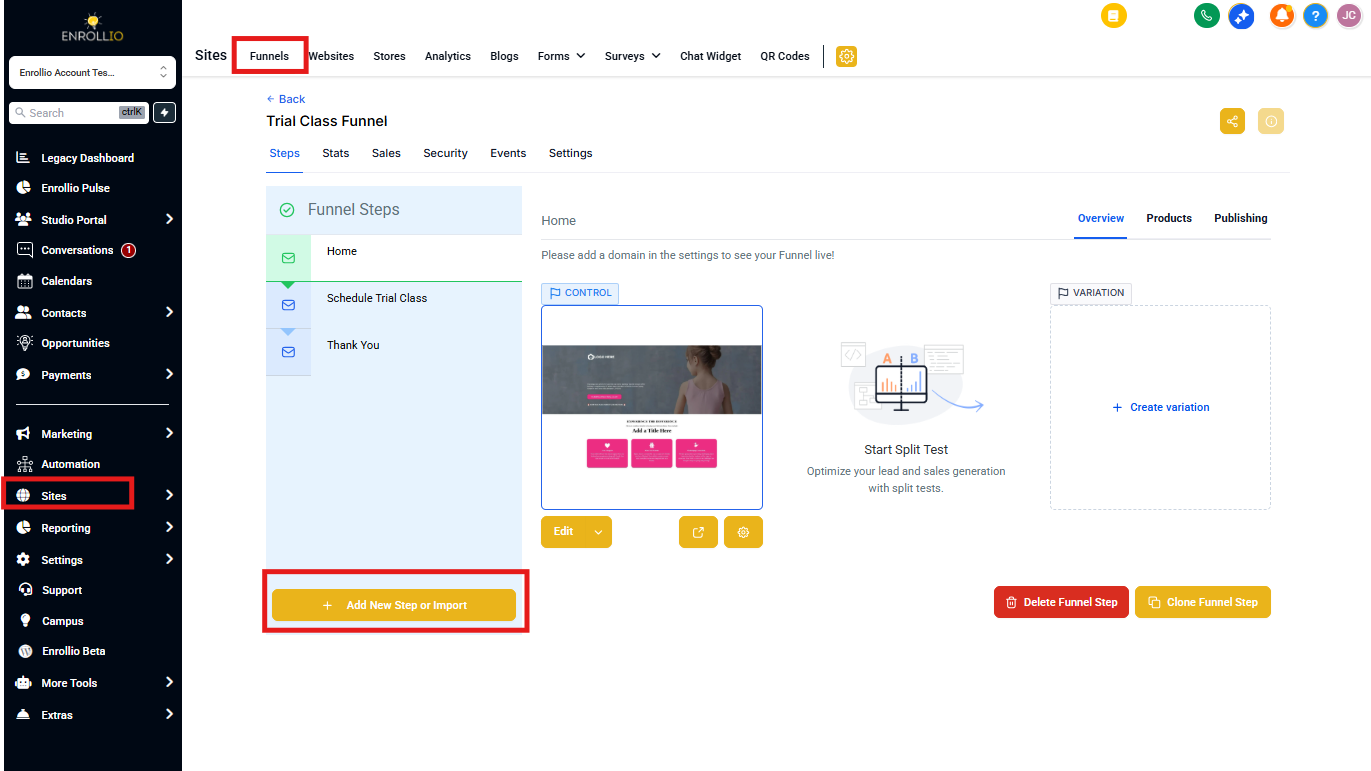
Step 1: Add a New Page
Click the + Add New Step button to add a new page to your enrollment site or landing page.
Step 2: Name Your Page
A popup will appear. Enter a name for your page and set the URL path.
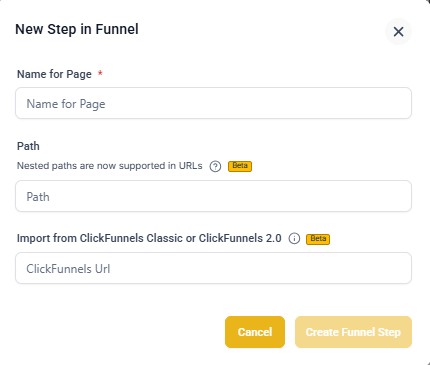
Step 3: Create the Page
Click Create Page to close the popup.
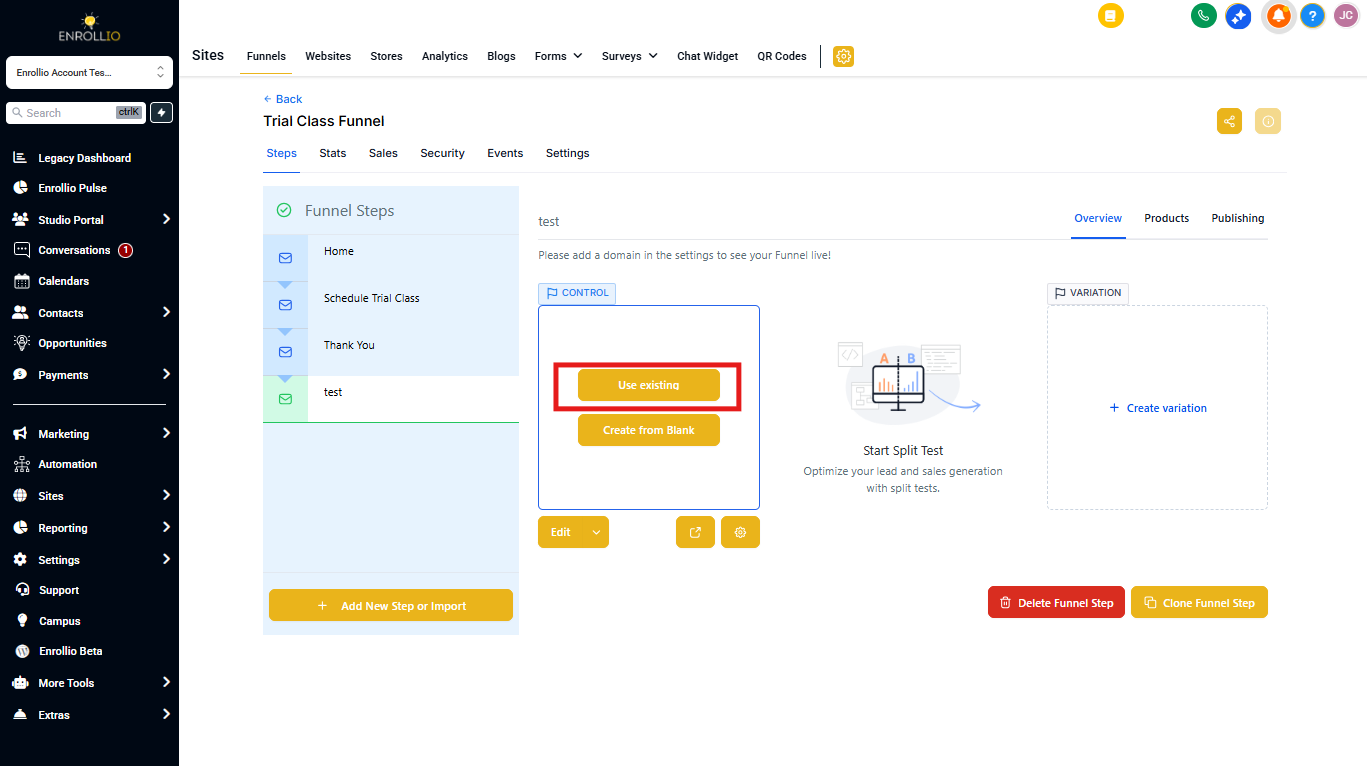
Step 4: Click Import
A new window will appear in the preview area. Click the Import button.
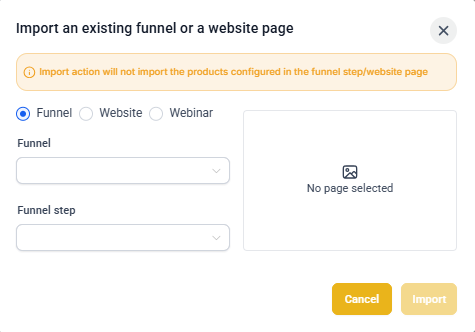
Step 5: Select Your Source Page
Choose which page you'd like to import from your existing enrollment sites or landing pages, then click Import.
Important Notes
- One page at a time: The import feature copies a single page only — not entire sites.
- Internal only: You can only import pages you've already created in Enrollio. This doesn't work with external website builders.
- Products aren't included: If your original page has products configured (like enrollment fees or registration forms), you'll need to set those up again on the imported page.
- Stats don't transfer: Performance data and analytics from the original page stay with that page — they don't carry over to the imported copy.
- Independent copies: Changes you make to the imported page won't affect the original, and vice versa.
Pro Tip: You can import both control pages and variation pages from split tests. If you want to run split tests on enrollment site pages, import them into a landing page structure first — that's where split testing is available across all plans.