
What Card Authorization Does
Card authorization lets you verify a parent's payment method before charging them. This is especially useful for free trials or payment plans — you can confirm their card is valid without actually charging it yet.
Here's how it works:
- A small amount (like $1) is temporarily held on the parent's card
- If the card is valid and has funds, they can continue enrolling
- The hold is released within 5 business days
- If you've set up trial days, they begin immediately after authorization
Important: Authorization only works with subscription plans and payment plans — not one-time payments.
Setting Up Card Authorization
You'll need to enable authorization for each payment plan individually. If your enrollment page has multiple pricing options, repeat these steps for each one.
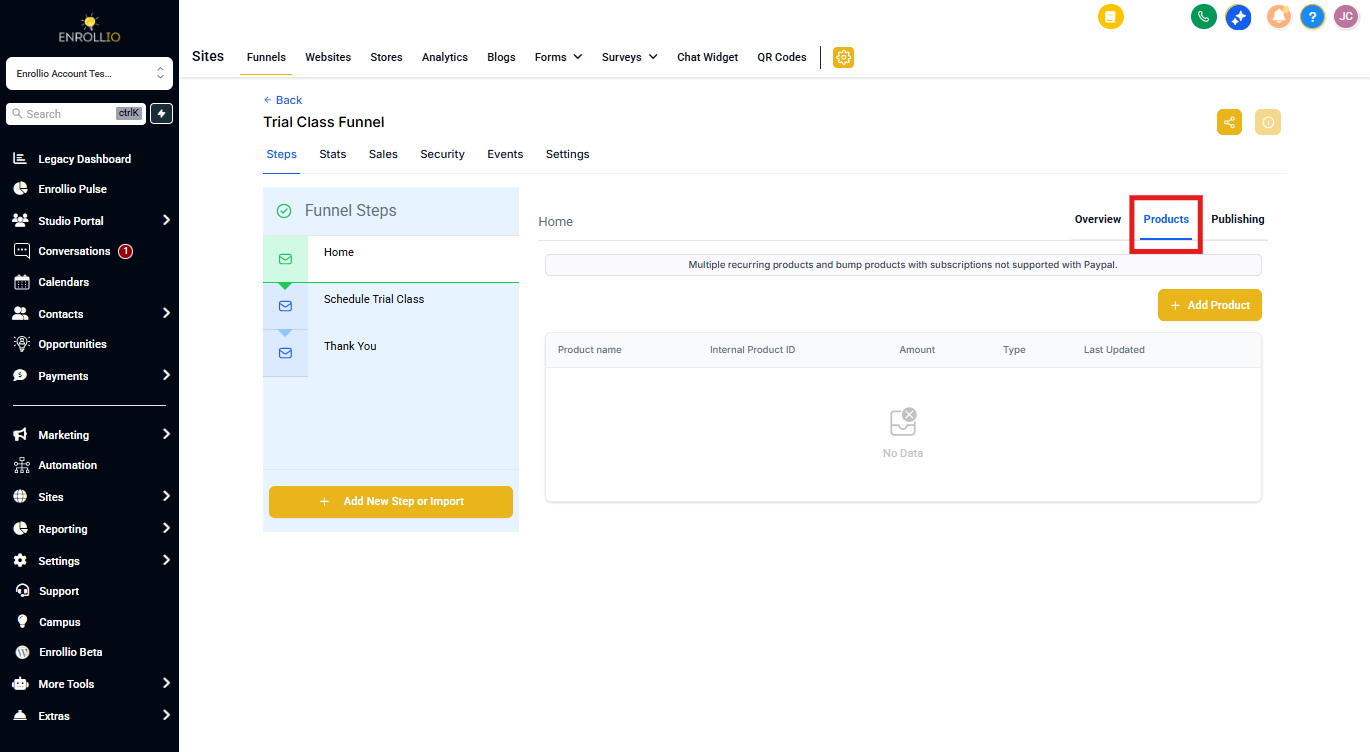
Step 1: Open Your Enrollment Page
- Go to Sites in your Enrollio dashboard
- Click on the enrollment page where you collect payments
- Select the page step that contains your pricing options
Step 2: Access Product Settings
- Click Products in the page editor
- Click the Edit icon next to the pricing plan you want to authorize
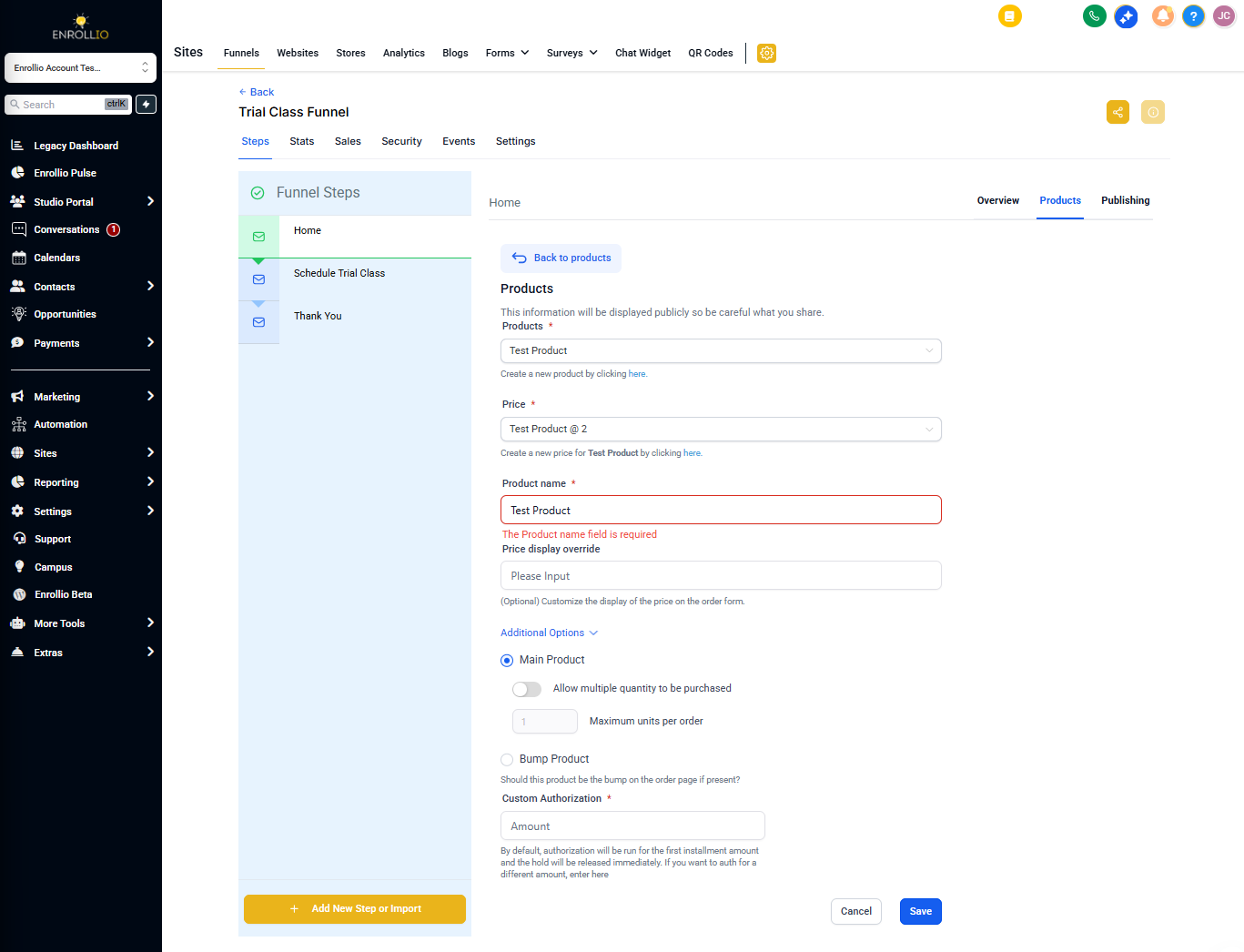
Step 3: Enable Authorization
- Toggle on Authorize Card
- Enter the authorization amount (example:
1.00for $1) - Select your currency (typically USD)
- Click Update
Remember: This amount will be temporarily held on the parent's card. If their account doesn't have sufficient funds, they won't be able to complete enrollment.
Step 4: Repeat for Additional Plans
If you have multiple pricing options (monthly, annual, etc.), go back and enable authorization for each plan using the same steps.
What Parents Will Experience
When a parent enrolls:
- They enter their card information
- The authorization amount is temporarily held
- If successful, they continue to the next step
- The hold is released within 5 business days
- Any trial period begins immediately
Make sure to communicate this process clearly on your enrollment page so parents aren't surprised by a temporary hold on their account.