
Want to showcase photos of your facility, classrooms, or happy families in an interactive slider? You can add a custom carousel to any Enrollio enrollment page or site using third-party widget code.
Get Your Slider Code
Enrollio doesn't have a built-in slider element (yet!), but you can easily embed one using free widget services like Elfsight.
- Visit a widget provider like Elfsight and create a free slider widget
- Customize your slider with your childcare photos
- Copy the embed code provided

Add the Slider to Your Page
- Open your enrollment page or site in the Enrollio page builder
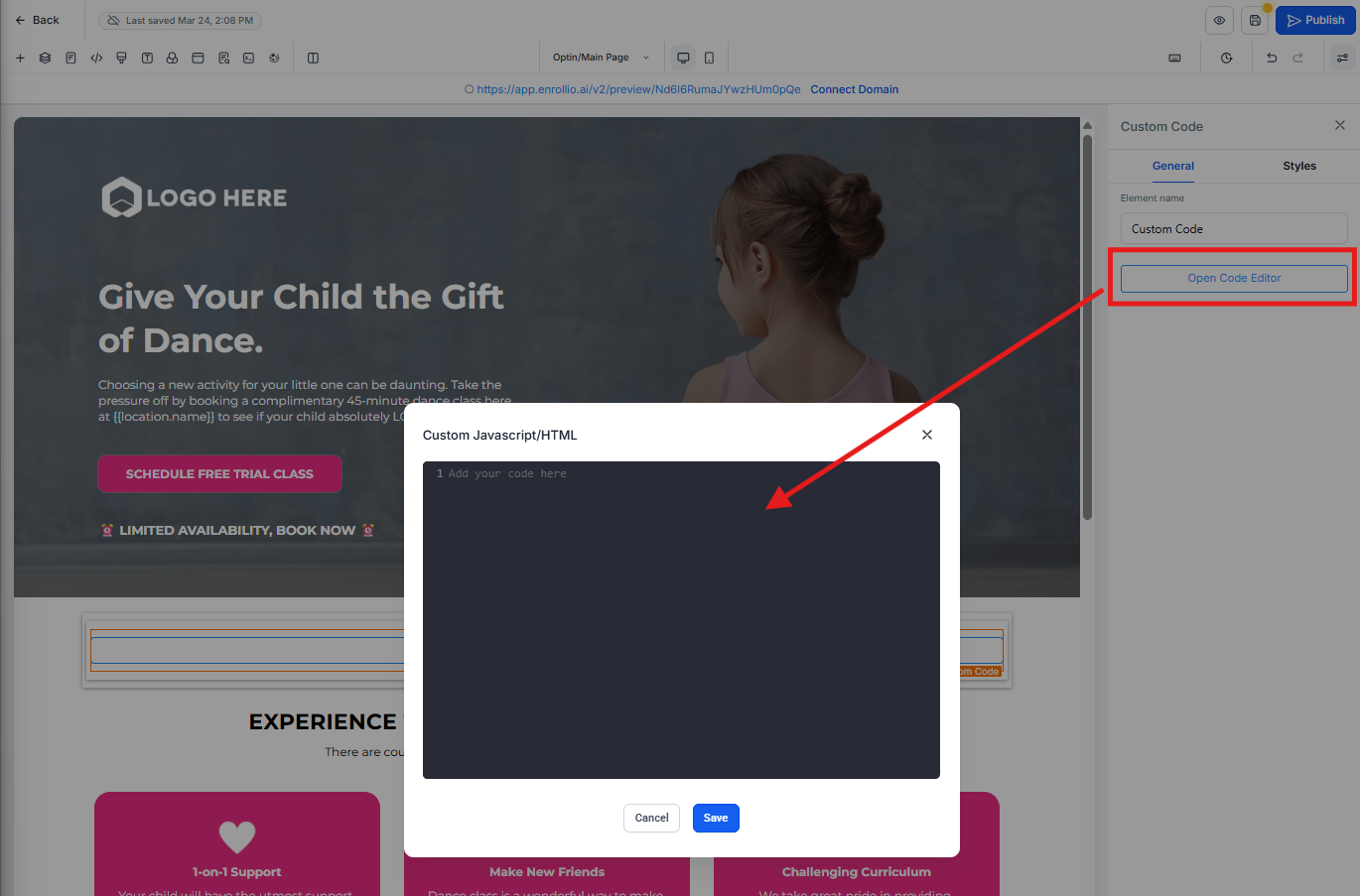
- Drag a Custom Code element onto your page where you want the slider to appear
- Paste your slider embed code into the Custom Code element
- Click Save and preview your page
Pro Tip: Use sliders to showcase your playground, classrooms, staff, or before/after photos of student projects. Keep it to 5-7 images max so parents don't have to click through too many slides.
Alternative: Use the Photo Gallery Element
If you just want to display multiple images without the sliding animation, consider using Enrollio's built-in Photo Gallery element instead. It's simpler and loads faster.
Need help deciding which element to use? The gallery is great for "about us" pages, while sliders work well for homepage hero sections.