
Overview
When a subscription payment fails in Enrollio, the system automatically generates an invoice and sends it to the parent. The platform also retries the payment at configurable intervals and gives you the option to automatically cancel subscriptions if all retry attempts fail.
How Failed Payment Processing Works
Step 1: Invoice Generation
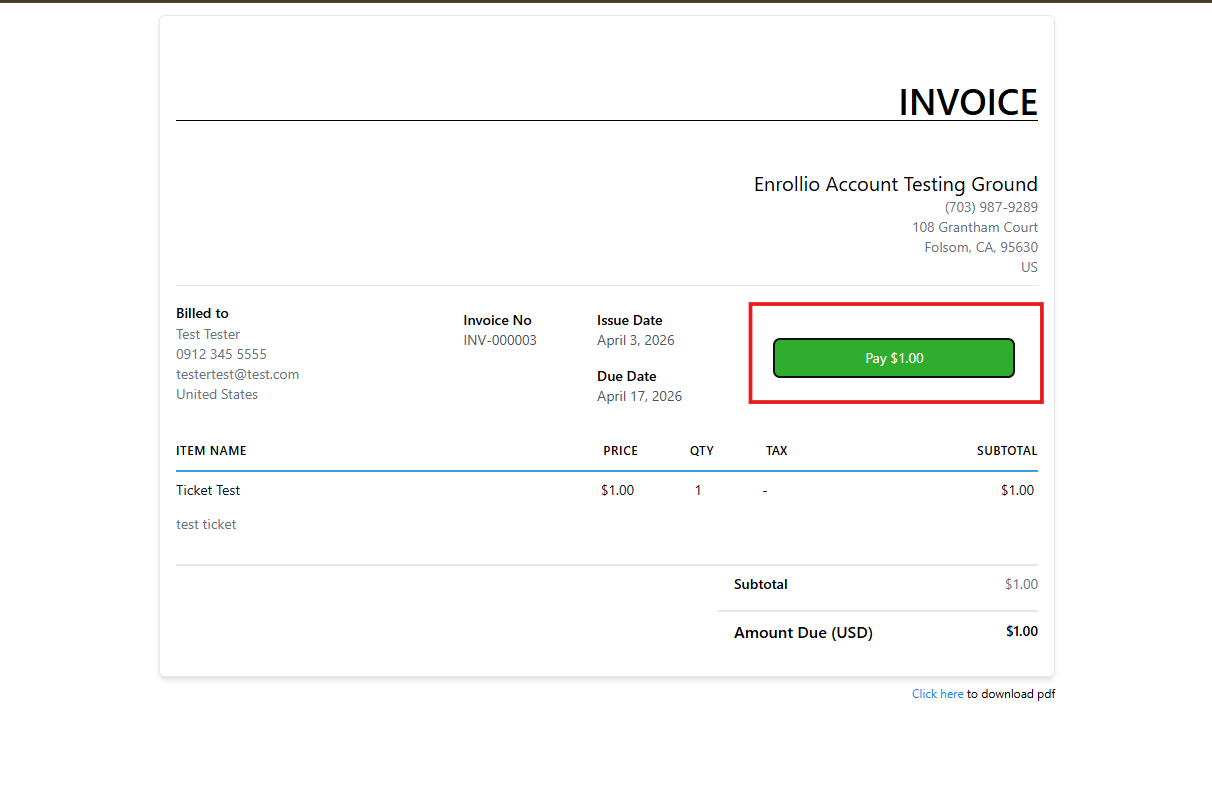
When a subscription payment fails, Enrollio automatically creates an invoice and sends it to the parent via email. The invoice includes a secure payment link so the parent can complete payment immediately.
Step 2: Parent Payment Options
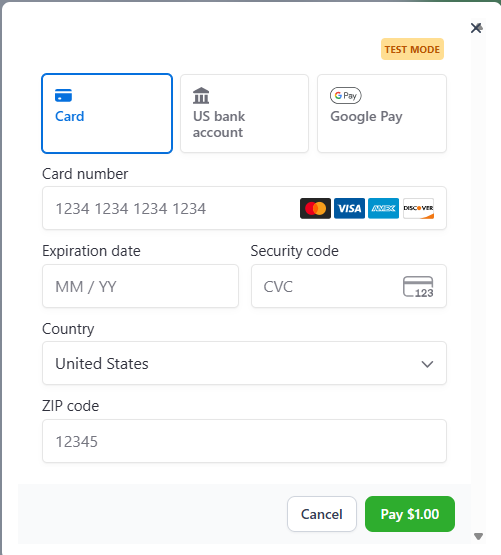
Parents can pay the invoice using their existing payment method or add a new card. If they use a new card, it automatically becomes their default payment method for future subscription charges.
Step 3: Automatic Payment Retries
While the invoice is active, Enrollio automatically attempts to process the payment again based on your retry settings. By default, the system makes three retry attempts, one day apart.
Step 4: Customizing Retry Settings
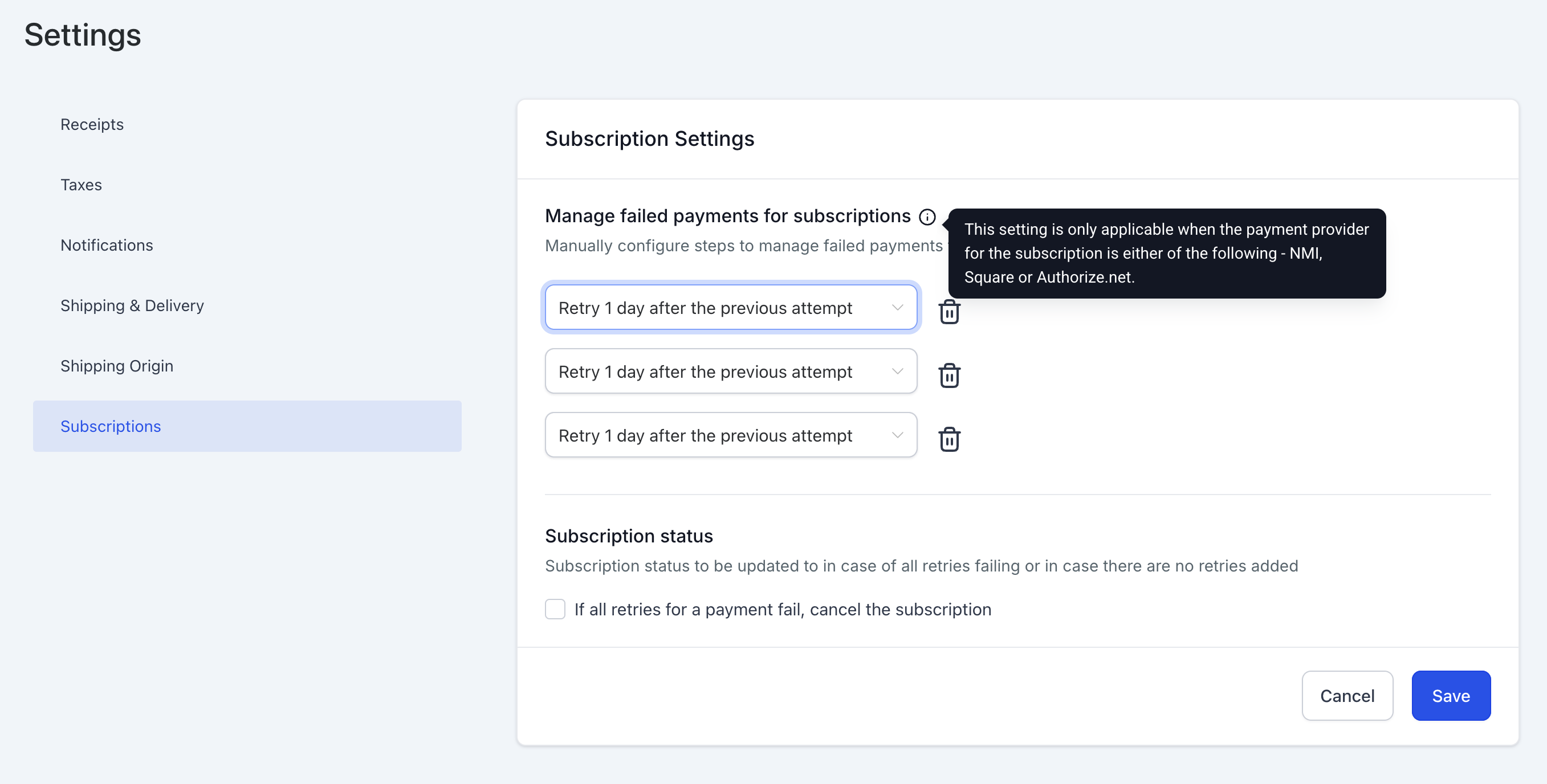
You can configure how many times the system retries (1, 2, or 3 attempts) and the interval between retries (1, 3, 5, or 7 days).
To adjust retry settings:
- Go to Payments > Settings > Subscriptions
- Update the number of retry attempts and intervals
- Click Save
Changes apply immediately to all subscriptions, including those currently in retry.
Step 5: Subscription Status Updates
Once payment succeeds—whether through automatic retry or invoice payment—the subscription status changes to Active, as long as no other invoices are pending.
If all retry attempts fail and the parent doesn't pay the invoice, the subscription remains in Unpaid status. You can configure Enrollio to automatically cancel subscriptions after all retries fail.
Important Details
Notifications
Parents receive email notifications about failed payments and generated invoices, so they're always aware of outstanding charges.
Parallel Processing
Invoice payments and automatic retries work together. If a parent pays the invoice before a retry attempt, the retry process stops automatically—no duplicate charges.
Default Payment Method Updates
When a parent adds a new card to pay a failed subscription invoice, that card becomes their default for all future charges. This helps prevent future payment failures caused by expired or declined cards.
Changing Settings Mid-Cycle
You can update retry settings anytime. Changes take effect immediately and apply to subscriptions currently in retry, so you have full control over your payment collection process.
Related Articles
- Subscription Settings - Failed Payment Retries
- How to Create Subscriptions from a Parent's Profile
- Managing Subscription Status
- How to Cancel Subscriptions