
How to Manage Sales Receipts for Payments
Receipts are essential for childcare businesses, giving families documented confirmation of their enrollment payments, tour deposits, and other transactions. They serve as proof of payment and help you maintain accurate financial records.
Enrollio makes receipt management effortless with automatic sales receipts. This feature sends professional receipts to families for all payment types—whether they're paying through an order form, booking a tour, or settling an invoice.
Table of Contents
- How to Enable Sales Receipts
- How to Customize Your Sales Receipts
- How Receipts Are Delivered
- Using Custom Email Templates
- Frequently Asked Questions
How to Enable Sales Receipts
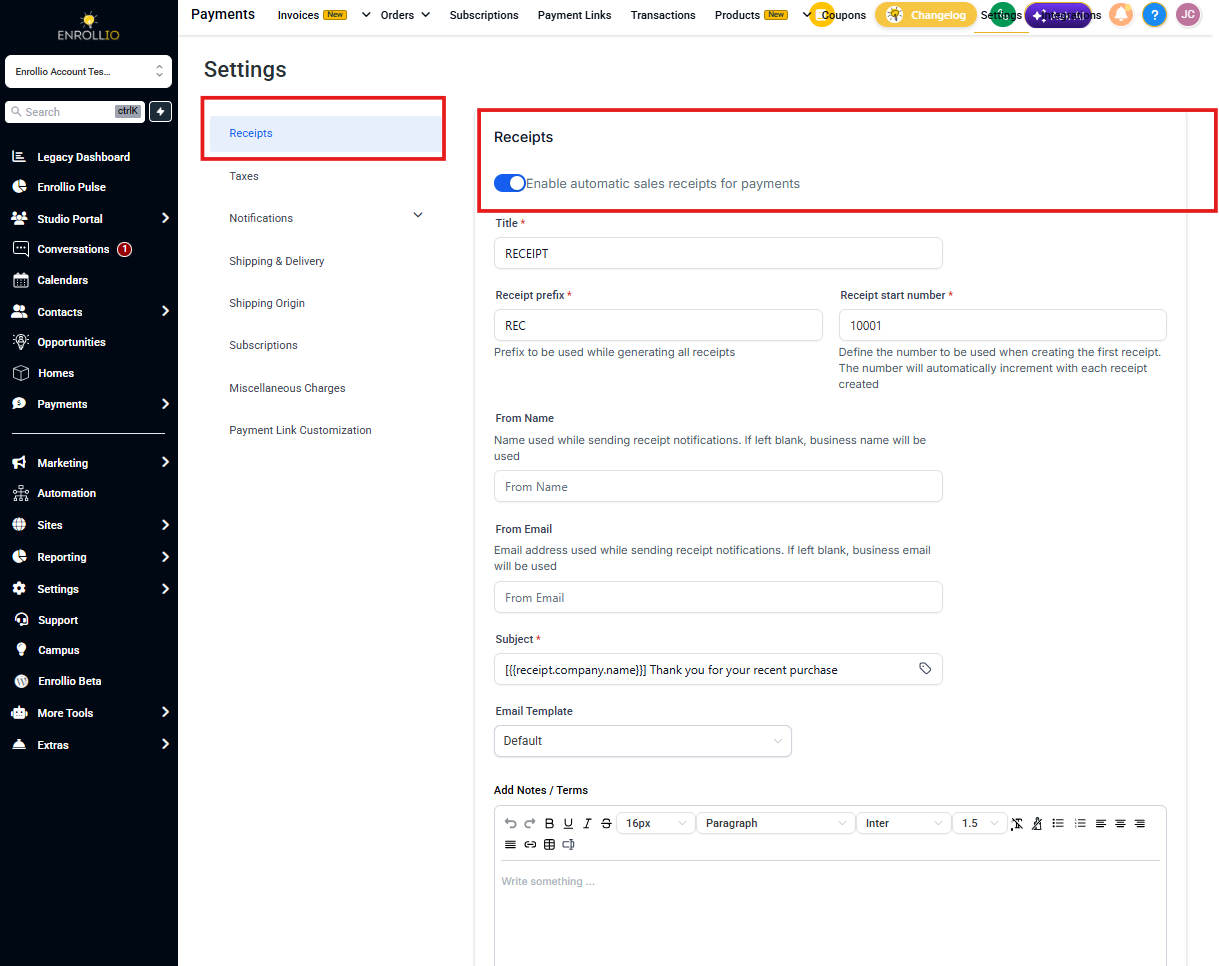
Automatic sales receipts work for all payment types in Enrollio:
- Order form purchases (including upsells)
- Tour booking deposits
- Invoice payments
- Recurring subscription payments
Once enabled, Enrollio automatically sends a receipt to the family's email address every time a payment is processed successfully.
How to Customize Your Sales Receipts
You have complete control over how your receipts look and feel. Here's what you can customize:
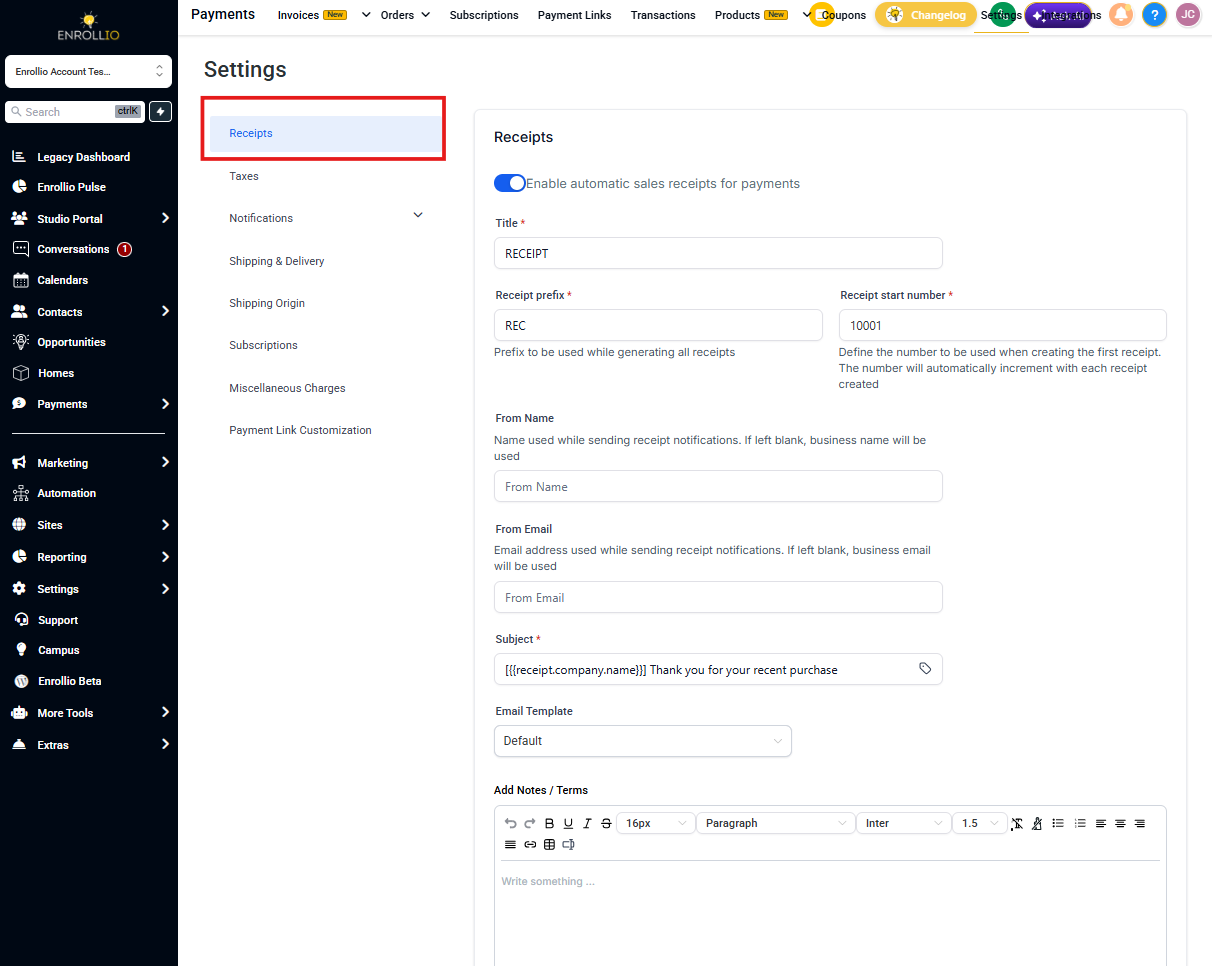
Custom Title
Change the receipt title to match your center's branding. Instead of "Payment Receipt," you might use "Happy Hearts Childcare - Payment Confirmation."
Receipt Numbers
Add a prefix and starting number to your receipts for easier tracking. For example, you could use "HH-2024-" followed by sequential numbers like 001, 002, 003.
Pro tip: Use your center's initials or the current year in your prefix to keep receipts organized.
Email Template
Design the email that accompanies your receipt. You can add your logo, adjust the message, and include helpful information like your contact details or payment policies.
How Receipts Are Delivered
Receipts are automatically sent as PDF attachments to the family's email address on file. Parents can download, save, or print them for their records.
The email arrives immediately after payment processing completes, so families have instant confirmation of their transaction.
Using Custom Email Templates
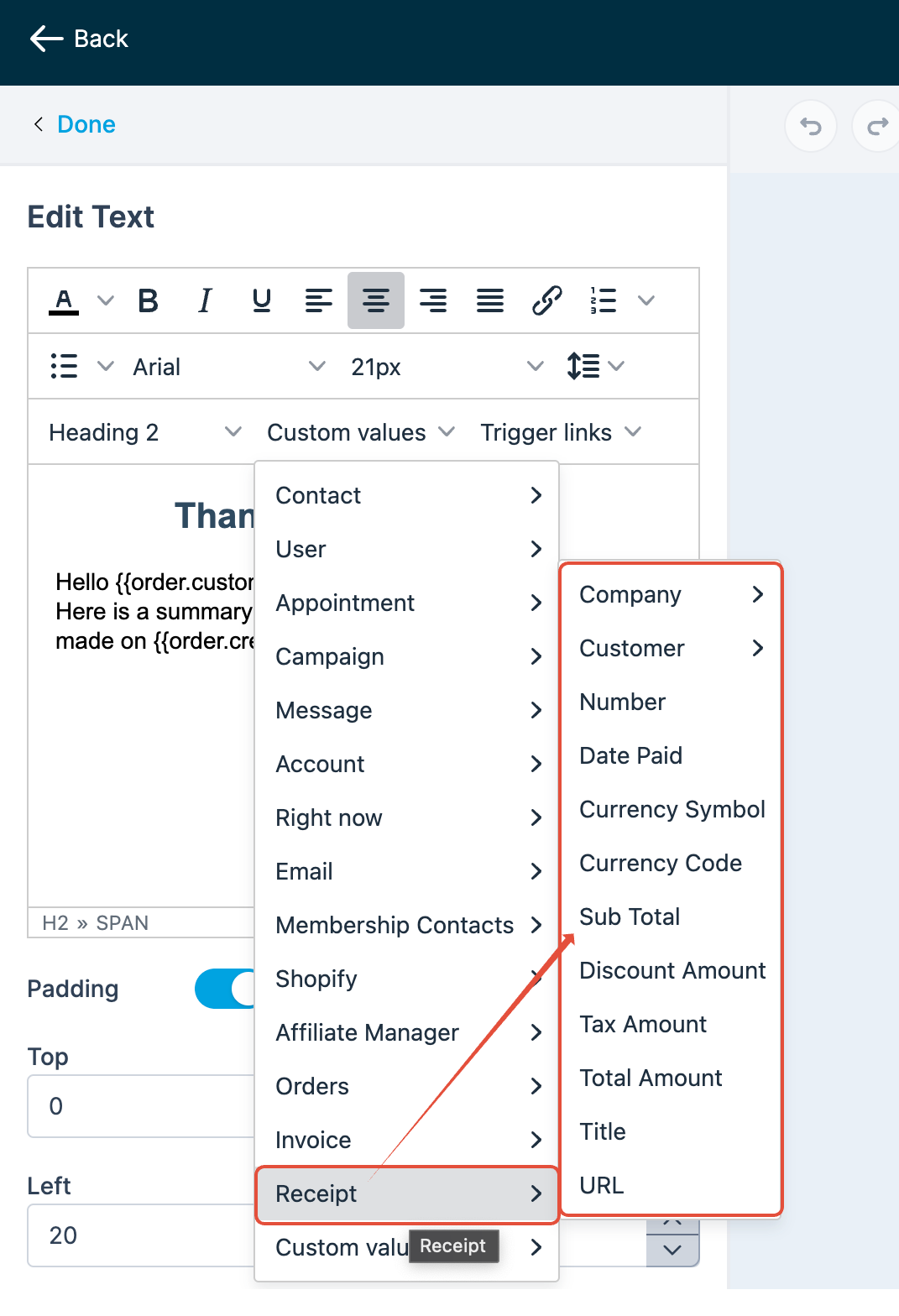
Create branded receipt emails that reflect your childcare center's personality. Use the email builder to:
- Add your center's logo and colors
- Include custom values like the family name, amount paid, and payment date
- Write a personal message thanking families for their payment
- Add links to your parent portal or important policies
Your receipt emails will look professional and consistent with your other communications.
Frequently Asked Questions
Can I send sales receipts automatically for only certain types of payments?
No, enabling sales receipts applies to all payments made through order forms, tour bookings, and invoices. If you want to send receipts selectively, you'll need to disable automatic receipts and send them manually for specific payments.
Can sales receipts include custom fields or personalized messages?
Currently, sales receipts show standard transaction details. However, you can customize the email template that accompanies the receipt to include a personal message or additional branding elements.
Are sales receipts sent immediately after a payment is processed?
Yes, receipts are sent automatically as soon as the payment processes successfully. Occasionally, delays may occur due to the recipient's email server, but Enrollio sends them right away.
How can I verify if a sales receipt was successfully delivered to a family?
Check the Email Reporting section to confirm delivery:
- Click Marketing in the left sidebar
- Select Emails
- Click Email Reporting
- Use filters to search by the family's email address or the receipt subject line
- Check the delivery status to see if the email was delivered, opened, or bounced
How can I stop the system from automatically emailing receipts to families?
If you prefer to send receipts manually or through a third-party platform like Stripe, disable automatic receipts:
- Click Payments in the left sidebar
- Select Settings at the top
- Click the Receipts tab
- Toggle off "Enable automatic sales receipts for payments"
- Click Save
Can I change a receipt number to a shorter or lower number?
No. Receipt numbers are automatically generated and must always be higher than the last number used. You can't edit, reset, or manually change them—this ensures accurate record-keeping.
If I turn off automatic receipts, will I still have a record of the payment?
Yes. Disabling automatic receipt emails doesn't affect your internal records. Every successful payment is still recorded under the Transactions tab for your bookkeeping.
Does this setting apply to both one-time and recurring payments?
Yes. When you disable automatic receipts, the system stops sending receipt emails for all transaction types processed through your connected payment gateways—including one-time payments and recurring subscriptions.